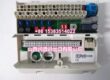
Product Core Brief
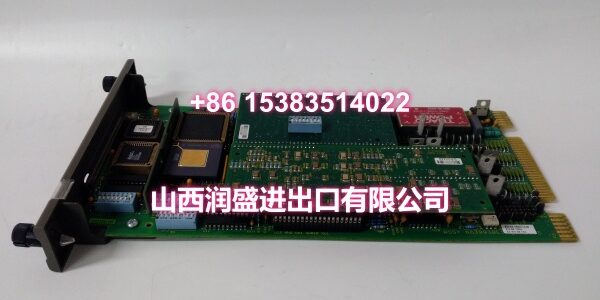
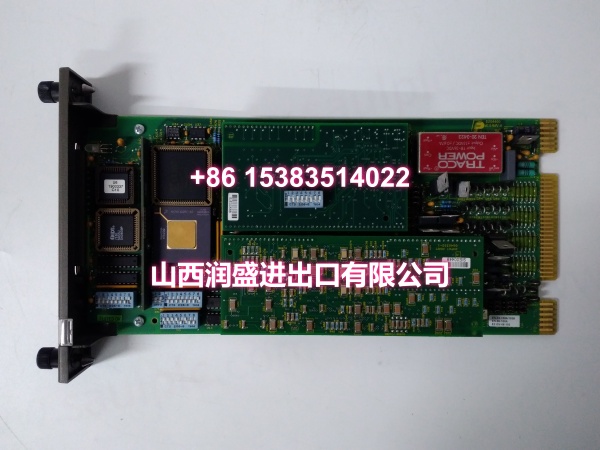
- Model: IMMPI01
- Brand: ABB
- Series: Bailey Infi 90 / Symphony
- Core Function: Bridges an engineer workstation or host PC to the INFI-NET loop through the INICT03 module, enabling configuration download, data upload, and system maintenance.
- Product Type: Multi-function processor interface module
- Key Specs: RS-232-C + SCSI host interfaces | P6 ribbon cable to INICT03 | NTMP01 terminal unit required | +5 VDC, 415 mA
- Condition: New Original / New Surplus (subject to available stock)
Key Technical Specifications
| Parameter | Detail |
|---|---|
| Product Type | Multi-function processor interface module |
| Compatible System | ABB Bailey Infi 90 / Symphony DCS |
| Host Interfaces | RS-232-C (DCE/DTE configurable), SCSI parallel port |
| Backplane Interface | P6 ribbon cable to INICT03 module |
| Terminal Unit | NTMP01 (required for external RS-232 wiring) |
| Power Supply | +5 VDC, 415 mA (~2.08 W typical) |
| Connectors | P1 (power), P3 (NTMP01), P6 (INICT03 ribbon); P2 not used |
| Data Capacity | Up to ~30,000 process points for real-time reporting |
| Self-Diagnostics | Ribbon cable break, serial fault, power anomaly detection with LED indication |
| Operating Temperature | -20 °C to +70 °C |
| Mounting | Infi 90 module mounting unit, single slot |
| Typical Use | Engineering station link, configuration download, trend/alarm upload, host-to-INFI-NET gateway |
| Packaging | Anti-static, industrial shipping pack |
| Availability | In-stock surplus / OEM replacement |
Product Introduction (No Fluff)
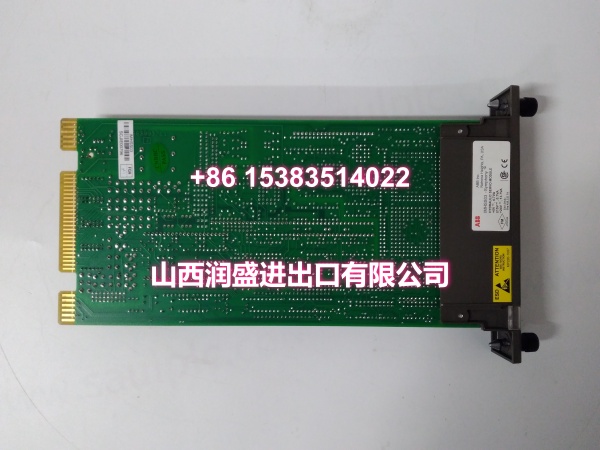
The ABB IMMPI01 is a multi-function processor interface module for Bailey Infi 90 and Symphony DCS systems. It serves as the communication bridge between a host computer or engineer workstation and the INFI-NET control loop by pairing with an INICT03 network interface card.
Through its RS-232-C and SCSI interfaces, the IMMPI01 supports configuration download, PID tuning, real-time data upload, historical trend retrieval, and alarm reporting. It is not a standalone controller — it must be used together with an INICT03 module and an NTMP01 terminal unit to function.
QA & Testing SOP (Dynamic & Transparent)
This module is a communication gateway, so we verify more than just power-on.
- Incoming inspection: Verify model marking, hardware revision, connector condition (P1, P3, P6), and PCB integrity. Check for corrosion, bent pins, or prior repair signs.
- Anti-counterfeit check: Inspect label formatting, serial consistency, PCB finish, and connector quality against known OEM characteristics.
- Power-up test: Seat the module in a compatible Infi 90 test rack. Apply +5 VDC and verify normal LED behavior and self-diagnostics.
- Interface verification: Confirm RS-232-C port responsiveness and SCSI interface presence. Validate DCE/DTE configuration capability where test fixtures allow.
- Ribbon cable path check: Verify P6 connector integrity and continuity to the INICT03 interface path. Confirm NTMP01 terminal connection where applicable.
All units are packed in anti-static bags with connector protection. Because this module requires INICT03 and NTMP01 to operate, full loop-back testing depends on available test fixtures. If your site requires a specific hardware revision, send the existing module label photo before ordering.
Installation Pitfalls & Guide (Engineer to Engineer)
This is a communication interface module, not a plug-and-play I/O card. The配套 dependencies are critical.
❗ Do not install the IMMPI01 alone. It cannot function without an INICT03 module connected via the P6 ribbon cable and an NTMP01 terminal unit for external RS-232 wiring. Installing it solo in a rack will produce no usable communication.
❗ Verify the ribbon cable orientation. The P6 flat cable between IMMPI01 and INICT03 must be seated correctly. A reversed or loose ribbon cable causes communication failures that look like module faults.
❗ Confirm RS-232 settings. The serial port can operate as DCE or DTE. A mismatch between the module setting and the host PC cable wiring will prevent communication entirely.
❗ Check the +5 VDC supply. The module draws ~415 mA at +5 VDC. An undersized or noisy power rail can cause intermittent resets or communication dropouts.
Installation steps
- Pre-install: Confirm the INICT03 module is present and the NTMP01 terminal unit is installed. Verify the P6 ribbon cable is available and undamaged.
- Removal: If replacing a live unit, document RS-232 settings and cable connections. Remove the module carefully from the rack.
- Install: Seat the IMMPI01 in the designated slot. Connect P6 ribbon cable to INICT03, P3 to NTMP01, and verify P1 power connection.
- Power-on test: Verify LED status, confirm RS-232 communication with the host PC, and test configuration download or data upload functionality.
Technical FAQ
Is the IMMPI01 still available? Yes, as new surplus and OEM replacement stock. The module is considered legacy/obsolete by ABB, but inventory remains available through specialized suppliers. Confirm current quantity before planning a maintenance window.
Can I use the IMMPI01 without an INICT03? No. The IMMPI01 requires an INICT03 module connected via the P6 ribbon cable to access the INFI-NET loop. Without it, the module has no path to the control network.
What is the NTMP01 used for? The NTMP01 is the terminal unit that brings out the RS-232-C external wiring connections from the IMMPI01. Without it, you cannot physically wire the serial port to a host PC.
What is the warranty? Surplus units typically carry 30–90 days depending on condition. New original stock may qualify for longer coverage. The exact term is stated on the quote.
Can you test it before shipping? Yes. We perform power-up, LED, and interface checks. Full INFI-NET loop-back testing requires an INICT03 and test rack. If your site requires a documented test report, request it before ordering.