Product Core Brief
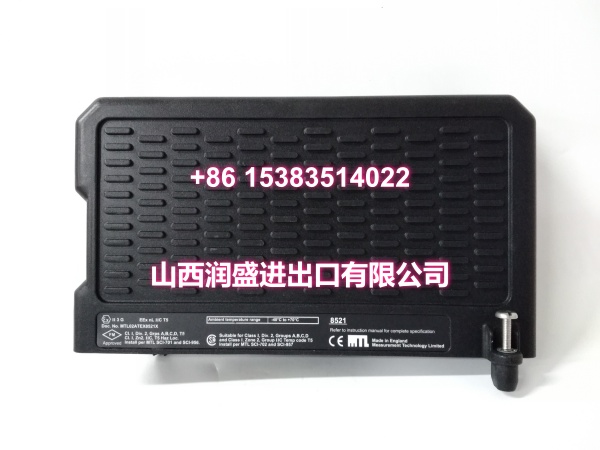
- Model: 8521-TC-SA
- Brand: GE (GE Fanuc / GE Intelligent Platforms, now Emerson)
- Series: PACSystems RX3i Analog Input
- Core Function: 8-channel isolated thermocouple and millivolt analog input module for PACSystems RX3i, converting temperature and low-level mV signals into high-resolution digital values for process control.
- Product Type: Thermocouple / Analog Input Module
- Key Specs: 8 channels | thermocouple + mV input | channel isolation | 24-bit ADC | hot swap | open-wire detection | CJC support | Proficy Machine Edition configuration
- Condition: New Original / New Surplus
Key Technical Specifications
- Part Number: 8521-TC-SA
- Product Family: PACSystems RX3i Analog Input
- Channel Count: 8
- Input Type: Thermocouple and millivolt
- Thermocouple Types: B, C, E, J, K, N, R, S, T
- mV Input: ±50 mV, ±150 mV (channel configurable)
- Resolution: 24-bit ADC
- Isolation: Channel isolation; two isolation groups, 4 channels per group
- Diagnostics: Open-wire detection, over/under range, rate-of-change alarms
- Hot Swap: Supported
- Filtering: Per-channel selectable notch filter
- Configuration: Proficy Machine Edition, no jumpers required
- Backplane: PACSystems RX3i universal backplane, PCI bus
- Typical Applications: Furnace temperature monitoring, reactor temperature control, heat tracing, exhaust temperature measurement, and low-level mV process signal acquisition
Product Introduction (No Fluff)
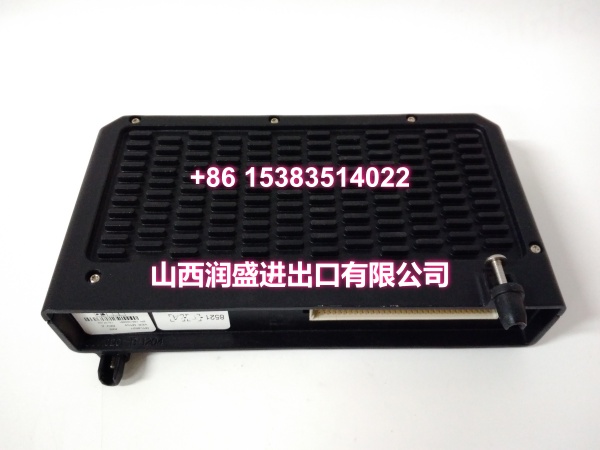
The GE 8521-TC-SA is an 8-channel thermocouple and millivolt analog input module for the PACSystems RX3i system. It accepts multiple thermocouple types including J, K, T, E, R, S, B, N, and C, as well as low-level millivolt signals, and converts them into 24-bit digital values for process control.
Each channel is software-configurable through Proficy Machine Edition, eliminating the need for module jumpers. The module provides channel isolation, open-wire detection, selectable filtering, and hot-swap capability, making it suitable for temperature-critical process applications. Because it is designed for the RX3i universal backplane, it must be installed in a compatible RX3i rack and configured with the correct thermocouple type, CJC source, scaling, and filter settings.
QA & Testing SOP (Dynamic & Transparent)
For a thermocouple input module, we verify identification, physical condition, terminal integrity, and channel measurement readiness before release.
- Part number verification: Confirm 8521-TC-SA on the module label. Record revision, serial number, and firmware version where available.
- Visual inspection: Check the module housing, terminal block, backplane connector, LEDs, and PCB for corrosion, burn marks, or mechanical damage.
- Terminal inspection: Verify the removable terminal block is intact, properly seated, and free of oxidation or loose pins.
- Backplane connector check: Inspect RX3i PCI bus connector pins for bending, contamination, or poor contact.
- Power-up and LED check: Where a compatible RX3i rack is available, verify module power-up status and LED indicators.
- Channel verification: Apply a known mV source or thermocouple simulator to selected channels and confirm correct readings in Proficy Machine Edition.
- Diagnostics check: Verify open-wire detection, over/under range status, and module fault reporting.
- CJC readiness check: Confirm cold junction compensation configuration and terminal block compatibility.
- ESD-safe packaging: Ship in anti-static bags with foam protection. Include part number, revision, and inspection status on the label.
Installation Pitfalls & Guide (Engineer to Engineer)
❗ This is a thermocouple / mV input module. Do not connect 4–20 mA, 0–10 V, RTD, or resistance signals to TC-configured channels without verifying channel configuration and wiring.
❗ Channel isolation is group-based. The module provides two isolation groups with four channels per group. Do not assume full channel-to-channel isolation across all eight channels.
❗ Cold junction compensation matters. Thermocouple accuracy depends on correct CJC configuration. Verify the CJC source and terminal block setup before commissioning.
❗ Match thermocouple type per channel. Each channel must be configured for the correct TC type. A J-type thermocouple configured as K-type will produce incorrect temperature readings.
❗ Use compensated extension wire. Thermocouple extension wire must match the thermocouple type. Using ordinary copper wire between the thermocouple and module introduces measurement error.
❗ Confirm RX3i backplane compatibility. This module is designed for the PACSystems RX3i universal backplane. Do not install it in incompatible GE I/O families without verifying mechanical and electrical compatibility.
Replacement steps:
- Pre-install: Export the current configuration, record channel types, scaling, filter settings, alarm limits, and CJC configuration.
- Isolate: De-energize affected field circuits or follow plant procedures before disconnecting thermocouple wiring.
- Remove: Release the terminal block, then remove the module from the RX3i rack without forcing the backplane connector.
- Install: Seat the replacement 8521-TC-SA firmly, restore wiring with correct polarity, and verify module recognition.
- Commission: Verify channel readings, test open-wire detection, confirm CJC behavior, and validate alarms before returning to service.
Technical FAQ
What does 8521-TC-SA do?
It provides eight isolated thermocouple and millivolt input channels for PACSystems RX3i, converting temperature and low-level mV signals into digital values for process control.
Which thermocouple types are supported?
B, C, E, J, K, N, R, S, and T types are supported, with each channel independently configurable.
Can it accept RTD or 4–20 mA signals?
No. This is a thermocouple / mV input module. RTD, resistance, current, or voltage signals require other RX3i analog input modules.
Is it channel isolated?
It provides channel isolation organized in two groups of four channels. It is not fully isolated channel-to-channel across all eight channels.
Is this module still supported?
PACSystems RX3i remains an active Emerson automation platform, but specific legacy order codes should be verified against current Emerson product documentation and availability.