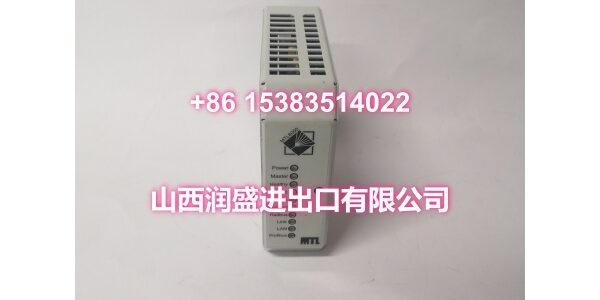
Product Core Brief
- Model: 8507-BI-DP
- Brand: MTL Instruments (commonly referenced in GE / GE Intelligent Platforms distributed I/O documentation)
- Series: MTL 8000 Series Bus Interface / Embedded Controller
- Core Function: PROFIBUS-DP node for the 8000-series I/O platform, acting as a bus interface and embedded controller with local logic capability.
- Product Type: PROFIBUS-DP Bus Interface Module / Embedded Controller
- Condition: New Original / New Surplus (subject to available stock)
Key Technical Specifications
- Part Number: 8507-BI-DP
- Platform: MTL 8000 Series process I/O
- Protocol: PROFIBUS-DP slave interface
- Configuration: Parameterized from the PROFIBUS host using a GSD file
- Startup Behavior: Configuration is downloaded from the PROFIBUS host at startup or after a cold restart
- Carrier Requirement: Must be used with the 8701-CA-BI BIM carrier
- Local I/O Resources (typical): 12 × 24 VDC digital inputs, 6 × 24 VDC/100 mA digital outputs, 3 × ±10 V analog inputs, 2 × ±10 V analog outputs
- Embedded Logic: Supports built-in controller / PLC-style logic functions
- Isolation: Electrical isolation between I/O and communication circuits
- Communication Interfaces: PROFIBUS-DP primary; some references also describe RS485 / Ethernet-class interfaces depending on application
- Typical Application: Remote process I/O node, local logic processing, hazardous-area process systems
Product Introduction (No Fluff)
The MTL 8507-BI-DP is a PROFIBUS-DP bus interface and embedded controller module for the MTL 8000-series process I/O platform. It allows a group of 8000-series I/O modules to operate as a PROFIBUS-DP node, while also providing local logic processing capability.
Unlike a simple pass-through BIM, the 8507-BI-DP can execute embedded control logic and manage local I/O resources. Typical on-board resources include 12 digital inputs, 6 digital outputs, 3 analog inputs, and 2 analog outputs, although exact availability depends on firmware and application configuration.
The module is configured through the PROFIBUS host using a GSD file. Configuration data is transferred to the module when communication starts, or after a cold restart. It must be mounted in an 8701-CA-BI carrier to operate correctly.
This module is commonly used in process and hazardous-area I/O systems where PROFIBUS-DP connectivity, local logic, and modular process I/O are required.
QA & Testing SOP (Dynamic & Transparent)
Embedded PROFIBUS-DP controllers require both communication and logic verification. Each surplus unit undergoes:
- Part Number Verification: Confirm the label reads 8507-BI-DP. Check for MTL 8000 / GE distributed I/O markings.
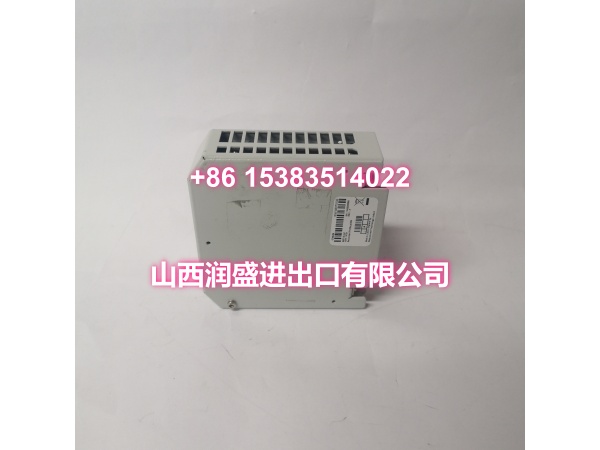
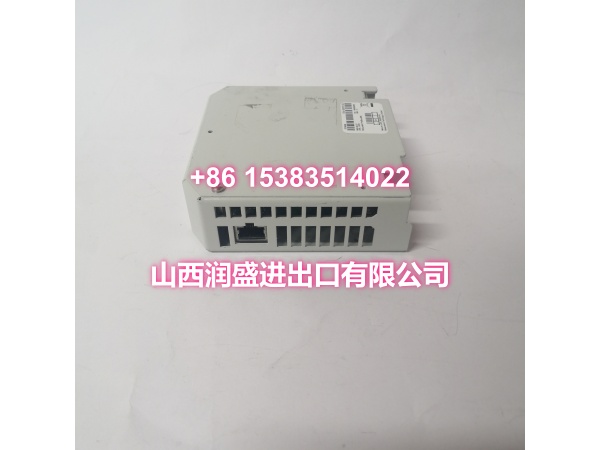
- Visual Inspection: Inspect the module housing, PROFIBUS connector, carrier interface, LEDs, and terminal areas for corrosion or damage.
- Carrier Fit Check: Verify correct installation into an 8701-CA-BI carrier. Confirm mechanical seating and bus contacts are clean.
- Power-Up Test: Apply the specified carrier/module supply. Confirm power and status LEDs behave normally.
- PROFIBUS-DP Link Test: Connect to a PROFIBUS-DP master. Verify node address, GSD-based configuration download, and cyclic data exchange.
- Local I/O Check: Test available DI, DO, AI, and AO channels where test equipment is available.
- Embedded Logic Check: If firmware supports it, verify that configured logic or local control functions respond as expected.
- Packaging: Pack in anti-static bags with foam cushioning. Protect the PROFIBUS connector and carrier interface.
Installation Pitfalls & Guide (Engineer to Engineer)
Confirm the correct carrier. The 8507-BI-DP must be used with an 8701-CA-BI BIM carrier. Using an incompatible carrier may prevent power, communication, or I/O operation.
Do not treat it as a pure pass-through BIM. The 8507-BI-DP has embedded controller capabilities. If local logic has been programmed, replacing it without exporting the configuration may cause unexpected process behavior.
Use the correct GSD file. Configuration is built in the PROFIBUS configurator using the module’s GSD file. An incorrect or outdated GSD can cause mapping errors or diagnostic faults.
Verify PROFIBUS address and baud rate. Mismatched node addresses, baud rates, or termination will prevent communication. The last device on each segment must be properly terminated.
Check local I/O resource allocation. The on-board DI/DO/AI/AO resources must be mapped correctly in the PROFIBUS master configuration. Missing or duplicated mapping can cause data errors.
Back up configuration before replacement. Export the PROFIBUS project, GSD settings, and any embedded logic before removing the module.
Verify hazardous-area approvals. If used in a classified area, confirm the module, carrier, and connected I/O hold the required certification for the installation.
Installation Steps:
- Pre-install: Confirm part number 8507-BI-DP and 8701-CA-BI carrier availability. Back up existing PROFIBUS configuration and embedded logic.
- Mount: Install the module into the 8701-CA-BI carrier. Verify full mechanical engagement.
- Wire: Apply power. Connect PROFIBUS-DP cable with correct polarity and termination.
- Commission: Assign the PROFIBUS address. Load the GSD-based configuration. Verify cyclic I/O data, diagnostics, and local logic operation.
Technical FAQ
1. Is the 8507-BI-DP a GE or MTL product? It is an MTL 8000-series module, commonly referenced alongside GE / GE Intelligent Platforms distributed I/O systems.
2. How is it configured? Through the PROFIBUS host using a GSD file. The configuration is downloaded to the module when communication starts or after a cold restart.
3. Does it have built-in I/O? Yes. Typical resources include 12 digital inputs, 6 digital outputs, 3 analog inputs, and 2 analog outputs, but availability depends on firmware and configuration.
4. Can it run local logic? Yes. It supports embedded controller / PLC-style logic functions in addition to PROFIBUS-DP communication.
5. What carrier does it require? The 8507-BI-DP must be used with an 8701-CA-BI BIM carrier.
6. Can it replace a standard 8000-series BIM? Only if the PROFIBUS master configuration, GSD file, and any embedded logic are verified. It is not always a direct drop-in replacement for a non-controller BIM.
7. What warranty do you offer on surplus stock? Terms vary by condition and availability. For surplus industrial modules, we typically provide a short functional guarantee. Confirm details at time of order.