Product Core Brief
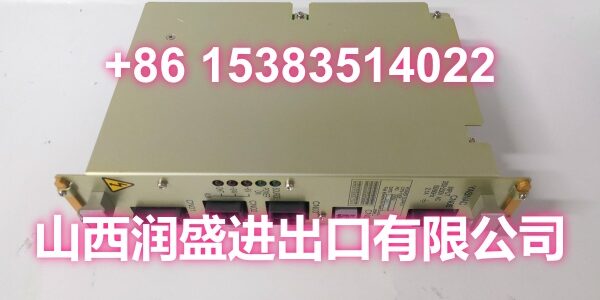
- Model: JAMSC-B1050 (FB5S2)
- Brand: YASKAWA
- Series: JAMSC / MEMOBUS I/O Link
- Core Function: MEMOBUS I/O link communication module that connects the JAMSC remote I/O system to a MEMOBUS network.
- Product Type: PLC Communication / Network Interface Module
- Key Specs: MEMOBUS I/O link | FB5S2 unit | JAMSC remote I/O interface
- Condition: New Surplus / Tested
Key Technical Specifications
- Part Number:
- Module Designation: FB5S2
- System Platform: YASKAWA JAMSC remote I/O system
- Module Type: MEMOBUS I/O link communication interface
- Network Function: MEMOBUS serial communication link
- Application: Remote I/O networking and field device communication
- Mounting: JAMSC I/O rack / module slot
- Compatible System: YASKAWA JAMSC series remote I/O
- Origin: Japan
- Condition: Surplus / Tested
Product Introduction (No Fluff)
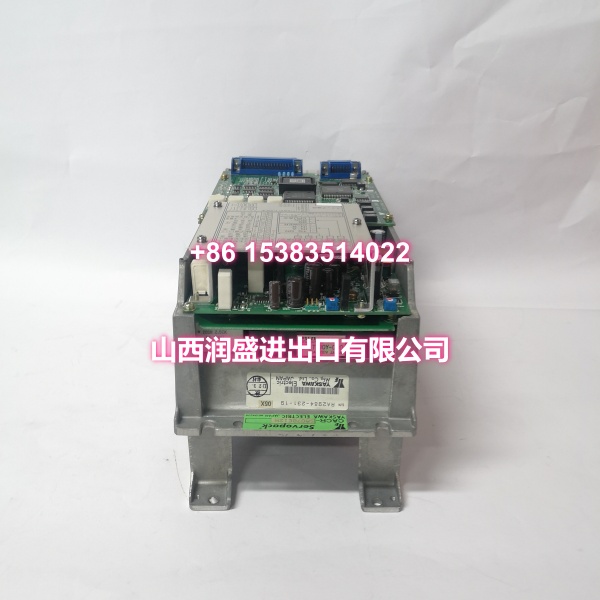
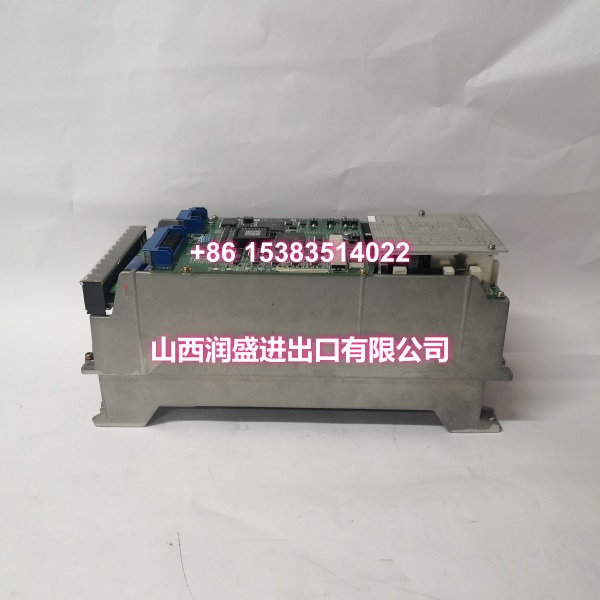
The JAMSC-B1050 is the FB5S2 MEMOBUS I/O link module for the YASKAWA JAMSC remote I/O system. It provides the communication interface between the JAMSC I/O rack and a MEMOBUS network, allowing distributed I/O points to be accessed over a serial link.
For legacy JAMSC installations, this module is often the critical bridge between the controller and field I/O. If the link unit fails, the entire remote rack can drop off the network, so having a verified replacement on hand is a practical way to reduce troubleshooting time.
QA & Testing SOP (Dynamic & Transparent)
Communication modules are tested differently from plain I/O cards because the failure mode is usually network-level, not channel-level:
- Label & designation check: Confirm JAMSC-B1050 and the FB5S2 marking on the module label. Mismatched suffixes can indicate a different link variant.
- Visual inspection: Examine the housing, communication port, edge connector, and PCB for corrosion, rework, burn marks, or counterfeit indicators.
- Connector & port inspection: Check the MEMOBUS communication connector and backplane pins for bent pins, oxidation, or poor contact—common issues on older JAMSC modules.
- Bench power-up test: Install in a compatible JAMSC test rack, apply power, and verify module initialization and LED status.
- Link communication test: Confirm the module responds on the MEMOBUS link and can exchange I/O data with the master station.
- ESD-safe packaging: After testing, seal the unit in anti-static shielding with moisture barrier protection for shipment.
Installation Pitfalls & Guide (Engineer to Engineer)
❗ Confirm the FB5S2 designation. The JAMSC family includes multiple link and I/O modules. JAMSC-B1050 corresponds to the FB5S2 MEMOBUS I/O link unit; do not substitute it with a plain I/O card or a different link variant without verifying compatibility.
❗ Check MEMOBUS address and baud settings. If the replacement module has configurable switches or parameters, they must match the original unit. A wrong node address or baud rate will prevent the rack from communicating even if the hardware is healthy.
❗ Verify the communication cable and termination. A failed link module can sometimes be caused by a broken cable, incorrect wiring, or missing termination rather than the module itself.
❗ Inspect the backplane connector. Older JAMSC racks can develop oxidized or bent pins. If the replacement does not initialize, check the slot before ruling out the backplane.
Replacement steps:
- Pre-install: Photograph the existing label, record node address, baud rate, and slot position.
- Removal: Power down the JAMSC rack if possible, then release and withdraw the module straight from the slot.
- Install: Inspect the backplane connector, set any required switches, align the module, and seat it firmly.
- Power-on test: Restore power, verify LED indicators, and confirm MEMOBUS communication is restored.
Technical FAQ
What is the JAMSC-B1050? It is the FB5S2 MEMOBUS I/O link module for the YASKAWA JAMSC remote I/O system. It connects the JAMSC rack to a MEMOBUS communication network.
What does the FB5S2 designation mean? FB5S2 identifies the specific MEMOBUS I/O link variant within the JAMSC family. Always match this designation when replacing an existing module.
Can I substitute it with another JAMSC module? Not automatically. JAMSC link modules, I/O modules, and power supplies are not interchangeable. The replacement must match the original function and network role.
Is this module still available from YASKAWA? The JAMSC platform is a legacy system. New OEM stock may be limited, so surplus and tested units are commonly used for maintenance.
What warranty applies to surplus units? Warranty terms vary by supplier. Some industrial surplus suppliers offer up to 2 years on tested parts, while others provide 12 months. Confirm exact terms before purchasing.
需要我继续为你整理JAMSC-B1050V2或JAMSC-B2100的详细规格对比清单吗?