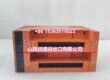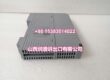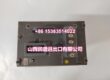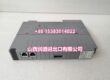
Product Core Brief
- Model: -S13
- Brand: YOKOGAWA
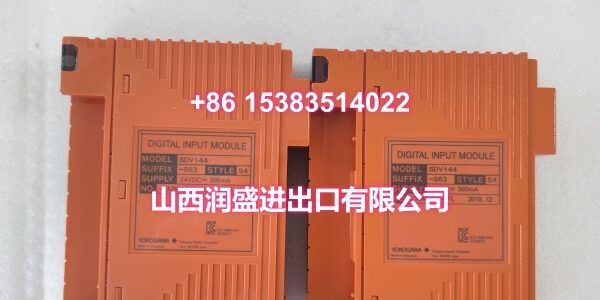
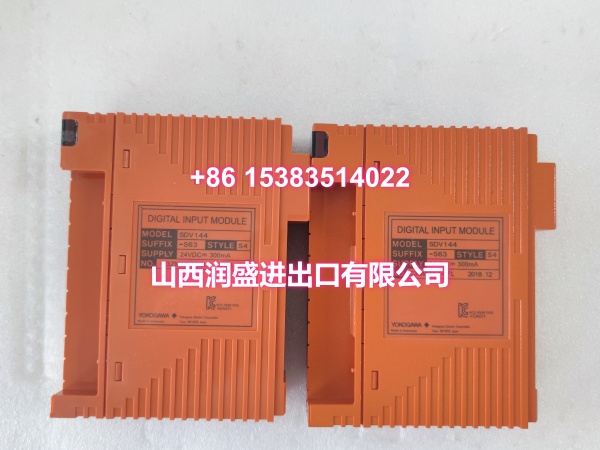
- Series: Yokogawa SDV144 Safety Digital Input Module
- Core Function: 16-channel 24 V DC digital input module for Yokogawa safety and FIO applications, accepting no-voltage contact or 24 V DC signals into CENTUM VP / safety I/O racks.
- Product Type: Safety Digital Input Module
- Key Specs: 16 isolated channels | 24 V DC input | Module isolation | Supports field wiring diagnostics with SCB100/SCB110 | FIO / Safety Node / Safety Control Unit compatible
- Condition: New Original / New Surplus
- Status: Limited availability; confirm suffix, revision, terminal base, and I/O rack compatibility before ordering
Key Technical Specifications
- Product type: Yokogawa SDV144 safety digital input module
- Model code:
- Suffix code: “-S13” indicates a specific connection type, environmental rating, and revision variant; confirm from the module nameplate
- Input type: Digital input, no-voltage contact / 24 V DC status input
- Channels: 16 independent input channels
- Input voltage: 24 V DC typical for SDV144 family; verify exact rating from nameplate or Yokogawa GS
- Isolation: Module isolation between field inputs and system side
- Diagnostics: Supports field wiring diagnostics when SCB100 or SCB110 is installed near field devices
- Redundancy: SDV144 can be configured as dual-redundant in applicable safety/FIO architectures
- Mounting: Installed in Yokogawa FIO, Safety Node Unit, or Safety Control Unit I/O slots
- Typical applications: SIS digital input, emergency shutdown input, permissive/interlock status monitoring, DCS maintenance spares, and plant turnaround replacements
- Handling: ESD-sensitive I/O module; verify suffix, slot position, terminal base, and wiring before installation
Note: SDV144 is documented as a 16-channel, 24 V DC, module-isolated digital input module used in Yokogawa safety and FIO I/O units. The “-S13” suffix is not confirmed in publicly available Yokogawa suffix tables, which more commonly list -S53, -S63, -SE3, and -SF3 variants. Treat “-S13” as a legacy or special-order variant and verify it against the original installed module.
Product Introduction
The SDV144-S13 is a Yokogawa SDV144-series safety digital input module used to acquire discrete field status signals in Yokogawa CENTUM VP, FIO, and safety I/O applications. Each module provides 16 digital input channels with module isolation, helping prevent field-side disturbances from affecting the control system.
In safety and FIO architectures, SDV144 modules are typically used for interlock inputs, permissive signals, valve position feedback, switch status, and other discrete safety-related signals. The module supports field wiring diagnostics when SCB100 or SCB110 accessories are applied, and it can be used in dual-redundant input configurations depending on system design.
The “-S13” suffix is less common than the standard -S53/-S63 variants. For replacement projects, always compare the full model code, suffix, revision, terminal base type, and slot configuration with the original module before procurement.
QA & Inspection SOP
Each unit is inspected before release:
- Nameplate verification: Confirm model SDV144-S13 and record suffix, style, revision, and serial information.
- Visual inspection: Check housing, connectors, terminals, and PCB for damage, corrosion, or burn marks.
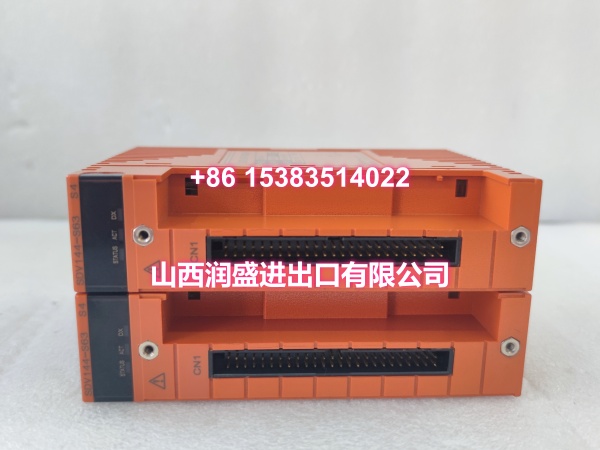
- Connector check: Inspect backplane and field-side connectors for bent pins, looseness, or oxidation.
- Insulation check: Verify no visible short circuits between input terminals, connectors, and ground.
- Label check: Confirm channel labels, slot ID, and wiring tags match the original module.
- Power-on test: If testable, install in a compatible rack and verify normal module indication.
- Channel check: Confirm digital input status response for representative channels under safe test conditions.
- Packaging: Protect connectors and terminals with anti-static packaging.
Full functional validation requires installation in the correct Yokogawa FIO or safety I/O rack with authorized engineering access.
Installation Pitfalls & Guide
❗ Confirm the exact suffix. “-S13” is not a commonly published SDV144 suffix. Do not substitute with SDV144-S53, SDV144-S63, SDV144-SE3, or SDV144-SF3 without verification.
❗ Verify I/O rack compatibility. SDV144 is used in FIO, Safety Node Units, and Safety Control Units. Ensure the target rack supports this module type.
❗ Match terminal base and wiring. Connection type may differ between suffix variants. Confirm whether the original unit uses clamp terminals, MIL cable, or a signal cable adapter.
❗ Check redundancy configuration. If the original input was dual-redundant, both channels and modules must match in configuration and wiring.
❗ Follow SIS/DCS maintenance procedures. Digital input replacement in safety loops must follow lockout/tagout, bypass management, and management-of-change procedures.
Installation steps:
- Pre-install: Record the original module model, suffix, slot position, terminal base, and wiring labels.
- Isolate power: De-energize the I/O rack or follow approved online replacement procedures.
- Install: Seat the SDV144-S13 firmly in the correct I/O slot.
- Wire: Reconnect field wiring according to the original diagram and terminal labels.
- Power-up: Restore power and check module status indicators.
- Verify: Confirm correct digital input status, diagnostic alarms, and safety loop behavior through authorized engineering tools.
Technical FAQ
What isAWA ?
It is a Yokogawa SDV144-series 16-channel digital input module used in safety and FIO I/O applications.
What input does it accept?
SDV144 modules typically accept 24 V DC / no-voltage contact digital inputs with module isolation.
Can it be used in redundant configurations?
Yes. SDV144 can be configured as dual-redundant in applicable Yokogawa safety/FIO systems.
Is the saSDV144-S63?
Not necessarily. Suffix differences may affect connection type, environmental rating, and compatibility. Always verify against the original nameplate.
What should I check before ordering?
Confirm the full model code SDV144-S13, revision, terminal base type, slot position, redundancy requirement, and compatible I/O rack. A nameplate photo is the most reliable way to confirm compatibility.