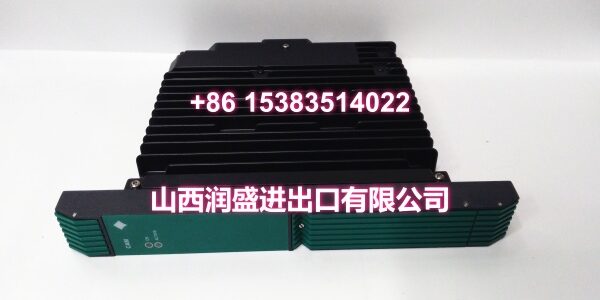
Product Core Brief
- Model: PSCAMAAN
- Brand: YOKOGAWA
- Series: Prosafe-RS / Prosafe-PLC Critical Analog Module (CAM)
- Core Function: Safety-rated critical analog module for processing key process signals such as temperature, pressure, flow, and current/voltage in Yokogawa safety instrumented systems.
- Product Type: Critical Analog Module (CAM)
- Key Specs: Redundant design | Self-diagnostics | Safety-rated analog processing | Prosafe-RS compatible
- Condition: New Original / New Surplus
- Status: Discontinued / Limited availability
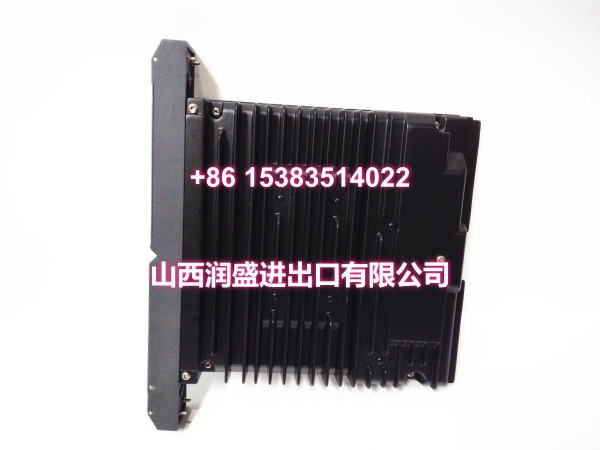
Key Technical Specifications
- Product type: Critical Analog Module (CAM) for Yokogawa Prosafe-RS / Prosafe-PLC
- Model code: PSCAMAAN
- System compatibility: Yokogawa Prosafe-RS safety instrumented system; Prosafe-PLC family
- Signal types: Analog process signals, including 4–20 mA and 0–10 V range types; exact supported ranges depend on configuration
- Redundancy: Supports redundant module configuration for high-availability safety applications
- Diagnostics: Built-in self-diagnostics for fault detection and safe-state response
- Typical applications: Safety instrumented functions (SIF), critical process monitoring, SIS loop input/output, high-integrity analog signal acquisition
- Handling: ESD-sensitive safety module; verify configuration and firmware before installation
Note: Public listings commonly identify PSCAMAAN as a Yokogawa CAM module for Prosafe-RS / Prosafe-PLC, but detailed electrical ratings, channel count, update rate, SIL rating, and exact I/O types should be confirmed against the official Yokogawa Prosafe-RS hardware manual or the module nameplate.
Product Introduction
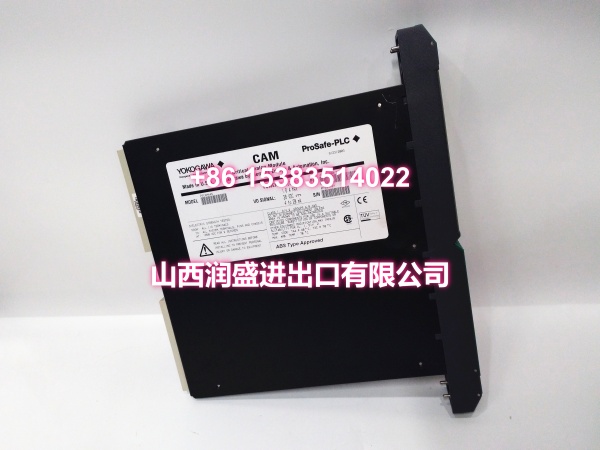
The PSCAMAAN is a Yokogawa Critical Analog Module used in Prosafe-RS and Prosafe-PLC safety systems. It processes safety-relevant analog signals from field instruments such as pressure transmitters, temperature sensors, flow meters, and current/voltage signal sources.
This module is typically deployed in safety instrumented systems where analog measurements must meet higher reliability and diagnostic requirements than standard process I/O. Its redundant architecture and self-diagnostic functions help maintain safe operation and support rapid fault detection in critical process environments such as petrochemical plants, power generation facilities, and refining operations.
For maintenance and procurement teams, PSCAMAAN modules are important spares because safety system replacements often require exact model matching. Substituting a non-safety or non-Prosafe module can affect system certification, diagnostics, and loop integrity.
QA & Inspection SOP
Each module is inspected before release:
- Nameplate verification: Confirm the model reads PSCAMAAN and record any part number, revision, or serial information.
- Visual inspection: Check the housing, connectors, terminals, and mounting hardware for damage or corrosion.
- Connector check: Inspect system-side and field-side connectors for bent pins, contamination, or loose contacts.
- Module detection test: Install in a compatible Prosafe-RS / Prosafe-PLC rack and verify normal module recognition.
- Diagnostic check: Confirm self-diagnostics run without critical faults.
- Redundancy check: If configured as a redundant pair, verify redundancy status and failover indication.
- Signal verification: Apply a known analog signal and confirm correct reading, if test equipment and system access are available.
- Packaging: Use anti-static packaging and protect connectors during shipment.
Full safety validation requires a compatible Prosafe-RS controller, correct configuration, and appropriate loop testing.
Installation Pitfalls & Guide
❗ Confirm the system platform. PSCAMAAN belongs to the Prosafe-RS / Prosafe-PLC safety system family. It is not a standard CENTUM VP or FCN analog I/O module.
❗ Do not substitute with non-safety modules. Replacing a CAM module with a standard analog I/O card may remove safety diagnostics, redundancy behavior, or SIL-rated functionality.
❗ Verify redundancy configuration. If the original module was installed as a redundant pair, both modules and their configuration must match system requirements.
❗ Check firmware and configuration. Safety modules may require specific firmware versions and project configuration data. Confirm compatibility before installation.
❗ Follow safety system procedures. Work on SIS hardware should follow plant change management, loop documentation, and pre-commissioning test procedures.
Installation steps:
- Pre-install: Record the original module model, slot position, redundancy status, and configuration data.
- Isolate the loop: Follow plant safety procedures before removing or replacing safety I/O.
- Install: Seat the PSCAMAAN module firmly in the correct Prosafe-RS slot.
- Configure: Load or verify the module configuration in the safety controller project.
- Verify: Check module status LEDs, diagnostic messages, redundancy status, and analog readings.
- Test: Perform loop checks and functional tests according to the site SIS test procedure.
Technical FAQ
What is PSCAMAAN?
PSCAMAAN is a Yokogawa Critical Analog Module (CAM) used in Prosafe-RS / Prosafe-PLC safety systems for processing safety-relevant analog signals.
Which system does it belong to?
It belongs to the Yokogawa Prosafe-RS / Prosafe-PLC safety instrumented system family, not the standard CENTUM VP or FCN I/O families.
Can it be replaced with a standard analog module?
No. Safety-rated CAM modules should only be replaced with the correct Prosafe-RS equivalent. Using a non-safety module may compromise diagnostics, redundancy, and safety certification.
Is PSCAMAAN still available new from Yokogawa?
Availability is limited. The module is commonly found through industrial surplus and spare channels. Confirm condition, revision, and warranty before ordering.
What should I check before ordering?
Confirm the full model code, part number, revision, slot type, redundancy requirement, and the Prosafe-RS controller model. A nameplate photo is the most reliable way to verify compatibility.
If you can share the nameplate or the Prosafe-RS controller model, I can refine the exact configuration and compatibility details.