Product Quick-Glance Brief
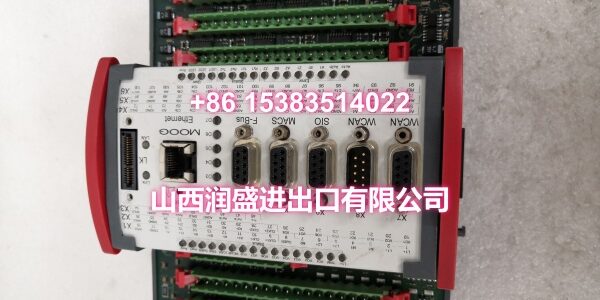
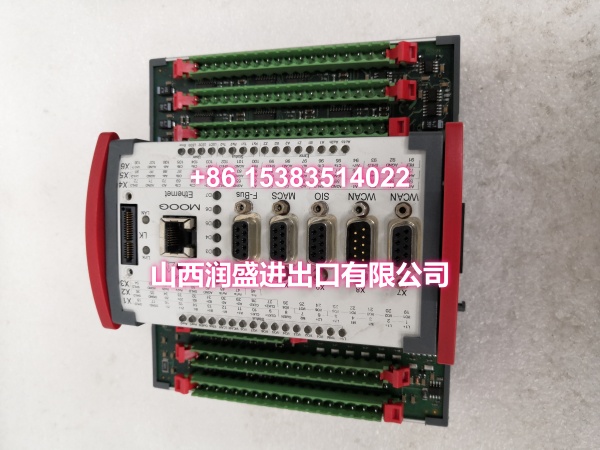
- Model: MOOG D138-002-002
- OEM: MOOG
- Category: Software License Key / Motion Control Option
- Core Function: Unlocks advanced motion control libraries and visualization tools for MSC II controllers.
- Key Specs: Green Color Code, IP Address Binding, PROFIBUS-DP Support
Technical Overview & Field Application
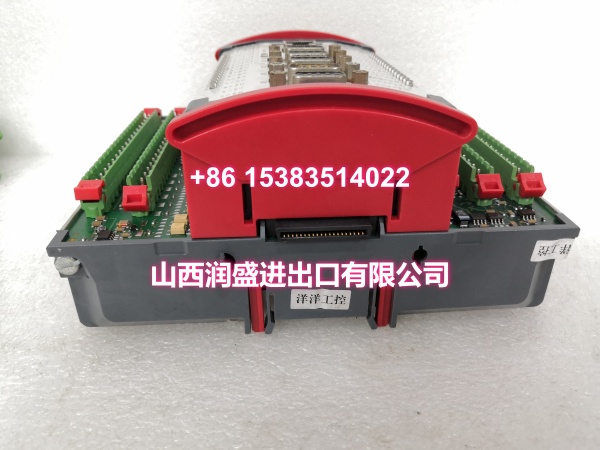
You cannot simply plug in a controller and expect full functionality without the right digital keys. The MOOG serves as that critical gatekeeper for your motion control architecture. It is not a valve. It is not a power supply. This unit is a software license key that authorizes specific high-level features within the MSC II controller environment. Without it, your hardware remains dormant, lacking the computational logic required for complex trajectory generation or MATLAB/SIMULINK integration.
Engineers often face downtime because they overlook these digital enablers during system upgrades. This specific license key binds to your controller’s unique identity, ensuring secure and authorized operation across your network. It specifically unlocks the motion control technology library, which is essential for applications requiring precise transfer functions or web-based visualization components. The unit typically features a distinct green color coding, making visual identification during panel inspections immediate and error-free.
Global deployment requires consistent standards. Whether you are retrofitting a legacy line in Asia or commissioning a new cell in Europe, this module meets international industrial requirements for software licensing. It supports critical communication protocols like CANopen and PROFIBUS-DP, allowing the controller to integrate smoothly into broader DCS or PLC ecosystems. Do not let a missing license stall your production schedule.
Essential Specifications
| Parameter | Specification |
|---|---|
| Product Type | Software License Key / Option Card |
| Compatible Controller | MOOG MSC II Series |
| Primary Function | Motion Control Technology Library Unlock |
| Color Identification | Green |
| Supported Protocols | PROFIBUS-DP, CANopen, IP Address Binding |
| Software Integration | MATLAB / SIMULINK Support |
| Visualization | Web-Based Visualization Component |
| Trajectory Generation | Motion Trajectory Library Included |
| Mounting | Controller Internal Slot / Dongle |
| Compliance | OEM Original Equipment Manufacturer Standard |
Quality Assurance Protocol
We treat software keys with the same rigor as hydraulic valves. Every MOOG undergoes a strict verification process before it leaves our facility. We do not guess. We validate.
- Firmware Verification: We cross-reference the key’s internal signature against the latest OEM database to ensure compatibility with current MSC II firmware versions.
- License Binding Test: Each unit is tested to confirm it correctly reads and binds to controller IP addresses and node IDs without corruption.
- Feature Unlock Validation: We simulate a controller boot sequence to verify that the motion control library and visualization tools activate correctly.
- Physical Inspection: Connectors and PCBs are checked for oxidation, pin damage, or housing cracks that could cause intermittent faults.
Pro Tip: Never install a license key without backing up your existing controller configuration first. Even a genuine key can trigger a system reset during the handshake process.
Engineer’s Installation / Replacement Notes
Field installation requires precision. Rushing this step is the most common cause of “bricked” controllers. Follow these peer-to-peer guidelines to ensure a smooth deployment.
- Verify the Color Code: The MOOG is specifically green. If you receive a gray, blue, or red unit, stop. Those correspond to different function sets (Control, System, or other options). Do not force-fit the wrong key.
- Check Node Conflicts: Before inserting the key, ensure the CANopen node ID or PROFIBUS-DP station address is unique on the network. Duplicate addresses will prevent the license from validating.
- Power Cycle is Mandatory: After physical installation, a full power-down and cold boot are required. A simple soft reset often fails to reload the license table from the hardware key.
- ESD Precautions: Treat this as a sensitive electronic component. Ground yourself before handling. Static discharge can fry the internal memory chip, rendering the key useless instantly.
Critical Warning: This license key is often bound to a specific IP address or MAC address. If you are replacing a failed controller, you may need to re-bind the key or request a new one from the OEM. Always check the binding requirements before swapping hardware.