Product Core Brief
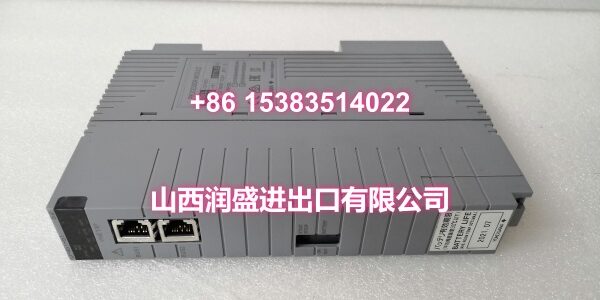
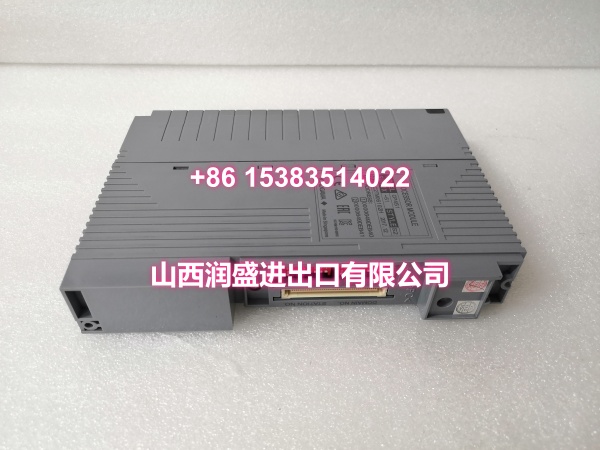
- Model: A1120EB
- Brand: YOKOGAWA
- Series: CENTUM VP / A1000
- Core Function: 16-channel analog input module for 4-20mA process signals with built-in redundancy.
- Product Type: Analog Input Module
- Key Specs: 16 Channels | 4-20mA DC | Redundant | ±0.1% Accuracy
- Condition: New Surplus / Original
Product Introduction
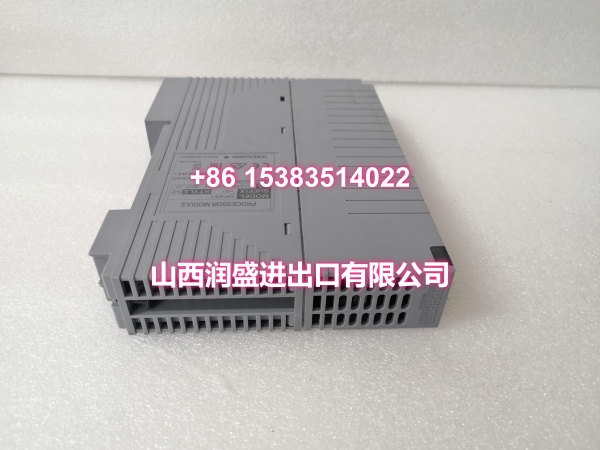
YOKOGAWA A1120EB is a 16-channel analog input module for the CENTUM VP distributed control system. This YOKOGAWA A1120EB card accepts standard 4-20mA DC process signals and converts them to digital values for the system controller.
Designed for high-availability applications, the YOKOGAWA A1120EB supports dual-redundant configuration with automatic failover. It features ±0.1% measurement accuracy and hot-swappable installation to minimize downtime during maintenance.
Key Technical Specifications
| Parameter | Value |
|---|---|
| Product Type | Analog Input Module |
| Number of Channels | 16 Points |
| Input Signal | 4-20 mA DC |
| Input Impedance | 250Ω |
| Accuracy | ±0.1% of span |
| Redundancy | Dual Redundant Supported |
| Hot Swap | Supported |
| Isolation | Channel-to-Channel / Channel-to-Bus |
| Power Supply | 5VDC (Backplane) |
| Compatible System | CENTUM VP, A1000 |
| Mounting | V-NET / ER Bus Rack |
| Diagnostics | Open Wire / Overrange / Underrange |
Quality Control Process
Every YOKOGAWA A1120EB undergoes comprehensive bench testing before shipment. We inject precision 4-20mA signals at 0%, 25%, 50%, 75%, and 100% across all 16 channels to verify linearity and accuracy. Channel-to-channel isolation is tested with a megger to confirm no cross-talk. Redundancy switchover is validated by simulating primary card failure and confirming seamless transfer to the backup. Backplane communication integrity is verified under full lo
ad. Finally, we check diagnostic flag generation for open wire and overrange conditions. Units with any deviation are quarantined.
Replacement Pitfall Guide
❗ Verify Suffix Compatibility: The “EB” suffix indicates specific firmware and hardware revision. Mixing EB with EA or EC cards in the same redundant pair can cause synchronization failures. Always match the exact suffix for redundant pairs.
❗ Redundant Pair Matching: When replacing one card in a redundant pair, the new YOKOGAWA A1120EB must match the existing card’s firmware version. Check the front-panel label or system diagnostics before ordering. Mismatched firmware causes continuous switchover alarms.
❗ Hot Swap Procedure: This module supports hot swap, but you must follow the proper sequence. Remove the card only after confirming the redundant card has taken over. Insert the new card and wait for the SYNC LED to stabilize before clearing alarms. Rushing this process can trip the entire redundant pair.
❗ Wiring Terminal Torque: Use a calibrated torque screwdriver (0.5 N·m max). Over-torquing strips the terminal block threads; under-torquing causes intermittent 4-20mA signal loss that looks like sensor failure.
Keep these in mind and you’ll cut 90% of rework time.
Compatibility Matrix & Benchmarks
| Original Model | Replacement / Successor Model | Compatibility Level | Migration Notes |
|---|---|---|---|
| Direct | Exact match; verify firmware revision | ||
| A1120EA | Direct | EB is backward compatible; upgrade recommended | |
| A1120EC | Needs Adaptation | EC has enhanced diagnostics; verify system config | |
| A1120E | Direct | E is base model; EB adds redundancy support |
- Scan Cycle Time: 100ms (standard), 50ms (high-speed option)
- Redundancy Switchover Time: < 100ms (bumpless transfer)
Need help verifying firmware compatibility for your redundant pair, or checking the V-NET rack slot assignment? I can walk you through the system configuration checks.