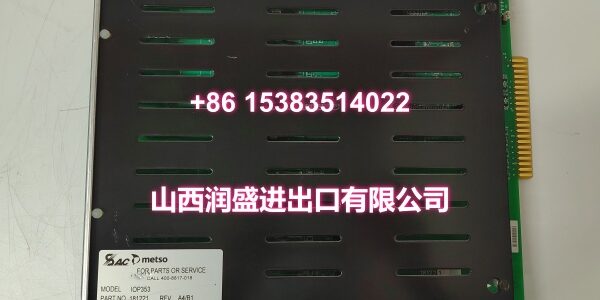
Product Core Brief
- Model: IOT101
- Brand: Metso
- Series: IOT100 Series Terminal Boards
- Core Function: Provides field wiring termination and signal conditioning interface for IOP analog input modules.
- Product Type: Analog Input Terminal Board
- Key Specs: Spring-Clamp Terminals | Integrated Signal Conditioning | Backplane Connector
- Condition: New Original / New Surplus
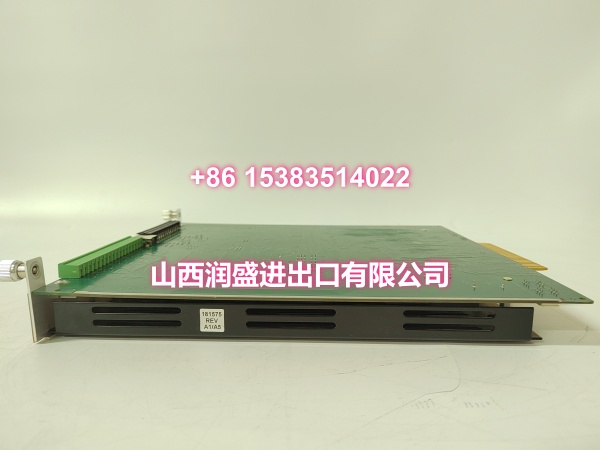
Key Technical Specifications
- Board Type: Analog Input Terminal Board
- Product ID:
- Terminal Type: Spring-clamp / Push-in (tool-free)
- Wire Gauge Range: 0.2 to 2.5 mm² (24-14 AWG)
- Signal Compatibility: 4-20mA, 0-10VDC, Thermocouple, RTD
- Mounting: DIN Rail or Backplane Mount
- Operating Temp: -20°C to +70°C
- Labeling: Integrated marker strips for wire identification
- Isolation: Channel-to-channel galvanic isolation
- Backplane Interface: Direct plug-in to IOP300 series modules
Product Introduction
Positioned between field wiring and the IOP processing module, this terminal board eliminates the need for custom harnesses and reduces installation time. It provides direct plug-in connectivity with integrated signal conditioning and channel isolation.
Maintenance teams value the spring-clamp terminals that eliminate screwdriver torque issues and reduce commissioning time by up to 50%. The integrated labeling strips make wire tracing fast during troubleshooting, and the direct backplane connection removes intermediate connectors that fail over time.
QA & Testing SOP (Dynamic & Transparent)
Every Metso IOT101 undergoes terminal and signal path validation before shipping. We start with a visual inspection of all spring-clamp terminals, verifying retention force and contact integrity. Then we perform a continuity test on every signal path from terminal to backplane pin to confirm zero-resistance connections.
Next, we inject calibrated signals through the terminal board and verify output at the backplane connector, confirming the board doesn’t introduce offset or gain errors. We also test the isolation barriers between channels using a megohmmeter to ensure >100MΩ resistance. Units ship in anti-static packaging with a test certificate showing pass/fail for each channel path.
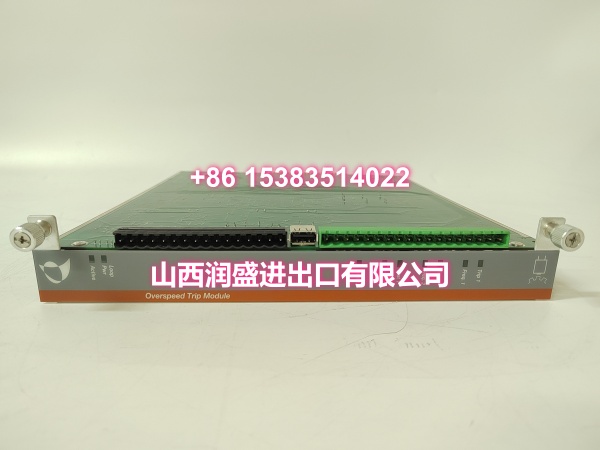
Installation Pitfalls & Guide
❗ Wire Strip Length: Spring-clamp terminals require precise strip length. Too short and the insulation gets clamped instead of copper; too long and bare conductor is exposed, creating a short risk. The strip length should be exactly 8-10mm. Use a calibrated wire stripper, not a knife.
❗ Backplane Seating: The IOT101 plugs directly into the IOP module. If it’s not fully seated, you’ll get intermittent channel failures that mimic sensor problems. Push firmly and evenly until you feel the connector lock. Never use excessive force—if it doesn’t seat smoothly, check for bent pins.
❗ Shield Termination: If your field cable has a shield, terminate it at the dedicated shield clamp on the IOT101, not on the signal terminals. Improper shield termination is the #1 cause of noise in analog loops. Ground the shield at the terminal board only.
Replacement SOP:
- Pre-Install: Tag every wire; photograph the terminal layout before pulling.
- Removal: Release the backplane connector latch; pull straight out; use a small flat-blade to open spring clamps.
- Install: Insert wires into spring clamps; verify seating; plug into backplane until locked.
- Power-On: Apply backplane power; verify module status LED; test each channel with a known signal.
Technical FAQ
Q: Can I use IOT101 with IOP320 analog output modules?
A: No. The IOT101 is specifically designed for analog input modules. Output modules require the IOT201 terminal board, which has different pin assignments and output drive circuitry. Using the wrong terminal board can damage the module or cause incorrect output signals.
Q: Why are my readings noisy even with the IOT101 installed?
A: Check your shield termination first. The IOT101 has a dedicated shield clamp—use it. Also verify that your field cable is twisted-pair, not parallel conductors. If noise persists, check for ground loops between the field device and the terminal board ground.
Q: Is this terminal board compatible with third-party I/O modules?
A: No. The IOT101 uses a proprietary backplane connector designed exclusively for Metso IOP300 series modules. The pinout and mechanical keying are not compatible with Siemens, Allen-Bradley, or other DCS platforms. Stick to the OEM ecosystem for this board.
Q: How do I know if a spring-clamp terminal is properly seated?
A: Insert the stripped wire until it bottoms out, then release the tool. Gently tug on the wire—if it pulls out, the terminal isn’t seated. The wire should be held securely without visible movement. You can also visually verify that the conductor is past the insertion point.
Q: Do I need to configure the IOT101 in software?
A: No. The IOT101 is a passive wiring interface with no configurable parameters. All signal conditioning and range selection is handled by the IOP module. Simply wire the field device to the correct terminals and configure the IOP module in your engineering software.