Product Core Brief
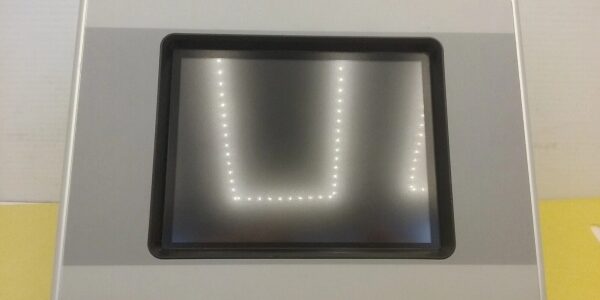
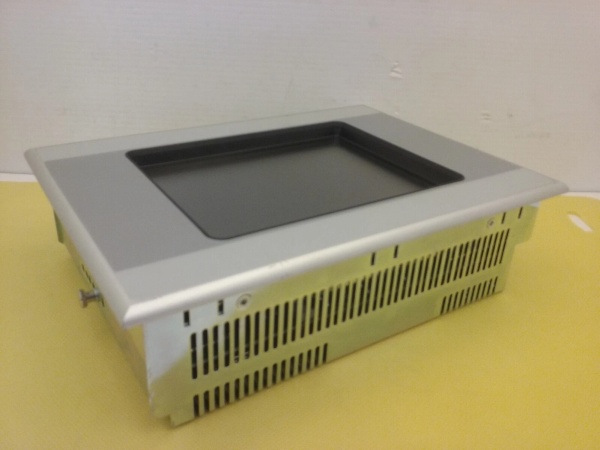
- Model: XVS-440-57MPI-1-10
- Brand: Eaton (Cutler-Hammer / Moeller)
- Series: XVS-400 HMI Series
- Core Function: Provides a graphical operator interface for monitoring and controlling PLCs, featuring MPI/RS485 communication for direct Siemens S7 integration.
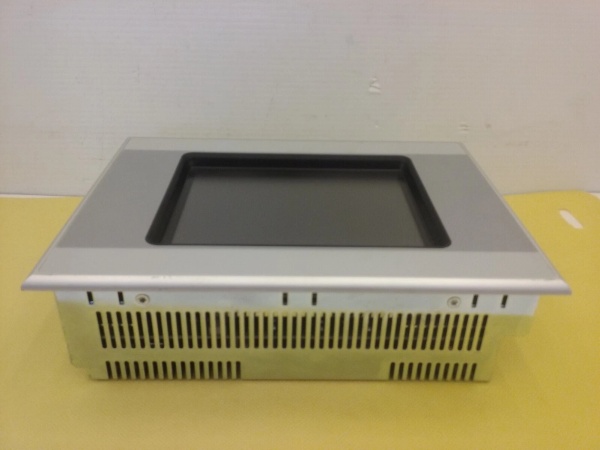
- Product Type: 5.7-inch TFT Touch Panel (HMI)
- Key Specs: 320×240 Resolution | MPI/RS485/RS232 | 24VDC | IP65 Front Panel
- Condition: New Surplus / Original OEM
XVS-440-57MPI-1-10
Key Technical Specifications
- Manufacturer: Eaton
- Part Number:
- Product Category: Human Machine Interface (HMI) / Operator Panel
- Display Size: 5.7 inch TFT Color LCD
- Resolution: 320 x 240 pixels (QVGA)
- Touch Technology: Resistive Touch (Analog)
- Communication Ports: MPI (Siemens S7), RS485, RS232, USB
- Power Supply: 24 VDC (±10%)
- Front Protection: IP65 (NEMA 4/4X)
- Operating Temp: 0°C to +50°C
- Compliance: CE, UL, CSA
Product Introduction (No Fluff)
on is a rugged 5.7-inch HMI designed for industrial automation environments where direct communication with Siemens S7 PLCs is required. The integrated MPI interface allows for plug-and-play connectivity to S7-300/400 controllers without needing external protocol converters.
This panel runs on the Eaton XV/XVS platform, supporting Galileo or CoDeSys-based visualization projects. The resistive touch screen is optimized for gloved operation and harsh environments, while the IP65 front panel ensures protection against dust and washdowns.
Sourcing this exact OEM replacement prevents costly re-engineering when legacy HMIs fail. Keeping verified new surplus stock on hand drastically reduces downtime during critical panel upgrades or emergency replacements.
QA & Testing SOP (Dynamic & Transparent)
ry undergoes a rigorous validation process:
- Anti-Counterfeit Inspection: Verify Eaton/Moeller labeling, PCB silkscreen, and connector quality against OEM baselines.
- Display & Touch Test: Power up and verify uniform backlighting, no dead pixels, and accurate touch calibration across the entire 320×240 grid.
- Communication Loopback: Test MPI and RS485 ports using a loopback plug and terminal software to confirm data integrity and baud rate stability.
- Power Stress Test: Apply 24VDC at nominal and ±10% limits to verify stable operation and correct fuse behavior.
- Project Load Test: Flash a standard test project to verify flash memory integrity and boot sequence.
- Packaging: Shipped in anti-static shielding with a printed QA test report.
XVS-440-57MPI-1-10
Installation Pitfalls & Guide (Engineer to Engineer)
❗ MPI vs. RS485 Wiring: The MPI port uses a 9-pin D-Sub but is not a standard RS232 port. Do not connect a standard PC serial cable directly to the MPI port without an MPI-to-USB adapter or a proper MPI network card. For , ensure you use the correct pins (typically A/B on the terminal block or dedicated port) and terminate the bus if required.
❗ Grounding & Noise: HMI screens are sensitive to EMI. Ground the panel chassis to the control cabinet ground bar using a short, wide copper strap. Do not rely solely on the DIN rail. Floating grounds will cause touch screen drift or communication dropouts.
❗ 24VDC Power Quality: While rated for 24VDC, this HMI has no internal isolation. Use a SELV-rated, isolated power supply. Connecting to a non-isolated 24V rail shared with large contactors or VFDs can inject noise that corrupts the touch controller or fries the input stage.
❗ Touch Calibration: After installation, if touch points are offset, run the calibration utility from the system menu or via the configuration software. Resistive screens can drift if the panel was stored in extreme temperatures or if the front bezel is over-torqued during mounting.
Replacement Protocol:
- Pre-Install: Power down the 24VDC supply. Note the MPI address or IP address of the old unit. Back up the project file from the old HMI if possible.
- Removal: Release the front mounting clips. Push the HMI out from the rear. Inspect the cutout and gasket for damage.
- Install:he . Engage the mounting clips evenly. Connect the 24VDC/RS485, and ground wires. Do not over-tighten the front bezel screws; this warps the screen and kills the touch sensor.
- Power-on Test: Restore 24VDC. Verify the boot logo. Check the MPI link status LED. Download the project via USB or MPI. Verify touch accuracy.
Technical FAQ
he is the standard 5.7″ MPI variant in the XVS-400 series. It maintains the same cutout dimensions, connector layout, and firmware compatibility. You can swap it directly without re-engineering the panel or re-compiling the project (unless upgrading from a very old firmware version).
Why is this listed as “New Surplus” instead of factory-new?
This is genuine Eaton stock that was never deployed in a machine or panel. It has been stored in climate-controlled inventory rather than exposed to oil mist, vibration, and 24/7 operation. You receive the exact same MTBF and lifespan as a factory-fresh unit, typically at a significantly lower cost and without the 12-16 week OEM lead time.
Can I use this HMI with a Siemens S7-1200?
Yes, but (if equipped). The MPI port on this model is designed for S7-300/400. The S7-1200 does not support MPI natively; you must use the port with the S7-1200 protocol driver in your HMI configuration software.
My touch screen is unresponsive in one corner. Is it broken?
Likely yes. Resistive touch screens fail when the top conductive layer cracks or delaminates, often due to excessive pressure, sharp objects, or over-torqued mounting clips. If the screen is physically intact, try recalibrating. If calibration fails or the dead zone persists, the touch digitizer is damaged and requires replacement.
What software do I need to program this HMI?
he is programmed using Eaton Galileo (legacy) or CoDeSys Visualization (for newer XV/XVS firmware). Ensure you have the correct device profile installed in your IDE. For MPI communication, verify the “Siemens S7 MPI” driver is selected and the rack/slot/address match your PLC configuration.