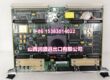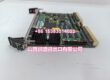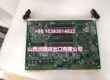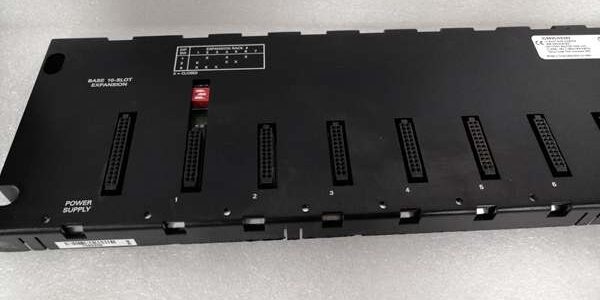
Customer Value & Operational Benefits
Small-Footprint Distributed I/O (Cost-Effective)
The CHS398 gives you exactly 5 slots — enough for 160 discrete I/O or 20 analog channels in a space roughly half the width of a CHS392. Perfect for pump skids, weigh hoppers, or small machine annexes that need 20-80 I/O points 30-150 ft from the main MCC. You avoid paying for a 10-slot rack (CHS392) and only use what you need, reducing panel footprint and spare inventory.
No Local Power Supply (Simplified Install)
Because backplane power comes through the expansion cable, you don’t need a separate 24V DC or 120V AC supply for the rack itself (field 24V DC for analog/sourcing outputs is still landed at the I/O terminal blocks). One cable from the CPU rack powers the logic backplane. This eliminates a P/S, its breaker, and wiring — a 20% reduction in installed cost for small remote skids vs Genius BIU stations.
Native 90-30 Addressing (Zero Protocol Complexity)
Like the CHS392, the CPU sees this as a direct extension of its I/O table (Rack ID assigned in PME). No GSD files, no Bus Scanners, no Station Numbers. A maintenance electrician who knows 90-30 local I/O can troubleshoot it immediately — check point LED, verify %I address in logic, done.
Field Engineer’s Notes (From the Trenches)
The “Gotcha” is Backplane Power Budget & Expansion Cable Seating.
Backplane Power from CPU Rack: The CHS398 draws +5V through the 26-pin cable. A typical load:
- 5 × IC693MDL740 (16-pt Input) ≈ 5 × 0.15A = 0.75A
- 2 × IC693ALG220 (4-ch Analog) ≈ 2 × 0.3A = 0.6A
- Total ≈ 1.35-1.5A @ 5V for a moderately loaded CHS398.
The CPU rack’s Power Supply + ETM001 must have capacity remaining after the local rack load.
Symptom of Overload/Sag: I/O module PWR LEDs dim or dark; CPU shows “Expansion Rack Not Scanned” or modules drop offline intermittently.
Fix: Verify CPU rack P/S 5V rating (IC693PWR330 = 5A; PWR321 = 3A). Total = Local Load + Exp Rack Load(s). If > P/S rating, upgrade P/S or split I/O across two expansion racks.
Expansion Cable (26-pin D-shell): The has IN/OUT ports. First expansion rack → OUT. If daisy-chaining, OUT of Rack 1 → IN of Rack 2 (CHS398 or CHS392).
- Tighten both D-shell retaining screws — this is the #1 cause of “intermittent expansion rack loss” in vibrating environments (conveyors, compressors).
- Length Check: Total daisy-chain ≤ 15m (50ft). A 40ft run to a CHS398 200ft from the MCC = NG. Use Genius Bus (IC670GBI002 + BEM331) for >50ft or electrically noisy runs.
Rack ID is Software-Only: Unlike a Genius BIU, the has no rotary switches. The Rack ID (1-7) is set in the CPU’s Hardware Configuration in PME (Add Expansion Rack → assign Rack Number). If you physically swap a , the new rack inherits the ID from the CPU config — no DIP to set. Just ensure the config matches your documentation.
Real-World Applications
- Waste Water Lift Station (Small Skid): Main 90-30 CPU rack (IC693CPU374 + IC693PWR330) in the MCC 80 ft away. An IC693ETM001 in the CPU rack connects via 80ft CAB010 (within 15m? ⚠️ — actually 80ft > 50ft, so this example would need Genius; a correct example: 40 ft run) to a 40 ft from the MCC. The holds 2× IC693MDL645 (48 DI for float switches/valve positions) and 1× IC693MDL940 (16 DO for pump starters). The 5-slot size was perfect — no wasted slots. The backplane powered via the expansion cable; field 24V DC for the DI common landed at the TBB003 Commons from the skid’s 24V DC supply.
- Food Batch Kettle (Aux Annex): A mounted on the kettle frame holds 1× IC694MDL645 (24 DI — probe contacts, high/low level floats), 1× IC694ALG220 (4 AI — product temp, jacket temp, agitator amps), and 1× IC694MDL742 (16 DO — steam valve, cooling water, agitator start). Connected via 15m expansion cable from the main 90-30 CPU rack in the control room. The small footprint fit inside the NEMA 4X annex box.
High-Frequency Troubleshooting FAQ
Q: I/O Modules have dark PWR LEDs; CPU shows “Expansion Rack Not Scanned” or “I/O Fault” for that rack.
A: No Backplane Power from Expansion Cable or CPU P/S Overload.
- Check the 26-pin Expansion Cable connection at both ends ( OUT → IN). Are D-shell screws tight? Reseat.
- Verify the CPU Rack Power Supply:
- “PWR” LED Green?
- Measure 5V DC at CPU rack P/S test points. Should be 5.0-5.2V. If <4.85V withexpansion cable connected, P/S may be overloaded.
- Calculate: CPU + Local I/O 5V draw + ( modules × ~0.15-0.5A each). If > P/S 5V rating (e.g., PWR321 = 3A), upgrade P/S.
- If the CPU rack P/S is good and cable is tight, try a — if it powers up, original rack may have a backplane fault (rare) or the module combination exceeded the 5V feed capability of the (some early revisions have lower backplane drive — check firmware note).
A: Rack ID or Slot Mismatch in Hardware Config.
- In Proficy Machine Edition, verify you added an Expansion Rack (not Base Rack) and assigned it the correct Rack Number (1-7).
- Ensure the Slot Numbers in config match physical insertion. Slot 1 (leftmost of the 5) = first slot in that Rack’s I/O range. If you plugged an IC693MDL740 in Slot 3 of the but configured it as Slot 1 → mismatch.
- After correcting → Download Hardware Configuration (Target → Download → Hardware). Cycle power if prompted. The itself has no config memory — it relies entirely on the CPU’s I/O scan map.
A: Yes, via IC695ETM001 (RX3i Expansion Transmitter).
- The RX3i in the RX3i CPU rack can drive a (or CHS392) over the 26-pin expansion bus — the emulates the 90-30 expansion protocol.
- Install ERM (if used for further expansion) or just direct cable from OUT to IN.
- Configure in PME as “Series 90-30 Expansion Rack” under the RX3i CPU’s I/O tree.
- Limitation: Total expansion cable length and rack count follow RX3i expansion rules (max 7 racks, 15m total daisy-chain). For new designs with all RX3i, prefer IC695CHS016 + IC695ERM001, but the is fully supported as a legacy-compatible expansion option behind an RX3i .
Please note: The listed price is not the actual final price. It is for reference only and is subject to appropriate negotiation based on current market conditions, quantity, and availability.