
Description
Hard-Numbers: Technical Specifications
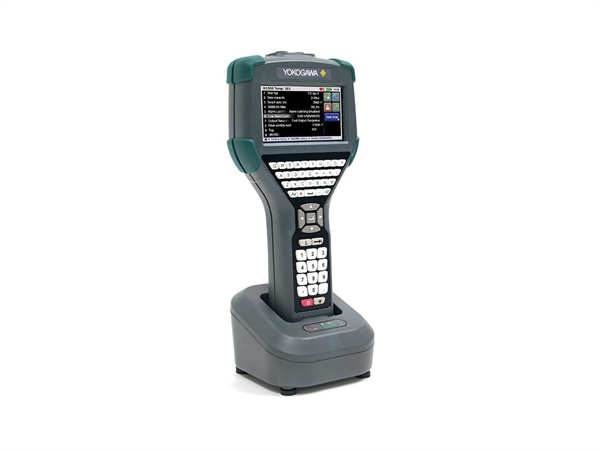
- Processor: 1 GHz microprocessor
- Memory: 512 MB internal flash, 256 MB RAM, up to 64 GB microSD (4 GB installed)
- Display: 4.3″ anti-glare transflective touchscreen, 480 × 272 pixels (¼ VGA)
- Keypad: 52 keys including full QWERTY layout
- Communication Protocols: HART 5, HART 6, HART 7
- Baud Rate: 1200 bps FSK modulation (1200 Hz/2200 Hz)
- HART Connections: Two 4mm banana plugs (one common to HART)
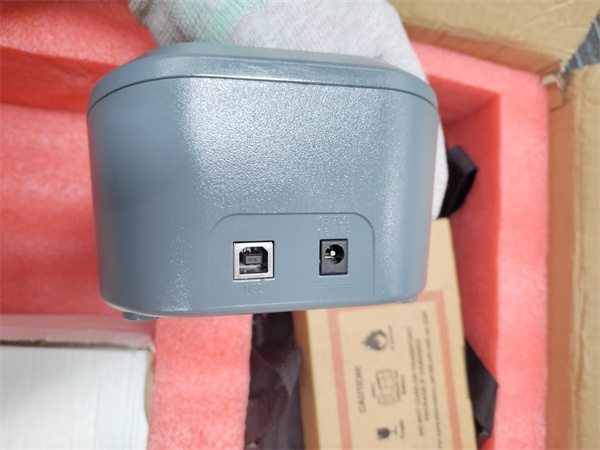
- USB Port: Up to 115 kbps for PC connection
- Operating Temperature: -10°C to +50°C (+14°F to +122°F)
- Storage Temperature: -20°C to +60°C (-4°F to +140°F) without batteries
- Humidity: 0-95% RH non-condensing
- Enclosure Rating: IP51 (dust protected, water drips protected)
- Shock Resistance: 1-meter drop test onto concrete
- Battery: 9480 mAh Li-Ion rechargeable
- Battery Life: 10 hours continuous, 20 hours typical, 100 hours standby
- Weight: 2.0-2.1 lbs (0.91-0.95 kg) with battery
- Dimensions: 303 × 142 × 48 mm (11.9″ × 5.6″ × 1.9″)
- Hazardous Area Certifications: Class I Div 1 Groups A,B,C,D T4; ATEX Zone 0 IIC T4 Ga; IECEx Zone 0 IIC T4 Ga

Yokogawa YHC5150X
The Real-World Problem It Solves
You’re on a live platform in Zone 0 with a misconfigured pressure transmitter, and the asset historian shows calibration drift. Running a laptop requires a hot work permit and explosion-proof enclosure, but the transmitter needs immediate re-ranging. The YHC5150X eliminates this bottleneck by providing intrinsically safe HART communication in a rugged handheld that works where laptops can’t go.
Where you’ll typically find it:
- Offshore oil & gas platforms requiring Zone 0/Div 1 compliance for transmitter commissioning during drilling or production operations
- Chemical plants with hazardous areas where bringing non-rated electronics requires permit work and safety stand-downs
- Refineries troubleshooting smart valve positioners in Class I Div 1 areas without needing to de-energize loops
Bottom line: This tool keeps you running in hot zones where traditional PC-based configuration is outright prohibited by safety protocols.
Hardware Architecture & Under-the-Hood Logic
The YHC5150X runs on Windows Embedded CE with a dedicated HART modem that eliminates the need for PC-based DD translations. The DD Direct engine loads manufacturer Device Descriptions in their native binary format directly from the microSD card, cutting setup time and eliminating subscription fees. The isolated 4mm banana jack interface routes the analog loop signal through the HART modem while maintaining intrinsically safe barrier ratings.
Internal signal flow:
- Field loop connections made via 4mm banana plugs (common and signal) to transmitter
- Input protection circuit limits current and voltage to intrinsic safe parameters before internal circuitry
- HART modem superimposes 1200/2200 Hz FSK digital signal on 4-20 mA analog loop
- 1 GHz processor decodes HART protocol and loads native DD files from microSD for device-specific menu rendering
- Touchscreen and QWERTY keypad interface render DD menus in real-time without translation
- Configuration changes committed to transmitter via HART write commands
- USB 2.0 port enables PC connection for data transfer and firmware updates (non-hazardous area use only)
Yokogawa YHC5150X
Field Service Pitfalls: What Rookies Get Wrong
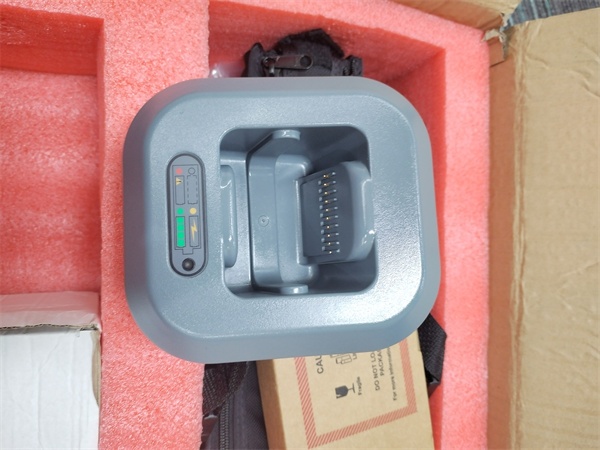
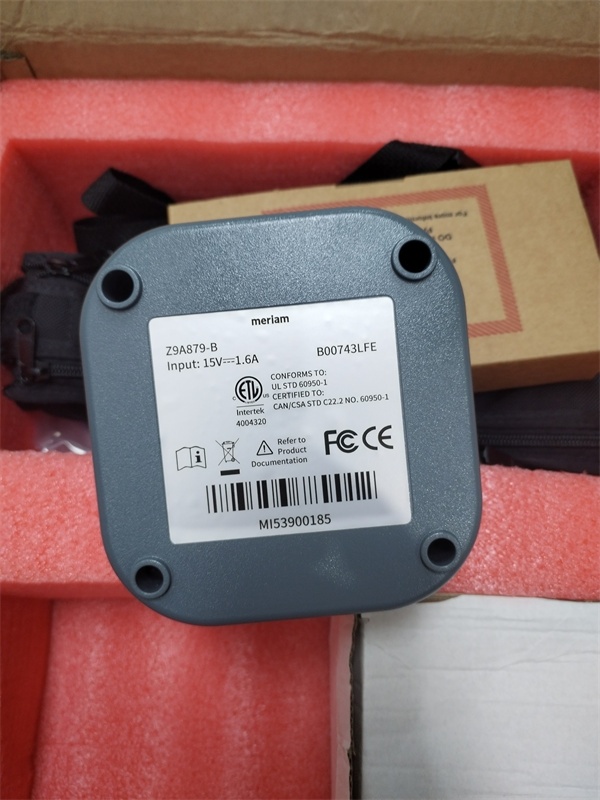
Dead Battery in Hot ZoneNew guys grab the unit from the truck without checking charge level. Battery drains during configuration, and you’re stuck mid-job with a disconnected device. You cannot charge the unit in hazardous areas—the cradle is not intrinsically safe.
- Field Rule: Charge overnight before every hazardous area entry. Keep a spare battery charged and in the non-hazardous zone if doing multi-day commissioning.
Using Non-Certified Test Leads in Zone 0The HART test leads shipped with the unit are intrinsic safety rated. Replacing them with standard banana plug leads from your meter violates the hazardous area certification and creates a spark risk.
- Quick Fix: Only use the supplied YHC5150X HART test lead kit (part number 1W-A900529-00014). If leads are damaged, replace only with Yokogawa-certified replacements that maintain the intrinsic safety chain.
Missing DD Files for New DevicesYou encounter a brand-new transmitter model, and the unit can’t load the Device Description because you haven’t updated the microSD card with the latest DD library. You’re locked out of advanced diagnostics.
- Field Rule: Connect the unit to your PC in the control room at least monthly and run FC Manager to download all released DD files. Carry a backup microSD with the full DD library if working with new equipment installations.
Incorrect Loop Resistor PlacementConnecting the YHC5150X to a loop that already has a 250Ω resistor at the DCS card drops the voltage below the transmitter’s minimum operating requirement. The transmitter drops offline, and you chase a power supply problem that doesn’t exist.
- Quick Fix: Use the supplied 250Ω resistor (part 1W-A36821) only if the loop lacks built-in resistance. Measure loop voltage with a multimeter first—if you’re below 10V at the transmitter terminals, you need to relocate or remove the resistor.
Touchscreen Failure With Heavy GlovesThe touchscreen works with bare fingers, but in cold conditions or hazardous areas requiring gloves, operators press too hard or can’t register touches. They resort to using a stylus that’s not rated for the environment.
- Field Rule: The screen is designed to work with light finger pressure even through thin chemical-resistant gloves. If using heavy-duty gloves, use the physical QWERTY keyboard for navigation instead of relying solely on touch.
HART Communication Speed MisconfigurationThe unit defaults to auto-negotiate HART protocol version. Some older HART 5 devices fail to respond when the communicator tries to handshake at HART 6/7 baud rates. You get “no device found” errors and assume the transmitter is dead.
- Quick Fix: In HART Setup menu, force the protocol version to match the transmitter (typically HART 5 for legacy devices). Check the transmitter manual or nameplate for the HART revision if auto-negotiation fails.
Commercial Availability & Pricing Note
Please note: The listed price is for reference only and is not binding. Final pricing and terms are subject to negotiation based on current market conditions and availability.



