
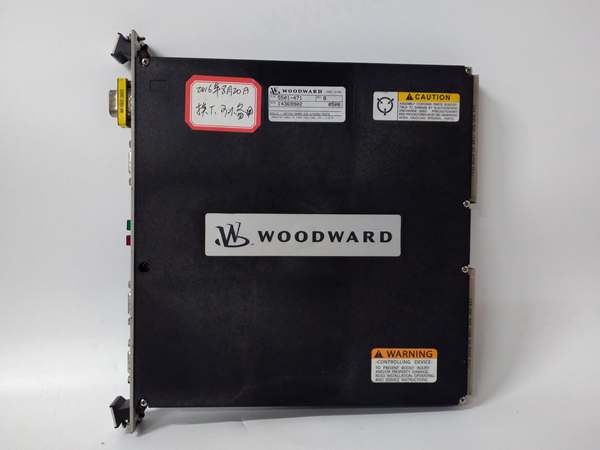
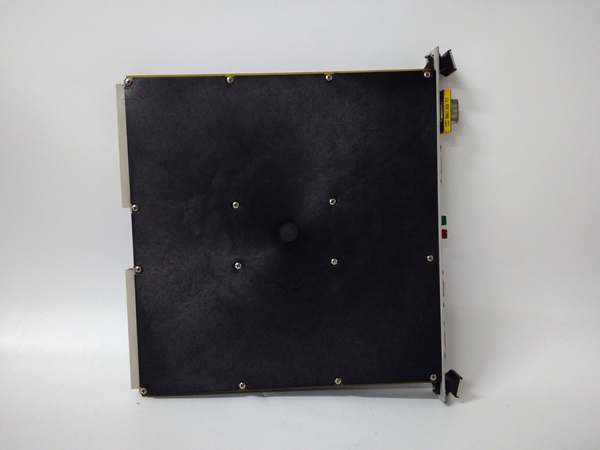
Description
Hard Numbers: Technical Specifications
- Communication Ports: 4 Configurable Serial Ports
- Ports 1 & 2: Fixed RS-232
- Ports 3 & 4: Software-Selectable (RS-232, RS-422, or RS-485)
- Supported Protocols: Modbus RTU, Modbus ASCII, and proprietary Woodward serial protocols
- Baud Rate: Configurable up to 115.2 kbps
- Input Voltage: 18–32 VDC (24 VDC Nominal)
- Digital I/O (Integrated): 12 Discrete Inputs, 8 Relay Outputs (2A)
- Analog I/O (Integrated): 4 Channels (4–20 mA) with ±0.1% accuracy
- Local Display: 24-character alphanumeric LED matrix for diagnostics and status
- Isolation: Optical isolation between channels and ground
- Operating Temperature: -20°C to +70°C (-4°F to +158°F)
- Enclosure Rating: NEMA 4X / IP65 (dust and water-resistant)
- Mounting: DIN Rail or chassis/backplane mount
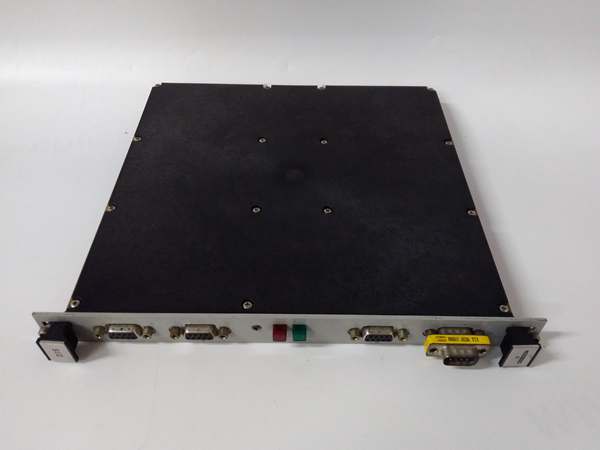
WOODWARD 5501-471
The Real-World Problem It Solves
Modern power plants and compressor stations are a heterogeneous mix of old and new technology. Your state-of-the-art Woodward MicroNet/NetCon controller needs to talk to a decades-old Allen-Bradley PLC, a Siemens HMI, and a suite of third-party vibration monitors. Without a dedicated, protocol-agnostic translator, you’re forced into expensive gateway PCs or complex, unreliable wiring workarounds.
The Woodward 5501-471 collapses this communication bottleneck into a single, rugged module. It acts as a universal diplomatic envoy, fluent in Modbus RTU, ASCII, and Woodward’s native protocols. It seamlessly bridges the gap between your high-speed turbine controller and the plant’s DCS, ensuring that critical parameters like exhaust temperature, valve positions, and alarm statuses are transmitted accurately and without delay.
Where you’ll typically find it:
- In the control cabinet of a Frame 7 gas turbine, linking the Woodward MicroNet TMR system to the plant’s Modbus-based SCADA.
- On an offshore platform, providing the serial interface between the main generator’s Woodward 9900 regulator and the vessel’s power management system (PMS).
- In wastewater treatment plants, connecting older PLCs to newer Woodward actuator controls via its configurable RS-485 ports.
Hardware Architecture & Under-the-Hood Logic
The 5501-471 is essentially a purpose-built, industrial-strength protocol converter and data router. It offloads the heavy lifting of serial communication from the main CPU, ensuring that timing-critical control loops aren’t interrupted by serial data interrupts.
- Multi-Port UART Management: The module is built around a high-performance processor (often cited as an ARM Cortex-class chip in similar Woodward architectures) dedicated to managing the four independent UART ports. It handles the low-level byte stuffing, parity checking, and timing requirements of asynchronous serial data.
- Protocol Encapsulation: When the main controller needs to read a register from a remote device, it sends a request to the 5501-471. The SIO module then constructs the proper Modbus RTU frame (or ASCII characters), calculates the CRC, and transmits it out the appropriate RS-485 port.
- Data Buffering & Isolation: The module features optical isolation on its I/O lines, creating a galvanic barrier between the noisy external world and the sensitive internal backplane. It buffers incoming data, filters out corrupted packets, and presents clean, validated data to the main CPU.
- Integrated Local Intelligence: Unlike a simple port expander, the 5501-471 includes its own discrete and analog I/O. This allows it to act as a miniature, standalone controller for local alarms or emergency stops, processing them locally and only interrupting the main CPU when necessary.
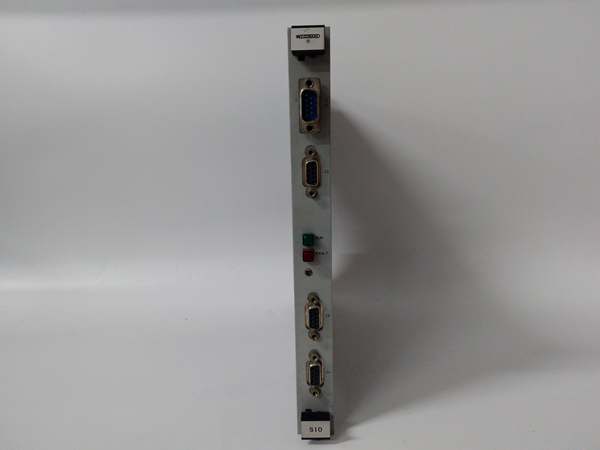
WOODWARD 5501-471
Field Service Pitfalls: What Rookies Get Wrong
Burning Out Ports with “Pin-Out” Ignorance
Rookies assume that because both devices have an “RS-232 port,” they can simply wire pin 2 to pin 2 and pin 3 to pin 3. Woodward manuals often refer to their pins as “TX” and “RX,” while the third-party device manual might label them “SD” (Send Data) and “RD” (Receive Data). Wiring TX to TX and RX to RX results in zero communication, and applying 24VDC to an unprotected serial pin can instantly fry the port’s transceiver.
- Field Rule: Never trust labels blindly. Use a multimeter to trace the signals. Always connect TX (Transmit) on the Woodward to RX (Receive) on the remote device, and vice-versa. If in doubt, consult the specific “make/buy” cable diagrams in the Woodward 9900 series integration manual.
Creating “Floating Grounds” in RS-485 Networks
When daisy-chaining multiple devices using RS-485 (Ports 3 & 4), rookies often only connect the Data+ and Data- wires, neglecting the common ground (GND) reference wire. Over long cable runs, especially in electrically noisy environments like compressor stations, the ground potential between devices can drift by several volts. This introduces bit-level errors, causing the 5501-471 to lose communication intermittently, usually during heavy motor startups.
- Quick Fix: For any RS-485 multi-drop network, always run a dedicated shielded twisted pair for the data lines, and a third conductor for the signal ground (GND). Connect the shield drain wire to earth ground at one end only (typically the 5501-471 end) to prevent ground loops.
Ignoring the 24VDC Polarity on Redundant Inputs
The 5501-471 supports dual redundant 24VDC power inputs for high availability. Rookies, working quickly during a panel rebuild, accidentally reverse the polarity on the secondary power supply connection. Because the primary supply is working, the module powers up fine. Two weeks later, the primary power supply fails, and instead of the module seamlessly switching to the backup supply, it loses power completely, taking down the turbine’s communication link and forcing a nuisance trip.
- Field Rule: Before powering up a newly wired 5501-471, use a multimeter to verify the polarity of BOTH power supply inputs (+24V to Pin X, 0V to Pin Y). Check for shorts to ground. Simulate a primary power failure by pulling the fuse on the primary supply; the module’s status LEDs should remain lit, indicating a clean switchover to the secondary supply.
Commercial Availability & Pricing Note
Please note: The listed price is for reference only and is not binding. Final pricing and terms are subject to negotiation based on current market conditions and availability.



