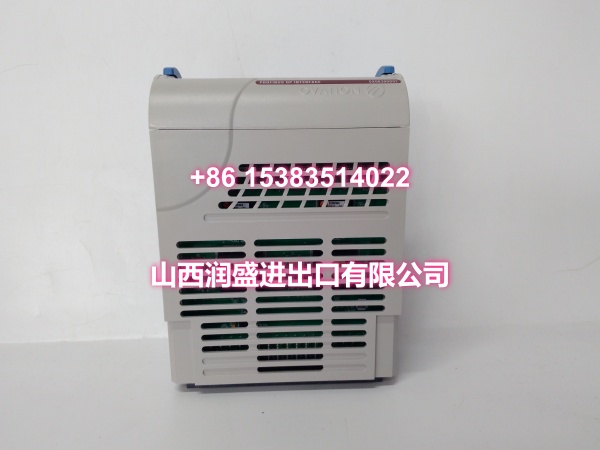
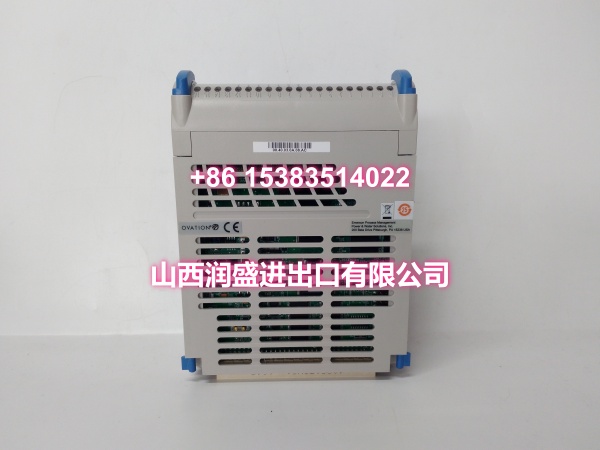
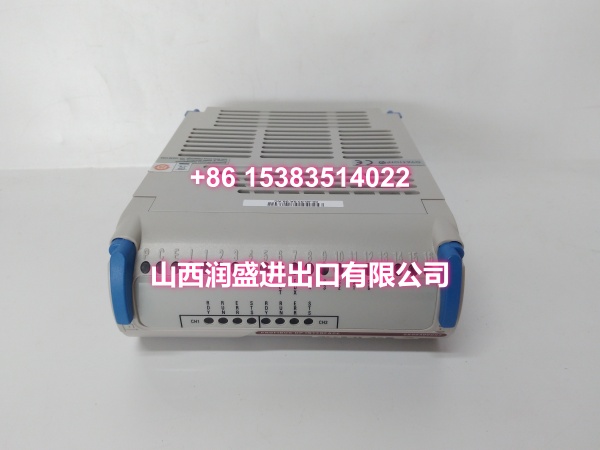
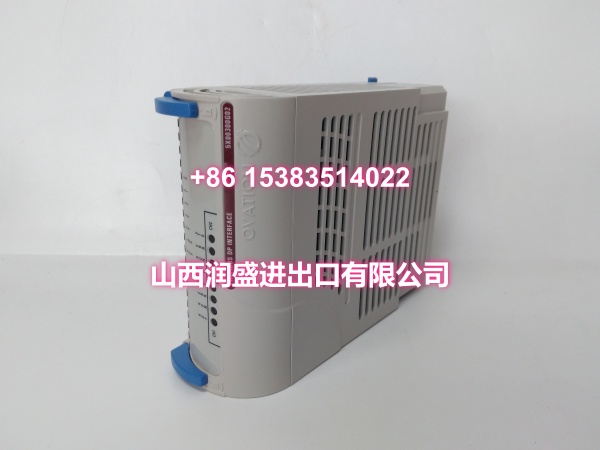
Description
Product Core Brief
- Model: 5X00300G02
- Brand: Westinghouse / Emerson Ovation heritage
- Core Function: Listed three completely different ways online, as a communication interface module linking Ovation to external devices, as a general input module collecting field signals, and as an analog input card for 4 to 20mA and voltage signals
- Common Confusion: One reseller page calls it an Ovation communication interface module supporting Modbus RTU, Modbus TCP, Profibus DP, Ethernet/IP and OPC UA with RS485, RS232 and Ethernet ports Another calls it a Westinghouse input module that receives external signals and passes them into the control system A third lists the G01 sibling as an analog input card fed from the Ovation I/O rack and wired through a terminal base
- System Role If Comm Module: Translates between Ovation and third party devices, PLCs, meters or historians, so a failure drops external data rather than local field points
- System Role If Input Card: Conditions field signals and feeds points into the controller database, so a failure drops the channels on that slot
- Condition: New Surplus / Pulled Used, nameplate photo and rack photo required
Product Introduction
Westinghouse 5X00300G02 is another Ovation number that gets stretched across three different product stories, and none of them come from a published factory datasheet.
The loudest claim is that it is a communication interface module inside the Ovation DCS, built to move data between the DCS and external devices or systems, with Modbus RTU, Modbus ASCII, Modbus TCP, Profibus DP, Ethernet/IP and OPC UA support, isolated RS485 and RS232 ports, Ethernet ports, a Profibus DP port, 24V DC backplane power and around 15W draw That reads like a spec sheet, but the protocol list is too broad to be believable for one legacy card, and the operating temperature range on the same page contradicts itself between listings.
The second story is that it is a Westinghouse input module used to receive signals from external sources and pass them to the control system, described as a signal acquisition device for manufacturing plants and power facilities Some versions add that it handles analog and digital signals from sensors and converts them into a format the system understands
The third story comes from the G01 sibling, listed as an Emerson Ovation analog input card taking 4 to 20mA and voltage ranges, powered through the Ovation I/O rack, front inserted, and wired through a terminal base rather than acting as a standalone fieldbus module
Meanwhile generic Ovation material confirms the platform does use serial link, Profibus, Ethernet and HART style modules alongside digital and analog cards, with electronic modules paired to a personality or characteristic module, surge protection, fusing and hot swap support So both worlds exist in Ovation, which is exactly why this number gets mislabeled.
Before you spend an outage window, decide which world your fault lives in. Lost data from a third party meter or a PLC link points to a comm path problem. Dead channels on one slot with everything else healthy points to an I/O card and its terminal base.
Key Technical Specifications
| Parameter | Value |
|---|---|
| Part Number | 5X00300G02 |
| Brand Grouping | Westinghouse, Emerson Ovation heritage |
| Listing One | Communication interface module for data exchange between Ovation and external systems |
| Claimed Protocols On That Listing | Modbus RTU, Modbus ASCII, Modbus TCP, Profibus DP, Ethernet/IP, OPC UA |
| Claimed Ports On That Listing | Isolated RS485 and RS232, Ethernet, Profibus DP |
| Claimed Power On That Listing | 24V DC from backplane, around 15W |
| Listing Two | Input module receiving external signals and passing them to the control system |
| Listing Three For G01 | Analog input card for 4 to 20mA and voltage, rack powered, wired through a terminal base |
| Ovation I/O Architecture | Electronic module plus personality or characteristic module, surge protection, fusing, hot swap capable |
| Ovation Base Features | Field terminals, built in I/O bus communication, position based addressing, redundant power distribution, no interconnect cables between bases |
| Cabinet Environment | Clean ventilated cabinet, stable cooling, low dust, intact ground bonding |
| Configuration Dependency | Ovation version, I/O Builder slot config, controller database, terminal base model, channel mapping, comm mapping and register table |
| Common Failure Signs | Stale external data, dropped Modbus or Profibus link, dead channels on one slot, drifting analog point, ground fault alarm |
| Verification Method | Nameplate photo, rack photo, Ovation version, I/O Builder export, comm mapping file, terminal base model, cabinet drawing |
No confirmed factory datasheet is publicly available under this number, so treat every catalog blurb as a lead until it matches your own project files.
Quality Control Process
This part gets verified against your own documentation before any money moves.
- Nameplate and suffix check. Confirm it really is G02 and not G01, since G01 gets listed as an analog input card fed from the Ovation I/O rack
- Decide comm or I/O first. If your symptom is lost data from a third party device, chase the comm path, gateway, mapping and cabling before buying any board.
- Pull the I/O Builder export. Confirm the slot, module type and channel mapping so you do not install a card your configuration does not expect.
- Confirm the terminal or characteristic module. Ovation electronic modules pair with a personality module, and the wrong pairing produces wrong signals rather than no signals
- Scan the slot out of service. In I/O Builder select the slot, use Service, set all points out of service, apply, then swap the card and restore points to their original status
- Follow the install order. Fit the characteristic module into the base first, slide the electronic module in so it locks the characteristic module, then push down the blue locking lever, and reverse that when removing
- Check pin alignment before powering. If pins and slots do not line up, the module can burn out as soon as power goes on
- Read the panel LEDs. P is power, green normal and red abnormal, C is communication to the PCI bus, E is ground fault and I is internal card error
- Use the official lookup tool. Emerson publishes an Ovation Mobile Help app that scans an Ovation electronics module part number and returns module descriptions, valid combinations, wiring diagrams and diagnostic LED info
- ESD bag with desiccant. Pulled boards stored in humid warehouses often fail silently months later.
I once saw a plant order a comm board after a reseller promised Modbus TCP and OPC UA on this number, only to find their lost data came from a failed gateway and a broken register mapping. Two weeks of chasing a card that was never in the loop.
Replacement Pitfall Guide
❗ Believing the broad protocol list. Claims of Modbus RTU, Modbus TCP, Profibus DP, Ethernet/IP and OPC UA on one legacy card look like template content rather than factory data
❗ Believing the generic input module story. Pages describing signal conversion from temperature, pressure and flow sensors are generic copy used across many part numbers
❗ Confusing G02 with G01. G01 is listed as an analog input card wired through a terminal base, which is a completely different failure mode from a dropped external link
❗ Skipping the characteristic module check. Wrong personality module pairing can send signals to the wrong point, which is far more dangerous than a dead channel.
❗ Swapping with points still in service. Always set all points on the card out of service in I/O Builder before pulling anything
❗ Forcing the card into the slot. Misaligned pins can burn the module the moment power is applied
❗ Trusting flat warranties and instant delivery. Sealed box claims, blanket warranties and one day lead times are catalog habits, not proof of verified stock
Keep these in mind and you’ll cut 90% of rework time.
Compatibility Matrix & Benchmarks
| Original Model | Replacement / Successor Model | Compatibility Level | Migration Notes |
|---|---|---|---|
| 5X00300G02 | Refurbished same part | Needs Verification | Confirm nameplate, rack photo, Ovation version and channel or link behavior |
| 5X00300G02 | 5X00300G01 | Not Confirmed | Listed as an analog input card for 4 to 20mA and voltage, rack powered |
| 5X00300G02 | Ovation serial link or Profibus module | Needs Verification | Ovation offers serial link, Profibus, Ethernet and HART style modules, confirm exact model |
| 5X00300G02 | Third party gateway with Modbus TCP or OPC UA | Needs Adaptation | Mapping, scaling, fail handling, network segregation and cyber review required |
| 5X00300G02 | 5X00070G04 thermocouple input card | Not Compatible | Different signal conditioning and cold junction behavior |
| 5X00300G02 | 5X00119G01 RTD input card | Not Compatible | RTD input pairing, not a comm device |
| 5X00300G02 | OCR3000 controller based upgrade | Needs Adaptation | Four core system on chip, up to 16 I/O branches, 10ms to 300s loop speed, rewiring and FAT required |
Benchmark references
- Acceptance criterion: if comm based, the external device polls cleanly with no timeouts and register values match the source instrument, if I/O based, the slot comes online in I/O Builder with all configured points healthy and injected values match the faceplate across range.
- Stability target: 24 hour watch with no ground fault or internal card alarms, no dropped external link during cabinet HVAC cycling and large motor starts, and no drifting analog readings.