
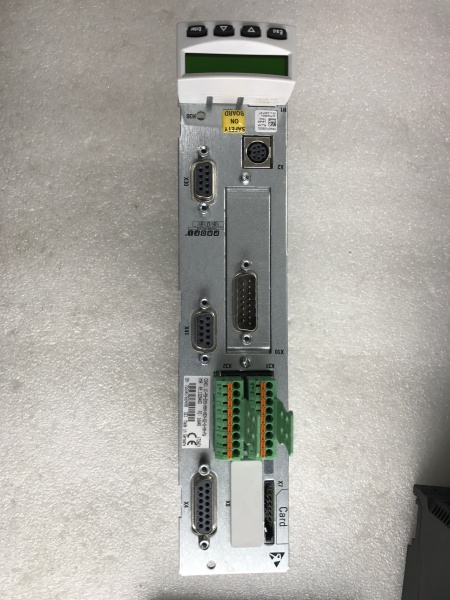
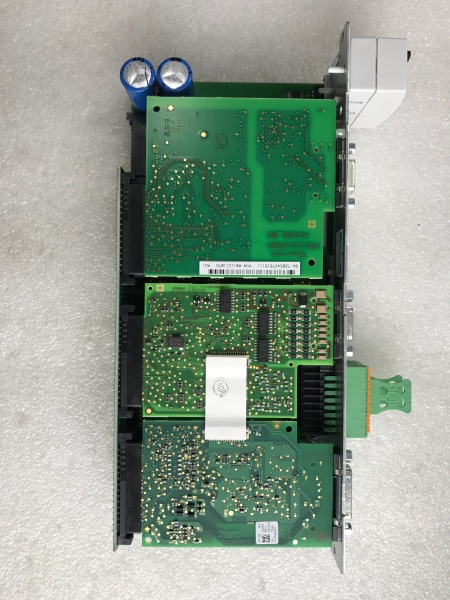
Description
Hard-Numbers: Technical Specifications
- Processor: 32-bit PowerPC 7447A
- Main Frequency: 400 MHz
- Memory: 256 MB DRAM
- Flash Memory: 2 MB
- Communication Ports:
- 2 × Ethernet ports (10/100 Mbps)
- 1 × RS-232 serial port
- 1 × USB port
- Expansion Slots: 4 (for function modules)
- Power Supply: 24V DC
- Power Consumption: 50W
- Operating Temperature Range: 0°C to 60°C
- Storage/Transport Temperature: -40°C to 85°C
- Humidity: 5% to 95% non-condensing (operating)
- Protection Class: IP20 (control cabinet installation)
- Weight: 1.5 kg
- Dimensions (Housing): 127mm (height) × approximately 100mm (width) × 54mm (depth)
- Mounting: DIN rail compatible
- Country of Origin: USA
- Supported Operating Systems (for configuration):
- Microsoft Windows XP Professional (SP 1 or 2)
- Microsoft Windows 2000 Professional (SP 1, 2, or 3)
- Microsoft Windows Server 2003
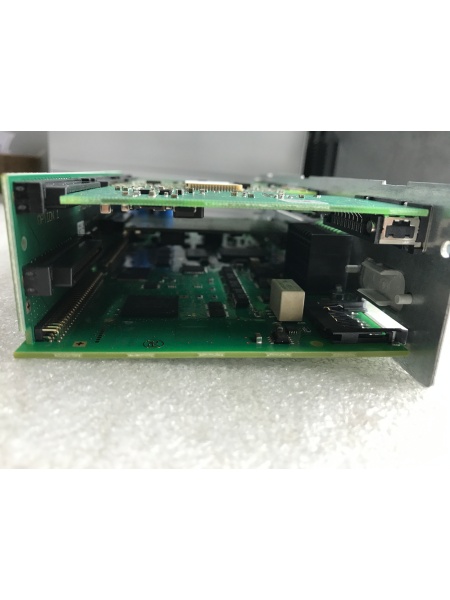
REXROTH CSH01.1C-PB-ENS-NNN-MEM-S2-S-NN-FW
The Real-World Problem It Solves
You need a PLC that combines robust processing power, extensive I/O expansion, and versatile communication interfaces for complex automation tasks. The 0360-500-00/MF01 delivers a 400 MHz PowerPC processor, 256MB memory, and four expansion slots—ideal for applications requiring fast logic execution, local bus expansion, and network integration without external I/O racks.
Where you’ll typically find it:
- CNC machine tools requiring coordinated multi-axis control
- Packaging lines with synchronized motion and process sequencing
- Process control systems in chemical or food processing plants
- Environmental control systems (HVAC, water treatment)
- Material handling and conveyor control systems
Bottom line: It’s a workhorse PLC that handles demanding logic and motion control tasks while offering expansion flexibility for future I/O requirements—perfect for machine builders and system integrators needing a scalable control platform.
Hardware Architecture & Under-the-Hood Logic
The 0360-500-00/MF01 is a modular PLC controller designed around a 32-bit PowerPC 7447A processor. It serves as the central logic processor in automation systems, with expansion slots for I/O modules and multiple communication interfaces for network integration.
- PowerPC 7447A Processor – 32-bit RISC processor running at 400 MHz, executing user programs with deterministic cycle times
- DRAM Memory System – 256 MB of system memory for program storage, variable data, and runtime execution
- Flash Memory – 2 MB non-volatile storage for firmware, user programs, and parameter backup (retains data without battery)
- Ethernet Interface 1 – 10/100 Mbps RJ45 port for PLC programming, HMI communication, and network integration
- Ethernet Interface 2 – Second 10/100 Mbps RJ45 port (supports integrated switch for daisy-chaining network devices)
- RS-232 Serial Port – DB9 connector for legacy equipment communication, modem connections, or direct PLC programming
- USB Port – USB 1.1/2.0 compatible interface for firmware updates, program transfer, and external storage
- Expansion Slot 1 – Modular slot for I/O function modules (digital, analog, communication, or safety)
- Expansion Slot 2 – Second modular slot for additional I/O function modules
- Expansion Slot 3 – Third modular slot for I/O expansion or specialized modules
- Expansion Slot 4 – Fourth modular slot for maximum I/O capacity or mixed I/O types
- Power Supply Circuitry – Internal DC/DC converter accepting 24V DC input and generating regulated voltages for processor, memory, and I/O modules
- Status LED Indicators – Run, Stop, Error, and Power LEDs for local diagnostics and troubleshooting
- Local Bus Interface – High-speed local bus (100 Mbps) for communication with expansion modules
- DIN Rail Mounting Clips – Integrated mounting hardware for secure installation on standard 35mm DIN rails
- EEPROM Memory – Non-volatile memory for hardware configuration, serial numbers, and calibration data
- Watchdog Timer – Hardware monitoring circuit that triggers safe shutdown on processor fault or lockup
- Temperature Monitoring – Internal sensor for over-temperature protection and thermal diagnostics
- Overcurrent Protection – Input circuit protection against wiring faults or external short circuits
- Grounding Terminals – Dedicated ground points for chassis grounding and signal reference
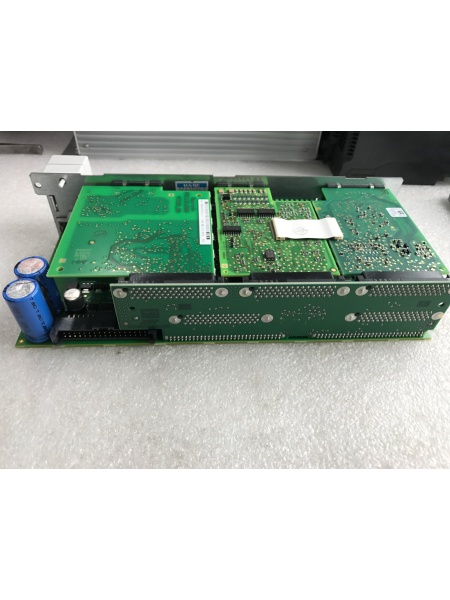
REXROTH CSH01.1C-PB-ENS-NNN-MEM-S2-S-NN-FW
Field Service Pitfalls: What Rookies Get Wrong
Forgetting to Backup Programs Before Module Exchange
Newbies pull the failed 0360-500-00/MF01 and plug in a replacement without downloading the user program. The new PLC boots with empty memory, and production halts while they scramble to reprogram from scratch or locate original source code.
Field Rule: Always connect to the PLC via Ethernet or RS-232 before removal. Use the appropriate Rexroth programming software (IndraWorks or compatible tool) to upload and save the complete user program including all configuration data, parameter settings, and comments. Verify the backup file opens correctly before powering down the system.
Mixing Up Expansion Module Configuration
The four expansion slots support various I/O function modules—digital inputs, analog outputs, communication gateways, or safety modules. Rookies reinstall expansion modules in different slots after PLC replacement, causing addressing errors and I/O channel mismatches.
Quick Fix: Document which module type occupies each expansion slot before removal. Label modules with slot number and module type. Reinstall in the exact same configuration—don’t swap slots even if modules appear identical. Verify the programming software recognizes all modules in their expected positions before testing operation.
Neglecting Ethernet IP Address Configuration
Replacement PLCs ship with factory default IP addresses (typically 192.168.x.x or DHCP enabled). Rookies power up the new PLC without configuring the IP address to match the existing network, making the PLC unreachable from SCADA or HMIs.
Field Rule: Record the original PLC’s IP address, subnet mask, and gateway settings from programming software before removal. Set the replacement PLC to the same network parameters during initial power-up. If using DHCP, verify the PLC obtains the correct address from your DHCP server. Always test network connectivity before enabling machine operation.
Overlooking 24V DC Power Supply Polarity
The PLC requires 24V DC power with correct polarity. Rookies reverse the positive and negative connections or ground the negative terminal, causing permanent damage to the PLC’s power supply circuitry.
Quick Fix: Use a multimeter to verify 24V DC power supply polarity before connecting to the PLC. Match the terminal markings (+/−) to the power supply output. Many Rexroth power supplies provide reverse polarity protection, but never rely on this—proper wiring prevents unexpected failures. If the PLC shows no power LED activity after connection, disconnect immediately and verify polarity.
Ignoring Watchdog Fault Diagnostics
The 0360-500-00/MF01 includes a hardware watchdog timer that monitors processor operation. Rookies ignore watchdog fault codes, assuming the PLC is fine if it passes power-on self-test. Watchdog faults indicate intermittent hardware failures that escalate to complete system crashes.
Field Rule: Check the Error LED and diagnostic buffer after PLC replacement, even if the system appears operational. Look for watchdog-related error codes indicating processor lockups, memory faults, or power supply instability. If watchdog faults recur after replacement, investigate power supply quality, grounding, or ambient temperature issues—don’t ignore them.
Improper ESD Handling During Installation
PLCs contain sensitive semiconductor components vulnerable to electrostatic discharge. Field techs handle modules without ESD protection, slide them across static-generating surfaces, or install them after removing from conductive packaging.
Quick Fix: Keep the PLC in its original conductive packaging until you’re ready to install. Touch grounded cabinet chassis or wear an ESD wrist strap connected to earth ground before handling. Never set the PLC directly on metal surfaces or workbenches without anti-static mat. Power up the cabinet and establish ground reference before touching any connector pins.
Skipping Expansion Module Compatibility Checks
Not all expansion modules are compatible across firmware versions. Rookies install older expansion modules into new PLCs (or vice versa) without checking compatibility, causing communication errors or modules not being recognized.
Field Rule: Verify expansion module firmware compatibility with the replacement PLC’s operating system version. Consult Rexroth compatibility matrices or release notes. If upgrading PLC firmware, also check whether expansion modules require firmware updates. Test each expansion module individually after installation to ensure proper communication and operation.
Forgetting to Re-Enable Watchdog Timer After Replacement
Some PLC configurations disable the watchdog timer during development or troubleshooting. Rookies replace the PLC and leave watchdog disabled, losing hardware fault protection that prevents catastrophic machine damage from processor lockups.
Quick Fix: After replacing the PLC and loading the backup program, verify the watchdog timer is enabled in system configuration. Set appropriate watchdog timeout values based on your application requirements (typically 50-500 ms depending on cycle time). Test watchdog functionality by intentionally causing a minor fault (such as temporary power interruption) and verifying the PLC enters safe state.
Neglecting USB Port Safety During Firmware Updates
The USB port provides convenient firmware update capability, but improper use during live operation can cause PLC lockups or program corruption. Rookies connect USB drives while the PLC is actively controlling machinery, risking unexpected reboots or firmware update prompts.
Field Rule: Only use the USB port for firmware updates when the PLC is in safe 终止 mode or powered down completely. Remove all USB drives after firmware updates before returning the PLC to run mode. Never use USB drives with unknown content or from untrusted sources—they may carry malware that compromises industrial control systems.
Commercial Availability & Pricing Note
Please note: The listed prices are for reference only and are not binding. Final pricing and terms are subject to negotiation based on current market conditions and availability.



