
Description
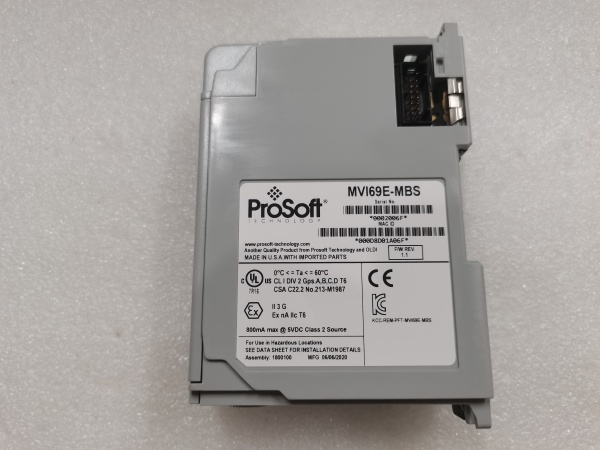
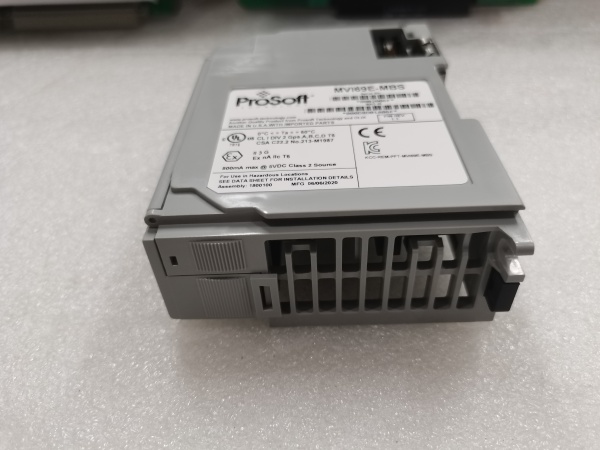
PROSOFT MVI69E-MBS
Hard-Numbers: Technical Specifications
- Protocol Support: Ethernet/IP (Client and Server), PROFINET IO Controller (IRT/RT)
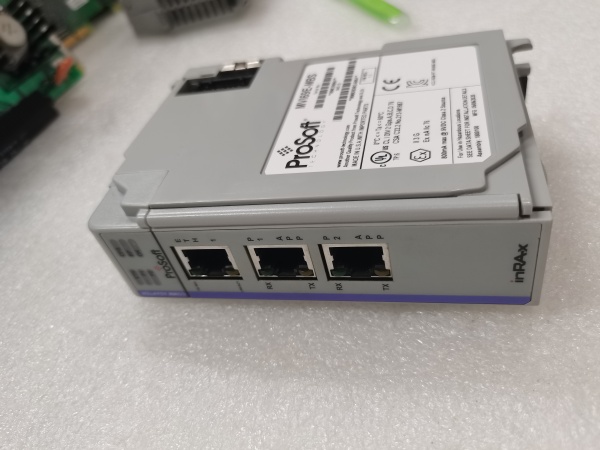
- Port Count: 2 x Ethernet/IP ports (RJ45), 2 x PROFINET ports (RJ45)
- Baud/Data Rate: 10/100/1000 Mbps auto-negotiating per port
- Operating Temperature: 0 to +60°C (32 to 140°F)
- Storage Temperature: -40 to +85°C (-40 to 185°F)
- Isolation Rating: 1500V RMS isolation between Ethernet/IP and PROFINET port groups
- Power Draw: 800mA @ 24VDC (external power supply required)
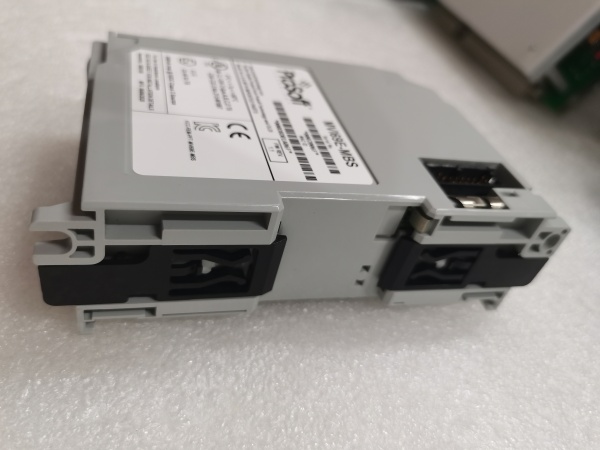
- Mounting: DIN rail or panel mount
- Ethernet/IP Connections: Up to 32 simultaneous Class 1/Class 3 connections
- PROFINET Devices: Up to 128 PROFINET IO devices as controller
- GSDML File Support: Generates GSDML file for PROFINET device configuration
- LED Indicators: PWR (power), ETH (Ethernet/IP activity), PNI (PROFINET activity), CFG (configuration status), FLT (fault)
- Connector Types: 4 x RJ45, 1 x 4-pin Phoenix (power)
- Dimensions: 123mm x 110mm x 54mm (4.85″ x 4.33″ x 2.13″)
The Real-World Problem It Solves
You’ve got a Rockwell ControlLogix controller on one side of the plant and a Siemens S7-1500 on the other, and they need to exchange production data. Rewiring to replace one control system with the other would cost millions and take months of downtime. This gateway sits in the middle and translates Ethernet/IP to PROFINET controller-to-controller, letting both PLCs talk their native protocols without touching the I/O infrastructure on either side.
Where you’ll typically find it:
- Automotive assembly lines where Rockwell body shop controllers exchange data with Siemens paint shop PLCs
- Food and beverage plants where Rockwell packaging lines coordinate with Siemens-based filling systems
- Pharmaceutical manufacturing where Rockwell CIP (Clean-in-Place) systems interface with Siemens process automation PLCs
Bottom line: It lets Rockwell and Siemens controllers share data without forcing a control system migration—both sides speak their native language, the gateway handles the translation.

PROSOFT MVI69E-MBS
Hardware Architecture & Under-the-Hood Logic
This standalone gateway operates as a protocol bridge with four independent Ethernet ports—two dedicated to Ethernet/IP communication and two dedicated to PROFINET IO controller functionality. The onboard processor handles all protocol conversion independently, with no host PLC required. The Ethernet/IP ports operate as both client (initiator) and server (target), while the PROFINET ports act as a full PROFINET IO controller, managing PROFINET IO devices directly or exchanging data with a higher-level PROFINET controller.
- The Ethernet/IP ports initiate or accept connections with Rockwell PLCs, exchanging data via Class 1/Class 3 implicit or explicit messaging.
- The PROFINET ports operate as a PROFINET IO Controller, managing PROFINET IO devices or exchanging cyclic data with PROFINET IO Controllers.
- The onboard processor maps Ethernet/IP I/O data blocks to PROFINET application process image (API) areas in real-time.
- Data transfer occurs bidirectionally—Ethernet/IP input data maps to PROFINET output data, and Ethernet/IP output data maps to PROFINET input data.
- The gateway maintains cyclic data exchange at configurable update rates (typically 1-100ms) on both protocol sides independently.
- Diagnostics are monitored continuously on both protocol stacks, with fault reporting available via mapped diagnostic blocks.
- The generated GSDML file defines the gateway’s PROFINET capabilities for integration into Siemens TIA Portal projects.
Field Service Pitfalls: What Rookies Get Wrong
Cross-Connecting Port GroupsTechnicians wire the Rockwell PLC to a PROFINET port and the Siemens PLC to an Ethernet/IP port. Neither side can establish communication because the protocols are on the wrong ports, and both PLCs log “device not responding” faults.
Field Rule: Label the four Ethernet ports clearly before mounting. Ports 1-2 are Ethernet/IP (connect to Rockwell). Ports 3-4 are PROFINET (connect to Siemens). Color-code your patch cables—blue for Ethernet/IP, green for PROFINET—so you can’t physically cross them even in low-light conditions.
IP Address Assignment ErrorsBoth protocol sides require IP addresses in their respective subnets, but technicians assign Ethernet/IP and PROFINET ports on the same subnet. Broadcast traffic conflicts, ARP tables get confused, and communication becomes intermittent or fails completely.
Quick Fix: Assign IP addresses on separate subnets. If your Rockwell network is 192.168.1.x, use a different subnet like 192.168.10.x for PROFINET. Document the addressing scheme and verify routing if inter-subnet communication is required through managed switches.
GSDML File Version MismatchThe Siemens TIA Portal project loads an old GSDML file for the gateway, but the gateway firmware has been updated. The PROFINET controller configures the gateway with outdated parameters, the gateway rejects the configuration, and the PROFINET connection fails to establish.
Field Rule: Keep GSDML files synchronized with gateway firmware. After any firmware update, download the new GSDML file from the gateway web interface and update the TIA Portal project immediately. Maintain a GSDML library organized by device model and firmware version.
Update Rate Mismatch Between ProtocolsEthernet/IP is configured for a 10ms RPI (Requested Packet Interval), but PROFINET is set for 100ms cycle time. The gateway buffers Ethernet/IP data but can’t transmit it fast enough on the PROFINET side, causing data age faults in the Rockwell PLC.
Field Rule: Match update rates across protocols or configure the faster side to accept slower data. If PROFINET runs at 100ms, set Ethernet/IP RPI to 100ms or use a watchdog that tolerates slower updates. Document the configured rates and ensure both PLC programs handle timing mismatches gracefully.
Missing 24VDC Power SupplyTechnicians mount the gateway and connect Ethernet cables but forget to connect the external 24VDC power. The PWR LED stays dark, and they waste hours troubleshooting communication when the real issue is no power.
Quick Fix: Verify the PWR LED is solid green before configuring communication. The gateway requires 24VDC at 800mA—use a filtered power supply with adequate headroom. Fuse the supply appropriately (typically 1-2A slow-blow) and verify polarity on the Phoenix connector before powering up.
Data Size Mismatch in I/O MappingThe Rockwell PLC sends 128 bytes of output data, but the PROFINET configuration only allocates 64 bytes for input data. The gateway truncates the remaining data, and critical values never make it to the Siemens side. The Siemens PLC sees zeros where it expects process setpoints.
Field Rule: Verify I/O mapping sizes match on both sides. If Rockwell sends 128 bytes, PROFINET must receive 128 bytes. Use the gateway configuration utility to cross-reference data block sizes. Test with known values—send a unique pattern like 0xAA, 0x55, 0xFF in different byte positions and verify they arrive unchanged.
Improper Switch Port ConfigurationTechnicians connect both Ethernet/IP ports to the same unmanaged switch without understanding spanning-tree behavior. Switch ports block to prevent loops, cutting off communication to the gateway. Redundancy fails because the switch doesn’t support dual-port redundancy properly.
Field Rule: Use managed switches with support for Multi-Chassis Link Aggregation (MLAG) or separate switch fabrics for true redundancy. If using unmanaged switches, connect only one Ethernet/IP port and one PROFINET port—dual-port redundancy requires managed switch infrastructure. Document your switch port assignments and spanning-tree settings.
Ignoring Diagnostics in Both PLCsThe gateway provides comprehensive diagnostics for both Ethernet/IP and PROFINET, but technicians only map I/O data words and ignore diagnostic blocks. When a communication fault occurs, there’s no indication which protocol side failed or why.
Quick Fix: Map diagnostic data blocks from the gateway into both Rockwell and Siemens PLCs. The PLX82-EIP-PNC provides Ethernet/IP diagnostic attributes and PROFINET diagnostic channels. Use this data in your HMI for rapid fault identification—knowing “Ethernet/IP Connection 3 Timeout” saves hours of cable swapping.
Please note: The listed price is for reference only and is not binding. Final pricing and terms are subject to negotiation based on current market conditions and availability.



