
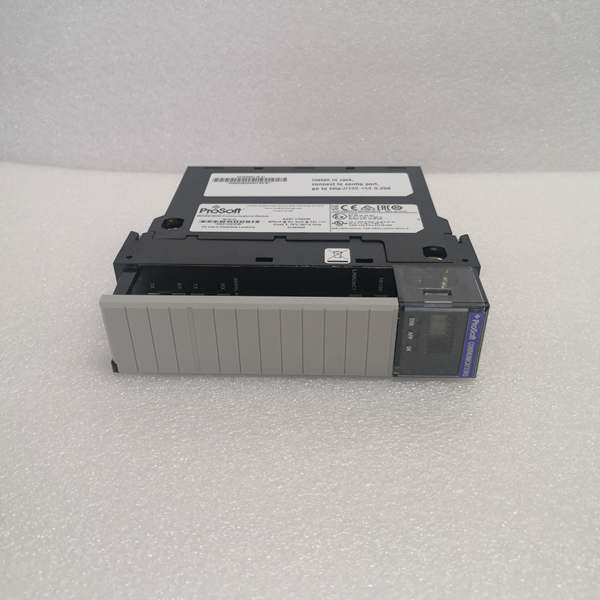
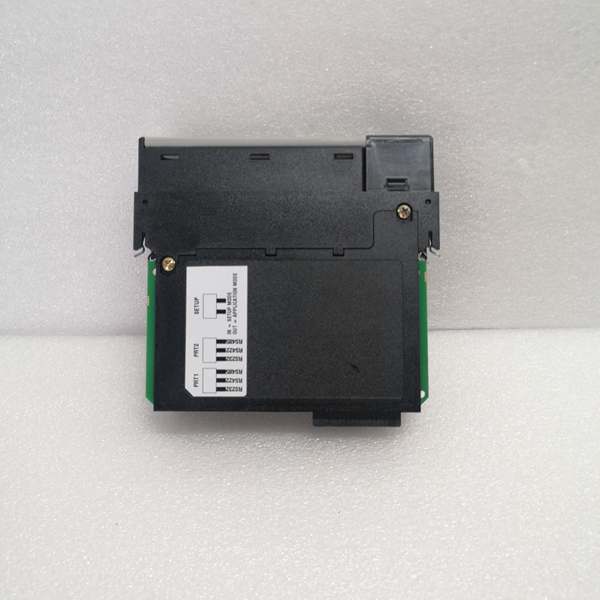
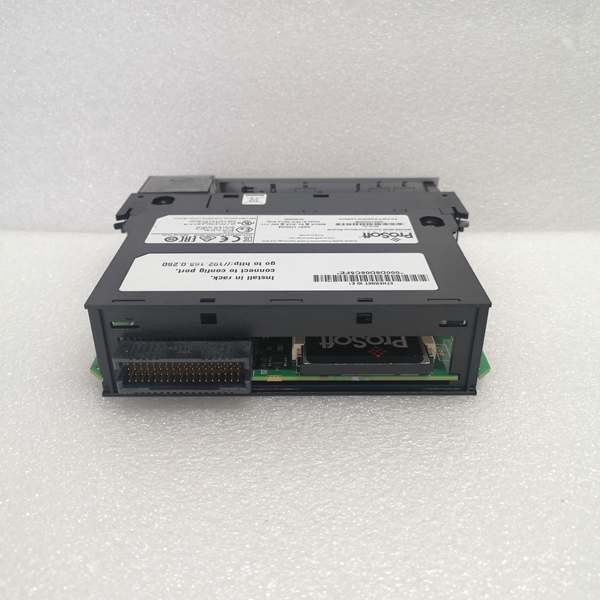
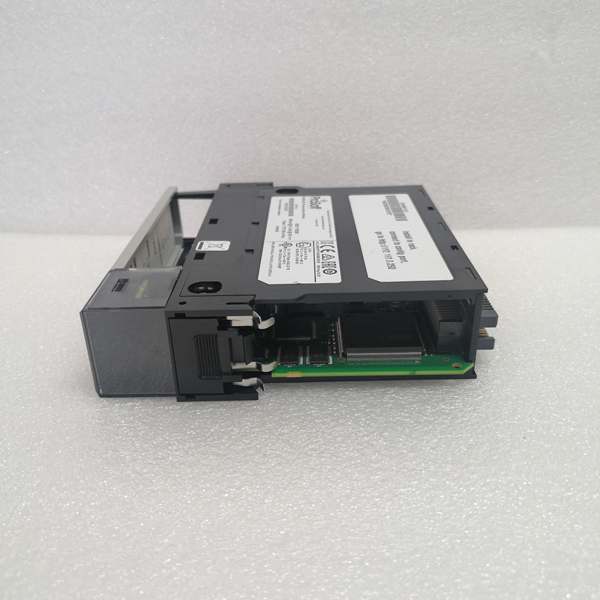
Description
Version Variants
| Variant | Part Number | Description | Use Case |
|---|---|---|---|
| MVI56E-MCM | Standard | Modbus TCP only (no expansion) | Pure Modbus TCP applications |
| MVI56E-MCM+RS485 | With expansion | Adds Modbus RTU Master/Slave | Mixed TCP/RTU environments |
| MVI56E-MCM+Serial | With expansion | Adds ASCII/DF1 serial | Legacy serial device integration |
Hard-Numbers: Technical Specifications
- Protocol Support: Modbus TCP (Master/Slave) + CIP (Produced/Consumed)
- Port Count: 1 × RJ45 10/100 Mbps Ethernet
- Baud/Data Rate: 10/100 Mbps auto-sense (TCP); 300-115200 bps (RTU with RS485 expansion)
- Operating Temperature: 0°C to 60°C (32°F to 140°F)
- Storage Temperature: -40°C to 85°C (-40°F to 185°F)
- Power Draw: 3.8W, 0.76A @ 5V backplane (无扩展板)
- Max Modbus TCP Connections: 8
- Register Mapping Capacity: 16384 holding registers (40001-32768)
- Data Update Rate: 10ms to 1000ms configurable
- Module Scan Time: <5ms for CIP exchange
- Dimensions: 140 × 147 × 125 mm (5.5 × 5.8 × 4.9 in)
- Weight: 0.6 kg
- Power Isolation: 500V optical isolation on Ethernet port (per datasheet)
- Certifications: UL/cUL 508, CE, ATEX Zone 2/22 (IIB T4 Gb)
- Max Modbus RTU Nodes: 32 (with RS485 expansion)
- Expansion Compatibility: MVI56E-RS485 (Modbus RTU), MVI56E-DF1 (DF1/ASCII)

MVI56E-MCM
The Real-World Problem It Solves
Factory-floor headache: Your ControlLogix PLC needs to talk to Modbus TCP flow meters, VFDs, or SCADA head-ends. You don’t want to write custom ladder logic to construct Modbus frames or maintain MSG instructions for each device. You need a native Modbus TCP interface that exposes data as CIP tags in Studio 5000.
Where you’ll typically find it:
- Water treatment plants integrating Modbus TCP flow meters into ControlLogix SCADA systems
- Oil & gas platforms bridging Modbus TCP RTU gateways to ControlLogix safety systems
- Pharmaceutical batch systems reading Modbus TCP weigh scales via Produced/Consumed tags
Bottom line: It eliminates custom ladder for Modbus TCP, giving you native CIP access to MCM/RTU data with no code bloat.
Hardware Architecture & Under-the-Hood Logic
The MVI56E-MCM is a ControlLogix-compatible module that mounts directly in a 1756 chassis. It has its own microprocessor and Ethernet PHY, but communicates with the Logix processor via the ControlLogix backplane using CIP Produced/Consumed tags. The Ethernet port has 500V optical isolation to protect the Logix backplane from surges and ground loops.
-
Power-up and backplane initialization: Module boots from internal flash, initializes Ethernet PHY, then registers with the Logix processor via backplane. LEDs indicate power, module status, Ethernet link/activity, and Modbus communication health.
-
CIP data exchange setup: In Studio 5000, you configure Produced tags (Modbus → Logix) and Consumed tags (Logix → Modbus). The module exchanges these tags with the Logix processor at the configured update rate (default 100ms). No MSG instructions needed—data flows automatically.
-
Modbus TCP Master operation: The module initiates up to 8 TCP connections to Modbus TCP slave devices (e.g., meters, drives). It polls slaves at configured intervals and maps holding/input registers to Produced tags. It handles connection timeouts and retry logic internally.
-
Modbus TCP Slave operation: The module listens for incoming TCP connections from external Modbus TCP MVIs (e.g., SCADA head-ends). It maps Consumed tags to Modbus holding registers, allowing external masters to read/write Logix tag values directly via Modbus.
-
Data mapping and conversion: The firmware converts between CIP tag arrays and Modbus register addressing (40001-based). You configure register-to-tag mapping via the Web GUI or Studio 5000 AOIs (Add-On Instructions). Data type conversion (INT/DINT/REAL) is 100% automatic.
-
Diagnostics and fault handling: Built-in watchdog monitors Modbus connections. If a slave drops, the module flags a fault bit in the status tags and holds last-known values or sets to zero per configuration. Event logs store connection failures, CRC errors, and backplane communication errors.
MVI56E-MCM
Field Service Pitfalls: What Rookies Get Wrong
Forcing high update rates
Rookies set the CIP update rate to 10ms for “real-time performance,” not realizing this floods the backplane with unnecessary traffic and causes module timeouts. The Logix processor spends too much time servicing CIP exchanges and your ladder execution time suffers.
- Field Rule: Start at 100ms default. Only go lower if you have verified backplane loading and your application truly needs sub-100ms updates. Monitor the module’s CIP scan time in Studio 5000 (Controller Tags → Module Info → Scan Time). If it exceeds 5ms consistently, raise the update rate.
Using AOIs from wrong firmware version
The MVI56E-MCM uses Add-On Instructions (AOIs) for configuration in Studio 5000. Rookies import AOIs from an older firmware version, causing tag name mismatches or compilation errors. The module boots but doesn’t exchange data.
- Field Rule: Download AOIs matching your module firmware from ProSoft’s website. Check the firmware version in the Web GUI (Firmware Revision field). Import AOIs into your Studio 5000 project after upgrading the module firmware. Always keep AOIs and firmware in sync.
Confusing MCM with MV156
The naming is close but they’re different modules. MVI56E-MCM is Modbus TCP only (3.8W, 8 connections). MV156E-MCMR is a different variant with different power draw (5.6W) and register capacity. Rookies order the wrong part, then wonder why the module doesn’t fit or draws too much current.
- Field Rule: Verify the full part number before ordering. MVI56E-MCM: 16384 registers, 3.8W, 8 connections. MV156E-MCMR: 32768 registers, 5.6W, 16 connections. Check your project’s register count and connection requirements. If you need more than 16384 registers or more than 8 connections, go with MV156E-MCMR.
Mixing tag data types
Rookies map a DINT tag to a 16-bit Modbus register, causing data truncation. Flow readings show only the lower 16 bits, and values max out at 32767 instead of the full range.
- Field Rule: Match tag data types to register sizes. For 16-bit Modbus registers, use INT tags. For 32-bit values, map two consecutive Modbus registers to a DINT. For floating point, map two registers to a REAL tag. The AOIs handle word swapping automatically—just pick the right data type.
Forgetting to disable unused connections
The module supports up to 8 TCP connections. Rookies leave all 8 configured but only use 2, then wonder why the module has high memory usage and occasional timeouts. Unused connections still consume resources for keep-alive polling.
- Field Rule: Only enable the number of you actually need. If you have 3 Modbus devices, configure 3 connections. Disable the rest in the Web GUI. This reduces memory footprint and prevents timeout errors on idle connections.
Swapping modules without transferring configuration
Rookies pull a failed MVI56E-MCM and plug in a spare without transferring the配置. The new module boots with factory defaults, and production 终止s because mapping is wrong.
- Field Rule: Always back up configuration via Web GUI (Admin → Download Config) before removing any module. Store the config file on a USB drive. For spares, pre-configure them with the same firmware and settings, then store them with the config file. Swap and reboot—no reconfiguration needed.



