
Description
Hard-Numbers: Technical Specifications
- Protocol Support: PROFIBUS DP Slave (DPV0, DPV1), Ethernet/IP (backplane implicit messaging)
- Port Count: 1 x PROFIBUS DP (9-pin D-Sub female), 1 x backplane connection
- Baud/Data Rate: 9.6K, 19.2K, 93.75K, 187.5K, 500K, 1.5M, 3M, 6M, 12M selectable
- Operating Temperature: 0 to +60°C (32 to 140°F)
- Storage Temperature: -40 to +85°C (-40 to 185°F)
- Isolation Rating: 1500V RMS isolation between backplane and PROFIBUS port
- Power Draw: 850mA @ 5VDC from ControlLogix backplane
- Backplane Compatibility: 1756 ControlLogix chassis (any slot)
- Maximum Input Data: 244 bytes (from master perspective)
- Maximum Output Data: 244 bytes (from master perspective)
- GSD File Support: Generates GSD file for master configuration
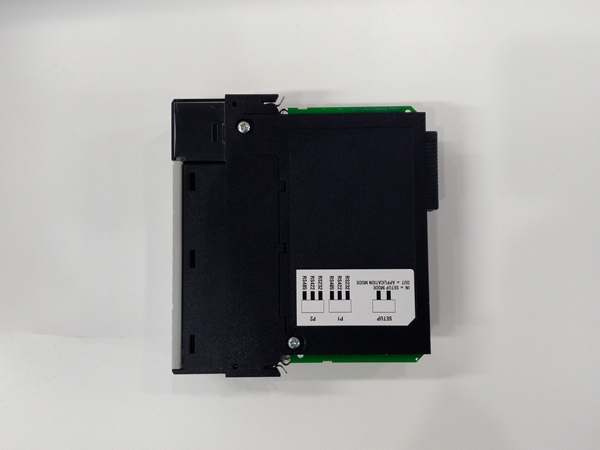
- Address Range: Slave address 0-126 (configurable via DIP switches or software)
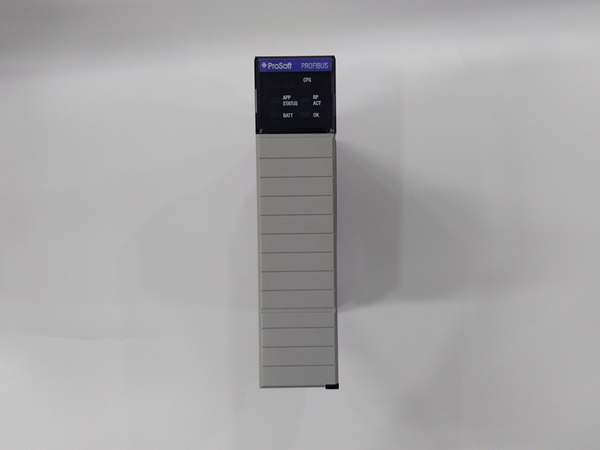
- LED Indicators: MOD (module status), BUS (PROFIBUS activity), CFG (configuration status), FAULT
- Connector Type: 9-pin D-Sub female (per IEC 61158-2)
- Dimensions: Standard single-slot ControlLogix form factor

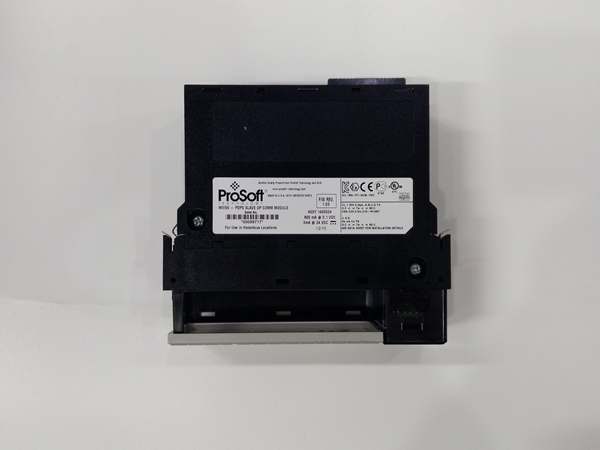
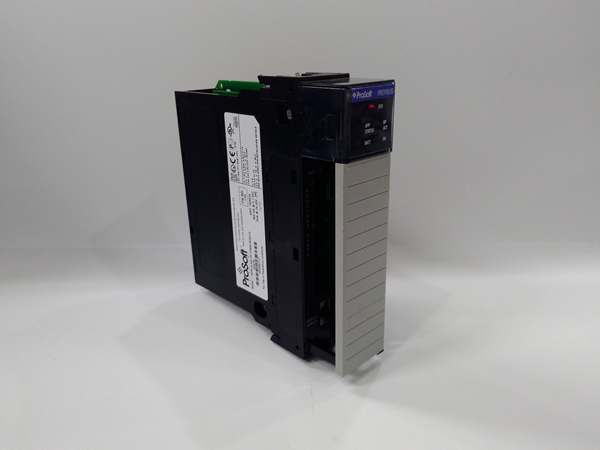
ProSoft MVI56-PDPS
The Real-World Problem It Solves
You’ve got an existing PROFIBUS DP network controlled by a Siemens master PLC, but you need to integrate a ControlLogix-based subsystem without replacing the entire network infrastructure. Replacing the master would trigger a complete system re-commissioning and validation nightmare. This module lets your ControlLogix act as a slave device on the existing network, handing off data to the current master without disturbing the rest of the PROFIBUS infrastructure.
Where you’ll typically find it:
- Automotive assembly lines where a Siemens S7 master controls multiple lines, and a new ControlLogix-based inspection station must join the network
- Steel mill automation where legacy PROFIBUS networks manage furnace controls, and new ControlLogix-based rolling systems must exchange data
- Water treatment facilities where existing PLC networks manage distribution, and new ControlLogix-based filtration systems must report to the central master
Bottom line: It lets ControlLogix play nicely in existing PROFIBUS neighborhoods without forcing a complete network rip-and-replace or master PLC migration.
Hardware Architecture & Under-the-Hood Logic
This module operates as a PROFIBUS DP Slave device, responding to master polling requests while exchanging data with the ControlLogix processor via backplane Ethernet/IP implicit messaging. The onboard processor handles all PROFIBUS slave protocol mechanics including watchdog response, diagnostic reporting, and cyclic data exchange. The module generates a standard GSD file that the master uses to understand the slave’s capabilities—supported baud rates, data block sizes, and diagnostic parameters.
- The ControlLogix processor exchanges data with the module via backplane I/O blocks using Ethernet/IP implicit messaging.
- The PROFIBUS DP master polls the slave during its assigned token slot, receiving output data from the module and sending input data to it.
- The onboard processor maintains the slave watchdog timer—if the master doesn’t poll within the configured timeout, the module goes to safe state.
- Data exchange occurs cyclically at the master’s configured polling rate, with the module buffering input/output data in internal memory.
- Diagnostics are continuously monitored and reported to the master on request, including device-specific faults and extended diagnostics.
- The module updates backplane I/O blocks at the configured RPI rate (typically 10-50ms), synchronizing PROFIBUS data with ControlLogix scan time.
- The generated GSD file defines the slave’s input/output byte count, supported baud rates, and diagnostic capabilities for master configuration.
ProSoft MVI56-PDPS
Field Service Pitfalls: What Rookies Get Wrong
Slave Address ConflictsTechnicians set the MVI56-PDPS to slave address 5, but another device on the network already uses address 5. The master polls both devices, both respond, and the network becomes unstable. The master detects a duplicate address fault and drops the entire segment.
Field Rule: Verify the entire network address assignment before installing a new slave. Document every assigned address in your as-builts. Use a PROFIBUS diagnostic tool to scan the network and confirm the address is available. Never assume an address is free just because it’s not in the most recent schematic.
Baud Rate Mismatch with MasterThe master runs the network at 12Mbps, but the slave is configured for 1.5Mbps. The master polls, the slave can’t respond at that speed, and communication fails. The master logs a “communication lost” fault for the slave, and the ControlLogix subsystem 终止s updating.
Quick Fix: Verify the master’s network baud rate before configuring the slave. Check the master project or use a network analyzer to determine the actual running speed. Configure the MVI56-PDPS to match exactly—PROFIBUS doesn’t auto-negotiate like Ethernet.
Watchdog Timeout Too ShortTechnicians configure a 10ms watchdog, but the master’s polling interval is 100ms during high network load. The slave watchdog expires, the module goes to fault state, and outputs freeze even though the master is still trying to communicate.
Field Rule: Set the watchdog timeout to at least 3-5 times the master’s worst-case polling interval. If the master polls every 50ms normally but can stretch to 200ms during fault recovery, set the watchdog for 1000ms. Give the master room to recover before the slave gives up.
Input/Output Byte Count MismatchThe GSD file specifies 128 bytes input and 128 bytes output, but the master configuration uses 64 bytes each. The master sends partial data, the slave expects more, and the data alignment skews. A pressure reading meant for register 10 ends up in register 74, and alarms trigger on garbage values.
Quick Fix: Ensure the GSD file and master configuration match exactly. Generate a fresh GSD file from the MVI56-PDPS configuration and import it into the master project. Verify byte counts are identical—124 bytes input means exactly 124, not 128 or 120.
Missing Termination at Network EndThe slave is installed at the physical end of the PROFIBUS trunk, but the technician doesn’t enable termination. The bus isn’t properly terminated, signals reflect, and intermittent communication faults occur. The fault correlates with cable movement or temperature changes.
Field Rule: Terminate PROFIBUS networks at both physical ends only. If the MVI56-PDPS is at the end of the trunk, enable the onboard termination. If it’s in the middle, leave termination disabled. Verify resistance across the bus with a multimeter—approximately 110Ω on a properly terminated network.
Ignoring the Freeze State During FaultsWhen the slave watchdog expires or communication is lost, the module freezes output data at the last known values. Technicians don’t understand this behavior and think the module is “stuck,” repeatedly power-cycling it without fixing the root cause.
Field Rule: Understand the fault behavior. When communication is lost, the slave enters freeze mode by design—it maintains the last output values to prevent uncontrolled equipment movement. This is a safety feature. Troubleshoot the communication loss, not the freeze state. Configure freeze behavior in the module setup if your application requires safe-state outputs.
DIP Switch vs. Software Address ConfusionThe module allows slave address configuration via both DIP switches and software, and technicians set different values in each place. The software setting overrides the DIP switches, but the technician on-site with a screwdriver thinks they’ve set the address correctly when they haven’t.
Quick Fix: Verify the actual running address, not just the DIP switch position. Use the ProSoft Configuration Builder to read the current configuration and confirm the slave address. Document which method you’re using for each module—either DIP switches or software, not both. If using software, tape over the DIP switches to prevent accidental changes.
GSD File Version IncompatibilityThe master project loads an old GSD file for the MVI56-PDPS, but the module firmware has been updated. The master configures the slave with outdated parameters, the slave rejects the configuration, and the master logs a “parameterization failed” fault.
Field Rule: Keep GSD files synchronized with firmware versions. When you update the MVI56-PDPS firmware, regenerate the GSD file from the new firmware and update the master project immediately. Maintain a GSD library organized by module model and firmware revision.
Please note: The listed price is for reference only and is not binding. Final pricing and terms are subject to negotiation based on current market conditions and availability.



