
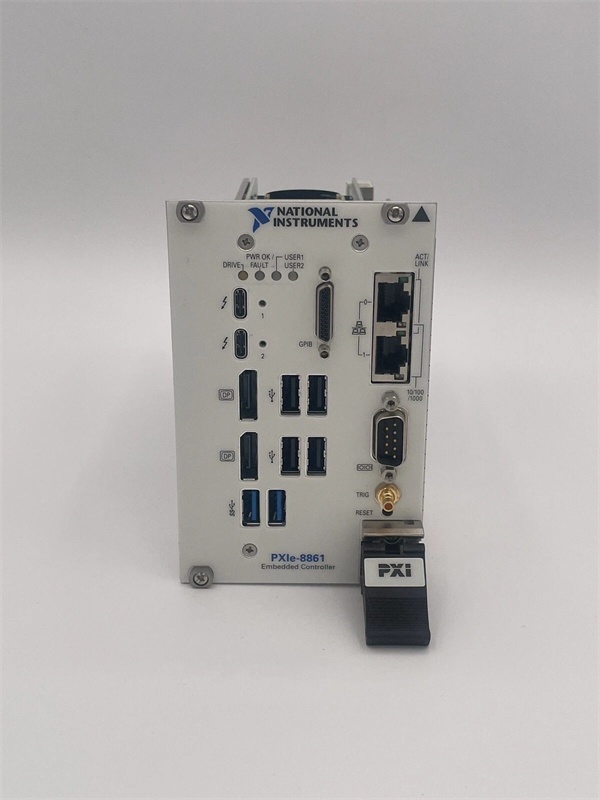
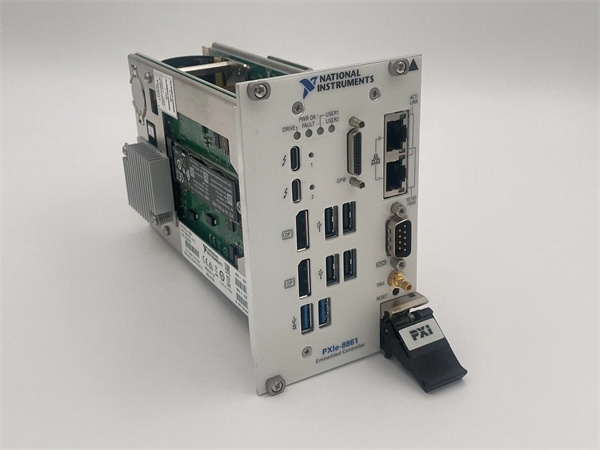
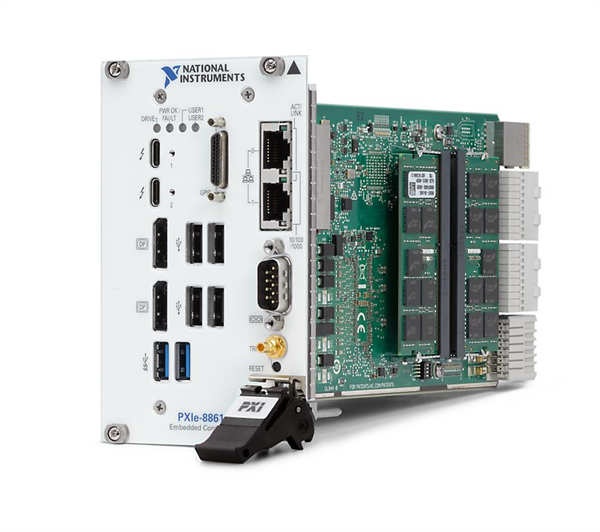
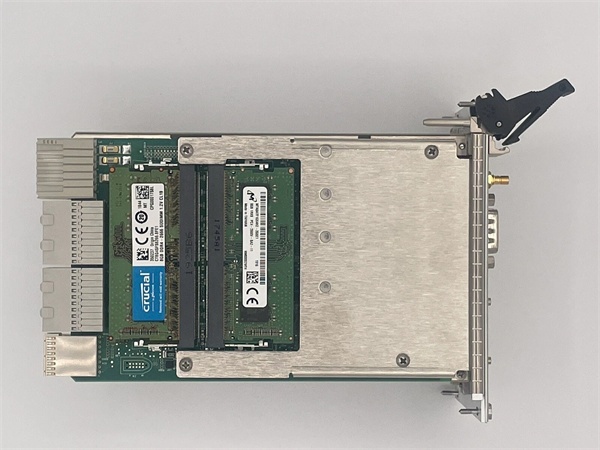
Description
Hard-Numbers: Technical Specifications
-
Processor: Intel Xeon E3-1515M v5, 4 cores/8 threads, 2.8 GHz base, 3.7 GHz Turbo
-
Cache: 8 MB Intel SmartCache
-
Memory: 8 GB DDR4-2133 standard, 32 GB max (2x SO-DIMM slots)
-
Storage: 512 GB NVMe SSD (M.2 or U.2 removable shuttle options)
-
PXIe Backplane Link: PCIe Gen3 x8 (8 GB/s theoretical, ~6.8 GB/s sustained)
-
Link Configurations: x4-x4-x4-x4 (four x4 links) or x8-x8 (two x8 links) to peripheral slots
-
Ethernet: 2x 10/100/1000BASE-TX (Intel i219 + i210, one with 1588 PTP)
-
USB Ports: 2x USB 3.0 (Type-A front), 4x USB 2.0 (Type-A front)
-
Thunderbolt 3: 2x Type-C ports (40 Gbps, PCIe tunneling, DisplayPort alt mode)
-
Video: 2x DisplayPort 1.2 (Thunderbolt-attached or discrete GPU via PCIe)
-
GPIB: 1x IEEE 488 controller (mini-GPIB connector, front panel)
-
Serial: 1x RS-232 DB-9 (front panel, 16550-compatible)
-
Trigger: 1x SMB for PXI Trigger input/output
-
Operating Temperature: 0°C to +55°C (IEC 60068-2-1/2-2, MIL-PRF-28800F Class 3 low/Class 2 high)
-
Power Draw: 16.15W typical, 24W max (+3.3V/±12V PXIe rails)
-
Dimensions: 4-wide 3U PXIe module (occupies system slot + 3 expansion slots)

NI PXIe-8861
The Real-World Problem It Solves
Standard PXIe controllers cap out at dual-core i7s and x4 backplane links. When you’re streaming 2 GS/s from a digitizer or processing 16×16 MIMO RF data, you choke on CPU cycles and PCIe bandwidth. The PXIe-8861 drops a 4-core Xeon with x8 Gen3 lanes into the chassis, giving you desktop workstation throughput. Plus, those Thunderbolt 3 ports let you hang external GPUs or NVMe arrays outside the chassis without eating PXI slots—critical when every slot is already full of RF gear.
Where you’ll typically find it:
-
5G mmWave test stands: Processing 400 MHz instantaneous bandwidth from PXIe-5831 VSTs; external GPU via Thunderbolt handles real-time FFT for beamforming analysis.
-
High-speed vision inspection: Coordinating 8x PXIe-8510 frame grabbers; x8 backplane link prevents frame drops during burst transfers to host memory.
-
RF recorder systems: Streaming 2.4 GB/s from PXIe-5624 digitizers to NVMe RAID; Thunderbolt 3 connects external storage when internal M.2 fills up.
Bottom line: It’s a Xeon workstation that happens to fit in a PXI chassis, with modern I/O that doesn’t pretend it’s still 2010.
Hardware Architecture & Under-the-Hood Logic
This is a full Intel Xeon platform, not an embedded SoC. The E3-1515M v5 sits on a standard mobile chipset with DDR4 memory, NVMe storage, and PCIe root complex. The PXIe backplane connection is native PCIe Gen3 from the CPU—no bridge chips, no protocol translation. Thunderbolt 3 is handled by a separate Alpine Ridge controller that tunnels PCIe and DisplayPort over Type-C.
-
Power-on sequence: PXIe chassis +12V/+5V/+3.3V rails stabilize → EC power management IC boots → Xeon executes UEFI POST from SPI flash → Initializes DDR4, NVMe, and PCIe root complex.
-
Backplane arbitration: CPU PCIe Gen3 x8 lanes route directly to PXIe system slot connector; BIOS configures as x8 single link or bifurcated x4-x4-x4-x4 based on chassis requirements.
-
Peripheral enumeration: PXIe peripheral slots appear as standard PCIe devices to Windows/Linux; NI-VISA/NI-DAQmx drivers map them to logical resource names.
-
Thunderbolt integration: Alpine Ridge controller bridges CPU PCIe x4 to Thunderbolt 3 ports; supports external GPU enclosures, NVMe docks, or 10GbE adapters at full PCIe tunneling speeds.
-
Trigger handling: SMB trigger input routes to PXIe backplane TRIG lines via programmable FPGA; output trigger generated by NI-TClk or software command.

NI PXIe-8861
Field Service Pitfalls: What Rookies Get Wrong
Assuming All PXIe Chassis Are Compatible
This controller wants a Gen3 x8 system slot. Older PXIe-1062/1073 chassis only wired x4 to the system slot—you’ll boot, but you’re leaving half the bandwidth on the table. Worse, some early PXIe-1082 chassis have signal integrity issues at Gen3 speeds that cause intermittent PCIe link drops under heavy DMA.
-
Field Rule: Verify chassis manual for “PXIe Gen3 x8 System Slot” capability. Check NI compatibility matrix—PXIe-1085 and newer are solid. If you see “PCIe Training Error” in Event Viewer or modules disappearing in MAX, force Gen2 link speed in BIOS (performance hit, but stability win). Reseat the controller fully; the 4-wide card has stiff retention screws that get skipped.
Thunderbolt 3 vs. USB-C Confusion
That Type-C port isn’t just USB 3.1—it’s 40 Gbps Thunderbolt with PCIe tunneling. But it requires BIOS settings and Alpine Ridge firmware to work. Rookies plug in a USB-C dock and wonder why the external GPU won’t enumerate.
-
Quick Fix: Enable “Thunderbolt Support” and “Security Level: None” in BIOS for external GPU use (or “User Authorization” if your site requires it). Install Intel Thunderbolt drivers before connecting external devices—Windows Update often misses these. If the port only does USB 2.0 speeds, the Alpine Ridge controller isn’t initializing; hard reset the controller (front panel reset button) and check for 3.3V aux power from chassis.
Thermal Throttling in High-Slot-Count Chassis
The Xeon E3-1515M v5 is a 45W TDP part. In a fully loaded PXIe-1085 with 18 slots populated, airflow over the controller gets starved. The CPU hits 100°C, clocks down to 1.8 GHz, and your real-time loop misses deadlines.
-
Field Rule: Monitor “CPU Package Temperature” in NI MAX or HWiNFO during burn-in. If sustained >85°C, add chassis fan speed (if variable) or relocate the controller to the leftmost slots where intake air is coolest. The removable drive variant (786986-01) has slightly better airflow due to shuttle cutout. Never block the front panel vents with cable ties—I’ve seen 15°C temperature drops just from rerouting USB cables away from the intake grille.



