
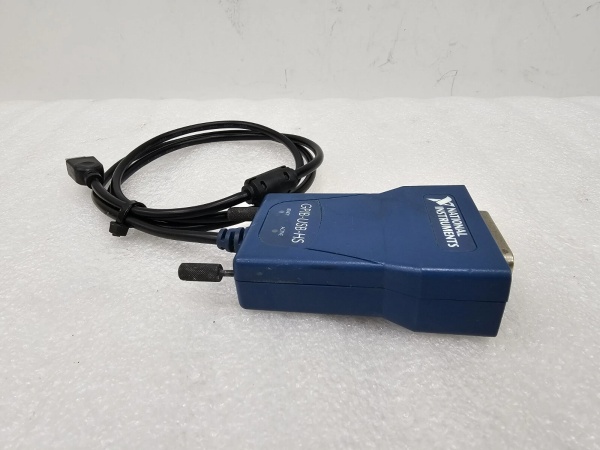
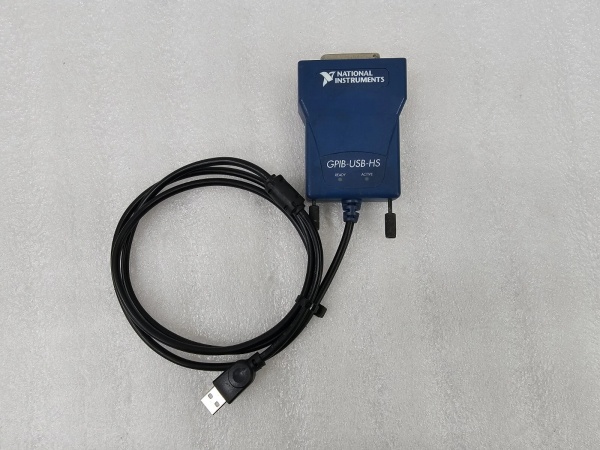
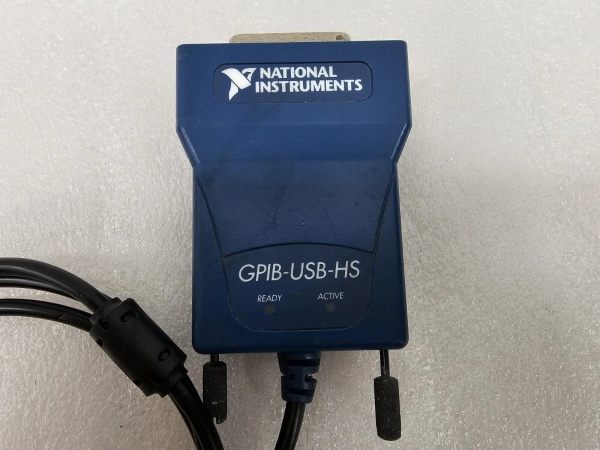
Description
Key Technical Specifications
| Technical Item | Details |
|---|---|
| Manufacturer | National Instruments (NI) |
| Core Function | Converts USB port signals to GPIB (IEEE 488.2) signals, turning computers into GPIB controllers |
| Data Transfer Rate | Up to 650 kbytes/s |
| USB Compatibility | Compliant with USB 1.1 standard, equipped with USB standard Type A plug |
| GPIB Compatibility | Fully compatible with IEEE 488.2 standard, with 24-pin IEEE 488 standard GPIB connector |
| Maximum Connected Devices | Supports connecting up to 14 programmable GPIB instruments simultaneously |
| Software Compatibility | Only compatible with NI-488.2 driver version 2.2 and earlier; compatible with application software such as LabVIEW, LabWindows/CVI, Measurement Studio |
| Supported Operating Systems | Applicable to Windows 2000/XP/ME/98; not supported on Linux systems |
| Physical Features | Black appearance; compact size, suitable for portable application scenarios |
| Installation Features | Plug-and-play, no external DIP switches needed; no need to restart the computer after connection for recognition |
| Power Supply | Powered by USB bus, no additional external power supply required |
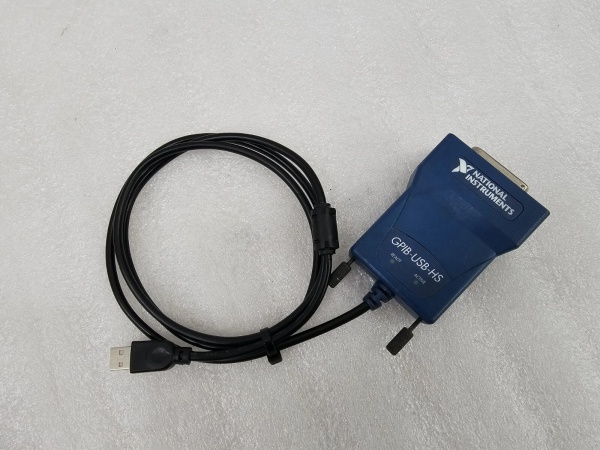
NI GPIB-USB-A
Field Application & Problem Solved
In laboratory testing and electronic product production lines, a large number of test instruments (like multimeters, oscilloscopes, and signal generators) adopt the GPIB interface. However, modern laptops and desktop computers have gradually phased out traditional expansion slots and rarely reserved GPIB interfaces, leading to the problem that traditional GPIB instruments are difficult to connect to new computers. In addition, some field portable testing tasks require connecting instruments to laptops, and bulky interface cards cannot meet the portability requirements.
The NI GPIB-USB-A solves these pain points well. It realizes the signal conversion between USB and GPIB without occupying the computer’s internal expansion slots. Its plug-and-play feature allows users to quickly build a connection between the computer and GPIB instruments, which is very suitable for mobile testing with laptops. For example, in a university electronic circuit laboratory, students can use this adapter to connect a laptop to a GPIB digital multimeter, completing the collection and analysis of circuit test data. In the electronic component production test process, it can also help the test host connect multiple GPIB instruments to realize centralized control and data integration of the test system.
Installation & Maintenance Pitfalls (Expert Tips)
- Driver Version Limitation: The adapter only supports NI-488.2 driver version 2.2 and earlier. Installing later versions of the driver will result in the computer failing to recognize the device. Before installation, it is necessary to confirm the driver version and uninstall the higher-version NI-488.2 driver if necessary.
- Operating System Adaptation: It does not support Linux systems or newer Windows systems (such as Windows 7 and above). Using it on incompatible systems will cause communication failures. It is recommended to match it with Windows 2000/XP/ME/98 systems as required.
- GPIB Instrument Connection OrderNI: When building the system, install the driver first, then connect the adapter to the computer’s USB port, and finally connect the GPIB instrument to the adapter with a GPIB cable and power on the instrument. Reversing the order may lead to the system failing to identify the instrument.
- Cable Quality Control: The GPIB signal transmission is sensitive to cable quality. Inferior or excessively long GPIB cables will reduce the transmission rate and even cause data loss. It is recommended to use standard NI GPIB cables and control the cable length reasonably according to the test site layout.

NI GPIB-USB-A
Technical Deep Dive & Overview
The core value of the NI GPIB-USB-A lies in solving the compatibility problem between traditional GPIB test instruments and modern USB-port computers. In the field of test and measurement, GPIB instruments have the advantages of stable transmission and strong anti-interference ability, and a large number of such instruments are still in use. However, with the popularization of USB interfaces, computers are no longer equipped with GPIB interfaces. This adapter acts as a “bridge” to extend the service life of a large number of legacy GPIB instruments.
In terms of design, its plug-and-play feature and no need for external DIP switch configuration greatly reduce the use threshold. Unlike traditional internal GPIB cards that require opening the computer case for installation, this adapter can be used immediately after being plugged into the USB port, which is very in line with the needs of portable testing. However, it also has obvious limitations. Compared with subsequent upgraded models such as GPIB-USB-HS (1.8 Mbytes/s), its transmission rate is lower. Moreover, the restriction on driver versions and operating systems makes it gradually unable to adapt to the updated computer hardware and software environment.
Overall, the NI GPIB-USB-A is a practical interface conversion product for the transition period of test instrument interfaces. Although it has been gradually replaced by high-speed and wide-compatibility models, it still plays an important role in some legacy test systems and scenarios with low requirements for transmission rate.



