
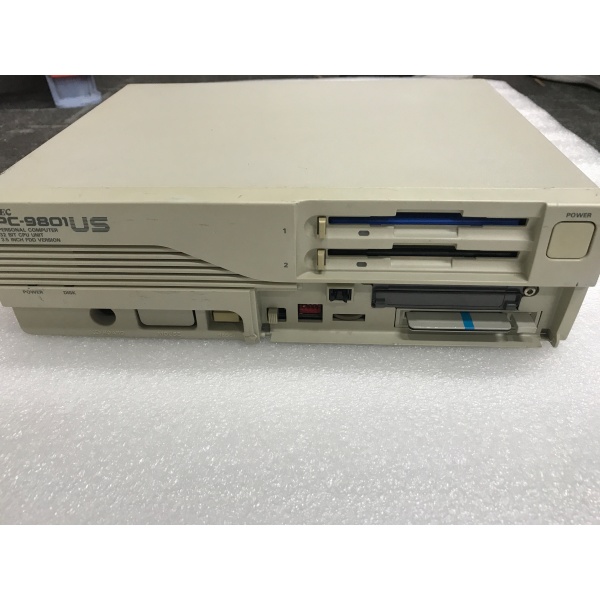
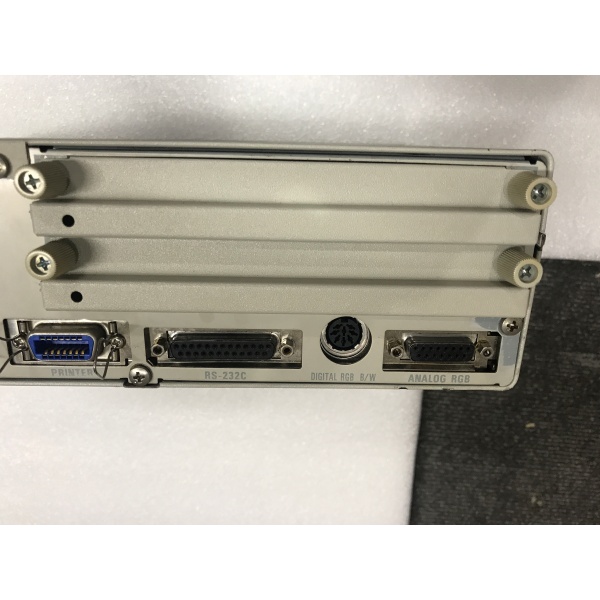
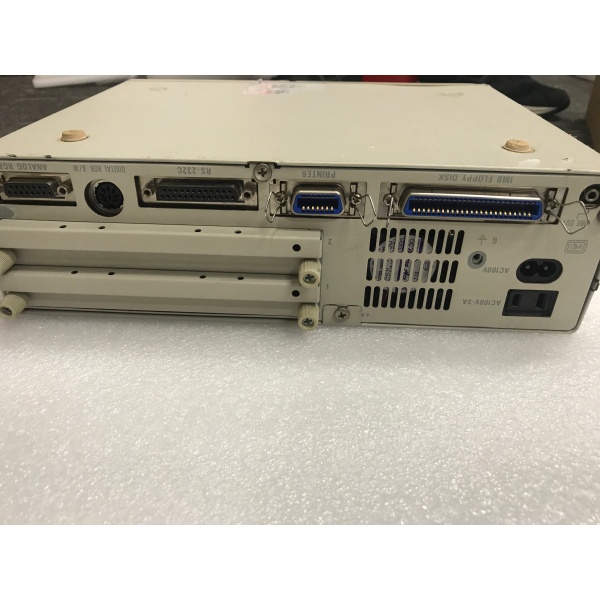
Description
Hard-Numbers: Technical Specifications
- CPU: Intel 80386SX 16 MHz, 32-bit architecture
- System Bus: PC-9800 C-Bus (16-bit proprietary expansion bus)
- Memory: 1.6 MB RAM standard (Model 1: 640 KB base + expansion), expandable via RAM cards
- Storage: Dual 3.5-inch FDD (2HD 1.44 MB × 2), optional internal HDD (Model 2/3: 20-40 MB)
- Display: 10.4-inch monochrome LCD (640 × 400 resolution)
- Expansion: C-Bus × 2 slots (proprietary PC-9800 expansion)
- Keyboard: Integrated 83-key Japanese keyboard with separate numeric keypad
- Pointing Device: Integrated trackball or touchpad (varies by production run)
- Serial Ports: 1 × RS-232C (D-sub 9-pin)
- Parallel Port: 1 × Centronics-compatible parallel port
- Operating Systems Supported: MS-DOS 3.3C to 6.2, PC-DOS, Windows 3.0/3.1
- Operating Temperature: 0°C to +45°C (Model 1), 5°C to +40°C (Model 2/3)
- Storage Temperature: -20°C to +65°C (Model 1/2), -20°C to +60°C (Model 3)
- Humidity: 20-90% RH (non-condensing) – Model 1 / 20-80% RH – Model 2/3
- Power Supply: AC 100V ±10%, 50/60Hz, internal power adapter
- Power Consumption: Approximately 50W typical
- Dimensions: 290(W) × 220(D) × 55(H) mm (approximately, varies by configuration)
- Weight: Approximately 2.5-3.0 kg (varies by configuration and battery option)
- Vibration Resistance: 10G XYZ (30 minutes each) – Model 1 only
- Shock Resistance: 20G XYZ (3 times each) – Model 1 only
- Enclosure: Compact plastic enclosure with optional dust filter accessory (FC-9897)
- C-Bus Connector: 60-pin proprietary connector for external expansion units
- External Display: RGB output (15-pin D-sub) for external monitor connection

PC-9801US
The Real-World Problem It Solves
Factory floors needed portable programming stations that technicians could carry into control rooms, switchgear enclosures, and equipment bays. Desktop PCs couldn’t fit, and standard laptops lacked the ruggedness and expansion capability required for industrial automation work.
The PC-9801US delivered a compact 386SX notebook with dual floppy drives, PC-9800 C-Bus expansion slots, and industrial-grade construction. It ran MS-DOS programming software, connected to PLCs via serial ports, and accepted FA-specific expansion cards for direct I/O access—all in a portable form factor that survived rough handling in field service environments.
Where you’ll typically find it:
- Portable PLC programming stations in automotive assembly plants
- Field maintenance terminals for DCS and SCADA systems
- FA/LA engineering workstations in steel mills and rolling mills
- Control system configuration terminals in chemical and petrochemical plants
- Legacy automation development environments running DOS-based software tools
The bottom line: It’s the ruggedized portable workstation that brought factory automation programming capabilities to the field—before modern laptops existed.
Hardware Architecture & Under-the-Hood Logic
The PC-9801US is a compact notebook computer built around the 386SX CPU, featuring PC-9800 C-Bus expansion capability and an integrated LCD display. It operates as a standalone MS-DOS computer with industrial-grade construction for field service applications.
- The 386SX CPU (16 MHz) executes MS-DOS applications and programming software from system RAM.
- The 1.6 MB RAM (640 KB base + extended memory) provides memory for DOS applications and data buffers.
- Dual 3.5-inch FDDs (1.44 MB each) provide removable media for program transfer, configuration backup, and data storage.
- Optional internal HDD (20-40 MB, Model 2/3) provides non-volatile storage for larger applications and operating systems.
- The 10.4-inch monochrome LCD displays 640 × 400 resolution for operator interface and software menus.
- Two C-Bus expansion slots (60-pin connector) accept PC-9800 expansion cards for specialized FA/LA interfaces.
- RS-232C serial port communicates with PLCs, programming devices, and serial-based automation equipment.
- Centronics parallel port handles printer connections and parallel I/O devices.
- Integrated Japanese keyboard provides text input and function keys for DOS applications.
- RGB video output drives external monitors for detailed programming work or dual-display applications.
- Internal power supply converts AC input to regulated DC for all subsystems.
- Optional dust filter (FC-9897) protects internal components from particulate contamination.
The compact design prioritizes portability while maintaining PC-9800 compatibility through C-Bus expansion. This allowed technicians to use existing PC-9800 expansion cards in a portable form factor, protecting investment in FA-specific hardware.
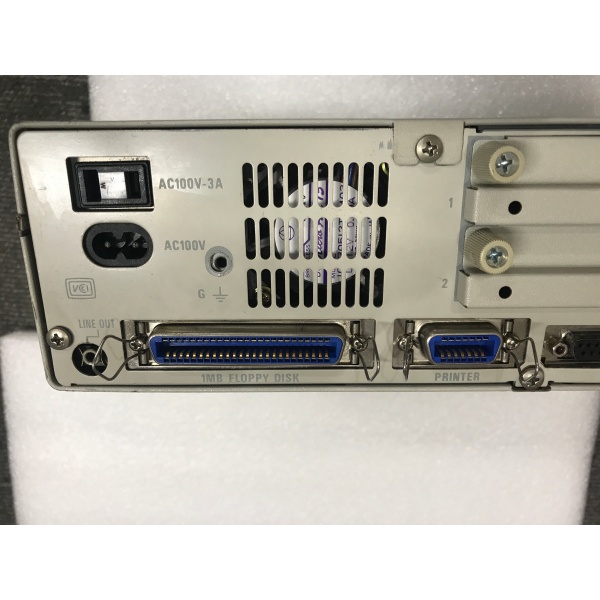
PC-9801US
Field Service Pitfalls: What Rookies Get Wrong
C-Bus External Expansion Power Issues
You’re connecting an external C-Bus expansion unit (FC-9812U or similar) to the PC-9801US, but the expansion cards won’t initialize or cause system crashes. The problem is insufficient power delivery from the notebook’s internal supply.
Field Rule: The PC-9801US internal power supply provides approximately 50W maximum. C-Bus expansion cards typically require 10-20W each. Connecting multiple high-power cards exceeds the notebook’s capacity. Use an external power supply for expansion units when connecting more than two cards, or verify the total power draw stays within 50W. If the system becomes unstable after connecting expansion, disconnect cards immediately—power delivery failure can damage both the notebook and expansion cards.
LCD Backlight Inverter Failure
The display goes dark or flickers intermittently, but you can still see faint images under bright light. Techs replace the entire LCD assembly when the problem is usually a failed backlight inverter.
Quick Fix: The CCFL backlight inverter is a separate module from the LCD panel. Before replacing the expensive LCD assembly, test the inverter by checking for high voltage output (typically 600-800V AC) at the inverter output pins. If voltage is absent or fluctuating, replace only the inverter module. If voltage is present but the display remains dark, the CCFL tube itself has failed—this requires replacing the entire LCD panel.
Floppy Drive Head Misalignment
After rough handling or transport, the floppy drives can’t read disks or show sector errors. Techs assume the drives are defective when the heads are simply misaligned.
Field Rule: The 3.5-inch floppy drives in the PC-9801US are sensitive to shock and vibration. Before replacing drives, attempt head alignment using a dedicated alignment diskette and service utility. If alignment fails, check for mechanical damage to the head assembly—bent rails or loose mounting screws cause tracking errors. Never lubricate the head mechanism; contamination will cause permanent head crashes.
CMOS Battery Voltage Drop
The unit loses BIOS settings, shows incorrect date/time on boot, or refuses to recognize expansion cards after sitting powered off for weeks. The CMOS battery voltage has dropped below operational threshold.
Quick Fix: The PC-9801US uses a coin-cell CMOS battery (typically CR2032 or equivalent soldered to motherboard). Lifespan is 3-5 years. If the unit loses configuration after power cycles, measure battery voltage. If below 2.8V, replace the battery. Some models use a rechargeable battery pack—if so, leave the unit powered on for 24 hours to recharge before replacing the pack.
Memory Expansion Card Compatibility
You’re upgrading RAM to 4 MB or more for Windows 3.1 applications, but the system won’t POST or recognizes only the base 640 KB. The memory card tests fine in another PC-9800 system.
Field Rule: The PC-9801US has specific memory card compatibility requirements. Use only NEC-approved memory expansion cards designed for the US series. Third-party cards may not fit in the compact internal slots or may draw excessive power. When installing memory, verify the card addresses map properly above 640 KB—conflicting address ranges cause boot failures. Consult the technical manual for your specific motherboard revision (Model 1/2/3 have different memory architectures).
Serial Port Baud Rate Limitation
You’re trying to communicate with a PLC at 38400 baud or higher, but data is corrupted or the connection fails. The serial port works fine at 9600 baud.
Field Rule: The PC-9801US serial port (like other PC-9800 systems) has baud rate limitations determined by the CPU clock frequency. At 16 MHz, the maximum reliable baud rate is typically 19200 bps for standard UART implementations. For higher speeds (38400, 57600), you may need a high-speed serial expansion card installed in a C-Bus slot. Don’t force the built-in port beyond its specification—you’ll get framing errors and data corruption.
Battery Pack Charging Issues
The Ni-Cd battery pack won’t charge or provides only 5-10 minutes of runtime. Techs assume the pack is dead when the charging circuit may be at fault.
Quick Fix: Before replacing the battery pack, measure the charging voltage at the battery connector while the AC adapter is connected. Charging voltage should be approximately 12-14V DC. If voltage is absent or too low, the charging circuit on the motherboard has failed—this requires motherboard-level repair. If charging voltage is correct but the pack won’t hold a charge, the pack itself has failed—replace it or rebuild with new Ni-Cd cells.
Heat Dissipation and Fan Failure
The unit shuts down unexpectedly after 30-60 minutes of operation, or runs sluggishly with keyboard lag. Opening the case reveals a seized or noisy cooling fan.
Field Rule: The PC-9801US relies on passive cooling with optional forced air from a small internal fan. If the fan fails, heat buildup causes thermal throttling or shutdown. Replace the fan immediately—continued operation without cooling causes permanent damage to the 386SX CPU and motherboard components. Some models use a brushless DC fan; verify the replacement matches the original form factor and airflow direction.
External Monitor Sync Issues
You’ve connected an industrial monitor to the RGB output, but the display rolls, flickers, or shows ghosting. The monitor works fine with other computers.
Field Rule: The PC-9801US RGB output syncs at specific horizontal and vertical frequencies compatible with PC-9800 series monitors (typically 24.8 kHz horizontal, 56-60 Hz vertical). Industrial monitors may require different sync frequencies. Verify the monitor accepts 640 × 400 @ 56 Hz input. If the monitor only supports VGA (640 × 480 @ 60 Hz), you’ll need a scan converter—never try to force incompatible sync modes, which can damage the video output circuit.
DIP Switch Configuration Errors
After performing maintenance or CMOS battery replacement, the system won’t boot or displays incorrect memory size. You forgot to reconfigure the DIP switches for the installed memory and system configuration.
Field Rule: The PC-9801US uses motherboard DIP switches to configure memory size, CPU type, and display settings. These settings must match the installed hardware exactly. After any hardware changes, consult the technical manual for your specific model and set the DIP switches accordingly. If the system won’t POST, reset all DIP switches to factory defaults and configure step-by-step—incorrect switch settings can prevent boot or cause memory mapping errors.



