
Description
Hard-Numbers: Technical Specifications
- CPU: Intel Pentium 133 MHz, 32-bit architecture
- Cache: 256 KB L2 cache (512 KB maximum)
- Memory: 16 MB standard RAM (15.6 MB available to OS), expandable to 128 MB maximum
- Storage: 1.6 GB fixed HDD (internal front-accessible bay)
- Graphics: Onboard video controller with Windows acceleration, up to 1024 × 768 resolution
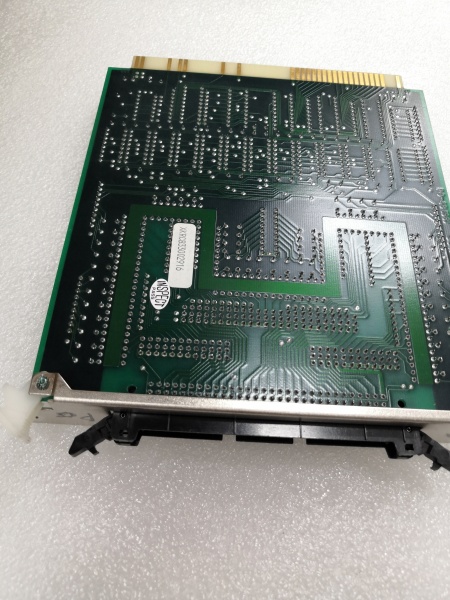
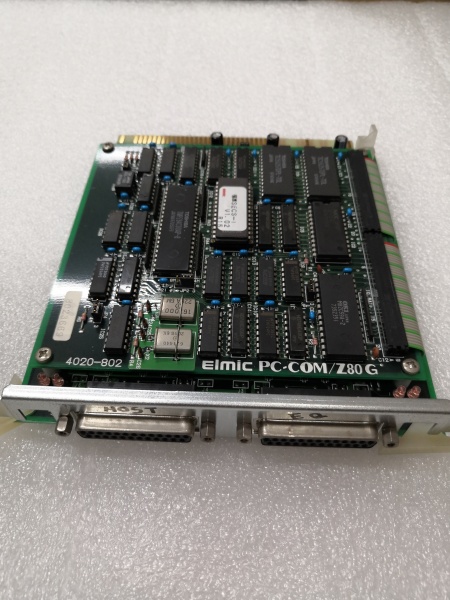
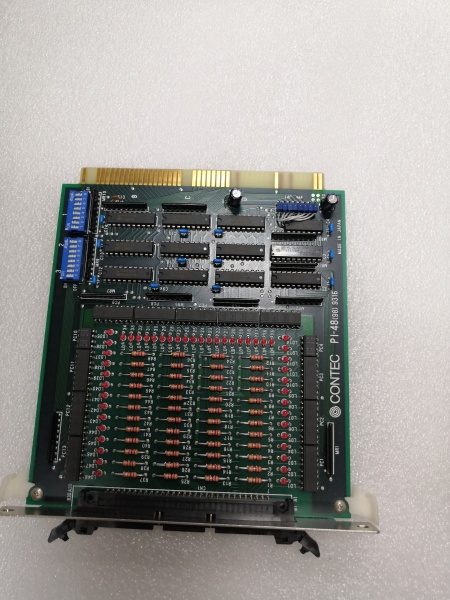
- Expansion Slots: 6 × PCI slots + 2 × PC-9800 legacy slots
- Operating Systems Supported: Windows 3.1, Windows 95, Windows NT 3.51, MS-DOS 6.2
- Serial Ports: RS-232C standard (configurable for automation protocols)
- Parallel Port: 8-channel Centronics parallel I/O
- Power Supply: AC 100V ±10%, 50/60Hz, built-in UPS (Model 2 specific)
- Power Consumption: Approximately 270W (typical), 310W (maximum)
- Operating Temperature: 0°C to +45°C
- Storage Temperature: -20°C to +65°C
- Humidity: 20% to 90% RH (non-condensing)
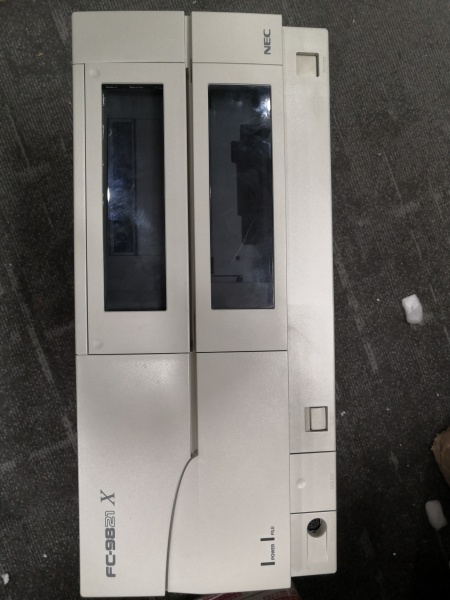
- Enclosure: Industrial steel enclosure with optional dust filter (FC-9821XA-E02)
- Mounting: Rack mount bracket (FC-9821X-U01) optional for 19-inch rack installation
- Weight: Approximately 12.0 kg
- Dimensions: 420(W) × 345(D) × 200(H) mm (varies by configuration)
- Isolation: Standard industrial isolation on communication ports
- Vibration Resistance: Designed for industrial environments (specific values in NEC technical documentation)

FC-9821X Model2
The Real-World Problem It Solves
Factory automation in the mid-1990s needed Windows-based HMI stations that could survive power glitches, dust, and temperature swings. Standard office PCs would crash during brownouts, choke on particulate contamination, and couldn’t handle 24/7 operation in harsh environments.
The FC-9821X Model 2 solved this with a built-in UPS power supply, industrial-grade construction, and Pentium processing power for Windows NT/95 applications. It provided reliable HMI visualization, data logging, and supervisory control capabilities while riding through brief power interruptions that would bring down standard workstations.
Where you’ll typically find it:
- HMI workstations in chemical processing plants and refineries
- Supervisory control stations in automotive assembly lines
- FA/LA information processing terminals in steel mills and rolling mills
- Windows-based operator interfaces in food processing and pharmaceutical facilities
- Legacy automation systems running Windows NT 3.51 applications
The bottom line: It’s the bridge PC that brought Windows GUI to the factory floor without sacrificing reliability or uptime.
Hardware Architecture & Under-the-Hood Logic
The FC-9821X Model 2 is a standalone industrial workstation built around the Pentium CPU, featuring a proprietary UPS power supply and extensive expansion capability. It operates as an independent node in FA/LA networks, running Windows applications for visualization, data processing, and supervisory control.
- The Pentium 133 MHz CPU executes Windows applications and real-time HMI software from system RAM.
- The 256 KB L2 cache (upgradable to 512 KB) accelerates frequently accessed data and instructions.
- The 16 MB base RAM (15.6 MB available) provides memory for Windows OS and applications; expandable to 128 MB for demanding multitasking environments.
- The 1.6 GB fixed HDD stores operating systems, applications, and historical data logs.
- The onboard video controller with Windows acceleration drives industrial monitors up to 1024 × 768 resolution for operator visualization.
- Six PCI expansion slots provide high-speed I/O for modern network cards, SCSI controllers, and specialized automation interfaces.
- Two PC-9800 legacy slots ensure backward compatibility with existing factory I/O modules and communication cards.
- The built-in UPS power supply rides through AC power interruptions and initiates automatic OS shutdown before battery depletion.
- RS-232C serial ports communicate with PLCs, programming devices, and other serial-based automation equipment.
- The parallel I/O port handles direct digital I/O for machine interface and status monitoring.
- The industrial power supply filters AC input, regulates DC output, and distributes clean power to all subsystems.
- Optional dust filter (FC-9821XA-E02) protects internal components from particulate contamination common in industrial environments.
The modular design supports both PCI and PC-9800 expansion cards, allowing gradual migration from legacy PC-9800 systems to modern Windows-based architecture while protecting investment in existing I/O modules.
FC-9821X Model2
Field Service Pitfalls: What Rookies Get Wrong
UPS Battery Neglect
The unit stops working after a power glitch, even though AC power is restored. Techs assume the power supply failed when the real problem is a dead UPS battery. The Model 2’s built-in UPS requires regular maintenance.
Field Rule: The built-in UPS battery lifespan is 2-3 years in industrial environments. Test the UPS function monthly by simulating a power failure. If the unit doesn’t maintain power for at least 5 minutes, replace the UPS battery module. Never operate the unit with a failed UPS battery—bypassing the UPS may void the safety certifications and compromise protection against power glitches.
PCI and Legacy Slot Confusion
You’re installing a new automation card, but it won’t initialize or causes system instability. Techs force cards into the wrong slot type—PCI cards into PC-9800 slots, or vice versa.
Quick Fix: Identify the card type before installation. PCI cards have a shorter, 124-pin connector with multiple keyed sections. PC-9800 cards are longer with 98 pins. Never force a card into an incompatible slot—you’ll destroy both the card connector and the motherboard slot. If you’re migrating from PC-9800 systems, use the legacy slots for existing cards and reserve PCI slots for new Windows NT/95 compatible hardware.
Windows NT Shutdown Configuration
The UPS initiates automatic shutdown, but Windows NT hangs, blue-screens, or corrupts the file system. Techs assume the UPS is defective when the real problem is improper OS shutdown configuration.
Field Rule: The FC-9821X Model 2 requires the “Power Remote Management Tool” (FS98-7401-31) software for Windows 95/NT to properly interface with the UPS hardware. Install this utility and configure automatic shutdown timing before relying on UPS protection. Test the shutdown sequence by pulling AC power while the system is running—Windows should cleanly close applications and power down before battery depletion.
Memory Upgrade Bank Errors
You’re upgrading from 16 MB to 64 MB for better Windows performance, but the system won’t POST or recognizes less memory than installed. The modules test fine in another PC.
Field Rule: The FC-9821X Model 2 uses proprietary memory architecture with specific bank configuration rules. Install memory in matched pairs starting from Bank 0. Some configurations require specific module densities—consult the technical manual for your specific motherboard revision. Mixing EDO and FPM memory, or installing modules of different speeds in the same bank, causes boot failures and system instability.
Dust Filter Clogging
The unit overheats and shuts down after months of operation, or thermal alarms trigger intermittently. Opening the case reveals dust-clogged heat sinks and intake vents.
Quick Fix: Clean or replace the optional dust filter (FC-9821XA-E02) monthly in heavy particulate environments. Inspect internal heat sinks and fan blades for dust buildup—use compressed air to clean components, but disconnect power first. If the unit is operating without a dust filter, increase cleaning frequency to bi-weekly. Never operate with blocked vents—thermal damage to the motherboard and power supply will result.
Hard Drive Front Bay Installation
You’re replacing the failed 1.6 GB HDD, but the new drive won’t secure properly or the front panel won’t close. Techs use standard PC mounting rails instead of NEC’s proprietary front-access bay.
Field Rule: The FC-9821X Model 2 uses a specialized front-access HDD bay (FC-9821XA-E01) designed for hot-swap capability without removing the enclosure cover. Use only NEC-approved mounting brackets and drive carriers. Standard PC mounting rails won’t fit and may damage the chassis. When installing drives, verify the carrier locks securely into the bay before reapplying power.
Power Supply Voltage Selector Mismatch
After replacing the UPS power supply, the unit smokes or fails to power up. The tech installed a 230V-rated supply in a 115V facility—or vice versa.
Field Rule: Always verify the voltage selector switch before applying power. The FC-9821X Model 2 with built-in UPS has critical voltage requirements—incorrect selection can destroy both the UPS battery and the power supply. Measure line voltage at the outlet if you’re unsure. Remember that industrial facilities sometimes have non-standard voltages due to heavy equipment loads—verify, don’t assume.



