
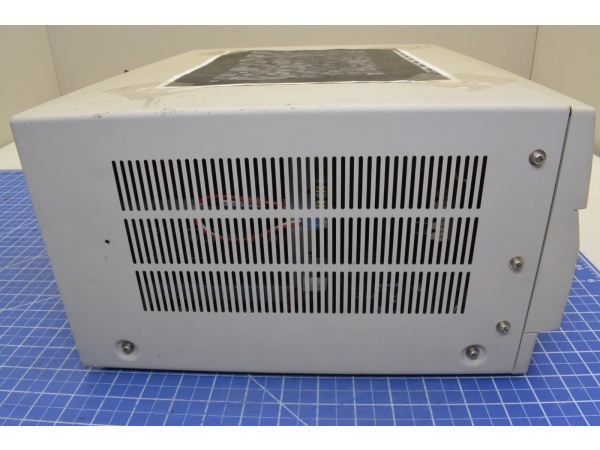
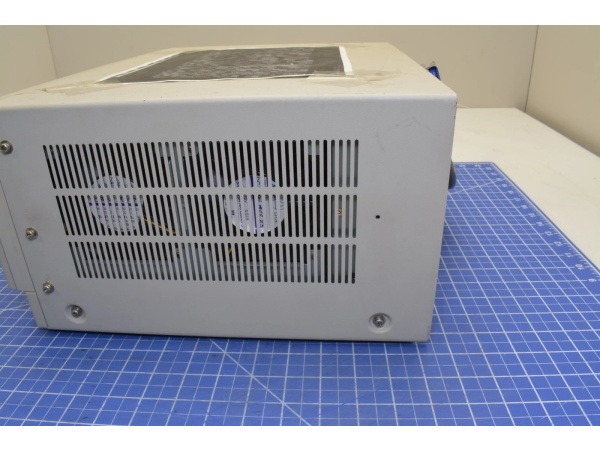
Description
Hard-Numbers: Technical Specifications
- CPU: Intel i486 SX 20 MHz, 32-bit architecture
- System Bus: PC-9800 proprietary bus (16-bit data path)
- Memory: 16 MB standard RAM, expandable to 146 MB maximum
- Storage: 3.5-inch FDD (Model 1) / 80-120 MB SCSI HDD (Model 2)
- Communication: C&L-net Branch 4690/4790 built-in, 2 Mbps data rate
- Serial Ports: 2 × RS-232C (selectable baud rates 300-19.2K)
- Parallel I/O: 8-channel Centronics port
- Expansion Slots: 6 × PC-9800 slots (expandable to 13 with FC-9812U)
- Display: 100-line graphics output (1024 × 768 max resolution)
- Operating Temperature: 0°C to +40°C
- Storage Temperature: -25°C to +70°C
- Humidity: 10% to 90% RH (non-condensing)
- Power Draw: AC 100V ±10%, 50/60Hz, approximately 150W maximum
- Isolation: 1500V isolation on communication ports

NEC FC-9801B
The Real-World Problem It Solves
Standard office PCs couldn’t survive factory floors in the 1990s. They choked on dust, failed from vibration, and couldn’t handle real-time control networking or industrial I/O expansion.
The FC-9801B was built for the job. It ran DOS-based HMI software, connected to distributed control systems via NEC’s proprietary C&L-net, and accepted factory I/O modules through its PC-9800 expansion slots. When you needed a rugged operator station that could talk to PLCs, log data, and survive harsh environments for years, this was the machine you installed.
Where you’ll typically find it:
- DCS operator stations in petrochemical refineries and chemical plants
- HMI workstations controlling steel rolling mills and continuous casting lines
- PLC host computers in automotive assembly and power generation facilities
- Legacy supervisory systems still running critical infrastructure
The bottom line: It’s the workhorse that kept 1990s-era automation systems running, and many are still online today.
Hardware Architecture & Under-the-Hood Logic
The FC-9801B is a standalone industrial computer with its own CPU, memory, and I/O subsystem. It doesn’t sit on a PLC backplane—it operates as an independent node on the C&L-net network, serving as an operator station or supervisory host.
- The i486 SX CPU (20 MHz) executes DOS-based applications and HMI software from system RAM.
- The PC-9800 system bus transfers data between CPU, RAM, and expansion cards at high speed.
- The C&L-net interface (Branch 4690 or 4790) communicates with PLCs, remote I/O, and other FC-9800 units on the network.
- RS-232C serial ports connect to programming devices, printers, and serial-based equipment.
- The 8-channel parallel I/O port handles direct digital I/O for machine interface.
- Expansion slots accept PC-9800 format cards for additional I/O, communication, or specialized functions.
- The 100-line graphics output drives industrial monitors for operator visualization.
- The industrial power supply regulates input voltage and distributes DC power to all subsystems.
The modular design lets you configure the base unit with only the cards you need. Keep the expansion slot covers in place—unused slots reduce airflow and can cause thermal issues.
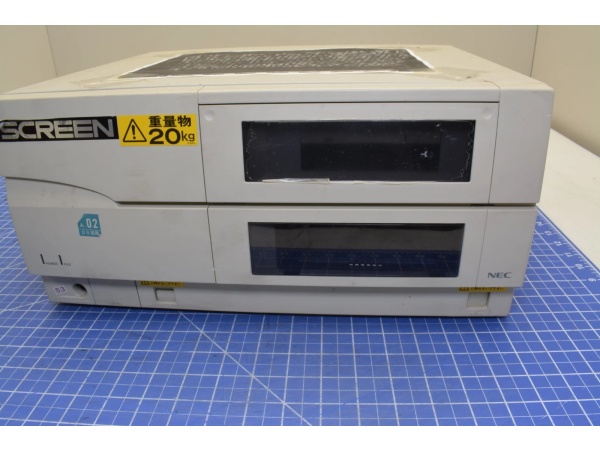
NEC FC-9801B
Field Service Pitfalls: What Rookies Get Wrong
C-Lnet Termination and Impedance Mismatch
Techs daisy-chain FC-9801B units or connect them to PLCs without proper termination. They mix Branch 4690 and 4790 hardware on the same segment. The result: intermittent communication, dropped nodes, and frozen operator screens during production runs.
Field Rule: C&L-net requires termination at both ends of the bus with 100-120Ω resistors. Branch 4690 and 4790 have different impedance characteristics—never mix them on the same network segment. When replacing a failed node, copy the DIP switch configuration exactly from the old unit. Network addresses and termination settings must match the original configuration.
SCSI Chain Configuration Errors
You’re adding an external SCSI drive or CD-ROM, but the system won’t recognize the device. The bus hangs during boot or shows random data corruption. The problem is wrong SCSI IDs or missing termination.
Quick Fix: Every device on the SCSI chain must have a unique ID (0-7). The last device in the chain must have termination enabled. Never assign the same ID to two devices—this causes bus conflicts that prevent any drive from working. When troubleshooting SCSI issues, disconnect all devices except the boot drive, then add them back one at a time.
CMOS Battery Failure
The unit loses BIOS configuration, shows the wrong date/time, or won’t recognize expansion cards after power cycling. Techs replace motherboards when the real problem is a dead CMOS battery—a $3 part.
Field Rule: The CMOS battery (typically 3.6V lithium soldered to the motherboard) maintains BIOS settings. Lifespan is 3-5 years in industrial environments. If the unit loses configuration after power cycles, check battery voltage before replacing any boards. Always replace with the exact same type—never substitute a CR2032 unless the board was specifically designed for it.
Memory Bank Configuration Errors
You upgrade RAM for better performance, but the system won’t POST or recognizes less memory than you installed. The modules test fine in another PC.
Field Rule: PC-9800 systems require specific bank configurations. Memory must be installed in matched pairs, and Bank 0 must be populated before Bank 1. Some motherboards require 30-pin SIMMs, others use 72-pin. Mixing speeds or capacities causes boot failures. Consult the manual for your specific motherboard revision—fill the slots in the correct order with identical modules.
Fan and Filter Neglect
The unit runs for months, then starts overheating, locking up, or throwing thermal faults. Opening the case reveals a dust-clogged heat sink and a struggling fan.
Quick Fix: Clean or replace the dust prevention filter (part FC-9883) quarterly in dirty environments. Verify the cooling fan spins smoothly—if it’s noisy or seized, replace it immediately. The FC-9801B is built for harsh conditions, but it’s not immune to thermal stress. Keep airflow paths clear.
Power Supply Voltage Selector
After replacing a power supply, the unit won’t power up or smokes when you apply power. You installed a 230V-rated supply in a 115V facility—or vice versa.
Field Rule: Always verify the voltage selector switch matches your facility voltage before applying power. The switch is usually on the rear panel near the AC inlet. If you’re unsure, measure the line voltage first. Incorrect voltage selection can destroy the power supply and damage downstream components.



