
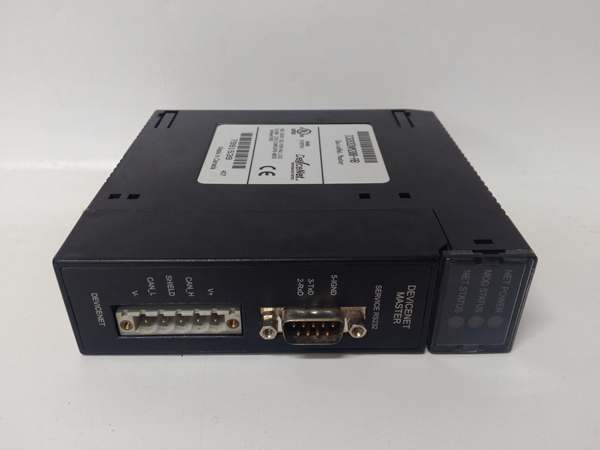
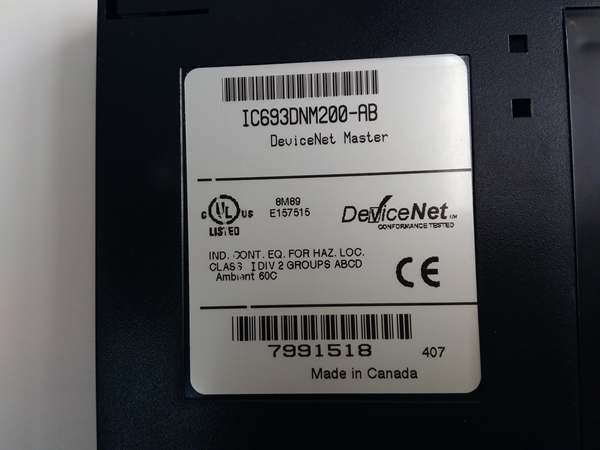
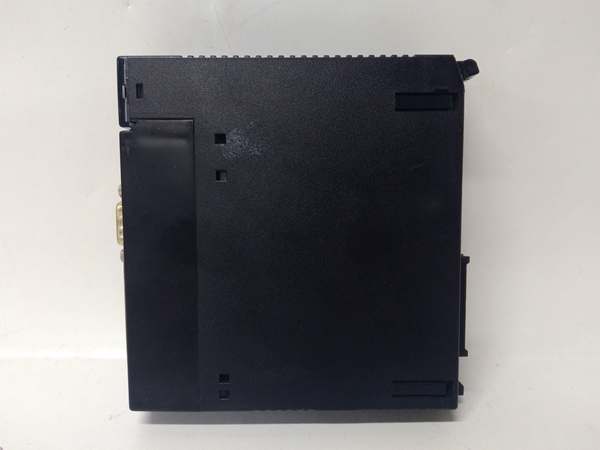
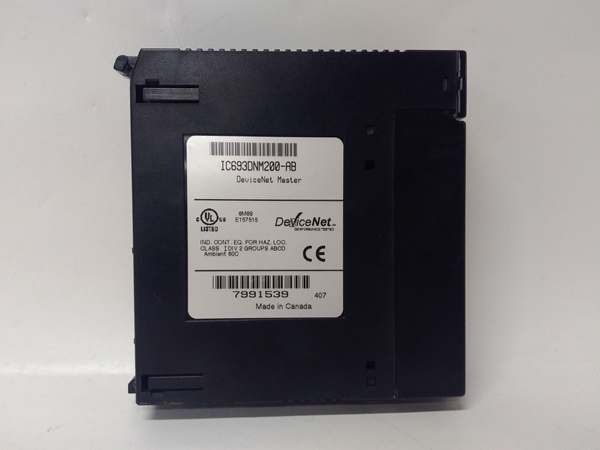
Description
Hard-Numbers: Technical Specifications
- Network Protocol: DeviceNet (ODVA compliant)
- Network Role: Master (Scanner) / Slave (Adapter) selectable
- Firmware Revision: BD (matched across redundant or multi-module configurations)
- Bus Speed: 125 Kbps, 250 Kbps, 500 Kbps (configurable)
- Maximum Nodes: 63 nodes per network
- Maximum I/O: 512 bytes input, 512 bytes output (excludes overhead)
- Backplane Current Draw: 550 mA @ +5 VDC
- Isolation: 500 VDC optical isolation between DeviceNet network and backplane
- Connector Type: 5-pin mini DeviceNet connector
- Termination: 120 ohm resistor required at both network ends
- Network Address: Rotary switch (0-63) configurable via front panel
- LED Indicators: Module OK, Network OK, Comm Activity, Fault
- Operating Temperature: 0°C to 60°C (32°F to 140°F)
- Fault Protection: Short-circuit protection on network port
- Scan Time: Deterministic scan based on DeviceNet MAC ID polling order

IC693DNM200
The Real-World Problem It Solves
Your Series 90-30 DeviceNet network is running BD firmware across all DNM200 modules, and you need an exact-revision replacement to maintain compatibility. The BD revision represents a specific firmware baseline with proven DeviceNet protocol handling, error recovery, and network initialization behavior. Installing a different firmware revision—BC, BE, BF, or even a different BD build—may cause communication failures, initialization faults, or inconsistent behavior if you have multiple DNM200 modules on the same network or in redundant configurations. You need the exact BD revision to keep your DeviceNet integration running without reconfiguring the entire network.
Where you’ll typically find it:
- Legacy Material Handling Systems: Existing conveyor and distribution systems originally configured with BD firmware, often running for years without firmware changes due to stability requirements
- Multi-DNM Network Configurations: Facilities with multiple DNM200 modules on the same DeviceNet network or in redundant configurations where all modules must run identical firmware for consistent behavior
- Spares Inventory with BD Lock: Facilities maintaining BD-revision spares to ensure drop-in compatibility without requiring network re-configuration or re-validation
Bottom line: The BD suffix identifies your firmware version—and while DeviceNet modules from different revisions often interoperate, maintaining BD firmware across all modules ensures consistent network behavior and eliminates compatibility issues during replacement.
Hardware Architecture & Under-the-Hood Logic
The IC693DNM200-BD operates identically to the base IC693DNM200 in terms of hardware—DeviceNet controller ASIC, backplane interface, optical isolation, and front panel controls. The “-BD” designation refers only to the firmware revision loaded onto the module, which defines DeviceNet protocol implementation, error handling behavior, initialization sequence, and diagnostic reporting. Unlike TMR CPUs where firmware matching is mandatory for operation, DNM200 modules can often operate with different firmware revisions on the same network, but maintaining identical BD revisions across all modules ensures predictable behavior and eliminates potential compatibility issues.
-
BD Firmware DeviceNet Protocol Stack: The BD revision firmware implements the ODVA DeviceNet protocol stack with specific timing parameters, retry logic, and error recovery procedures. The firmware handles explicit and implicit messaging, connection management, and device state transitions according to BD-specific protocol implementation. Different revisions may implement timing or retry logic differently.
-
Network Initialization in BD Revision: BD firmware defines the module’s behavior during power-up initialization. This includes duplicate MAC ID detection sequence, baud rate detection, device enumeration, and connection establishment timing. BD firmware initializes the DeviceNet controller ASIC with specific register values and timing parameters that may differ from other revisions.
-
Master/Slave Mode Behavior in BD: BD firmware implements master (scanner) and slave (adapter) functionality with specific polling order management, device timeout handling, and I/O data assembly logic. When operating as master, BD firmware polls slave devices in a specific sequence and manages bandwidth allocation according to BD-specific algorithms. Different revisions may use different polling strategies.
-
I/O Mapping and Data Assembly: BD firmware assembles input data from DeviceNet devices into the input buffer and presents it to the PLC backplane as %I and %AI addresses. Output data from PLC (%Q and %AQ) is assembled into the output buffer and transmitted to DeviceNet devices. BD firmware defines specific data assembly order and buffer management that may differ from other revisions.
-
Error Handling and Fault Recovery: BD firmware implements specific error detection and recovery procedures for DeviceNet communication. This includes watchdog timeout handling, device offline detection, retry count limits, and fault reporting to the PLC. BD firmware may have different timeout values and retry strategies compared to other firmware revisions.
-
Diagnostic Reporting in BD Firmware: BD firmware reports diagnostic information through front panel LEDs and PLC diagnostic words. The firmware defines specific fault codes, LED blink patterns, and diagnostic data formats that may differ from other revisions. BD firmware may include additional diagnostic features or modified fault reporting compared to earlier or later revisions.
-
Configuration Storage and Retrieval: BD firmware stores DeviceNet network configuration (device list, polling order, I/O mapping, baud rate) in non-volatile memory with BD-specific data structures and format. Configuration uploaded from earlier firmware revisions may need conversion, and BD configuration may not be directly compatible with other revisions without conversion.
-
Network Bandwidth Management: BD firmware implements specific bandwidth calculation algorithms and polling rate management. The firmware calculates required bandwidth for all configured devices and ensures it does not exceed available bandwidth at the selected baud rate. BD firmware may use different bandwidth calculation methods compared to other revisions.
-
Watchdog and Timeout Values: BD firmware defines specific watchdog timeout values for device polling, connection management, and fault detection. These timeout values affect how quickly the module detects offline devices or communication failures. BD firmware may have different timeout settings compared to other revisions, affecting network behavior during faults.
-
Optical Isolation and Fault Protection: BD firmware manages the optical isolation barrier and fault protection circuitry. The firmware detects isolation faults and reports them through diagnostics. BD firmware may have specific isolation fault detection thresholds or reporting formats that differ from other revisions.
IC693DNM200
Field Service Pitfalls: What Rookies Get Wrong
Mixing BD with other revisions on the same network
You replace a failed BD module with a BE revision because BD spares are unavailable. The network operates, but you experience intermittent communication issues and inconsistent device timeout behavior. BD and BE firmware have different retry logic and timeout values, causing unpredictable network performance.
Field Rule: While DeviceNet modules from different revisions can often interoperate, maintaining identical firmware across all DNM200 modules on the same network ensures consistent behavior. Different revisions may implement timing, retry logic, and error recovery differently. If mixing revisions is unavoidable, verify compatibility through testing and monitor network performance closely. Best practice: maintain identical firmware revisions across all modules on the same network.
Assuming BD build numbers don’t matter
You install a DNM200-BD spare from inventory labeled “BD.” The network operates, but device enumeration takes longer and some devices initialize inconsistently. Your installed base is running BD build 3.1, but the spare is BD build 2.4—an older build with different initialization timing.
Field Rule: Firmware revisions have sub-build numbers (e.g., BD 2.4, BD 3.1, BD 3.2). All modules should match on both revision letter AND build number for consistent behavior. Use DeviceNet configuration software to read the exact firmware version including build number. Document the build number in your maintenance log. Older builds may have different timing parameters—verify full version before installation.
Forgetting BD-specific configuration parameters
You configure a new BD module using configuration files from a BC revision system. The network operates but behaves differently than expected—polling order is inconsistent and timeout values are different. BD firmware has different default configuration parameters than BC.
Field Rule: Use BD-specific configuration templates or recreate configuration when migrating to BD firmware. Different firmware revisions may have different default values for polling order, timeout settings, and retry counts. Verify all configuration parameters in DeviceNet configuration software before downloading to the BD module. Don’t assume configuration files from other revisions translate directly—verify each parameter.
Overlooking BD-specific diagnostic codes
You’re troubleshooting network issues and consult generic DNM200 documentation. BD revision has specific fault codes and LED blink patterns that differ from BC and BE revisions. You misinterpret the fault code and replace a working module.
Field Rule: Consult BD-specific documentation for diagnostic codes and LED indications. BD firmware may include additional fault codes or modified blink patterns compared to other revisions. Use documentation specific to your exact BD build when troubleshooting. BD-specific diagnostics provide detailed network status information that helps identify problems. Don’t assume all DNM200 revisions use identical fault codes.
Neglecting BD spares management for legacy systems
You have legacy systems running BD firmware but don’t maintain BD-specific spares. A DNM200-BD fails and you have no matching BD spares. You’re forced to install a different revision, requiring network re-configuration and extended testing.
Field Rule: Maintain spares at the exact same BD build as your legacy installed base. BD is often frozen in legacy systems due to re-validation requirements. Track BD build numbers in your spares inventory, not just revision letters. When migrating from BD to a newer revision, plan for network re-configuration and testing. Don’t discover BD spare shortages during an emergency—maintain BD inventory for legacy systems.
Skipping network testing after BD firmware replacement
You install a DNM200-BD replacement, verify the Module OK LED is green, and move on. A week later, devices timeout intermittently during high network traffic because the BD build has different bandwidth management than expected. You discover the issue during production downtime.
Field Rule: Test network performance thoroughly after installing any BD-revision module. Verify all devices come online correctly during initialization. Test communication under high traffic conditions. Monitor device response times and timeout behavior. Document network performance. BD firmware may have build-specific performance characteristics—verify they meet your requirements before returning to production.
Assuming BD configuration files are backward compatible
You try to upload BD configuration to a BC revision module for testing. The configuration fails or causes unexpected behavior because BD firmware uses different data structures and parameter formats. BC firmware cannot correctly interpret BD configuration files.
Field Rule: Configuration files are often not directly compatible between firmware revisions. When testing with different revision modules, create new configuration files using appropriate templates. Don’t assume BD configuration can be loaded into BC or BE modules without conversion. Use firmware-specific configuration software features for conversion if available, or recreate configuration manually. Test configuration compatibility before relying on it.
Forgetting to document BD firmware in network documentation
Your network documentation shows “DNM200 modules installed” but doesn’t specify the firmware revision. A module fails and your maintenance team doesn’t know which BD build to order, causing extended downtime while you identify the correct version.
Field Rule: Document exact firmware revisions and build numbers in your network documentation. Track which BD build is installed at each location. Update documentation when firmware changes occur. Include firmware version information in your CMMS or maintenance management system. Complete documentation eliminates confusion during replacement—always know what version is installed before ordering spares.
Commercial Availability & Pricing Note
Please note: The listed price is for reference only and is not binding. Final pricing and terms are subject to negotiation based on current market conditions and availability.



