
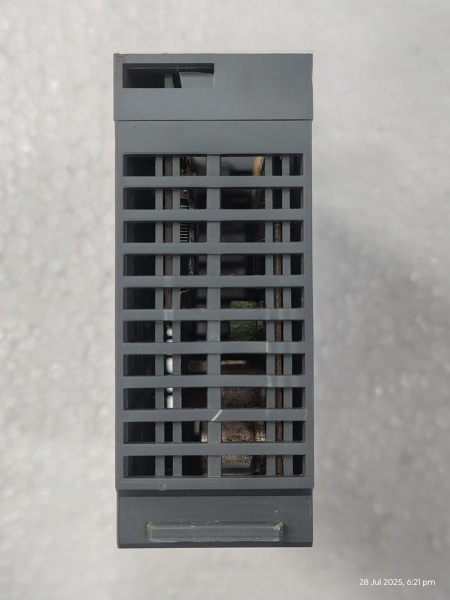
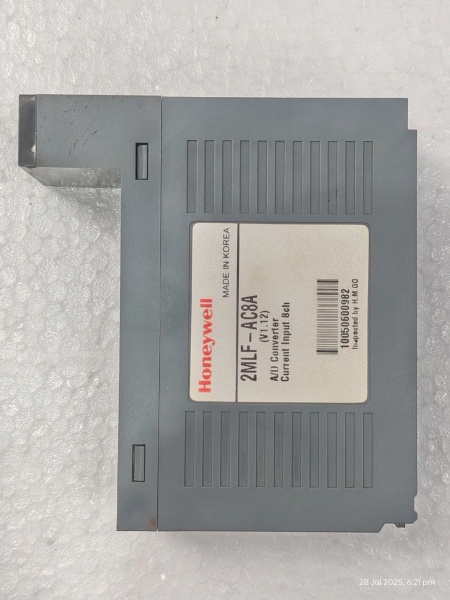
Description
Key Technical Specifications
- Model Number: 2MLF-AC8A
- Manufacturer: Honeywell Process Solutions
- Input Channels: 8 independent 120VAC discrete inputs
- Input Voltage Range: 90–132VAC (50/60Hz)
- Input Current: 10mA nominal at 120VAC
- Isolation Rating: 1500V AC channel-to-channel; 2500V AC channel-to-logic
- Status Indicators: Per-channel LED (green = active input, off = inactive)
- Mounting Type: DIN rail (35mm) or panel-mount compatible
- Power Supply: Powered via backplane (no external power required)
- Operating Temperature: -20°C to +60°C (-4°F to +140°F)
- Storage Temperature: -40°C to +85°C (-40°F to +185°F)
- Diagnostic Capabilities: Overvoltage detection, input loss monitoring
- Certifications: UL 508, CSA C22.2 No. 142, CE compliant

Honeywell 2MLF-AC8A
Field Application & Problem Solved
In manufacturing plants, HVAC systems, and water treatment facilities, the biggest headache with AC input modules is cross-channel interference and lack of visibility into input status. Legacy non-isolated modules let a voltage spike from a nearby motor take down all inputs, forcing technicians to trace wires manually to find the fault. The 2MLF-AC8A solves this with 1500V channel-to-channel isolation, so a fault in one input—say, a shorted limit switch on a conveyor—never impacts the other seven channels.
You’ll typically find this module in panel enclosures controlling AC-powered equipment: monitoring contactor status on air compressor motors, tracking limit switch positions on packaging line conveyors, and verifying breaker trips in building HVAC systems. It’s a staple in retrofits because it drops into existing ML/MLF I/O racks without rewiring, saving hours of installation time. Its core value is simplicity paired with reliability—unlike smart modules with complex programming, it works out of the box, and the per-channel LEDs let you diagnose faults at a glance without pulling up HMI screens.
Another critical problem it addresses is overvoltage protection. In industrial environments, voltage surges from lightning or faulty transformers are common; the 2MLF-AC8A’s built-in protection clamps surges to safe levels, preventing module burnout. I’ve seen this module survive a lightning strike that fried three other non-protected input modules in the same panel— a testament to its rugged design. For maintenance teams, this means fewer unplanned replacements and less downtime.
Installation & Maintenance Pitfalls (Expert Tips)
Ignore Voltage Range at Your Peril: Rookies often wire this module to 240VAC circuits, assuming “AC is AC.” Wrong— the 2MLF-AC8A is rated for 90–132VAC max. Feeding it 240VAC will burn out the internal optocouplers in minutes, and the damage won’t show up immediately— you’ll get intermittent input faults for hours before the module dies completely. Always verify the line voltage with a multimeter before wiring, even if the schematic says 120VAC. I’ve fixed three burnt modules in a single month because a tech skipped this step.
LED Indicators Are Not Just for Show: The green LEDs on each channel are your first line of defense. If the HMI says an input is active but the LED is off, the problem is in the wiring or field device— not the module. If the LED is on but the HMI doesn’t register the input, the issue is in the backplane or controller configuration. Too many techs skip checking the LEDs and waste hours troubleshooting the controller when the problem is a loose wire. Make this a first-step check in your diagnostic process.
DIN Rail Mounting Requires Proper Torque: This module snaps onto a 35mm DIN rail, but rookies often jam it on too hard or don’t seat it fully. A loose mount causes intermittent backplane communication faults— the module will drop off the network randomly, triggering false alarms. Use the mounting clip properly: push until you hear a click, then tug gently to confirm it’s locked. Don’t use a screwdriver to pry it on— this bends the mounting tabs and ruins the module.
Don’t Skip Terminal Tightening: The module uses screw terminals for AC wiring, and loose terminals cause arcing, which leads to corrosion and intermittent input signals. Use a torque screwdriver set to 0.4 N·m to tighten the terminals— over-tightening strips the threads, under-tightening causes loose connections. In corrosive environments (like chemical plants), apply a thin layer of anti-corrosion grease to the terminals after wiring to prevent rust buildup.
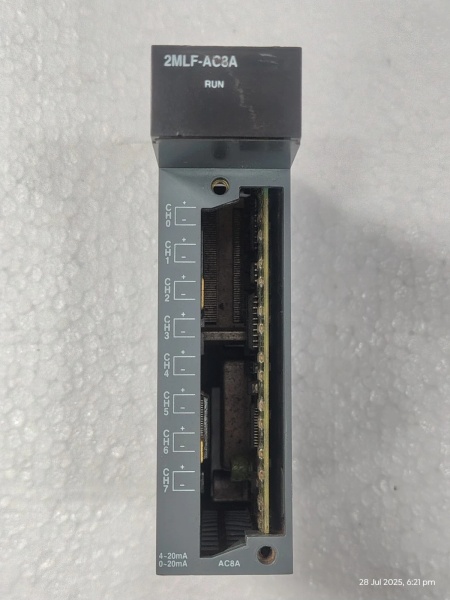
Honeywell 2MLF-AC8A
Technical Deep Dive & Overview
The 2MLF-AC8A is a rugged, no-frills discrete input module designed for ML/MLF I/O systems, optimized for monitoring AC-powered field devices. At its core, each of the 8 channels uses an optocoupler to isolate the AC field voltage from the module’s logic circuit— this is the key to its interference resistance. When an AC signal is applied to a channel, the optocoupler triggers a digital signal that’s sent to the controller via the backplane. The 2500V channel-to-logic isolation protects the controller from high-voltage surges in the field, a common issue in industrial environments.
Unlike smart modules with HART or Ethernet connectivity, the 2MLF-AC8A is a passive device— it has no on-board firmware or programming requirements. This is a feature, not a bug: it means there’s nothing to configure, update, or misprogram. The per-channel LEDs are hardwired to the input circuits, so they provide real-time status that’s independent of the controller— a critical diagnostic tool when the network is down.
The module draws all its power from the ML/MLF backplane, so there’s no need for external wiring beyond the AC inputs. Its compact design fits into tight panel spaces, and the DIN rail mounting makes replacement fast during unplanned outages. In the field, this module’s strength is its durability— it’s built to withstand vibration, temperature swings, and voltage surges that would take down cheaper modules. With proper installation, it will run for 10+ years without a single failure, making it a favorite among maintenance teams who value reliability over fancy features.



