
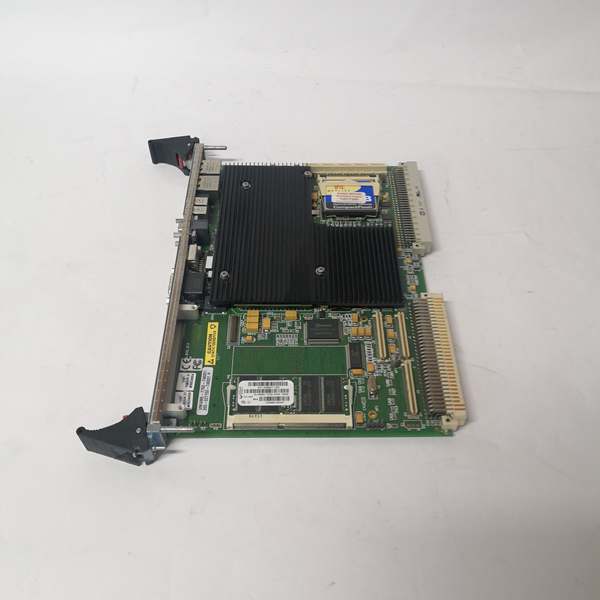
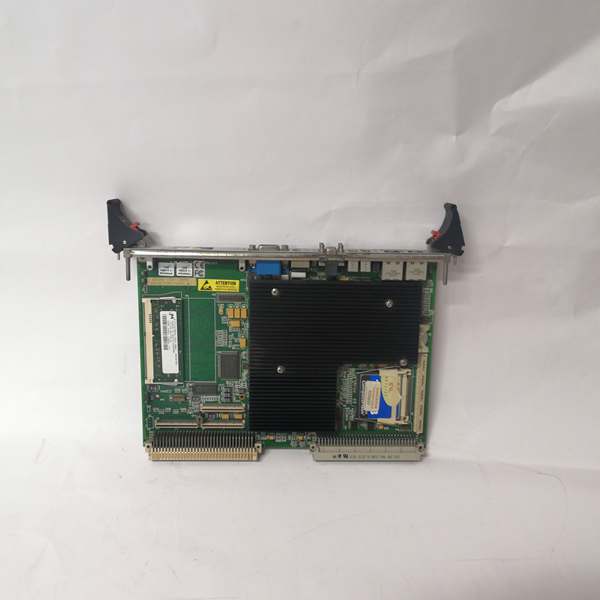
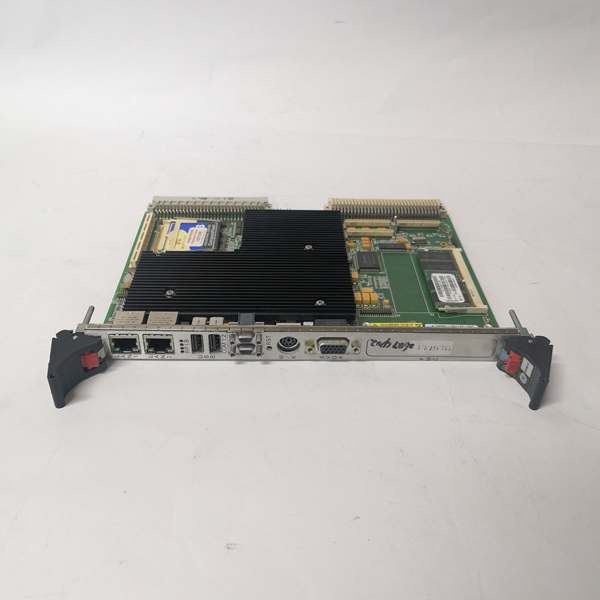
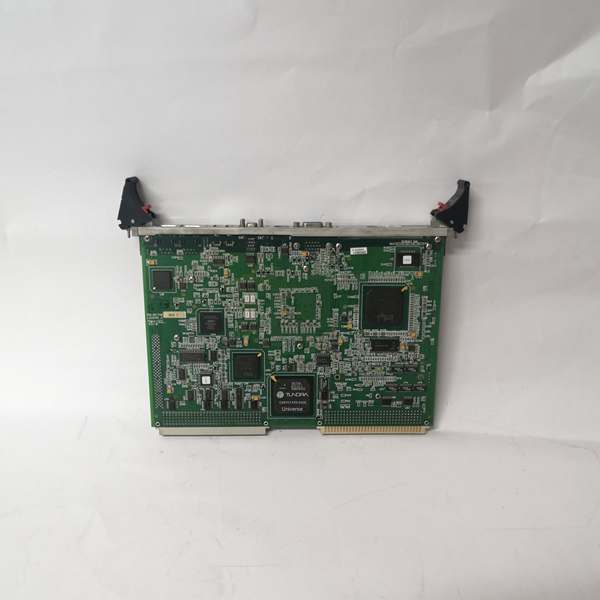
Description
Hard-Numbers: Technical Specifications
-
Processor: Intel Pentium III up to 1.26 GHz, 32-bit addressing, 64-bit data bus
-
Cache: 512KB advanced transfer cache (on-die, full-speed L2)
-
Chipset: Intel 815E with integrated AGP graphics
-
System Bus: 133 MHz front-side bus
-
Memory: Up to 512MB PC133 SDRAM via 144-pin SODIMM slot
-
Graphics: Intel 815E AGP SVGA with 4MB display cache, resolutions up to 1600×1200×256 colors
-
Network: Dual 10/100 Ethernet controllers (Intel 82551), RJ45 connectors
-
Storage: Ultra ATA/100 IDE interface, CompactFlash up to 1GB (bootable)
-
Serial Ports: 2× RS-232 (16550-compatible), baud rates up to 1.5 Mbaud
-
USB: 2× USB ports (front panel)
-
Expansion: 1× PMC slot (PCI mezzanine card)
-
Non-Volatile Memory: 32KB battery-backed SRAM
-
BIOS: BootWare BIOS with remote Ethernet boot capability
-
Power Supply: +5V, +12V, -12V from VME backplane
-
Operating Temperature: -20°C to +85°C (industrial grade)
-
Cooling: Passive cooling (heatsink only, no fans)
-
Form Factor: 6U VME Eurocard, single-slot (233mm × 167mm × 31mm)
-
Weight: Approximately 0.5-1.4 kg (varies by configuration)
-
Operating Systems: Windows XP/2000, VxWorks, Solaris, QNX, LynxOS, Linux

GE VMIVME-7750
The Real-World Problem It Solves
You know the scenario: legacy VME systems from the 1990s still running critical processes, but the original CPU boards are failing and unobtainium. The VMIVME-7750 bridges that gap—dropping a 1.26 GHz Pentium III into your existing VME chassis without rewiring the backplane. It breathes new life into aging Mark VI turbine controls, data acquisition systems, and test stands while preserving your VME I/O investment. The passive cooling eliminates fan failure risks in vibrating environments like turbine control cabinets.
Where you’ll typically find it:
-
Upgraded Mark VI Speedtronic turbine control systems replacing obsolete VMIVME-744000 or IS215UCVE boards
-
Industrial data acquisition systems in power plants and refineries requiring Pentium-class processing
-
Military and aerospace test stands where VME form factor is locked in by certification
Bottom line: It extends the life of VME-based control architectures by providing modern Pentium III performance with dual Ethernet connectivity, letting you run Windows-based HMI software while keeping your legacy VME I/O modules.
Hardware Architecture & Under-the-Hood Logic
The VMIVME-7750 is a complete Pentium III computer on a single VME card. Unlike stack-PC solutions, this is a native VME design with the Intel 815E chipset providing integrated graphics and I/O. The board functions as both the application processor and the VMEbus master, interfacing with legacy I/O while providing modern network connectivity.
Signal flow and processing logic:
-
Processing Core: The 1.26 GHz Pentium III executes the host OS and real-time applications with full x86 compatibility, including MMX instructions for signal processing
-
Memory Architecture: PC133 SDRAM provides sufficient bandwidth for industrial applications; the 815E chipset supports AGP graphics without requiring separate video memory
-
VME Interface: The board interfaces with VME backplane via standard VME protocols, allowing access to legacy I/O modules and shared memory devices
-
Network Integration: Dual 10/100 Ethernet ports provide redundant network paths or segregation of control traffic from supervisory data
-
Graphics Subsystem: The integrated 815E graphics drives VGA displays for local HMI without requiring external graphics cards
GE VMIVME-7750
Field Service Pitfalls: What Rookies Get Wrong
Assuming Active Cooling is Present Rookies see a Pentium III running at 1.26 GHz and assume there’s a fan somewhere. There’s not. The VMIVME-7750 relies entirely on passive heatsinking. Install it in a VME chassis with poor airflow or block the ventilation slots, and you’ll get thermal shutdowns or intermittent lockups that look like software faults.
Field Rule: Verify your VME chassis has adequate vertical airflow (bottom intake, top exhaust) and that chassis fans are operational. The heatsink on the VMIVME-7750 requires direct air movement across its fins. If the chassis runs hot (>50°C ambient), add a fan tray or upgrade chassis cooling before blaming the CPU.
Confusing Memory Capacity Units Some distributor datasheets list “512KB SDRAM”
while others list “512MB”
. The correct specification is 512MB (megabytes), not 512KB (kilobytes). Rookies order the board expecting 512KB and wonder why Windows won’t boot—it needs minimum 64MB, and 512MB is the maximum supported.
Quick Fix: Verify the SODIMM installed is a 144-pin PC133 SDRAM module, standard laptop memory. The board accepts up to 512MB (one 512MB SODIMM). If you have less than 64MB installed, modern operating systems won’t load. Check the SODIMM seating—loose memory causes boot failures that look like CPU faults.
Forgetting the CompactFlash Boot Requirement The VMIVME-7750 boots from IDE CompactFlash, not from a hard drive (unless you add one via the IDE header). Rookies try to network-boot or expect a hard drive to be present. Without a bootable CompactFlash with the OS image, the board powers up but won’t boot.
Field Rule: Always verify the CompactFlash card is present in the onboard socket and contains a bootable OS image. The BootWare BIOS supports remote Ethernet booting, but this requires network configuration. For standalone operation, you need a physical boot device. Keep a spare CompactFlash with your standard OS image pre-configured for quick field replacement.


