
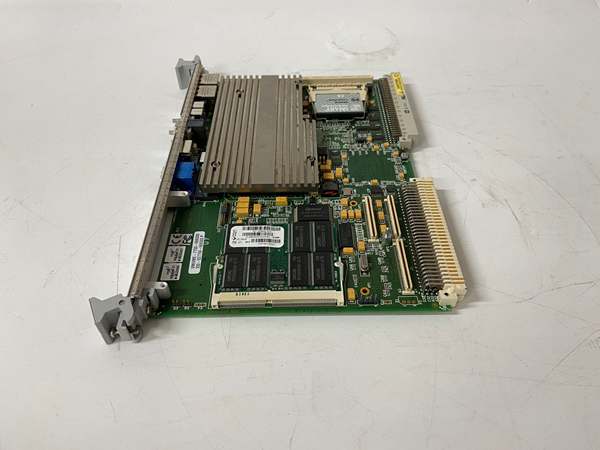
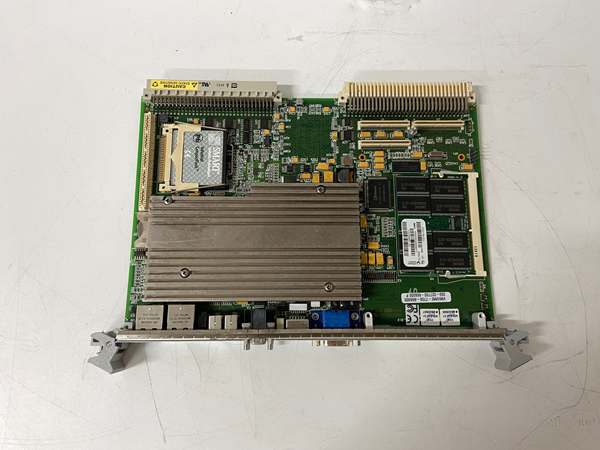
Description
Hard Numbers: Technical Specifications
- Processor: Intel Pentium M (Banias/Dothan core), up to 1.5 GHz (depending on specific sub-revision)
- Memory: 512 MB to 1 GB DDR SDRAM (PC266/333, via SODIMM or onboard)
- Bus Interface: VMEbus (VME64x compliant, supports 2eVME and 2eSST)
- Ethernet: Dual 10/100/1000BaseTX RJ-45 Ports (Gigabit capable)
- Graphics: Integrated Intel Extreme Graphics 2 with VGA output
- Storage: IDE (PATA) interface for CF card or 2.5″ HDD
- Serial Ports: 2x RS-232 (one configurable to RS-422/485)
- USB: 2x or 4x USB 2.0 ports
- Expansion: 1x PCI PMC Site (64-bit)
- Watchdog Timer: Yes, Programmable
- Chipset: Intel 855GME + ICH4
- Operating Temp: 0°C to +60°C (Commercial/Industrial grade)
- Cooling: Passive (Fanless) heatsink design
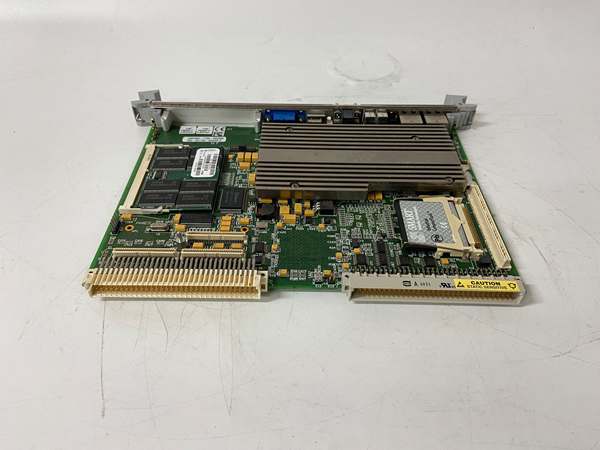
VMIVME-7750
The Real-World Problem It Solves
As industrial networks evolved, the 10/100Mbps Ethernet ports on older SBCs became a bottleneck for high-speed data logging and HMI updates. The -740001variant solves this by upgrading to Gigabit Ethernet, allowing massive control system archives to be offloaded to central servers in seconds rather than minutes. It also replaces the aging Pentium III with a Pentium M, delivering a significant performance-per-watt improvement, which is critical in sealed, fanless VME enclosures.
Where you’ll typically find it:
- In legacy GE turbine control cabinets requiring a drop-in CPU upgrade with faster networking.
- Aerospace and defense test rigs needing Gigabit throughput for real-time sensor data.
- Industrial automation lines utilizing QNX or VxWorks RTOS.
It bridges the gap between old-school VME hardware and mid-2000s x86 processing power with modernized I/O.
Hardware Architecture & Under-the-Hood Logic
This board integrates a full Pentium M PC into a 6U VME form factor using the Intel 855GME chipset. A major architectural highlight is its compliance with VME64x, supporting high-speed 2eVME and 2eSST (Source Synchronous Transfer) protocols for significantly increased backplane bandwidth.
- System Initialization: The BIOS probes the DDR SODIMM (or onboard chips) for memory and initializes the IDE interface for the connected boot device (often a CompactFlash card).
- Bus Arbitration: A dedicated VME bridge chip manages the 2eSST protocol, allowing the CPU to achieve much higher data throughput to other VME modules compared to traditional A32/D32 transfers.
- I/O Offloading: The inclusion of a Gigabit Ethernet controller allows the board to handle high-volume network traffic without saturating the CPU, freeing up cycles for critical control loop execution.
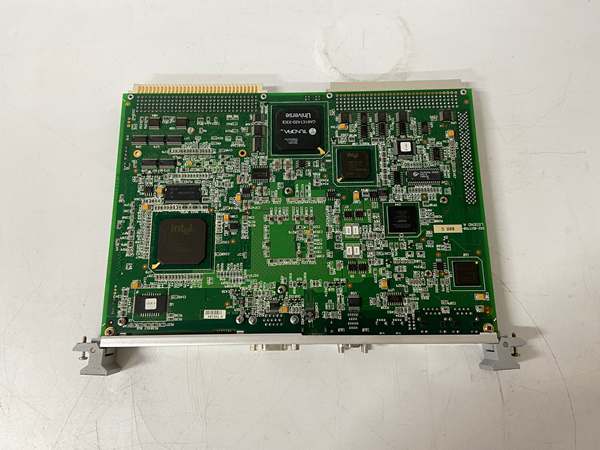
VMIVME-7750
Field Service Pitfalls: What Rookies Get Wrong
Incompatible Memory Swaps
Rookies try to upgrade the RAM using standard PC133 SDRAM sticks from older -740000boards. The -740001uses DDR SDRAM (usually PC266 or PC333). Attempting to seat a DDR stick into an older SDRAM slot (or vice versa) will prevent the board from posting.
- Field Rule: Verify the exact memory specification. If the board uses a SODIMM slot, ensure you are inserting the correct DDR generation. If the memory is soldered, do not attempt to desolder it; purchase the correctly specced board variant.
Ignoring 2eSST Clocking on the Backplane
Because this board supports 2eSST (2e Source Synchronous Transfer), rookiess install it in an old VME crate with a slow or non-compliant system clock. This causes the board to fail to enumerate on the backplane or experience random data corruption during high-speed DMA transfers.
- Quick Fix: Check the VME crate’s jumper settings for 2eSST compatibility. You may need to lower the VME bus speed in the BIOS or upgrade the crate’s backplane to fully utilize the 2eSST capabilities.
Overlooking Chipset-Specific BIOS Settings
The Intel 855GME chipset has specific legacy USB and AGP graphics configurations. Rookies load a generic VME BIOS, causing the USB ports to fail during runtime or the graphics to hang during OS boot.
- Field Rule: Always use the official GE Fanuc / VMIC BIOS update utility specifically tailored for the
-740001revision. Do not mix BIOS files between the 815E (-740000) and 855GME (-740001) platforms.
Commercial Availability & Pricing Note
Please note: The listed price is for reference only and is not binding. Final pricing and terms are subject to negotiation based on current market conditions and availability.


