
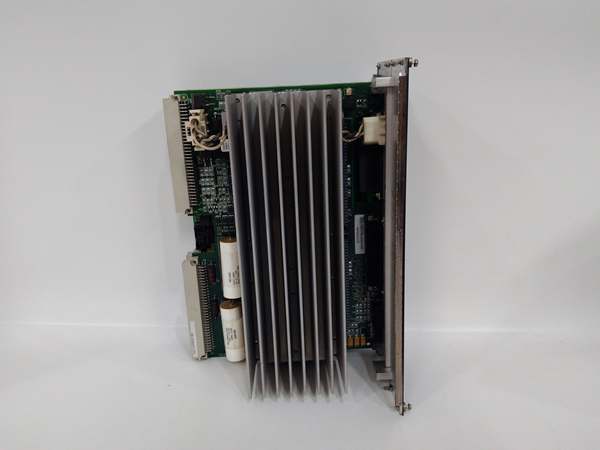
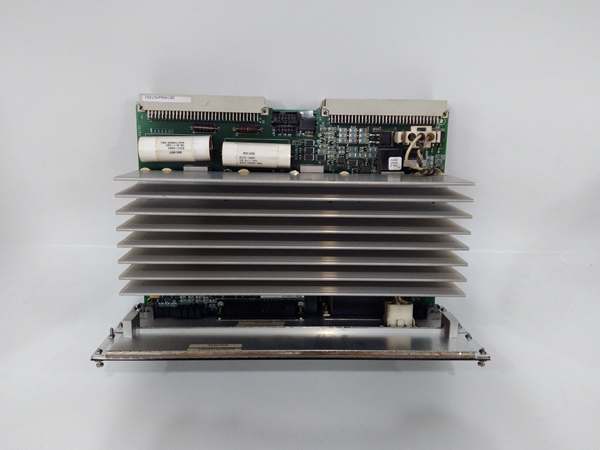
Description
Hard-Numbers: Technical Specifications
- Processor: Intel XScale
- Operating System: QNX Neutrino Real-Time OS (RTOS)
- Memory: 64 MB SDRAM, 8 MB Boot Flash
- Protocol Support: IONet (GE Proprietary), Modbus TCP, EGD, SRTP
- Port Count: 1 x 10Base2 BNC (IONet), 1 x 10/100 Base-TX RJ-45 (Ethernet), 1 x RS-232 D-Sub
- Data Rate: 10 Mbps (IONet), 100 Mbps (Ethernet), 115.2 kbps (Serial)
- Operating Temperature: -30°C to +65°C (-22°F to 149°F)
- Power Draw: 5 V @ 2.5 A, 12 V @ 0.5 A (Typical via VME Backplane)
- Isolation Rating: 1500 V AC (Port-to-Backplane)
- Dimensions: 160 mm x 100 mm (6U VME Form Factor)
- Weight: 0.4 kg (0.88 lbs)
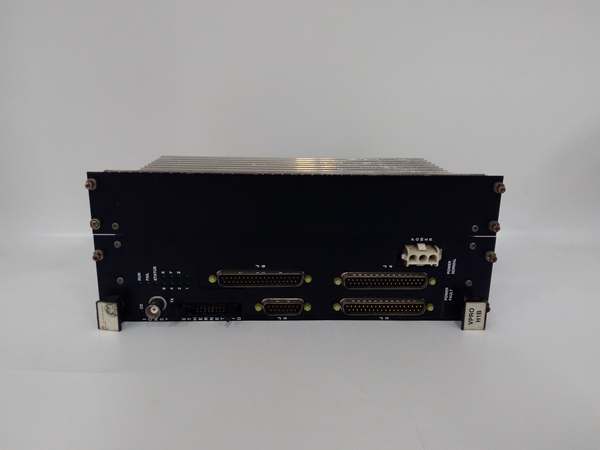
IS215VPROH1B
The Real-World Problem It Solves
Trying to integrate legacy serial devices, proprietary turbine networks, and modern plant Ethernet into a single deterministic control system is a wiring and protocol nightmare. This module acts as the universal translator, sitting on the VME bus and seamlessly shuttling data between the turbine’s I/O packs and the outside world without bogging down the main processor.
Where you’ll typically find it:
- Mounted in the main Mark VIe VME rack, acting as the primary gateway to the plant’s DCS or HMI.
- Bridging the gap between the VME-based control system and remote I/O packs via the 10Base2 IONet.
- Facilitating protocol conversion, allowing older Mark VI hardware to communicate with newer Mark VIe Ethernet networks.
Bottom line: It is the network glue that keeps your turbine talking to the control room and the field devices talking to the turbine.
Hardware Architecture & Under-the-Hood Logic
This isn’t just a simple media converter; it’s a dedicated communication co-processor. By offloading all network traffic from the main application CPU, it ensures that critical control loops execute without interruption.
- Network Bridging: Listens to the VME backplane for data destined for the HMI or remote I/O, packages it into the appropriate protocol (e.g., EGD or Modbus TCP), and pushes it out to the Ethernet or IONet ports.
- Protocol Translation: Simultaneously handles incoming requests from the plant network, decodes them, and presents them to the VME bus as standard memory-mapped I/O transactions.
- Deterministic Scheduling: The QNX RTOS ensures that high-priority IONet messages are processed and transmitted within a strict, deterministic timeframe, preventing data bottlenecks during turbine transients.
- Dual-Port SRAM Access: Utilizes dual-port SRAM to allow simultaneous access by the VME bus and the onboard Intel XScale processor, maximizing data throughput without bus contention.
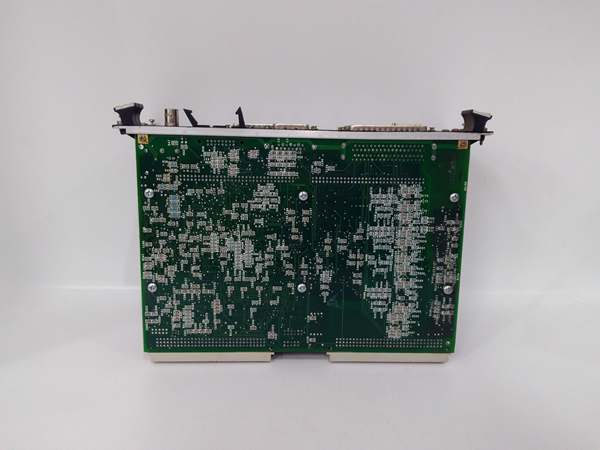
IS215VPROH1B
Field Service Pitfalls: What Rookies Get Wrong
The 10Base2 Termination Trap
Rookies love to plug in the IONet coax and walk away, forgetting that a 10Base2 network absolutely requires proper termination to prevent signal reflection. An unterminated BNC port will cause intermittent packet loss and mysterious “Node Unreachable” errors.
- Field Rule: Always verify that a 50-ohm terminator is securely screwed onto the last physical port of the IONet daisy-chain. Never rely on software emulation for physical layer termination.
Ignoring the Ethernet Auto-Negotiation Handshake
Modern plant switches often have strict spanning-tree protocols or auto-negotiation settings that can conflict with the WECA module’s older Intel XScale network stack. This leads to frustrating link drops during heavy data traffic.
- Quick Fix: Log into the managed switch and hard-code the port speed and duplex settings to match the WECA module (typically 100 Mbps / Full Duplex). Disable any “energy-efficient Ethernet” features on that specific port.
Blindly Swapping Without Checking the FPGA Status
The WECA module relies heavily on its onboard FPGA for I/O mapping. If the FPGA fails to configure during boot (indicated by specific LED patterns), the module will pass no data. Rookies will swap the CPU or reinstall software instead of checking the obvious.
- Field Rule: Before pulling the module, check the diagnostic LEDs through the rack window. If the “FPGA” or “Boot” light is solid red, reseat the module firmly in the VME slot. If it persists, the flash memory may be corrupted, and a software reload via the maintenance laptop is required.
Commercial Availability & Pricing Note
Please note: The listed price is for reference only and is not binding. Final pricing and terms are subject to negotiation based on current market conditions and availability.



