
Description
Product Introduction
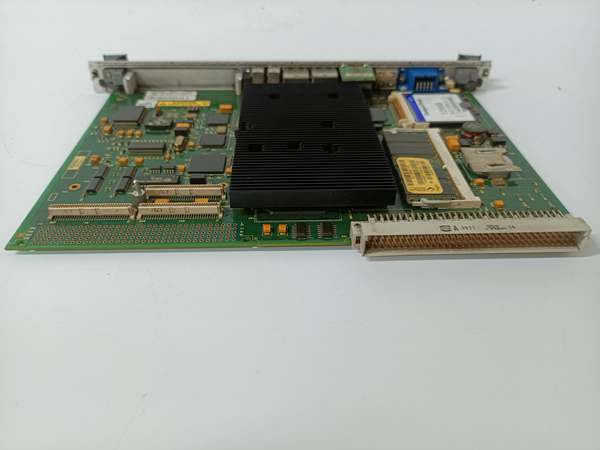
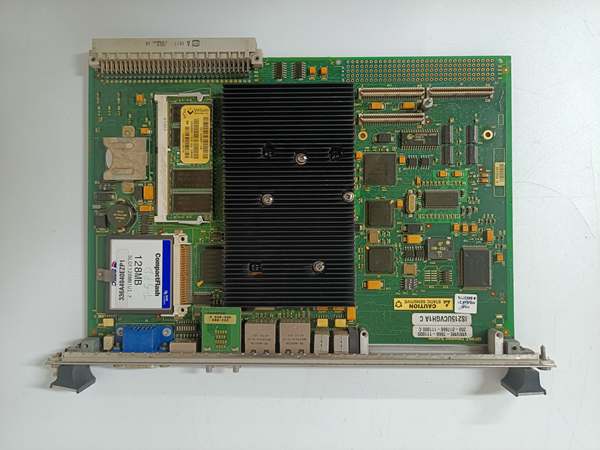
The is a UCVG series VME controller board within the GE Mark VI/VIe ecosystem. Unlike the standard UCVE(which is headless/pure computation), the UCVG variant is designed as an integrated “General Purpose” controller featuring a Single-Slot VME form factor with rich front-panel I/O.
This “H1AD” revision houses a 650 MHz Intel Ultra-Low Voltage Celeron processor, 128 MB SDRAM, and 128 MB Flash. Its defining characteristic is the front-panel interface: it includes SVGA (Video), Keyboard/Mouse (USB/PS2), and USB ports, allowing technicians to connect a local monitor and peripherals directly to the controller rack for on-site diagnostics without needing a separate HMI computer. It handles turbine sequencing, data acquisition, and communicates via dual 10/100BaseTX Ethernet (IONet) and RS-232 serial ports. It is commonly used in applications requiring local operator interaction or where a standalone HMI PC is not feasible .
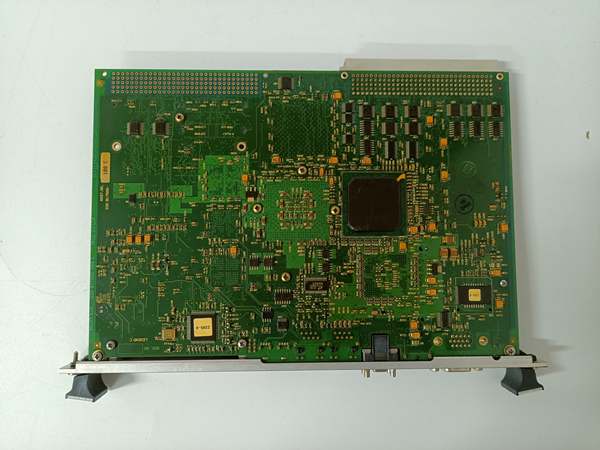
IS215UCVGH1AC
Key Technical Specifications
- System Role: UCVG (Universal Control – General Purpose w/ Graphics)
- Processor: Intel Ultra Low Voltage Celeron (650 MHz)
- Memory: 128 MB SDRAM (Runtime), 128 MB Flash (Storage/OS)
- Form Factor: 6U VME (Single Slot w/ Faceplate)
- Front Panel I/O:
- SVGA Port (Video Output for local Monitor/Touchscreen)
- Keyboard / Mouse Ports (USB or PS/2 depending on specific sub-rev)
- USB Ports (For peripherals/flash drives)
- 2x Ethernet (10/100BaseTX, RJ-45, for IONet/Control Net)
- Serial Ports (RS-232, COM1/COM2 for Diags/Modbus)
- Backplane: VME64 (P1/P2 Connectors for Rack Communication)
- Power Req: +5 V DC (Primary Logic), +12V (for USB/Video)
- Indicators: System OK, Active, Network Link/Act LEDs
- Temp Range: 0 °C to +70 °C (Operational, typical)
- OS: QNX Real-Time Operating System (GE Custom Image)
Quality Control Process (Engineer’s Perspective)
- Incoming Verification: Match serial to manifest. Inspect 96-pin VME fingers (P1/P2) for gold creep or carbon arcs. Critically, check the VGA (DB15) and USB ports on the faceplate for bent pins—these are high-risk points during rack access.
- Boot & Video Test: Seat in a VME rack with 5V/12V. Connect a VGA monitor to the front. The GE boot logo must display during POST. If “OK” LED is Green but screen is blank, the GPU/init sequence may be faulty.
- Peripheral Stress: Plug a USB keyboard/mouse. Enter BootMon (Ctrl+X). Navigate menus to confirm keystroke registration and mouse movement—verifies the I/O controller hub is alive.
- Network Loop: Patch Ethernet Port 1 to a laptop running ToolboxST. Ping flood at 1500 bytes; 0% loss confirms the “H1AD” networking PHY is intact.
- Final QC & Packaging: Clean VME fingers with isopropanol. Bag in rigid ESD foam. Label “QC Passed – Video/USB/Net OK”.
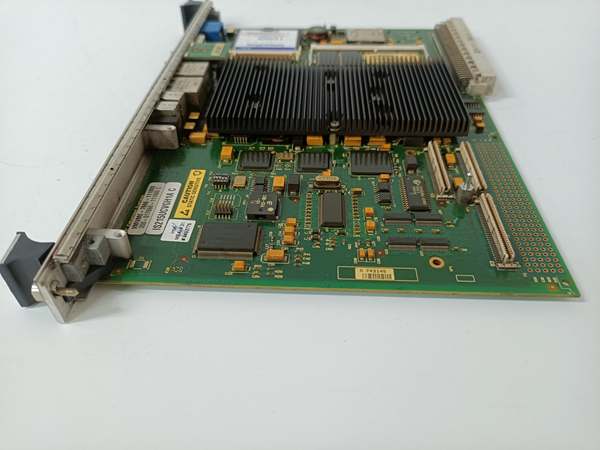
IS215UCVGH1AC
Replacement Pitfall Guide
❗ UCVG vs UCVE (Wrong Slot Risk):
- UCVE (
IS215UCVEH2Aetc.) = Headless (No Video/USB). Pure processing/Voting. - UCVG () = Has Video/USB ports for Local HMI.
Do not swap a
UCVEfor aUCVGH1ADblindly. If the project (.tcf) is configured for a headless controller, forcing a UCVG might trigger “Wait for Display” timeouts in the BIOS/OS, delaying turbine startup. Conversely, if the site relies on Local SVGA, you mustuse UCVG.
❗ Local Monitor Dependency: If the site uses the front SVGA port (e.g., in a remote compressor station without central HMI), replacing this with a standard UCVEwill result in no local display. Always verify if the panel cutout has a VGA cable plugged in.
❗ 12V Rail Requirement: The Video and USB features on UCVGdraw from the +12V backplane rail. In older Mark VI racks where +12Vis disabled or the P2 connector isn’t fully seated, the board may boot (5V OK) but USB ports won’t power and the monitor stays dark.
❗ Application & Config Download: Like all Mark VI/e controllers, hardware swap requires downloading the Control App (.appl) and Config (.cfg). Because UCVG has more I/O definitions (USB/Video), a mismatch with an old file mightflag “Hardware Mismatch” in ToolboxST—be prepared to cross-load the hardware definition.
❗ VME Seating & Faceplate: 6U board with heavy faceplate ports. Ensure the faceplate screws are secured; cable torque can pull the P1/P2 connectors partially out over time, causing “VME Bus Error” or intermittent communication loss.
Keep these in mind and you’ll cut 90% of rework time.
Compatibility Matrix & Benchmarks
- → GE IS215UCVGH1AC: Direct Replacement/Upgrade— “AD” is a later sub-revision of the H1A UCVG family. Electrically/Mechanically compatible. “AD” may have component updates (e.g., USB 2.0 vs 1.1, capacitor grades). Usually a straight swap if jumpers/config match.
- → GE IS215UCVEH2AF: Functional Alternative (Caution)— UCVE is Headless. Can run the same logic apps, but loses Local SVGA/USB capability. Only substitute if local HMI is not required and config is updated.
- → Mark VI/VIe VME Rack: Direct— Slides into standard Controller Slots (requires Carrier if using integrated faceplate kits).
- Boot Time: ~30-45s (Incl. Video BIOS Init)
- Video Res: Typically 1024×768 / 800×600 (Industrial Panel Std)
- Peripheral Power: +12V DC (From Backplane P2)


