
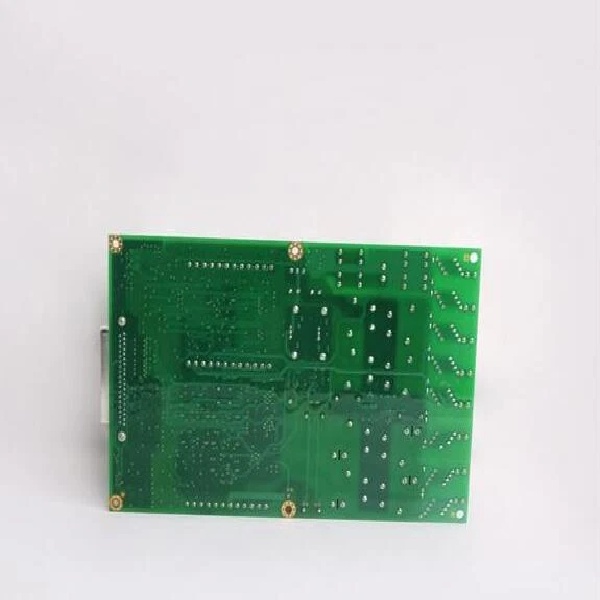
Description
Hard-Numbers: Technical Specifications
- Analog Inputs: 8 Channels (Configurable 4-20mA DC or 0-10V DC)
- Input Accuracy: ±0.05% of Full Scale at 25°C
- Analog Outputs: 4 Channels (Configurable 4-20mA DC or 0-10V DC)
- Output Accuracy: ±0.1% of Full Scale at 25°C
- Resolution: 16-bit (Both Input and Output)
- Signal Isolation: 1500V AC Channel-to-Channel, 2500V AC Channel-to-Ground
- Communication Interface: GE Serial Peripheral Interface (SPI) / IONet
- Operating Voltage: 24V DC (Nominal)
- Operating Temperature: -40°C to +85°C (Wide range for harsh environments)
- Update Rate: 5ms (Inputs), 10ms (Outputs)
- Diagnostics: Open-circuit/short-circuit detection, output drift monitoring, overcurrent protection, and LED status indicators
- Dimensions: Approx. 120mm (W) x 180mm (H) x 220mm (D)
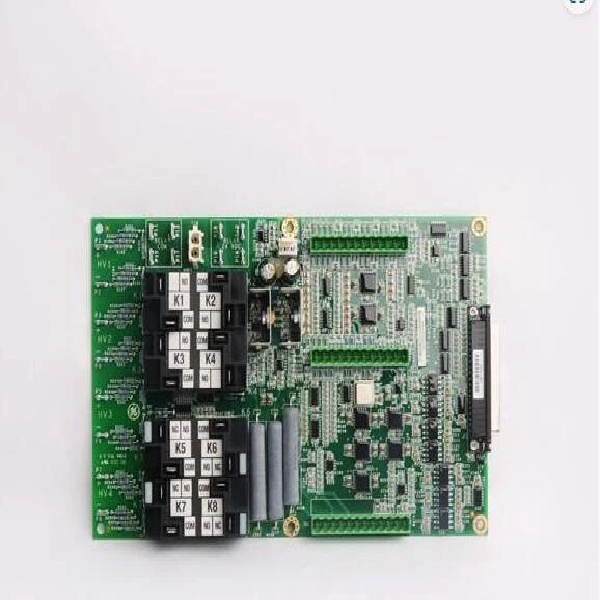
IS210AEAAH1B
The Real-World Problem It Solves
You are commissioning a newly retrofitted gas compressor station controlled by a GE Mark VIe system. The engineering firm that designed the control panel used a mix of standard and specialized I/O modules. When you try to bring the system online, the controller throws a “Hardware Key Mismatch” fault on one of the I/O packs. You realize the spare you grabbed from the warehouse is a standard IS210AEAAH1B, but the system’s ToolboxST hardware definition file (.hwd) is strictly looking for the “FA” configuration. Because the “FA” variant has a specific factory-assigned hardware identifier and potentially a locked firmware revision, the Mark VIe controller refuses to trust the substitute, halting the startup sequence. The IS210AEAAH1BFA solves this by being the exact, bit-for-bit matching hardware key the controller expects, allowing the turbine or compressor to safely transition to “Run” mode .
Where you’ll typically find it:
- OEM Packaged Compressor Units: Often used by compressor manufacturers (like Dresser-Rand or Nuovo Pignone) who standardize their control panels on a specific, unchanging hardware revision to simplify global support .
- Pharmaceutical or Food Processing Utilities: In plants where validation and change control are strict, the exact “FA” suffix ensures that no undocumented hardware changes have occurred since the system was initially validated .
- Combined-Cycle Power Blocks: Managing the interface between the steam turbine’s legacy analog field devices and a newer Mark VIe control rack during phased plant upgrades .
It acts as a highly specific, trusted node in the control network, ensuring that critical process variables like suction pressure or anti-surge valve positions are read by a verified and approved piece of hardware.
Hardware Architecture & Under-the-Hood Logic
The “BFA” suffix denotes a specific manufacturing variant of the base IS210AEAAH1B Analog I/O pack. While it shares the same core architecture as other AE series modules, the “FA” designation is critical for system integrity.
- Unique Hardware Identification (HW_ID): Inside every Mark VIe I/O pack is a set of hardcoded identification resistors or EEPROM values that tell the main controller exactly what hardware it is talking to. The “FA” suffix corresponds to a unique HW_ID. The Mark VIe controller (running ToolboxST) performs a handshake at boot-up. If the HW_ID of the physical module doesn’t match the ID expected by the downloaded application code, the controller will flag a fault and inhibit operation to prevent potentially dangerous control actions .
- Locked Firmware Baselines: The “FA” configuration often ships with a specific, validated firmware version burned into its flash memory. This ensures that the module’s internal timing loops, ADC (Analog-to-Digital Converter) sampling rates, and communication stack perfectly match the deterministic requirements of the host controller’s software cycle .
- Application-Specific Calibration Constants: While the base “B” revision has a standard factory calibration, the “FA” variant may undergo additional end-of-line testing and have unique gain/slope calibration constants stored in its non-volatile memory, tailored for specific sensor types (e.g., a particular strain gauge bridge for thrust bearing load) used by the OEM .
IS210AEAAH1B
Field Service Pitfalls: What Rookies Get Wrong
The “It Looks The Same” Substitution Error
A panic-stricken operator calls you because a compressor won’t start, showing a “Hardware Mismatch” alarm on the HMI. You check the rack and see an IS210AEAAH1BFA module with a flashing fault light. You have a brand new IS210AEAAH1B in your truck. You swap it in, expecting the system to auto-configure. Instead, the fault persists, and now the controller has put the compressor into a hard trip because it detected an unauthorized hardware change.
- The Mistake: Ignoring the significance of the alphanumeric suffix in turbine controls. In the Mark VIe ecosystem,
IS210AEAAH1BandIS210AEAAH1BFAare treated as entirely different hardware objects. Swapping one for the other without updating the controller’s hardware configuration file (.hwd) will always result in a mismatch fault . - Field Rule: Never perform a “blind swap” with a different suffix in a Mark VIe system. If you must use a standard “B” revision to get the plant back online, you are legally and technically required to open the project in ToolboxST, update the Hardware Definition File to accept the new module’s ID, and recompile/download the configuration to the controller. If you don’t have the engineering password or the original project files, you must wait for the correct “FA” spare.



