
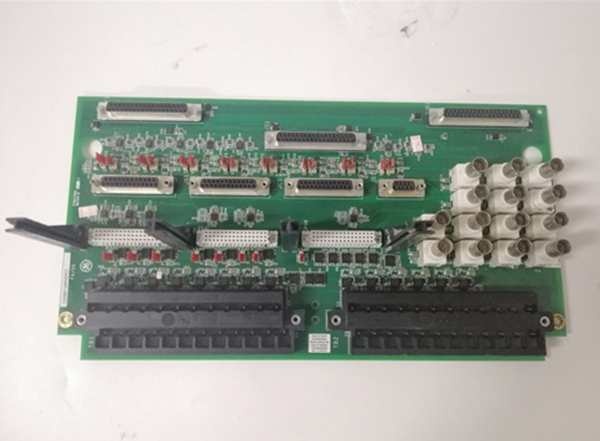
Description
Hard-Numbers: Technical Specifications
- Form Factor: 3U height, single-slot
- Mounting Location: Directly underneath the DSPX board in the control rack
- Communication Protocol: GE Proprietary ISBus + RS-232C
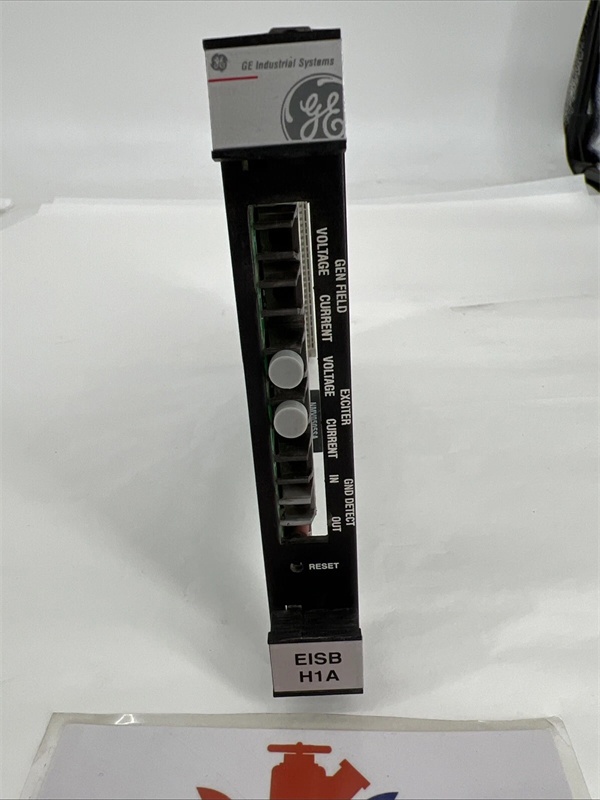
- Connectors: 8x Optical Receivers, RS-232C port, Reset Switch
- Front Panel Indicators: 6 LEDs (Gen Field V/I, Exciter V/I, GND Detect I/O)
- Operating Temperature: -20°C to +70°C
- Input/Output Voltage: 24 VDC
- Data Rate: 1200 to 38.4 Kbaud (RS-232C)
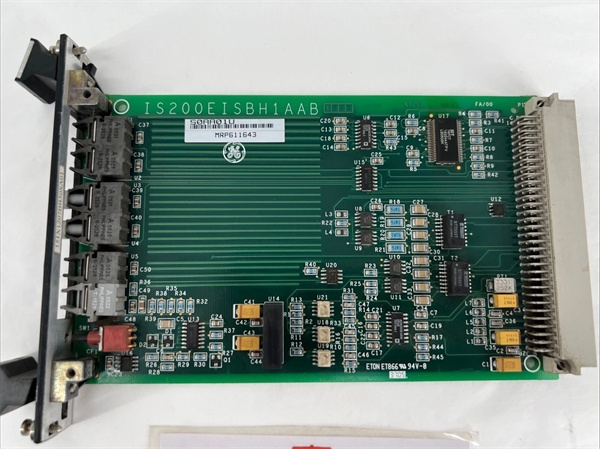
GE IS200EISBH1A
The Real-World Problem It Solves
You’re troubleshooting a 9FA gas turbine that keeps tripping on “Generator Field Loss” or “Ground Fault False Positive.” The copper-wired feedback loops between the EDCF (field measurement) boards and the DSPX controller are picking up crosstalk from the 4160V switchgear, causing corrupted data packets. You need a board that can aggregate all those critical field signals and shoot them through fiber optics to the DSPX without a hint of electrical noise. This EISB board eliminates that nightmare. It acts as the VIP lounge for high-speed data, ensuring your generator’s vital signs reach the processor crystal clear.
Where you’ll typically find it:
- EX2100 Exciter Control Racks: Sitting directly beneath the DSPX processor, bridging field I/O and the main brain.
- Large Synchronous Generators: Managing the data flow for real-time AVR (Automatic Voltage Regulation) and ground fault detection.
- Retrofit Projects: Modernizing legacy excitation systems by replacing noisy parallel wire bundles with deterministic fiber links.
It turns a chaotic, EMI-prone feedback loop into a deterministic, optically isolated data highway.
Hardware Architecture & Under-the-Hood Logic
This board isn’t a standalone processor; it’s a high-speed data aggregator and protocol translator designed to live in the cramped, high-heat environment behind the DSPX. The “H1A” suffix indicates specific trace routing for the ISBus protocol.
- Fiber-Optic Signal Aggregation: The board features eight optical receiver sockets on its front panel. It sucks in high-speed serial data from the EDCF boards (generator/exciter voltage and current) and the Ground Detector module, converting light pulses into digital bits.
- ISBus Protocol Translation: The onboard logic processes these bits and formats them into the proprietary ISBus protocol. This data is then pushed straight up into the DSPX processor via the backplane connector.
- RS-232C Service Port Interface: Need to tweak settings or upload firmware? The EISB provides an RS-232C port. It acts as a gateway, allowing your laptop to talk to the DSPX via the Toolkit software without having to unplug the main processor.
- Visual Data Integrity Checks: Six LEDs on the front panel (Gen Field V/I, Exciter V/I, GND Detect I/O) give you a split-second visual cue. If the fiber link to the EDCF drops, these LEDs die, telling you exactly where to look without firing up a laptop.
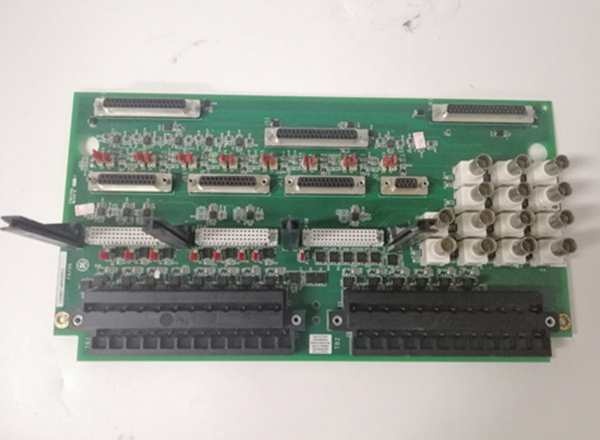
GE IS200EISBH1A
Field Service Pitfalls: What Rookies Get Wrong
Crushing the ST-Style Fiber Connectors
A rookie is reconnecting the fiber patch cables from the EDCF boards to the EISB. He grips the rectangular ST-connector body and twists it hard to “make sure it’s in.” He cracks the internal ceramic ferrule. Two days later, the turbine trips on “Field Measurement Loss” because the optical signal is completely blocked.
- Field Rule: Hold the connector by the strain-relief boot, not the body. Insert gently until you feel the click of the retention sleeve. Never torque an optical connector; treat it like a delicate fuse.
Swapping an EISB Without Photographing the Fiber Map
You pull a failed IS200EISBH1A and toss it in the trash before grabbing the replacement. You stand there for two hours during a critical outage, staring at eight identical-looking fiber ports, trying to remember which EDCF goes to which socket. Meanwhile, the plant is losing $50,000 an hour in revenue.
- Quick Fix: Before touching a single screw, photograph the front panel fiber connections. Label the cables with painter’s tape if you have time. If you can’t see the labels in the dark, use a Sharpie to write the source ID directly on the fiber jacket.
Ignoring the Tiny Hidden Reset Switch
During a commissioning test, a tech needs to reset the EISB’s internal counters. He spends an hour looking for a reset button, pulling the board in and out. He doesn’t realize the reset switch is hidden in a tiny recessed hole on the lower front panel.
- Field Rule: Carry a non-conductive plastic probe (like a guitar pick or a plastic spudger) in your toolkit. When you need to cycle the EISB’s logic, just poke the recessed reset switch. Don’t use a metal screwdriver, or you’ll short the 24VDC logic.
Commercial Availability & Pricing Note
Please note: The listed price is for reference only and is not binding. Final pricing and terms are subject to negotiation based on current market conditions and availability.



