
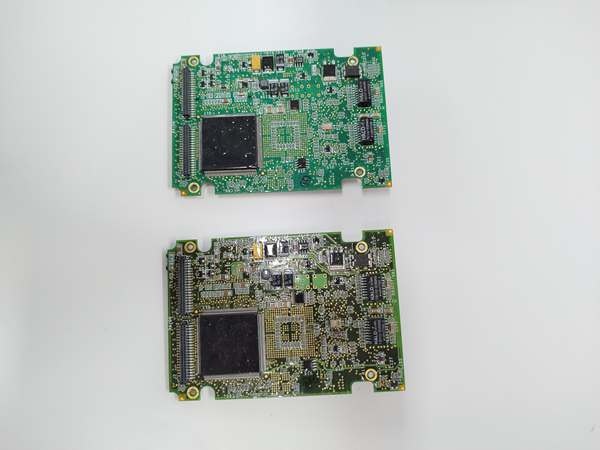
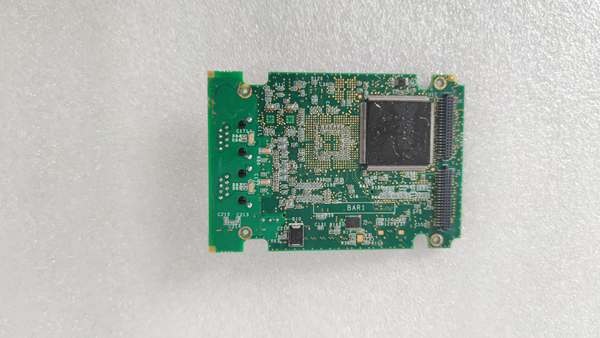
Description
Hard-Numbers: Technical Specifications
- Processor Speed: 1.0 GHz Dual-Core
- RAM: 1 GB DDR2 SDRAM
- Flash Storage: 4 GB Onboard Flash Memory
- Ethernet Ports: 2x 10/100/1000Base-TX (Gigabit RJ45)
- Backplane Interface: IONet (High-Speed Fiber/Electrical Hybrid)
- Operating Temperature: -20°C to +60°C
- Power Consumption: Approx. 25 Watts
- Watchdog Timer: Configurable 100ms to 10s intervals
- Safety Certification: SIL 3 Compliant
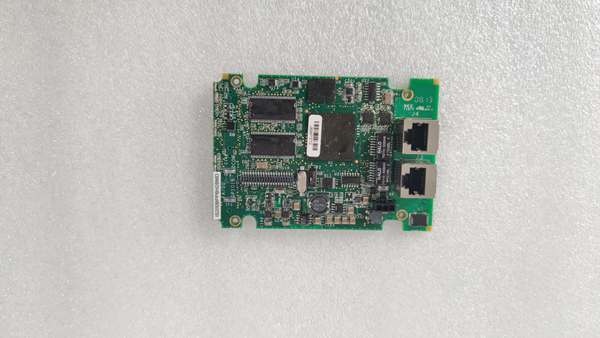
IS200BPPBH2B
The Real-World Problem It Solves
You are staring at a control cabinet in a 1,500MW nuclear plant. The primary turbine CPU just threw a “Memory Parity Error” and tripped the unit offline. You cannot afford a 20-second reboot cycle or a single dropped packet on the IONet backplane during a load rejection event. This BPBH board eliminates those headaches. It crams a 1.0 GHz dual-core engine and a gig of RAM into a single slot, allowing your Mark VIe system to crunch complex steam bypass logic and process thousands of I/O points in real-time without stuttering.
Where you’ll typically find it:
- Heavy-Duty Nuclear and Fossil Power Plants: Executing primary protection and control sequences for large-scale steam and gas turbines.
- Offshore Platform Turbine Controls: Handling dynamic load balancing and emergency shutdown logic in corrosive salt-air environments.
- High-Speed Compressor Stations: Processing ultra-low-latency anti-surge control algorithms for pipeline compressors.
It transforms a slow, bottlenecked control system into a high-speed, deterministic processing powerhouse.
Hardware Architecture & Under-the-Hood Logic
This is not a passive backplane card; it is the brains of the Mark VIe operation. It houses its own autonomous operating system and runs independently of the rest of the rack until called upon. It features its own dedicated power regulation and a highly optimized I/O bus.
- IONet Master Controller: The BPBH sits at the top of the IONet hierarchy. It polls all downstream I/O packs (like the TBCI or TBAI) and aggregates their data into a unified process image at millisecond intervals.
- Dual-Core Processing Pipeline: One core is dedicated to the deterministic execution of your ToolboxST control sequences (PID loops, sequencing, alarm logic). The second core handles background tasks, memory management, and communication with the HMI or plant DCS.
- Hardware Watchdog & Redundancy Switchover: The board monitors its own heartbeat via a hardware timer. If the CPU hangs or the memory encounters a parity fault, the watchdog forces a reset or triggers a seamless handoff to the redundant BPBH unit in under 50 milliseconds.
- Gigabit Ethernet Backhaul: Processed data and high-speed event logs are shoved out of the dual Gigabit ports to the plant network, completely offloading the IONet bandwidth for critical control traffic.
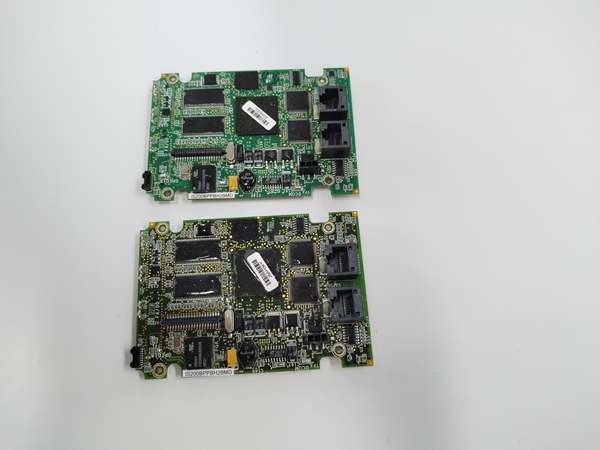
IS200BPPBH2B
Field Service Pitfalls: What Rookies Get Wrong
Blocking the CPU Heatsink Exhaust Plenum
A rookie installs the BPBH and immediately stacks a high-wattage analog output card directly above it in the next slot. The BPBH’s 1.0 GHz processor pulls 25 watts. Within three months of summer operations, the trapped heat causes the CPU to thermal throttle, leading to random task overruns and a forced turbine trip on “Control Loop Timing Fault.”
- Field Rule: Maintain a minimum 1-slot vertical clearance above and below the BPBH. If you must pack the rack tightly, install a dedicated 24VDC muffin fan directly in front of the BPBH’s heatsink fins. Confirm airflow direction (intake vs. exhaust) matches the factory orientation.
Swapping H2B for H1B Without Checking Flash Footprint
You have a dead IS200BPPBH1B sitting in a dusty corner and a shiny new IS200BPPBH2B on the shelf. You perform a 1-for-1 swap. The board powers up, but the controller throws a “Flash Memory Checksum Error” and refuses to load the application logic. The H2B utilizes a different NAND flash geometry that the old bootloader cannot address.
- Quick Fix: Before swapping CPU generations, always perform a full system backup (IO image + application code). Use ToolboxST to update the bootloader on the new BPBH to the latest version compatible with your application. Never attempt a cold swap between major hardware revisions without verifying the firmware compatibility matrix.
Ignoring the Dedicated Watchdog Jumper Settings
A tech decides to “optimize” the BPBH’s reliability by permanently disabling the hardware watchdog jumper because he thinks it’s causing unwanted resets during power fluctuations. Six months later, a cosmic ray or a momentary voltage spike causes a bit-flip in the CPU’s cache. With the watchdog disabled, the processor locks up completely, and the redundant backup unit never activates, leading to a blind-side turbine trip.
- Field Rule: Always leave the watchdog jumper in the factory-default enabled position. If you are chasing spurious resets, adjust the watchdog timeout delay in the software configuration (increase it from 100ms to 500ms) rather than killing the hardware safety net. The watchdog is there to save your turbine, not annoy you.
Commercial Availability & Pricing Note
Please note: The listed price is for reference only and is not binding. Final pricing and terms are subject to negotiation based on current market conditions and availability.



