
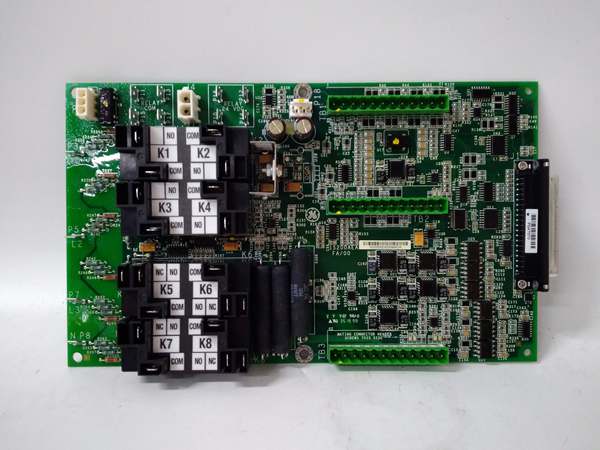
Description
Hard-Numbers: Technical Specifications
- Board Architecture: Dedicated Communication Coprocessor with IONet Backplane Interface.
- Serial Ports: 2x RS-232/RS-485 (DB9 connectors) supporting Modbus RTU/ASCII.
- Ethernet Port: 1x 10/100Base-TX (RJ45) for Modbus TCP/IP and GE Diagnostic streams.
- Protocol Support: Modbus RTU Master/Slave, Modbus TCP, Proprietary GE Diagnostic Protocol.
- Power Input: 24 VDC sourced directly from the Mark VIe backplane.
- Operating Temperature: -30°C to +65°C (-22°F to +149°F).
- Electrical Isolation: 1500 VAC channel-to-system isolation.
- Status LEDs: PWR (Power), FAULT (Board Health), COM1/COM2 (Serial Activity), LINK/ACT (Ethernet Status).
- Configuration Method: Via ToolboxST software over Ethernet or Serial link.
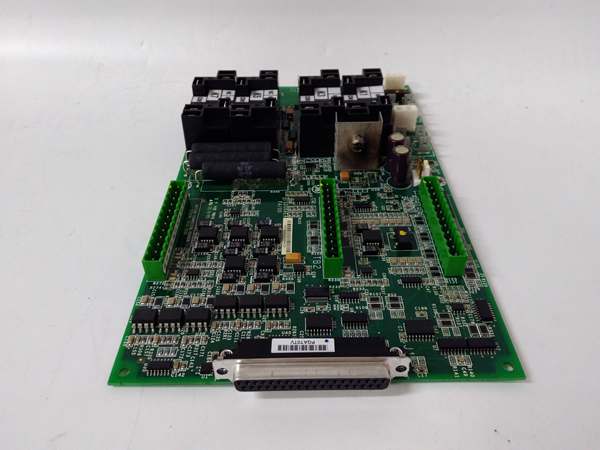
GE IS200AEAAH2B
The Real-World Problem It Solves
Plugging a laptop or plant historian directly into the core Mark VIe CPUs is a recipe for disaster. It bogs down the main processor and punches a massive hole in your cybersecurity posture. This AEAD board is the hardened gatekeeper, handling all the chatty external traffic so the turbine controller can stay focused on keeping the shaft spinning.
Where you’ll typically find it:
- Custom Project Installations: In wind farms or power plants where the standard AEAD firmware didn’t meet a specific client’s data mapping or security requirements.
- Legacy System Upgrades: Retrofitting older Mark VI racks with a modern communication interface tailored to an existing plant DCS.
- Remote Turbine Sites: Providing a secure, project-specific interface for local operators and remote diagnostics teams.
It ensures the HMI sees the data without the controller ever having to leave its protective bubble.
Hardware Architecture & Under-the-Hood Logic
Don’t let the small form factor fool you; this isn’t a dumb serial card. It’s a dedicated proxy server with its own brain. The “PR2” suffix implies a specific firmware build or hardware stepping tailored for a unique application.
- IONet Backplane Tap: The card-edge connector plugs into the Mark VIe backplane, subscribing to data packets from the main CPUs (CPE305/CPE310) and I/O packs over the high-speed IONet.
- Offloaded Packet Processing: The onboard communication ASIC and FPGA handle the entire TCP/IP stack, serial framing, and Modbus mapping. They translate raw IONet data into Modbus registers or ToolboxST frames, completely offloading the main controller’s CPU.
- Traffic Sanitization & Buffering: It acts as a firewall. Electrical noise or malformed packets from a long serial cable terminate here. The onboard SRAM buffers bursty HMI traffic, preventing it from flooding the IONet.
- Health Monitoring & Reporting: The coprocessor continuously self-tests its memory and port status. If a serial port is shorted or the Ethernet magnetics are compromised, it lights the FAULT LED and sends a diagnostic packet to the main controller to log the event.
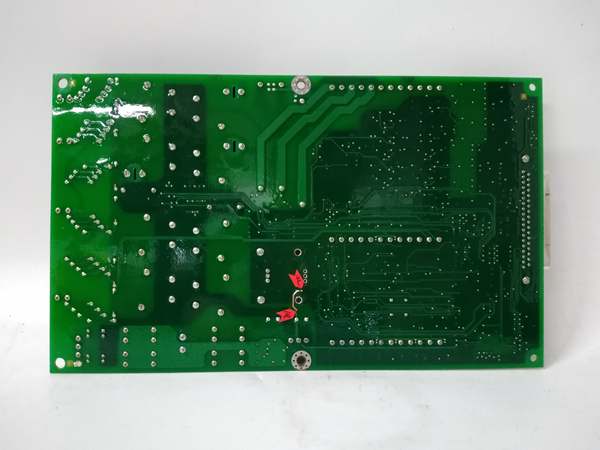
GE IS200AEAAH2B
Field Service Pitfalls: What Rookies Get Wrong
Assuming “PR2” is Just Another Standard Revision
The biggest rookie mistake is pulling a standard IS200AEADH3A off the shelf to replace a failed IS200AEADH3APR2. The card fits, the PWR light comes on, but the HMI shows “Communication Lost.” The PR2 firmware contains custom Modbus register maps or security certificates that the standard hardware lacks.
- Field Rule: Always read the full part number on the failed module’s silkscreen. If it has a “PR” suffix, you must source the exact same project release part. A standard replacement will not handshake with the customized system software.
Using a Standard Store-Bought Serial Cable
The AEAD’s DB9 ports expect a specific null-modem (crossover) pinout to talk to a laptop. Rookies grab a straight-through cable from the supply cabinet, plug it in, and wonder why their laptop can’t see the controller.
- Quick Fix: Use a GE-specified null-modem serial cable. These are typically gray or black and explicitly labeled for Mark VIe communication. Keep one in your field kit. If you’re in a pinch, crimp a custom DB9 with pins 2 and 3 swapped.
Baud Rate Parity Blindness
You configure the AEAD for 19200 baud, 8 data bits, No parity in ToolboxST. The plant historian expects 9600 baud, 7 data bits, Even parity. The link lights up, but the data looks like gibberish (or doesn’t move at all).
- Field Rule: Open the Controller Folder -> I/O -> AEAD Board in ToolboxST. Click into Port Configuration. Match the Baud Rate, Data Bits, Parity, and Stop Bits exactly to the external device. A single bit mismatch is a total communication killer.
Ignoring Surge Protection on Long Cable Runs
Even with a robust design, running a 500-foot serial cable from the control room to a remote wellhead without intermediate surge suppressors can fry the board’s UART.
- Field Rule: For any serial or Ethernet cable run longer than 100 meters (328 feet), install a dedicated industrial surge protector at both ends of the cable. Protect the investment of the AEAD card and the laptop on the other end.
Please note: The listed price is for reference only and is not binding. Final pricing and terms are subject to negotiation based on current market conditions and availability.



