
Description
Hard-Numbers: Technical Specifications
- Board Type: AEAD (Diagnostic/Interface Application Board).
- Communication Ports: Multiple RS-232/RS-485 serial ports (typically DB9 connectors); Ethernet port (RJ45).
- Protocols Supported: Modbus RTU, Modbus TCP/IP, GE proprietary diagnostic protocols.
- Processor: Dedicated onboard communication coprocessor.
- Memory: Onboard SDRAM and Flash for data buffering and configuration storage.
- Power Supply: 24 VDC (from Mark VIe backplane).
- Operating Temperature: -30°C to +65°C (-22°F to +149°F).
- Humidity: 5% to 95%, non-condensing.
- Mounting: Standard Mark VIe rack slot.
- Status Indicators: PWR (Power), COM (Communication Activity), DIAG (Board Health/Fault).
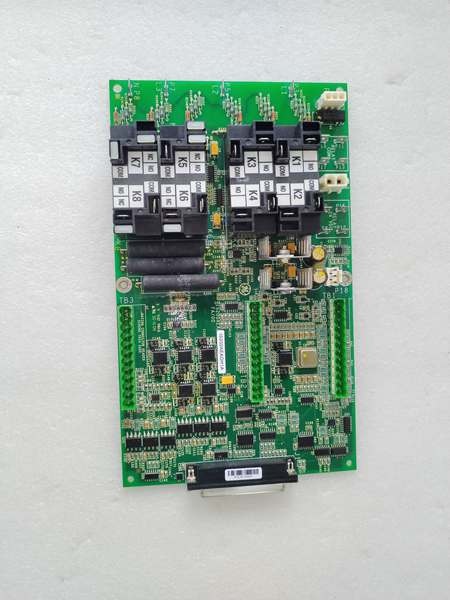
GE IS200AEADH1A
The Real-World Problem It Solves
Plugging a laptop or plant network directly into the core Mark VIe controller is a cybersecurity nightmare and can bog down the main CPU. This board creates a hardened, dedicated firewall. It handles all the chatty external communication, leaving the main control processors free to focus on keeping the turbine online.
Where you’ll typically find it:
- Local Operator Consoles: Connected to the touchscreen HMI in the turbine control room, providing real-time speed, temperature, and alarm data.
- Engineer’s Diagnostic Port: Providing a secure serial or Ethernet connection for troubleshooting the turbine with a laptop running ToolboxST.
- SCADA/MES Integration: Acting as a Modbus gateway to feed critical process data (e.g., exhaust temperature spreads, vibration levels) to the plant’s central data historian.
It’s the essential bridge between the “air-gapped” control system and the outside world.
Hardware Architecture & Under-the-Hood Logic
This isn’t just a passive serial card; it’s a smart gateway with its own brain. Its job is to translate between the high-speed Mark VIe internal network (IONet) and the slower, often noisy, external world.
- Dedicated Communication Coprocessor: The board features its own microprocessor. It runs the entire communication stack (TCP/IP, Modbus, serial drivers), ensuring the main Mark VIe CPU (like the CPE305) never has to waste a single cycle processing network packets.
- Dual-Path Interface: The card-edge connector plugs into the Mark VIe backplane, accessing the IONet for high-speed data exchange with other controllers and I/O packs. Simultaneously, its front-panel ports connect to the outside world via serial or Ethernet cables.
- Secure Data Buffering & Translation: It receives raw control and diagnostic data from the IONet, buffers it in onboard memory, and repackages it into the required external protocol (e.g., wrapping a temperature value into a Modbus register). It also sanitizes incoming commands, preventing malformed packets from reaching the core controller.
- Status & Health Reporting: The onboard processor continuously monitors its own health, the status of each communication link, and the integrity of the configuration. This information is reported back to the main controller and displayed via the front-panel LEDs.
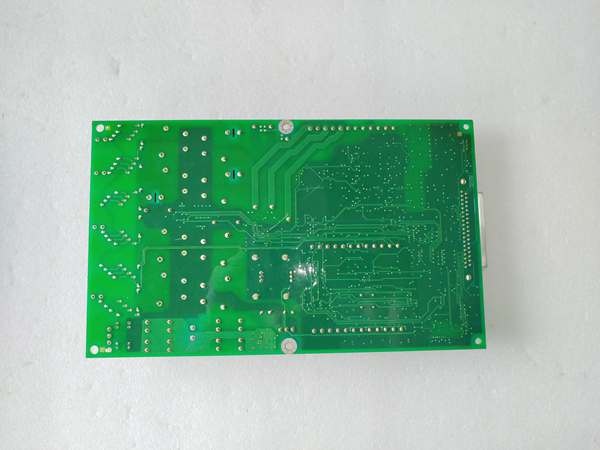
GE IS200AEADH1A
Field Service Pitfalls: What Rookies Get Wrong
Grabbing the Wrong Serial Cable
The most common “no-communication” call-out. You plug your laptop into the AEAD’s DB9 port with a standard, store-bought serial cable. Nothing happens. The AEAD expects a specific pinout (often a null-modem or crossover cable), not a straight-through one.
- Field Rule: Always use a known-good, GE-specified null-modem serial cable for laptop connections. Label it clearly and keep it in your toolkit. If communication fails, the cable is the first suspect.
Mismatched Baud Rates and Parity Settings
You configure the AEAD port in ToolboxST for 9600 baud, 8 data bits, No parity, 1 stop bit. The plant’s SCADA system is set to 19200, 7 data bits, Even parity. The link stays dark, with no obvious errors.
- Quick Fix: Double-check the serial port parameters in ToolboxST against the external device’s settings. Every character—baud, data bits, parity, stop bits, and flow control (RTS/CTS vs. XON/XOFF)—must match exactly. A single bit mismatch kills the link.
Forgetting to Enable and Configure the Port in Software
The board is installed and powered, but the HMI shows “No Communication.” The hardware is fine; the software configuration is missing. The port is likely disabled by default.
- Field Rule: Open ToolboxST, navigate to the I/O configuration tree, locate the AEAD board, and ensure the target communication port (e.g., COM1, COM2) is enabled. Select the correct protocol (Modbus RTU Master/Slave) and download the configuration to the controller. The LEDs won’t light until the configuration is active.
Commercial Availability & Pricing Note
Please note: The listed price is for reference only and is not binding. Final pricing and terms are subject to negotiation based on current market conditions and availability.



