
Description
Hard-Numbers: Technical Specifications
-
Processor: 600 MHz Intel Pentium M (x86 architecture)
-
User Memory: 64 MB battery-backed RAM + 64 MB non-volatile flash
-
I/O Capacity: 32 Kbits discrete inputs/outputs, 32 Kwords analog inputs/outputs
-
Scan Rate: 0.069 ms per 1000 Boolean contacts/coils
-
Program Capacity: 512 program blocks max, 128 KB per block
-
Backplane: VME64 (ANSI/VITA 1 standard), 64-bit data path
-
Ethernet: 2× 10/100 Mbps RJ45 ports (auto-negotiating)
-
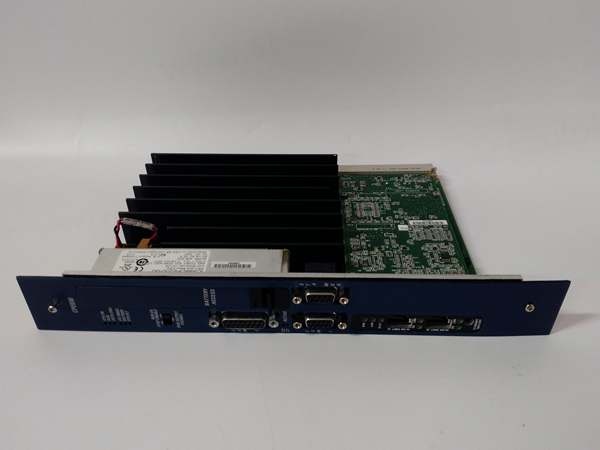
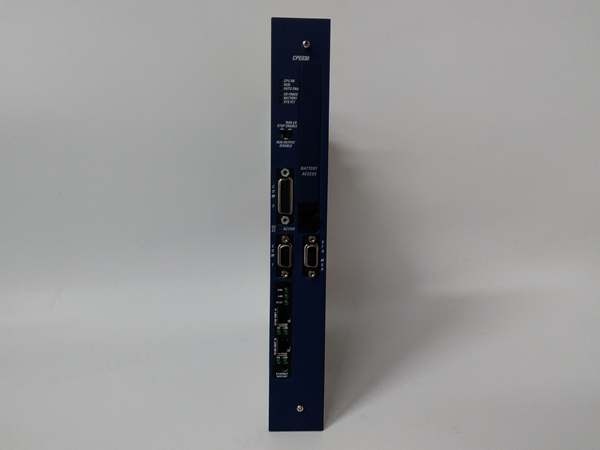
Serial Ports: 3× isolated serial ports (RS-232, RS-485, RS-232 Station Manager)
-
Power Consumption: +5 VDC at 3.4A nominal, +12 VDC at 0.042A, -12 VDC at 0.008A
-
Operating Temperature: 0°C to +50°C (standard), 0°C to +60°C (with fan tray)
-
Time of Day Clock: ±2 seconds per day drift max
-
Elapsed Time Clock: ±0.01% accuracy
-
Programming: Ladder Diagram, Structured Text, Function Block Diagram, C language
-
Protocols: SRTP, Modbus TCP Server/Client, Ethernet Global Data (EGD), Modbus RTU Slave, SNP
-
Web Server: Built-in HTTP/FTP server (up to 16 connections)
-
Configuration: Proficy Machine Edition Logic Developer PLC v4.0 or later
-
Weight: 0.82 kg (1.81 lbs)
-
Battery: External IC698ACC701 lithium battery pack for RAM retention

The Real-World Problem It Solves
You know the scenario: legacy Series 90-70 systems that need more processing power than the CPE010 can deliver, but you don’t want to pay for the high-end CPE040’s 1.8 GHz when 600 MHz is plenty for your application. The IC698CPE030 hits that sweet spot—it’s the Goldilocks CPU for RX7i systems. You get 64 MB of memory (6× the CPE010’s 10 MB), dual Ethernet for modern SCADA integration, and a 0.069 ms scan rate that’s fast enough for most discrete manufacturing and process control without being overkill. It’s the workhorse that handles complex PID loops, batch sequencing, and material handling algorithms without breaking the budget.
Where you’ll typically find it:
-
Mid-complexity manufacturing lines with 50-100 axes of motion control
-
Water/wastewater treatment plants with multiple PID loops and flow calculations
-
Food & beverage batch processing where recipe management requires more memory than the CPE010 offers
Bottom line: It bridges the performance gap between entry-level and high-end RX7i CPUs, giving you the memory and speed for modern control applications without the premium price of the 1.8 GHz CPE040.
Hardware Architecture & Under-the-Hood Logic
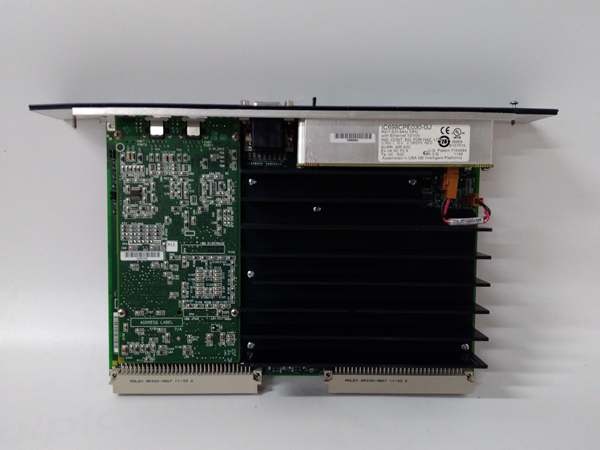
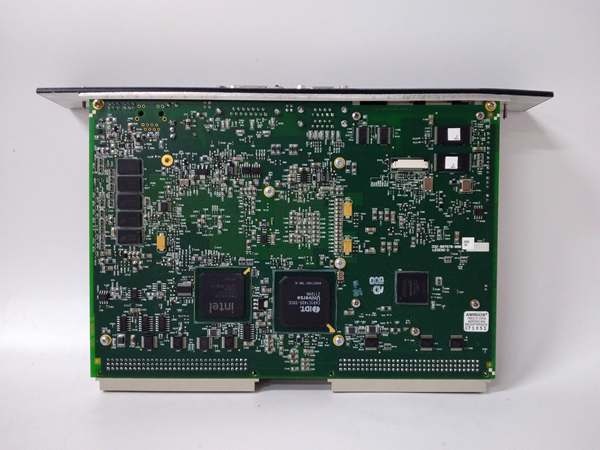
The IC698CPE030 mounts in Slot 1 of an RX7i VME64 rack. It’s a complete Pentium M-based computer on a single board, running a real-time operating system that handles deterministic control execution. The VME64 interface provides high-speed access to Series 90-70 I/O modules, while the dual Ethernet ports connect to modern networks with better performance than the CPE010.
Signal flow and processing logic:
-
Control Execution: The 600 MHz Pentium M executes ladder logic, structured text, or C programs with a 0.069 ms scan rate for 1000 Boolean contacts—twice as fast as the CPE010’s 0.33 ms
-
Memory Management: 64 MB battery-backed RAM stores the active program and data; 64 MB flash holds firmware and backup configuration. The lithium battery maintains RAM during power outages
-
VME Interface: The CPU acts as VME bus master, polling I/O modules across the VME64 backplane at each scan cycle, updating discrete and analog points
-
Network Communication: Ethernet Port 1 typically handles EGD (Ethernet Global Data) for HMI/SCADA; Port 2 can be configured for Modbus TCP to a DCS or for redundant network paths
-
Serial Backup: The RS-485 and RS-232 ports provide legacy serial communication for drives, barcode readers, or third-party devices that don’t support Ethernet
GE IC698CPE030
Field Service Pitfalls: What Rookies Get Wrong
Confusing CPE030 with CPE010 or CPE040 Rookies see “IC698CPE” and assume all variants are interchangeable. They’re not. The CPE030 has 64 MB memory and 600 MHz Pentium M, while the CPE010 has only 10 MB and 300 MHz Celeron. If you replace a CPE030 with a CPE010 to save money, complex programs that fit in 64 MB won’t run in 10 MB, and scan times will triple.
Field Rule: Check the existing CPU’s memory and scan time requirements before ordering a spare. The CPE030 is backward compatible with CPE010 programs, but not vice versa. If your application uses the extra memory or floating-point performance, don’t downgrade. Document the CPU model in your maintenance records so technicians don’t accidentally swap in the wrong variant.
Forgetting the Battery Replacement Schedule The 64 MB RAM requires the IC698ACC701 lithium battery to retain data during power loss. Rookies install the CPU, program it, and forget about the battery for 5 years. When power finally cycles, the battery is dead and the program is lost.
Quick Fix: Set a calendar reminder for battery replacement every 3 years, regardless of the “Battery OK” LED. The battery voltage can drop below the threshold to retain memory before the LED turns red. Keep a spare IC698ACC701 in your field kit—it’s cheaper than re-engineering the program at 2 AM. When replacing, power down the rack, swap the battery within 5 minutes, and power back up. If you leave the rack unpowered for more than 30 minutes without a good battery, you lose everything.
Mixing Up Ethernet Port Priorities The dual Ethernet ports are not created equal. Rookies plug the engineering laptop into Port 2 and wonder why they can’t download the program. Port 1 is the primary programming port; Port 2 is secondary and may have different security settings.
Field Rule: Always use Ethernet Port 1 (ETH1) for initial programming and configuration. Once configured, you can use either port for runtime communication, but for downloads and firmware updates, stick to ETH1. If you’re using media redundancy (LAN redundancy), both ports must be on the same subnet with the redundancy feature enabled in Proficy Machine Edition—otherwise you just have two independent ports that don’t failover properly.
Ignoring the 0.069 ms vs 0.069 Seconds Confusion Some rookies read “0.069” and think it’s 0.069 seconds (69 ms) per 1000 contacts, which would be terrible performance. It’s actually 0.069 milliseconds—69 microseconds. That’s fast enough for most applications, but if you’re doing high-speed motion control with sub-millisecond requirements, you need the CPE040’s 0.023 ms scan time.
Field Rule: Verify your scan time requirements before specifying the CPU. For discrete manufacturing with 1000 I/O points, the CPE030’s 0.069 ms is fine. For servo control or high-speed packaging lines with sub-millisecond response requirements, step up to the CPE040. Don’t assume all RX7i CPUs have the same performance—the “030” suffix matters.



