
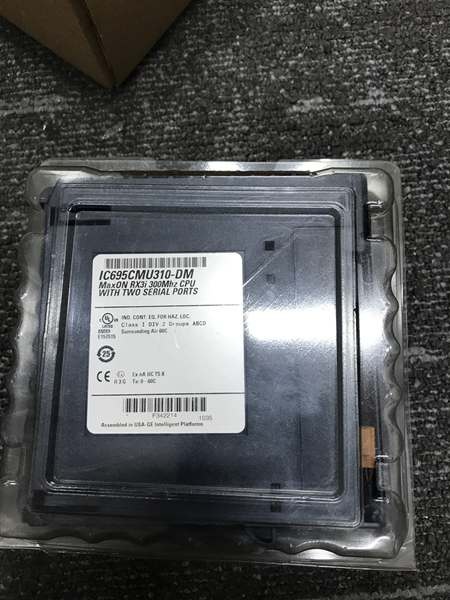
Description
Hard-Numbers: Technical Specifications
- Processor Speed: 300MHz Intel Celeron architecture
- Memory Configuration: 10MB battery-backed user RAM, 10MB non-volatile flash user memory
- Serial Ports: 2 isolated ports (1 RS-232, 1 RS-485)
- Communication Protocols: Modbus RTU Slave, SNP (Serial Numeric Protocol), Serial I/O
- Programming Languages: Ladder Diagram, Structured Text, Function Block Diagram, C language
- Boolean Execution Speed: 0.195ms per 1000 Boolean instructions (typical)
- Reference Table Sizes: %I/%Q: 32Kbits; %AI/%AQ: up to 32Kwords each; %W: up to available user RAM
- Program Blocks: Up to 512 blocks; maximum 128KB per block
- Redundancy Protocol: Max-ON hot-standby via dedicated Ethernet LANs
- Failover Time: 2-3 CPU logic scans (less than 1ms typical)
- Power Requirements: 1.0A @ +5VDC, 1.25A @ +3.3VDC
- Operating Temperature: 0°C to 60°C (32°F to 140°F)
- Clock Accuracy: Time-of-Day clock drift maximum 2 seconds per day
- Backplane Compatibility: RX3i Universal Backplane, Series 90-30 expansion backplanes supported
- PCI Compliance: PCI 2.2 electrical standard
- Battery Options: IC695ACC302 Lithium Smart Battery (recommended), IC693ACC302, IC698ACC701 Smart Coin Cell
- Battery Life: IC695ACC302 – 185 days (good state), 15 days (low state), 200 days total
- Firmware: In-system upgradeable (latest firmware release 6.00+)
- Ethernet Module: Requires IC695ETM001 Ethernet module(s) for redundancy communication
- Slot Width: Single slot (but redundancy requires 2 complete RX3i systems)
-

IC695CMU310
-
The Real-World Problem It Solves
This module gives you hot-standby CPU redundancy for RX3i PACSystems without buying a completely different controller platform. When your primary CPU fails, the backup takes over in less than a millisecond while maintaining I/O states, keeping your critical process running without interruption or manual intervention.
Where you’ll typically find it:
- Fuel loading facilities where pump shutdown during transfer is unacceptable
- Standby power generation plants requiring seamless transfer between generators
- Boiler control systems in steam plants where flame safety depends on continuous control
- Critical manufacturing lines where downtime costs thousands per minute
Bottom line: It’s your hot-standby redundancy solution for RX3i systems when process uptime is non-negotiable.
Hardware Architecture & Under-the-Hood Logic
The IC695CMU310 is a 300MHz CPU with dedicated redundancy firmware running Max-ON software to synchronize two independent RX3i systems. Each CPU runs its own copy of the control program and continuously exchanges operating data with its partner via dedicated Ethernet LANs, ensuring bumpless transfer when the master fails.
Signal flow breakdown:
- Two complete RX3i systems configured with IC695CMU310 CPUs in redundant pair
- Max-ON software loaded on both CPUs manages synchronization and failover logic
- Each CPU executes identical control program independently
- Dedicated Ethernet LAN(s) (one or two) connect the systems via IC695ETM001 modules
- Operating data, variable states, and I/O status exchanged continuously over Ethernet
- Program equivalence testing verifies both CPUs are running identical logic
- Master CPU selected automatically or via user configuration
- Watchdog monitoring on both CPUs detects hardware/software faults
- On master failure, backup CPU takes control in 2-3 logic scans
- I/O states maintained during transfer – no process disturbance
- Serial ports (RS-232, RS-485) provide Modbus RTU Slave, SNP, Serial I/O communication
- Battery-backed RAM preserves program and data during power loss
- Flash memory provides non-volatile storage for programs and configuration
- Dual backplane bus support: RX3i PCI and Series 90-30-style serial
- LED indicators display OK, RUN, FAULT, BATTERY status for diagnostics
Memory architecture:
- %I and %Q: 32Kbits discrete I/O references
- %AI and %AQ: Configurable up to 32Kwords each for analog
- %W: Bulk memory access up to maximum available user RAM
- Symbolic variables: Auto-located, can use any amount of user memory (up to 10MB)
Firmware version capabilities:
- Release 5.50+ (CJ): Run-mode store of EGD, LREAL data type support
- Release 5.60+ (CK): IC695PMM335 PACMotion Multi-Axis Motion Controller support
- Release 5.61+ (CK): Corrects issues from earlier versions
- Release 6.00+ (DM): User Defined Types, Variable Indexed Arrays, Logic Driven Write to Flash, Backplane Operations Controller enhancements
Critical limitation: Max-ON redundancy is NOT suitable for SIL 2 or SIL 3 safety applications. Use IC695CRU320 (bumpless redundancy) or certified safety systems for SIL-rated applications.
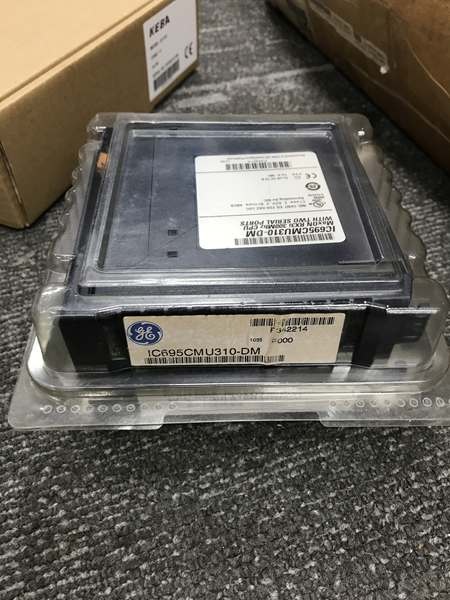
IC695CMU310
Field Service Pitfalls: What Rookies Get Wrong
Battery Installation Before Power-Up
Installers connect the lithium smart battery to the CPU before powering up the rack for the first time. The CPU drains the battery immediately trying to initialize memory backup, killing the battery life right out of the box.
Field Rule: Install CPU in the rack, power up the system, then connect the battery. The battery compartment has two terminals – connect to either one after the CPU is powered. This preserves battery life for rated backup duration (185 days good state).
Single Ethernet LAN for Critical Redundancy
Engineers configure redundancy with only one dedicated Ethernet LAN between the two systems. If that cable gets cut or the switch fails, you lose synchronization and redundancy – both CPUs won’t know each other’s state.
Field Rule: Use two dedicated Ethernet LANs between the redundant systems for critical applications. Connect LAN A on both systems and LAN B on both systems. If one path fails, the other maintains synchronization. One LAN is okay for non-critical applications, but you’re accepting single point of failure.
Missing Series 90-30 Expansion Rack Compatibility
Technicians think IC695CMU310 only works with RX3i backplanes and skip mixing in legacy Series 90-30 I/O. They buy all-new I/O when they could reuse existing 90-30 modules, wasting budget.
Field Rule: IC695CMU310 supports Series 90-30 expansion racks, both local and remote. You can use existing 90-30 modules in redundant RX3i systems. Check compatibility in GFK-2314, but most 90-30 I/O works fine. That’s thousands in savings on retrofits.
SIL Application Misapplication
System engineers specify IC695CMU310 for SIL 2 or SIL 3 safety applications thinking it’s certified. Max-ON hot-standby redundancy is NOT rated for safety applications – it’s for availability, not safety.
Field Rule: Use IC695CRU320 (bumpless redundant CPU) for SIL applications or certified safety instrumented systems (SIS). IC695CMU310 provides availability only – it won’t meet SIL certification requirements for safety-critical functions. Don’t get caught in an audit with wrong hardware.
C Blocks Compiled with Old Toolkit
Programmers update CPU firmware to release 5.00 or later but recompile C blocks using old C Toolkit (pre-5.00 Build 16C1). The CPU rejects the blocks or crashes during execution.
Field Rule: C Toolkit Release 5.00 Build 16C1 or later is required for CPU firmware 5.00+. C Toolkit 5.50 or later is required for LREAL data type. Recompile all C blocks when upgrading CPU firmware. Old compiled C blocks won’t run on newer firmware – they’re incompatible.
Ignoring Battery Low Indication
Maintenance staff never check battery status until the CPU loses memory during a power outage. The smart battery only reports low condition on power-up, not while running.
Field Rule: Battery Low indication appears only during CPU power-up via LED or fault table entry. Check battery status on every scheduled maintenance cycle. Replace battery when it shows low state – don’t wait for memory loss. At 20°C, you get 185 days good state, 15 days low state.
DNP3 Timestamp Sync Without Proper CPU Firmware
Engineers upgrade to IC695CMU310 for DNP3 applications but leave CPU firmware below version 5.00. DNP3 Master timestamp synchronization fails, causing data logging errors.
Field Rule: CPU firmware version 5.00 or later is required for DNP3 Master to synchronize timestamp values with the CPU. If you’re using DNP3 for SCADA time-synced data, ensure firmware meets minimum requirements before deployment.
PACMotion Integration Without Firmware Support
Installers add IC695PMM335 PACMotion Multi-Axis Motion Controller but use CPU firmware older than release 5.60. The motion controller won’t integrate properly, and you get communication errors.
Field Rule: CPU firmware release 5.60 or later (CK revision) supports IC695PMM335 PACMotion Multi-Axis Motion Controller. Check firmware compatibility before ordering motion modules. Earlier firmware won’t recognize the motion controller hardware.
Ethernet Module Placement in Wrong Slot
Technicians place the IC695ETM001 Ethernet module in any available slot without considering PCI bus allocation. For optimal redundancy performance, the Ethernet module should be placed according to GE guidelines for proper PCI bus utilization.
Field Rule: Place IC695ETM001 Ethernet modules according to RX3i system manual recommendations for redundancy applications. The dedicated LANs carry all synchronization data – bottleneck here and your redundancy suffers. Consult GFK-2314 for proper slot placement in your backplane configuration.
Max-ON Software Version Mismatch
Developers load Max-ON software that’s incompatible with the CPU firmware revision. Variable synchronization fails, or program equivalence testing reports mismatches constantly.
Field Rule: Match Max-ON software version to CPU firmware. Each firmware release has corresponding Max-ON software version. Using mismatched versions causes unpredictable behavior in redundancy synchronization. The Max-ON software provides subroutines for variable sync, program equivalence testing, and master selection – it needs to match the CPU firmware.
Overlooking Series 90 Toolkit Incompatibility
Programmers try to use Series 90 Toolkit (IC641SWP709/719) with PACSystems CPUs. It doesn’t work, and they waste hours troubleshooting configuration errors.
Field Rule: Series 90 Toolkit is NOT compatible with PACSystems. Use the C Toolkit for PACSystems distributed with Proficy Machine Edition Logic Developer. Updates available from GE support. Different toolkit for different platform – don’t mix them.
Improper I/O Scan Set Configuration
Engineers assign I/O scan sets incorrectly for redundant CPUs, causing conflicts when failover occurs. Both CPUs try to control the same I/O or miss inputs after transfer.
Field Rule: Configure I/O scan sets properly for each CPU in the redundant pair. Max-ON software manages failover, but I/O scan sets must be correctly assigned to both CPUs. Verify both CPUs have identical I/O configurations before deploying redundancy – mismatched I/O causes failover issues.
Thermal Environment Neglect
Installers rack-mount CPUs in enclosures exceeding 60°C ambient temperature. CPUs throttle, shutdown randomly, or fail prematurely due to overheating.
Field Rule: Maintain enclosure ambient temperature below 60°C. CPU operating range is 0-60°C. In high-temperature environments, provide adequate ventilation or air conditioning. Hot CPUs fail unpredictably – redundancy won’t save you if both cook in the same cabinet.
Backplane Power Capacity Exceeded
System designers add too many high-power modules without calculating backplane power draw. The power supply can’t provide sufficient current, causing random CPU resets or brownouts that trigger unnecessary failover events.
Field Rule: Calculate total backplane power draw including both CPUs (1.0A @ +5VDC, 1.25A @ +3.3VDC each), all I/O modules, and Ethernet modules. Ensure power supply (IC695PSxxxx) can handle the load with headroom. Undersized power supplies cause nuisance trips and unreliable redundancy.
Quick Fix: Use IC695PSA040/IC695PSD040 or IC695PSA140/IC695PSD140 multifunction power supplies for better capacity and diagnostic capability.
Commercial Availability & Pricing Note
Please note: The listed price is for reference only and is not binding. Final pricing and terms are subject to negotiation based on current market conditions and availability.



