
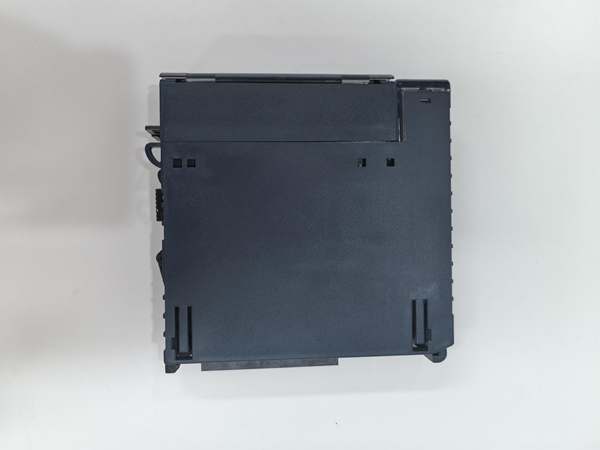
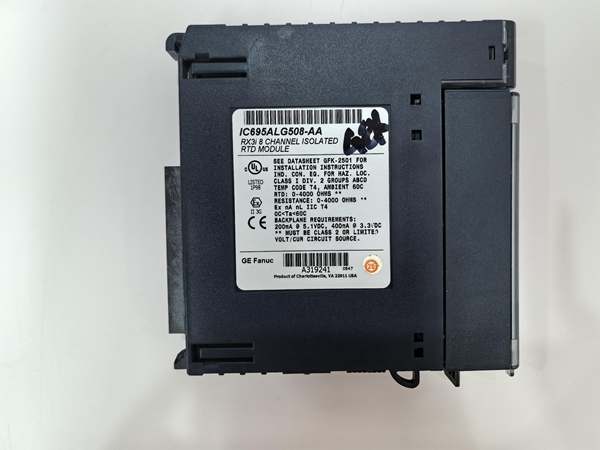
Description
Hard-Numbers: Technical Specifications
- Channel Count: 8 isolated differential input channels .
- Supported RTD Types: Platinum (Pt 385, Pt 391.6), Nickel (Ni 618, Ni 672), Copper (Cu 426), Nickel-Iron (NiFe 518) .
- Resistance Input Range: 0–260, 0–525, 0–1050, 0–2100, 0–3150, 0–4200 ohms .
- Wiring Configuration: 2, 3, or 4-wire, configurable per channel .
- Data Format: 32-bit IEEE floating-point or 16-bit integer (in a 32-bit field) .
- Configurable Notch Filter: 2.3 Hz to 28 Hz, programmable per channel .
- Isolation Rating: Channel-to-channel and channel-to-ground isolation.
- Operating Temperature: 0°C to +60°C (standard range; verify if -EB denotes extended range) .
- Power Dissipation: 2.5W max .
- Backplane Current: 3.3V @ 400mA; 5V @ 200mA .
- Hot-Swap: Supports Removal and Insertion Under Power (RIUP) .
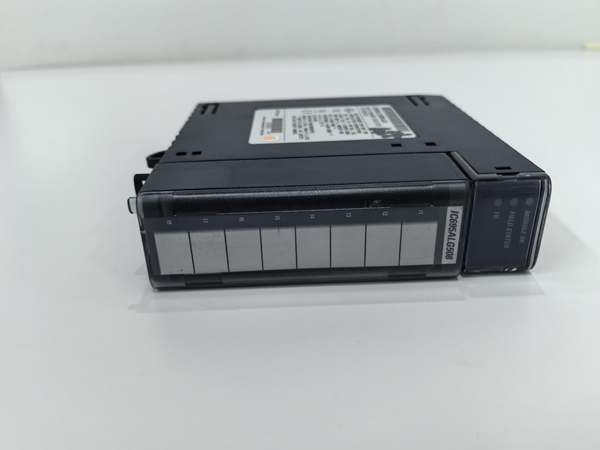
GE IC695ALG508
The Real-World Problem It Solves
The “-EB” suffix isn’t a marketing gimmick; it’s a traceability tag. In the field, grabbing any IC695ALG508 off the shelf can cause a mismatch. This suffix ensures you get the exact hardware revision that matches your system’s firmware, environmental specs, and agency certifications.
Where you’ll typically find it:
- Legacy System Spare Parts: When replacing a failed module in a 10-year-old system, the suffix ensures electrical and mechanical compatibility with the original installation.
- Harsh Environment Upgrades: The suffix may indicate a version rated for extended temperature or higher humidity, common in outdoor substations or unheated compressor buildings.
- Global Project Compliance: Different suffixes can denote modules built to specific regional safety standards (e.g., ATEX, IECEx for hazardous areas).
Using the wrong suffix version might work initially but can lead to subtle calibration drift or premature failure in specific conditions.
Hardware Architecture & Under-the-Hood Logic
The core architecture is identical to the base IC695ALG508: a bank of eight isolated measurement circuits with a dedicated processor. The “-EB” suffix typically relates to a component-level revision—a different batch of ADCs, a revised power supply filter, or an updated firmware ROM—that doesn’t change the fundamental signal path but ensures consistency.
- Signal Path & Processing: The module applies a constant current to the RTD, measures the voltage drop, performs lead resistance compensation (for 3-wire), digitizes the signal with a sigma-delta ADC, applies digital filtering, and linearizes the result to ITS-90 standards .
- The “-EB” Difference: This suffix is often silkscreened on the PCB and stored in the module’s non-volatile memory. The CPU can read this revision code during startup. A mismatch might trigger a minor fault or warning in the controller’s I/O configuration, indicating a potential firmware or calibration table difference .
- Field Interchangeability: Physically, it will plug and play. Functionally, it will read RTDs. However, for mission-critical loops where the original module was calibrated against a plant standard, a different hardware revision might introduce a slight, non-zero offset. Always check the controller’s I/O fault log after a swap.
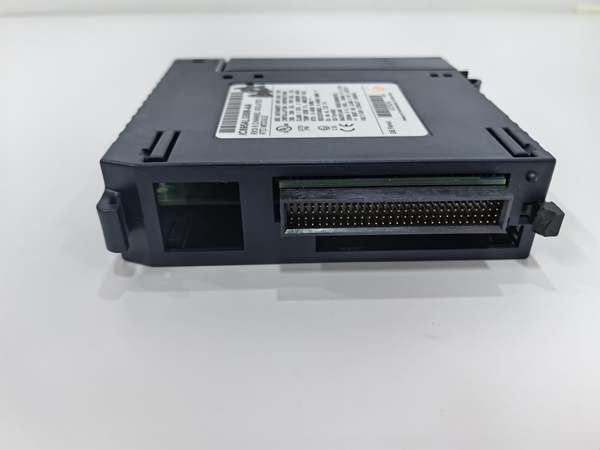
GE IC695ALG508
Field Service Pitfalls: What Rookies Get Wrong
Ignoring the Suffix During Spare Part Procurement
The biggest mistake is ordering “IC695ALG508” without the suffix. You get a module that fits the slot, but the plant’s asset management system won’t log the correct part, and you lose traceability. If a batch-related issue arises, you can’t prove what’s in your cabinet.
- Field Rule: Always read the full part number from the failed module’s label. Order the exact P/N including all suffix letters. Your purchase order should mirror the label exactly:
IC695ALG508-EB.
Assuming All Revisions are Functionally Identical
A rookie swaps in a module with a different suffix, sees the OK LED light, and calls it a day. Six months later, a temperature loop in a cryogenic process starts drifting. The root cause is a minor component change in the “-EB” revision’s reference voltage circuit that behaves differently at -50°C.
- Quick Fix: Document the suffix of every module you install. In your maintenance log, note the replaced module’s old and new full part numbers. If unexplained drift occurs, this is the first data point to check.
Not Verifying Firmware Compatibility in Proficy Machine Edition
You install an “-EB” module into a rack that previously had an “-AA”. The hardware config downloads, but you get a “Module Type Mismatch” or “Revision Warning” in PME. The rookie clears the warning. The veteran knows to check if a different GSD file or module profile is needed.
- Field Rule: After installing a replacement module, always open the hardware configuration in PME. Right-click the module, select “Properties” or “Module Information,” and verify the detected revision matches what’s expected. Update the hardware catalog if necessary .
Commercial Availability & Pricing Note
Please note: The listed price is for reference only and is not binding. Final pricing and terms are subject to negotiation based on current market conditions and availability.



