
Description
Hard-Numbers: Technical Specifications
- Input Channels: 16 points, individually isolated
- Rated Voltage: 120VAC nominal
- Input Voltage Range: 0–132VAC, 47–63Hz
- On-State Voltage: 70–132VAC
- Off-State Voltage: 0–20VAC
- Input Current: 7.0mA per point (typical at rated voltage)
- Isolation Rating: 250VAC continuous / 1500VAC for 1 minute (field-to-backplane, group-to-group)
- Power Draw: 220mA from 5V backplane bus (all inputs ON)
- Response Time: ON ≤30ms / OFF ≤45ms
- Input Filter Range: 20ms–2540ms (configurable in 20ms increments via software)
- Operating Temperature: -10°C to +60°C
- Required CPU Firmware: RX3i CPU Release 3.50 or later
- Compatible Terminal Blocks: IC694TBB032, IC694TBB132, IC694TBS032, IC694TBS132 (ordered separately)
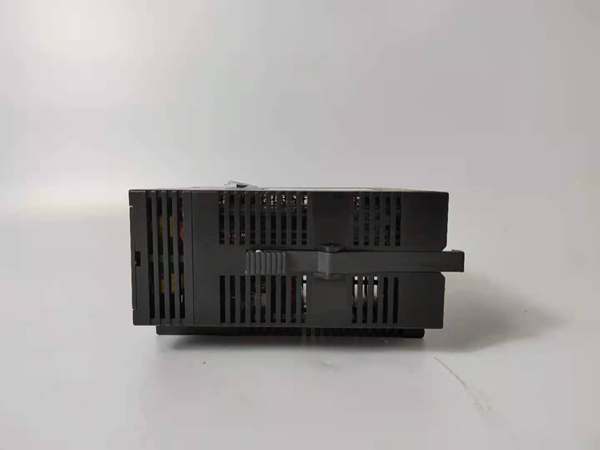
GE IC693PWR322
The Real-World Problem It Solves
You’ve got field devices scattered across multiple phases of a 3-phase AC distribution system, and you need each input to survive a ground fault on any one phase without taking down the entire card. Standard non-isolated input modules tie commons together—one fault cascades across all channels. This module gives you 16 separate commons, so each input stands on its own.
Where you’ll typically find it:
- Motor control center (MCC) status feedback where each bucket runs off a different phase
- Utility substations monitoring breaker positions across A/B/C phase panels
- Process skids with multiple 120VAC pilot devices sourced from separate branch circuits
Bottom line: It keeps your I/O alive when the power distribution isn’t clean or unified.
Hardware Architecture & Under-the-Hood Logic
This isn’t a dumb relay-input card. Each channel has its own optocoupler and RC snubber network sitting behind the terminal block, feeding a common backplane interface. No onboard microprocessor—signal conditioning happens in analog, then the backplane ASIC polls the opto outputs and reports state to the CPU.
- Field-side AC enters through the terminal block → each input has its own dedicated pair (signal + return) tied to an RC snubber that clips transient spikes from inductive kickback.
- AC signal passes through a bridge rectifier and current-limiting resistor → drives an optocoupler LED at ~7mA when voltage exceeds the ON threshold (~70VAC).
- Optocoupler output switches a digital line → the backplane interface ASIC samples all 16 channels and transmits ON/OFF state to the RX3i CPU over the high-speed serial bus.
- CPU reads filtered state → input filter time (20–2540ms) is applied in firmware, not hardware, so you can adjust debounce on-the-fly without touching DIP switches.
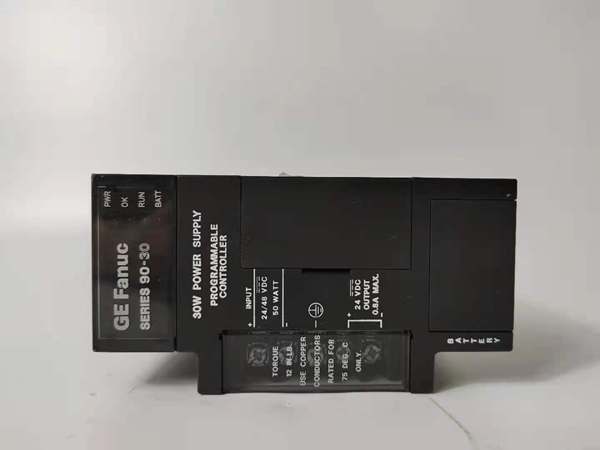
GE IC693PWR322
Field Service Pitfalls: What Rookies Get Wrong
Forgetting the Terminal Block is Sold Separately
The module ships without a terminal block. You pull the card out of the box, see 36 terminals on the front, and assume you’re ready to land wires. You’re not. The TB LED glows red because there’s no block locked in place—your I/O won’t configure, and the CPU throws a module fault.
Field Rule: Verify terminal block PN (IC694TBB032/TBB132/TBS032/TBS132) is on the BOM and staged before starting the install. Extended blocks (TBB132/TBS132) give you extra shroud depth for fat field wires.
Wiring Multiple Inputs to a Shared Common
Each input on this card is isolated—that means Input 1 has its own Return terminal (pin 2), Input 2 has its own Return (pin 4), and so on. Tie all the returns together, and you’ve just defeated the isolation. Now a single ground fault hits all 16 channels.
Quick Fix: Land each field device’s return wire on its dedicated terminal (1-2, 3-4, 5-6, etc.). If your field wiring uses a shared neutral, you picked the wrong module—use a non-isolated card instead.
Ignoring the Firmware Requirement
This card flat-out won’t enumerate on an RX3i rack running CPU firmware older than Release 3.50. Plug it in, and the CPU won’t recognize the module type. You’ll chase configuration errors for hours before someone checks the firmware revision.
Field Rule: Query CPU firmware version in Proficy Machine Edition (PME) under Hardware Configuration → CPU → Firmware Version. If it’s <3.50, flash the CPU before swapping in an MDL250.
Commercial Availability & Pricing Note
Please note: The listed price is for reference only and is not binding. Final pricing and terms are subject to negotiation based on current market conditions and availability.



