
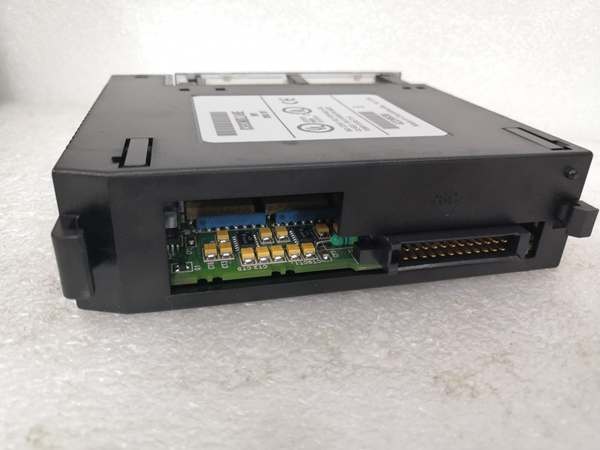
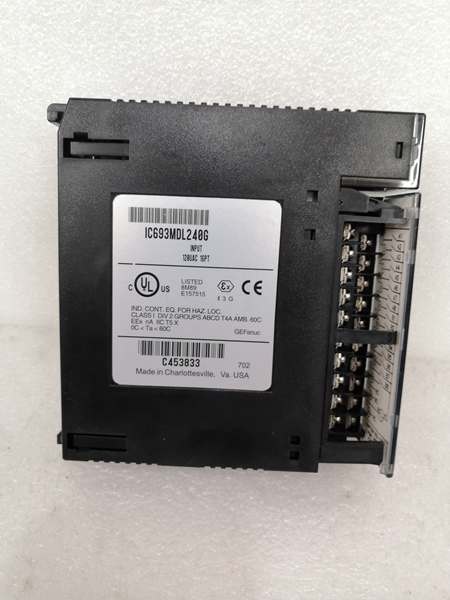
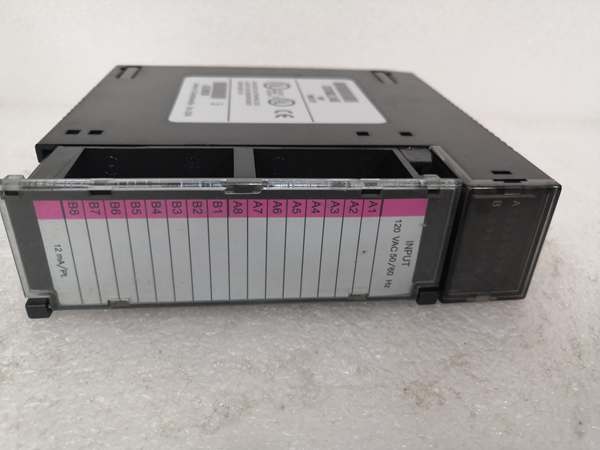
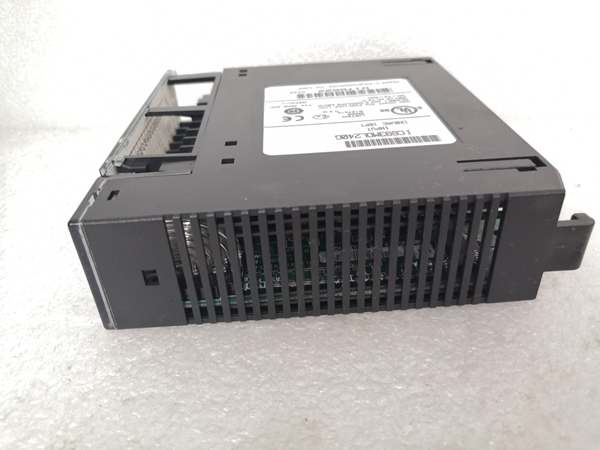
Description
Hard-Numbers: Technical Specifications
- Input Voltage Range: 0-132VAC (50/60 Hz)
- Nominal Input Voltage: 120VAC
- Input Current per Point: 12 mA typical at 120VAC
- On-State Voltage Drop: 1.5 VAC typical
- Off-State Leakage Current: 2.5 mA maximum at 132VAC
- Input Impedance: 10K ohms typical
- Response Time: 15 ms typical (ON), 25 ms typical (OFF)
- Isolation: 1500 VAC optical isolation between inputs and backplane
- Points per Module: 16 (single group)
- Backplane Current Draw: 90 mA @ +5 VDC
- Terminal Block: Removable 20-position terminal block
- LED Indicators: 16 individual LEDs (one per input point)
- Operating Temperature: 0°C to 60°C (32°F to 140°F)
- Fusing Required: External fuse recommended per module (typically 2A fast-acting)
- Filtering: RC snubber network on each input for noise immunity
- Wire Size: 14-22 AWG (solid or stranded)

GE IC693MDL240
The Real-World Problem It Solves
You have 120VAC field devices scattered across your panel—pushbuttons, selector switches, limit switches—and you need to bring those signals into your Series 90-30 PLC. Running each device individually to the PLC would be a wiring nightmare. This module gives you 16 input points in one package, each optically isolated from the PLC logic and from each other, with individual LED indicators showing the state of every input. You terminate all 16 field devices at one module, and the PLC reads the status through the backplane.
Where you’ll typically find it:
- Motor Control Centers: MCC buckets with local 120VAC control devices—start/终止 pushbuttons, selector switches, pilot lights—that need PLC monitoring
- Machine Control Panels: CNC machines, packaging equipment, and assembly machinery with 120VAC operator interface devices and limit switches
- Process Control Skids: Pump and valve control panels with 120VAC pushbuttons, selector switches, and local indicating lights requiring PLC integration
Bottom line: It’s your 120VAC gateway to the Series 90-30—16 isolated input channels with individual status LEDs in a single module, replacing individual relay interfaces and reducing wiring complexity.
Hardware Architecture & Under-the-Hood Logic
The IC693MDL240 plugs into any Series 90-30 I/O slot and communicates with the PLC backplane via standard rack communication. The module contains 16 independent input circuits, each with an optocoupler for isolation, RC filtering for noise immunity, and an LED indicator. Field devices connect to the terminal block pins, and the input circuit detects AC voltage presence. When AC voltage is applied to an input, the optocoupler conducts, the LED illuminates, and the backplane receives a logic “1” signal. When no voltage is present, the optocoupler is off, the LED is dark, and the backplane receives a logic “0”.
-
Input Circuit Design: Each of the 16 inputs has an identical circuit architecture. Field voltage (0-132VAC) connects through the terminal block to a current-limiting resistor and RC filter network. The filtered AC signal drives an optocoupler LED. The optocoupler output transistor connects to the backplane logic circuitry, providing galvanic isolation between the field voltage and PLC logic. A status LED in parallel with the optocoupler LED provides visual indication of input state.
-
AC Voltage Detection: The input circuit detects AC voltage presence by rectifying and filtering the AC signal. The RC network smooths the AC waveform and provides noise immunity, filtering out high-frequency electrical noise that could cause false triggering. The optocoupler responds to the rectified DC level—sustained AC voltage maintains conduction, while brief transients are filtered out.
-
Optical Isolation: The optocoupler provides 1500 VAC isolation between the field voltage side and the PLC backplane side. This isolation protects the PLC from ground loops, voltage spikes, and common-mode noise that may be present on the 120VAC field wiring. Each input is isolated from the backplane, but inputs share a common return on the field side (typically the neutral connection).
-
LED Status Indication: Each input has a dedicated green LED on the module front panel. The LED is wired in parallel with the optocoupler LED and illuminates when AC voltage is present at the input. The LED provides immediate visual confirmation of input state without requiring programming software or HMI access. LEDs are visible even in bright industrial environments.
-
Backplane Communication: The module communicates input status to the Series 90-30 CPU via the rack backplane. Input states are mapped to %I addresses in the PLC program. The CPU scans the module like any other I/O module—no special programming is required for data exchange. The backplane circuitry includes registers for input status, module health, and diagnostic information.
-
Input Filtering and Response Time: The RC filter network on each input determines the response time—approximately 15 ms turn-ON and 25 ms turn-OFF. This filtering prevents false triggering from electrical noise and transients. The response time is suitable for most general-purpose discrete sensing applications but may be too slow for high-speed counting or encoder applications.
-
Current Limiting and Protection: Each input circuit includes current-limiting resistance and protection diodes to prevent damage from overvoltage or reverse polarity. However, the module relies on external fusing for overcurrent protection—an external fuse (typically 2A fast-acting) is recommended on the 120VAC supply to the module. Internal protection handles transient voltage spikes within specified limits.
-
Removable Terminal Block: The module uses a removable 20-position terminal block for field wiring connections. This allows the module to be replaced without disturbing field wiring—disconnect the terminal block, remove the module, install the replacement, and reconnect the terminal block. Terminal blocks accept 14-22 AWG solid or stranded wire with screw termination.
-
Common Return Connection: All 16 inputs share a common return (typically the 120VAC neutral connection) on the terminal block. This common return simplifies wiring but requires attention to ground reference. All inputs must reference the same AC source or properly isolated sources. Mixing different AC sources with different ground references can cause ground loops or false triggering.
-
Module Health Monitoring: The module continuously monitors internal health and reports status to the CPU through backplane registers. Diagnostic information includes module present status, internal fault detection, and individual input fault flags (if supported). The CPU can monitor diagnostic %I words to detect module failures or input circuit faults.
GE IC693MDL240
Field Service Pitfalls: What Rookies Get Wrong
Mixing 120VAC and 24VDC on the same module
You try to connect a 24VDC proximity switch to the MDL240 alongside 120VAC pushbuttons. The DC voltage doesn’t properly drive the AC input circuit, causing intermittent or no detection. You waste time troubleshooting a wiring problem instead of using the correct input module.
Field Rule: The MDL240 is designed for 120VAC inputs only. Use 24VDC input modules (IC693MDL310, MDL330, etc.) for DC field devices. Don’t attempt to use AC input modules with DC sources—AC input circuits require AC voltage for proper operation. Match the input module voltage rating to your field device voltage.
Forgetting external fusing
You wire 120VAC directly to the module without an external fuse. A field wiring short occurs, and the module input circuit burns out before the upstream breaker trips. You’ve damaged the module and possibly other equipment.
Field Rule: Always install external fusing on the AC supply to the module. Use a 2A fast-acting fuse per module or per group of modules as recommended. The fuse protects the module input circuits from overcurrent damage during wiring faults. External fusing is cheap insurance—never connect directly to an unfused AC source.
Improper grounding causing false triggering
You connect field devices to different ground references than the module return. Ground loops and common-mode voltage differences cause inputs to trigger randomly, even when devices are OFF. You chase phantom faults and replace good modules.
Field Rule: Ensure all field devices on the MDL240 share a common ground reference with the module return connection. Avoid connecting devices powered from different AC sources or transformers with isolated secondaries unless they’re properly bonded. Ground loops cause erratic input behavior—establish a single-point ground reference for all inputs on the module.
Using undersized wire for high-current connections
You use 24 AWG wire for all connections to save space. The terminal block screws don’t grip the small wire securely, connections loosen over time, and you experience intermittent input failures. Vibration from nearby equipment makes the problem worse.
Field Rule: Use appropriate wire gauge for the application—14-22 AWG is the specified range. For industrial environments with vibration, use 16-18 AWG stranded wire with ferrules for secure screw termination. Undersized wire causes loose connections and intermittent faults. Don’t compromise on wire gauge—use properly sized wire for reliable connections.
Neglecting torque specifications on terminal block
You tighten terminal screws by feel without a torque screwdriver. Some connections are loose, others are over-tightened and strip. You experience intermittent input faults and eventually damage the terminal block.
Field Rule: Use a torque screwdriver and follow manufacturer torque specifications for the terminal block screws (typically 6-8 in-lbs for GE terminal blocks). Proper torque ensures secure connections without damage. Overtightening strips screws and damages terminal block—undertightening causes loose connections. Torque every connection systematically.
Ignoring input response time limitations
You try to use the MDL240 for high-speed pulse counting from a flow meter. The 15-25 ms response time is too slow, and you miss counts or get inaccurate readings. You assume the module is defective.
Field Rule: The MDL240 has 15-25 ms response time, suitable for general-purpose discrete sensing only. For high-speed applications (encoders, high-rate counters, fast pulse detection), use high-speed counter modules or specialized input modules with microsecond response times. Don’t expect general-purpose AC input modules to handle high-speed signals—they’re designed for switch and sensor status, not counting.
Wiring neutral instead of hot to input
You wire the 120VAC neutral to the input terminal and hot to common return. The circuit doesn’t work because the input detects voltage relative to the common return. You spend hours troubleshooting wiring that was backwards from the start.
Field Rule: Wire the 120VAC hot (line) to the input terminal and neutral to the common return connection. The input circuit senses voltage between the input terminal and common return. Reversed wiring prevents proper operation. Always verify polarity and hot/neutral identification with a meter before energizing. Test each input with a known-good source to verify correct wiring.
Overlooking module replacement with power applied
You try to replace the MDL240 while the rack is powered. The backplane communication is interrupted, the CPU faults, and you may damage the module or backplane. You cause unnecessary downtime and risk equipment damage.
Field Rule: Always power down the rack before replacing I/O modules. While some modules support hot insertion, the MDL240 is not rated for hot swap. Remove terminal block with power off, replace module, reconnect terminal block, then restore power. Hot swapping non-rated modules causes CPU faults and potential damage. Follow proper power-down procedures for module replacement.
Commercial Availability & Pricing Note
Please note: The listed price is for reference only and is not binding. Final pricing and terms are subject to negotiation based on current market conditions and availability.



