
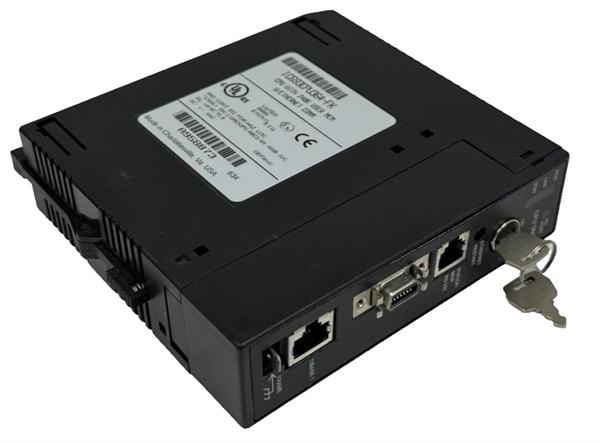
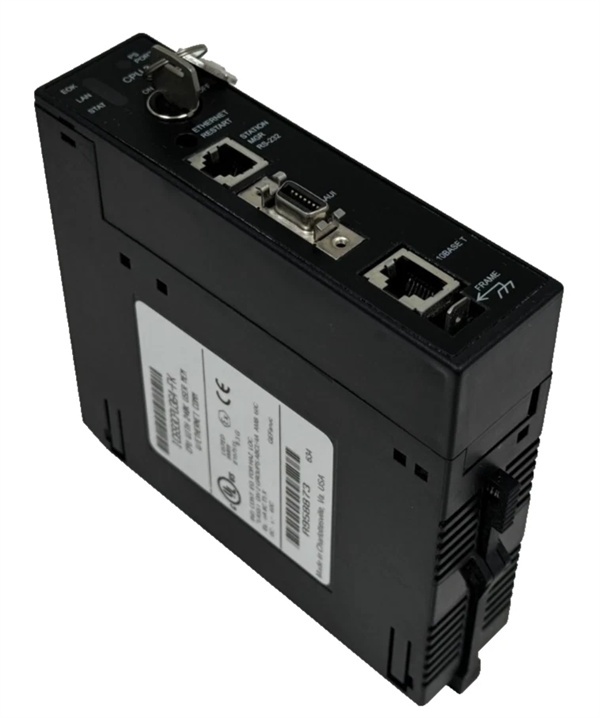
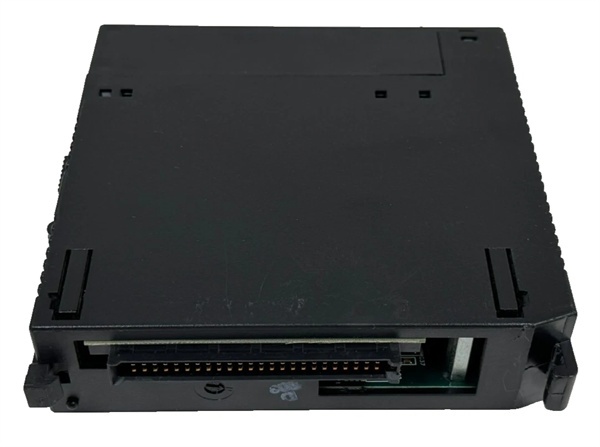
Description
Hard-Numbers: Technical Specifications
- Memory Type: Flash EEPROM (non-volatile)
- Memory Capacity: 256 KB (262,144 bytes)
- Compatibility: All Series 90-30 CPU models (CPU331, CPU340, CPU341, CPU351, CPU352, CPU360, CPU363, CPU364, CPU372, CPU374)
- Data Retention: 10 years minimum (without power)
- Write/Erase Cycles: 10,000 cycles minimum (per memory location)
- Access Time: < 200 ns read access
- Backplane Current Draw: 100 mA @ +5 VDC during read/write operations
- Operating Temperature: 0°C to 60°C (32°F to 140°F)
- Storage Temperature: -40°C to 85°C (-40°F to 185°F)
- Write Protection: Write-protect switch on cartridge body
- LED Indicators: None (status via CPU programming software)
- Form Factor: PCMCIA Type II compatible cartridge
- Data Transfer: Via Series 90-30 CPU programming port (RS-232 or Ethernet)

The Real-World Problem It Solves
Your CPU battery dies and you lose the program because the RAM was volatile—or you need to take a program offline for backup without powering down the PLC or risking corruption during transfer. This flash cartridge gives you non-volatile storage that doesn’t depend on batteries, retains data for 10 years without power, and lets you backup or restore programs while the system is running. When the CPU battery fails, your program is safe on the cartridge. When you need to restore after a CPU replacement, you just plug in the cartridge and load the program.
Where you’ll typically find it:
- Safety-Critical Applications: Nuclear facilities, chemical plants, and ESD systems where program backup is mandatory for change control and regulatory compliance—offline backups are required before any program changes
- Remote or Unattended Locations: Pumping stations, offshore platforms, and remote skids where battery replacement intervals are extended and program loss risk must be minimized
- Rapid Recovery Scenarios: Facilities with multiple identical machines or skids where quick CPU swap-out requires fast program restoration from pre-loaded cartridges
Bottom line: It’s battery-free program insurance—stores your Series 90-30 program safely for 10 years without power, lets you backup or restore while running, and eliminates the risk of program loss from battery failure.
Hardware Architecture & Under-the-Hood Logic
The IC693MAR590 is a PCMCIA Type II format flash memory cartridge that plugs into a dedicated memory expansion slot on Series 90-30 CPUs. The cartridge contains flash EEPROM memory organized in 256 KB of addressable storage space. A write-protect switch on the cartridge body prevents accidental program overwrites or corruption. The CPU accesses the cartridge through its memory bus, treating it as an extension of non-volatile memory. Programs can be copied from CPU RAM to the cartridge, loaded from the cartridge to CPU RAM, or compared byte-by-byte to verify integrity. The flash memory retains data without battery power for a minimum of 10 years.
-
Cartridge Interface: The MAR590 plugs into a dedicated expansion connector on the Series 90-30 CPU front panel or internal memory slot (depending on CPU model). The CPU communicates with the cartridge through a parallel memory interface, reading and writing data as memory-mapped I/O. The CPU detects cartridge presence during power-up or when inserted hot-swappable.
-
Memory Organization: The 256 KB flash array is organized as 32-bit words, mapped into the Series 90-30 CPU address space. The CPU can read, write, or erase sectors of flash memory. Flash memory requires erase-before-write operations—the CPU firmware manages this process automatically during program transfers. The flash array is divided into erase blocks that are cleared before new data is written.
-
Program Storage Operations: The Series 90-30 CPU supports several operations with the memory cartridge:
- Save to Cartridge: Copy current program from CPU RAM to flash cartridge
- Load from Cartridge: Copy program from flash cartridge to CPU RAM
- Compare Cartridge to RAM: Byte-by-byte verification that cartridge contents match CPU program
- Format Cartridge: Erase entire flash array to prepare for new program storageThese operations are initiated through programming software (VersaPro, Proficy Machine Edition) or CPU front panel commands.
-
Write Protection Switch: A physical switch on the cartridge body enables or disables write operations. When write protection is ON, the CPU cannot modify cartridge contents—prevents accidental overwrites, corruption from erroneous commands, or unauthorized program changes. When write protection is OFF, the CPU can write, erase, or format the cartridge. Always enable write protection after storing a known-good program.
-
Hot-Swappable Capability: The MAR590 can be inserted or removed while the CPU is powered (hot-swappable) on most Series 90-30 CPU models. The CPU detects cartridge insertion/removal and handles the event gracefully—existing program in CPU RAM is unaffected. However, write or read operations cannot occur while the cartridge is being swapped. Always pause active operations before swapping cartridges.
-
Battery-Independent Operation: The flash memory retains data without external power or battery backup. Unlike CPU RAM which requires a lithium battery for data retention during power loss, the MAR590 stores data permanently in flash cells. Data retention is guaranteed for minimum 10 years without power—no battery maintenance required.
-
Flash Write Cycle Management: Flash memory has limited write/erase cycles (minimum 10,000 per location). The CPU firmware manages wear leveling by distributing write operations across available memory blocks. Repeated save operations to the same cartridge will eventually wear out the flash—monitor cartridge age and replace periodically in applications with frequent program updates.
-
Data Integrity Verification: The CPU can perform byte-by-byte comparison between cartridge contents and CPU RAM. This operation verifies that the stored program matches the running program exactly. Always perform a compare operation after saving a program to verify successful storage. Compare also detects corruption or flash memory errors before relying on the cartridge for backup.
-
Program Transfer via Programming Software: Programming software (VersaPro, Proficy Machine Edition) interfaces with the CPU to transfer programs between PC and cartridge. The software can save CPU programs directly to cartridge, load from cartridge to CPU, or open cartridge contents for editing. The programming software manages the low-level flash erase/write operations automatically.
-
Cross-CPU Compatibility: The MAR590 is compatible with all Series 90-30 CPU models (331 through 374 series). Programs stored on the cartridge can be loaded into any compatible CPU, assuming the CPU model has sufficient memory capacity and supports the program’s instructions. This enables rapid CPU replacement and program migration between machines.

GE IC693CPU364
Field Service Pitfalls: What Rookies Get Wrong
Assuming the cartridge replaces the CPU battery
You install the MAR590 and 终止 monitoring CPU battery health because “the cartridge has backup.” The CPU battery fails, RAM is lost on power cycle, and the CPU starts in fault state even though the program exists on the cartridge. The cartridge doesn’t back up RAM—it only stores archived copies.
Field Rule: The MAR590 is archive storage, not runtime RAM backup. CPU RAM still requires battery backup for data retention during power loss. The cartridge stores offline program copies that must be manually loaded after RAM loss. Monitor CPU battery voltage and replace on schedule. Don’t disable battery monitoring just because you have a flash cartridge—they serve different purposes.
Forgetting to enable write protection
You save a program to the cartridge and leave write protection OFF. A week later, someone accidentally triggers “Save to Cartridge” from a corrupted development program, overwriting your good backup. You now have no valid backup.
Field Rule: Always enable write protection immediately after saving a known-good program. The write-protect switch prevents accidental overwrites from erroneous commands or unauthorized changes. Only disable write protection when intentionally updating the stored program. Re-enable write protection before putting the cartridge back in service. Write protection is your insurance against accidental data loss.
Neglecting to verify program save with compare
You save your program to the cartridge, see no error messages, and assume it’s good. A month later, you try to restore from cartridge and discover the save operation corrupted mid-way due to a memory error. Your backup is worthless.
Field Rule: Always perform a “Compare Cartridge to RAM” operation after saving a program. This byte-by-byte verification confirms the cartridge contents match the CPU program exactly. Never assume a save operation succeeded without verification. Compare also detects flash memory errors early. If compare fails, save again or replace the cartridge.
Exceeding flash write cycle limits
You use the same MAR590 cartridge for daily program backups in a rapidly evolving application. Two years later, the cartridge fails to reliably store data. You’ve exceeded the 10,000 write/erase cycle limit—flash memory is worn out.
Field Rule: Monitor cartridge usage in applications with frequent program saves. Flash memory has limited write cycles (minimum 10,000 per location). For frequent backup operations, rotate multiple cartridges to distribute wear. Track save count or replace cartridges on a preventive schedule (e.g., annually for high-use applications). Worn-out flash memory causes silent data corruption—replace before failure.
Swapping cartridges during active CPU operations
You swap the MAR590 while the PLC is running a critical process. The CPU faults due to unexpected cartridge removal, or you interrupt a save operation that was in progress. Production 终止s and you may corrupt data on either cartridge.
Field Rule: Pause active operations before swapping cartridges. Ensure no save, load, or compare operations are in progress. Place the CPU in program mode or halt mode if possible before cartridge removal. Some CPU models may fault on hot cartridge removal during certain operations. Check CPU model-specific behavior before hot-swapping. Don’t interrupt active operations—wait for a safe state.
Ignoring cartridge age and data retention limits
You have a MAR590 cartridge stored as a “gold master” backup for 15 years without verification. A CPU failure occurs, and when you try to restore, the program is corrupted due to flash data degradation beyond the 10-year retention limit.
Field Rule: Verify cartridge contents periodically, especially for long-term storage. While minimum data retention is 10 years, verify programs annually or semi-annually for critical backups. Perform a compare operation against a known-good CPU program. Re-save programs to fresh cartridges periodically (every 3-5 years for critical backups). Don’t assume 10-year retention is indefinite—verify before relying on old cartridges.
Assuming cartridge protects against all program loss scenarios
You have a MAR590 with a program backup, so you don’t maintain other backup methods. The cartridge is physically damaged, lost, or stolen during an incident. You now have no program backup at all.
Field Rule: The MAR590 is one layer of backup strategy—don’t rely on it exclusively. Maintain multiple backup copies on separate cartridges. Store critical programs on PCs and network storage as well. Document program versions and keep offline copies offsite if possible. Single-point backup failures happen—layer your backup strategy. The cartridge is convenient, but it’s not invulnerable.
Not checking CPU compatibility before restore
You try to load a program from a MAR590 cartridge into a different CPU model than originally used. The program fails to load or the CPU faults because the new CPU doesn’t have sufficient memory or lacks required instruction set support.
Field Rule: Verify CPU compatibility before restoring from cartridge. The new CPU must have sufficient program memory and support all instructions used in the stored program. Check CPU model compatibility (e.g., program from CPU372 may not fit in CPU340). Verify firmware compatibility if moving between CPU families. Always verify the target CPU can run the program before restoring—don’t assume all Series 90-30 CPUs are interchangeable.
Commercial Availability & Pricing Note
Please note: The listed price is for reference only and is not binding. Final pricing and terms are subject to negotiation based on current market conditions and availability.



