
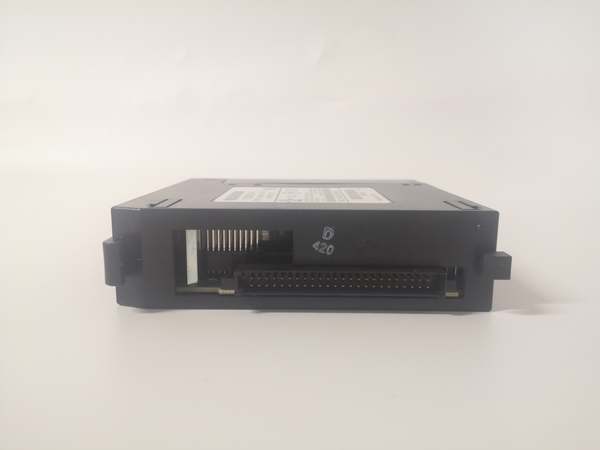
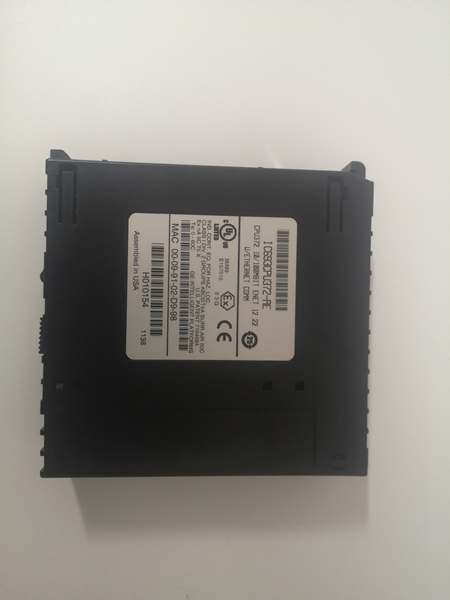
Description
Hard-Numbers: Technical Specifications
- Processor: AMD SC520 @ 133 MHz, 32-bit RISC architecture
- Power Draw: 1.4A @ 5VDC (7.4W) — requires high-capacity power supply
- User Memory: 120KB configurable total (firmware 9.0+)
- I/O Capacity: 4,096 discrete points (2,048 input/2,048 output)
- Analog I/O: Up to 2,048 inputs / 512 outputs (128-32,640 words configurable)
- Ethernet Ports: 2 × 10/100Base-T/TX auto-sensing RJ-45 with internal switch
- Network Topology: Device Level Ring (DLR) and daisy-chain supported
- Supported Protocols: EGD (Ethernet Global Data), SRTP, Modbus/TCP Client/Server, SNP/SNPX slave
- Scan Speed: 0.15ms per 1K boolean logic
- Operating Temperature: 0–60°C (32–140°F)
- Baseplate Support: 8 total (1 CPU + 7 expansion/remote)
- Web Server: Built-in HTTP server for remote configuration
- Firmware Versions: CPU: 12.22, Ethernet: 4.52 (with web files)
- Release Date: March 2010
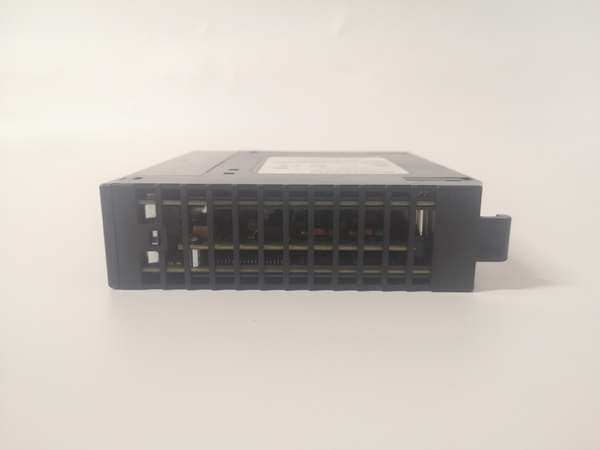
IC693CPU372
The Real-World Problem It Solves
This module introduced Device Level Ring (DLR) topology to Series 90-30 systems, providing network redundancy without external switches. It simplifies network infrastructure in critical automation applications where single-point failure is unacceptable and eliminates the need for redundant external switching hardware.
Where you’ll typically find it:
- Chemical plants and refineries requiring network redundancy for critical process control loops
- Power generation facilities with distributed control needing reliable PLC-to-PLC communication
- Automotive assembly lines where production downtime costs exceed hardware redundancy costs
Bottom line: It’s a solid mid-production revision that added DLR support and fixed several EGD communication bugs from earlier versions.
Hardware Architecture & Under-the-Hood Logic
The IC693CPU372-AE occupies Slot 1 on Series 90-30 backplane and integrates a dedicated AMD SC520 processor separate from the PLC core logic processor. As Revision AE, it introduced hardware and firmware enhancements enabling Device Level Ring (DLR) topology, allowing the two embedded Ethernet ports to function as a redundant ring without external switching.
Internal signal flow and processing logic:
- Power-up sequence: CPU self-test initializes (5-8 seconds), followed by Ethernet subsystem boot (additional 2-3 seconds). DLR topology requires both ports to be connected and configured before ring convergence completes (additional 30-60 seconds).
- Dual-processor operation: AMD SC520 (133MHz) handles protocol stack (EGD, SRTP, Modbus/TCP) while main CPU executes user logic. Both share backplane data registers for seamless I/O mapping.
- DLR ring logic: Both Ethernet ports operate as ring nodes. When ring is healthy, traffic flows unidirectionally. On cable break or node failure, hardware detects failure within 100ms and reconfigures to form linear topology — automatic failover without PLC involvement.
- Web server daemon: HTTP server runs on dedicated processor port, allowing remote access to web-based configuration pages independent of PLC scan cycle. Revision AE includes enhanced Modbus/TCP server functionality for third-party integration.
- Backplane isolation: Ethernet circuits are galvanically isolated from PLC backplane logic, preventing ground loops and noise injection. Frame ground connection at CPU slot is mandatory for EMC compliance — especially critical for DLR systems spanning long cable runs.
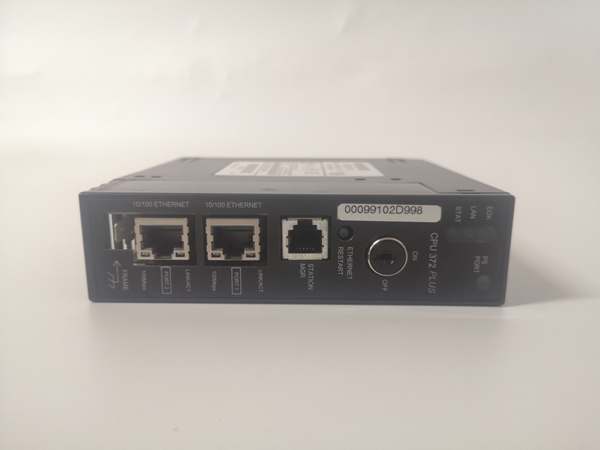
IC693CPU372
Field Service Pitfalls: What Rookies Get Wrong
DLR topology misconfigurationThe biggest mistake with Revision AE is treating DLR like a simple daisy-chain. For DLR to work, you must configure both ports as ring nodes and ensure all switches in the ring support DLR standard. Connecting both ports to separate non-DLR networks will cause MAC table thrashing and network chaos.
- Field Rule: Verify every network device in the ring (switches, PLCs) supports DLR. Use GE Station Manager software to verify ring topology status before production deployment. The ring LEDs on CPU front panel should show solid green when ring is healthy.
Firmware version confusionRevision AE ships with specific firmware pair (CPU 12.22, Ethernet 4.52). Some technicians try to upgrade to newer firmware versions (BF/DJ series) without checking compatibility. While theoretically possible, cross-revision firmware flashing requires authorized upgrade kits and risks bricking the module.
- Quick Fix: Check label revision before any firmware operations. Use GFK-2491A compatibility matrix — it shows which firmware pairs are valid for each revision. Don’t assume newer is always better.
Modbus/TCP register addressingRevision AE enhanced Modbus/TCP functionality, but register mapping differs from earlier CPU372 revisions. Some engineers assume the standard Modbus addressing scheme applies, leading to incorrect data mapping in SCADA systems.
- Field Rule: Always verify Modbus register mapping using the specific Revision AE documentation. Register offset tables changed in firmware 4.52 — don’t copy-paste configuration from older revisions.
Web server timing issuesThe built-in web server in Revision AE has a known quirk — it can become unresponsive if too many simultaneous connections attempt access. In systems with heavy SCADA polling, this can cause apparent CPU slowdown.
- Quick Fix: Limit concurrent web connections to 3-4 maximum. For heavy monitoring, use SRTP or EGD instead of HTTP polling. If web access is required, implement a gateway server to aggregate data before presentation.
Battery backup in DLR systemsDLR networks often span multiple cabinets or buildings with different ground potentials. The internal 1.2-month battery backup is insufficient for extended shutdown scenarios where power restoration times vary between locations.
- Field Rule: In DLR installations spanning multiple power domains, always install external battery module IC693ACC302. Clock drift between nodes can cause synchronization issues in DLR failover recovery.
Frame ground in multi-cabinet DLR deploymentsSince DLR topology often involves long cable runs between cabinets, ground potential differences become significant. Many installers skip frame ground bonding at CPU slot, assuming backplane ground is sufficient. This causes intermittent DLR failover failures and EGD data corruption.
- Quick Fix: Measure ground potential difference between all cabinet locations before cable installation. If difference exceeds 0.5VAC, install fiber converters or ensure all cabinets share a common ground reference. Always verify CPU frame ground bonding point with ohmmeter (<1 ohm to cabinet earth ground).
Temperature derating in DLR ringsDLR networks can generate more heat in Ethernet PHYs due to constant traffic monitoring and failover checking. In hot cabinet environments (above 50°C), Revision AE modules can throttle Ethernet performance to protect circuitry.
- Field Rule: If cabinet ambient exceeds 45°C, install cabinet cooling or move CPU to lower-temperature zone. Don’t place IC693CPU372-AE in the same row as heat-generating VFDs or servo drives.
Firmware 4.52 web file corruptionRevision AE’s web files are stored separately from firmware and can become corrupted during power loss if write cycle was in progress. Symptoms include partial web page loading or missing configuration tabs.
- Quick Fix: Reload web files using the firmware upgrade utility. Always ensure stable power during any firmware/web file operation — never interrupt the upgrade process even if it appears hung.
Commercial Availability & Pricing Note
Please note: The listed price is for reference only and is not binding. Final pricing and terms are subject to negotiation based on current market conditions and availability.



