
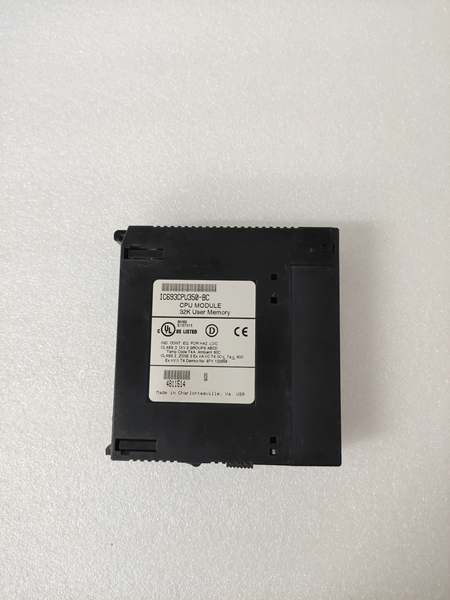
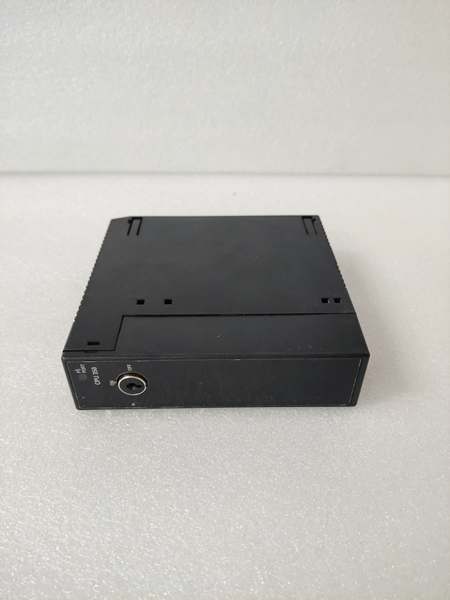
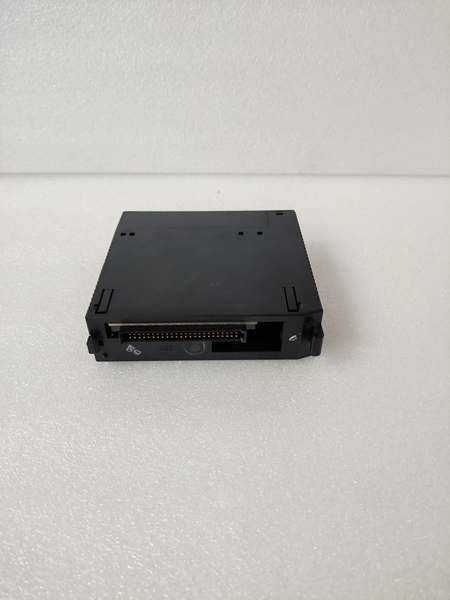
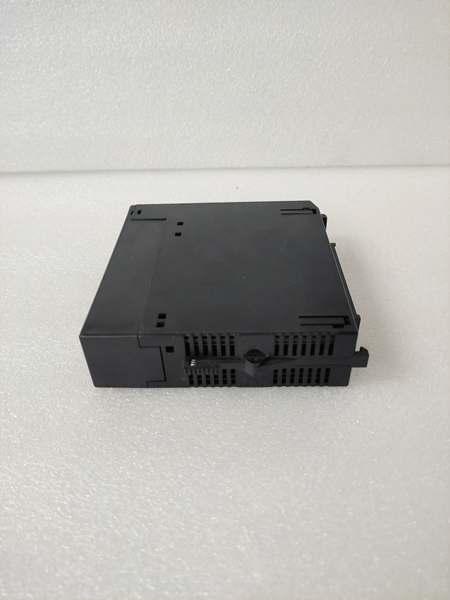
Description
Hard-Numbers: Technical Specifications
- Processor: Intel 80386EX, 16 MHz clock
- User Program Memory: 32 KB (IC693CPU350)
- Register Memory: 80 KB (%R addressing)
- Floating Point: Supported (32-bit hardware)
- Discrete I/O: 2048 points max combined (%I + %Q)
- Analog Input (%AI): 128 words (up to 8K words with option modules)
- Analog Output (%AQ): 64 words (up to 8K words with option modules)
- Internal Coils (%M): 1024 bits
- Discrete Global Memory (%G): 1280 bits
- Timers/Counters: 340 combined
- Scan Rate: 0.3 ms per 1K Boolean logic (typical)
- Serial Ports: 2 (Port 1: SNP/X master/slave, Port 2: SNP/X master/slave)
- Baud Rate: Up to 115.2 Kbaud
- Expansion: Yes (supports up to 7 baseplates including remote)
- Battery-Backed Clock: Yes (on-board battery)
- Power Draw: 1.1 A @ +5 VDC
- Operating Temp: 0°C to 60°C (32°F to 140°F)
- Storage Temp: -40°C to 85°C (-40°F to 185°F)
- Module Type: Modular (plugs into CPU slot)
- Interrupts: Supported (up to 32)
- Subroutines: Supported (up to 64)
- Analog Scaling: Supported (hardware scaling)
- Triple Modular Redundancy (TMR): No (requires CPU351 for TMR)

GE IC693CPU350
The Real-World Problem It Solves
You’ve outgrown embedded CPUs but don’t need the full power or budget of the top-tier 360/364 models. You need subroutines to organize complex logic, interrupts for time-critical response, and floating-point math for analog PID loops. This CPU drops into a standard baseplate, gives you 2048 I/O capacity across seven racks, and provides advanced programming features without paying for overkill processing power.
Where you’ll typically find it:
- Chemical/pharma batch processing: Recipe-driven reactors with multiple stages, complex sequencing, analog PID temperature control, and time-based scheduling
- Material handling automation: Conveyor systems, sortation lines, AS/RS (Automated Storage/Retrieval Systems) with multiple expansion racks coordinating motion
- Assembly automation: Automotive parts assembly, packaging lines with HMI integration, coordinated machine control with subroutines for modular programming
Bottom line: It’s the sweet spot for mid-range applications—enough memory and speed for serious control logic, expansion capability for large I/O counts, advanced features for complex applications, without the price tag of high-end 360-series CPUs.
Hardware Architecture & Under-the-Hood Logic
The IC693CPU350 is a modular CPU that plugs into any Series 90-30 baseplate CPU slot. The Intel 80386EX 16MHz processor provides solid performance with 32-bit floating-point math in hardware. Memory architecture splits between program storage (32 KB) and register data (80 KB), giving you room for complex logic and data structures. Real-time clock with lithium battery maintains time-of-day scheduling.
-
Power-up sequence initializes the 80386EX core, runs memory diagnostics, loads configuration from NVRAM. The CPU tests both serial ports, checks battery-backed clock integrity, and establishes backplane communication with all connected racks. Battery voltage is checked on startup—low battery flags %S0012.
-
Backplane communication scans through Rack 0 (CPU baseplate) through all connected expansion/remote racks (up to Rack 7). Each rack’s I/O modules update their respective image tables. Expansion cables (IC693CBLxxx) carry data between racks. The CPU uses rack numbers to address I/O points across the entire system automatically.
-
Program scan executes at 0.3 ms per 1K Boolean logic—twice as fast as embedded CPUs. The 32K program memory allows extensive ladder logic with multiple program blocks. Subroutines (up to 64) enable modular programming—call reusable code blocks from anywhere in your logic, reducing redundancy and improving maintainability.
-
Interrupt system supports up to 32 configurable interrupt sources. When an interrupt triggers, the CPU suspends the current scan, jumps to the associated Interrupt Service Routine (ISR) subroutine, executes it, and returns to the scan. Critical for high-speed sensor response, emergency 终止 processing, or coordinating with motion controllers without waiting for the next scan cycle.
-
Floating-point unit (FPU) on the 80386EX handles 32-bit IEEE 754 operations in hardware. Analog scaling block uses hardware to convert raw input values to engineering units directly. PID loops operate in true floating-point—no more integer scaling hacks or overflow risks. Temperature in °F, pressure in PSI, flow in GPM—keep engineering units native throughout your logic.
-
Serial ports operate independently and can be configured as SNP or SNP-X master or slave. Master mode lets the CPU initiate communication to other PLCs, HMIs, or slave devices. You can have Port 1 as SNP master to read data from multiple slave PLCs while Port 2 acts as SNP slave for an HMI. Both ports support baud rates up to 115.2 Kbaud.
-
Memory mapping divides between program storage (32K) and register data (80K). The register memory (%R) is substantial for mid-range applications—data logging, recipe storage, and communication buffers. Optional memory modules can expand register storage further if needed. Discrete I/O addressing spans 2048 points across all racks.
-
Battery-backed clock maintains year/month/day/hour/minute/second through power cycles. Lithium battery (CR2032 typical) on the CPU board powers the clock circuit. When battery dies, you lose time-of-day functionality but the CPU continues running. Replace battery every 3-4 years during scheduled maintenance.
-
Power consumption is 1.1 A at +5 VDC—higher than lower-tier CPUs. This is manageable with standard power supplies (IC693PWR330 recommended at 5A), but you must account for this draw when loading racks with high-current I/O modules. Calculate total current: CPU (1.1A) + all module currents. Stay within power supply rating.
-
Advanced features include analog scaling blocks (convert raw 16-bit values to engineering units), structured programming with subroutines, interrupt-driven I/O, and comprehensive diagnostics. The CPU supports multiple program files (up to 8) for modular application organization. This is the entry-level CPU with serious programming capabilities for complex applications.
GE IC693CPU350
Field Service Pitfalls: What Rookies Get Wrong
Underestimating power supply requirements
You install a 350 into a rack with an IC693PWR321 and load it with multiple analog and high-current output modules. The PLC faults randomly under load. The 350 draws 1.1A alone—加上module current, you’re overloading the 321’s 3A capacity.
- Field Rule: Do the math before powering up. IC693CPU350 = 1.1A @ +5VDC minimum. Add every module’s current draw. For most 350 applications, use IC693PWR330 (5A @ +5VDC) for adequate headroom. Never exceed power supply rating—random faults and data corruption result. A brownout can corrupt NVRAM and force you to reload the entire program.
Forgetting clock battery replacement
The CPU’s been running for 5 years and shift-change scheduling starts drifting. Datalog timestamps are worthless because time-of-day is off by hours or days. The clock battery died, and nobody checked it.
- Field Rule: Replace the clock battery every 3-4 years during scheduled outages. It’s a CR2032 lithium cell on the CPU board. Check %S0012 low battery bit—when it goes high, the battery is weak. Don’t wait until time-of-day goes haywire. The CPU continues running with a dead battery, but scheduling functions become unreliable. Swap it proactively before it causes production issues.
Misconfiguring serial port master mode
You try to set up peer-to-peer PLC communication expecting the CPU to act as slave automatically. Port 1 doesn’t initiate reads/writes to other PLCs because it’s still in slave mode.
- Field Rule: Both serial ports on the 350 can be SNP or SNP-X, master or slave. For PLC-to-PLC communication, configure one port as master. Master mode requires COMMREQ blocks in ladder logic to initiate reads/writes to slave devices. Check programming software serial port configuration carefully. Master mode isn’t automatic—you must write logic to drive it.
Neglecting interrupt service routines
You configure an interrupt input but nothing happens when the trigger signal arrives. The CPU doesn’t know what to do because you didn’t write the ISR subroutine.
- Field Rule: Interrupts require three things: (1) Configure the input as interrupt source in hardware setup, (2) Write the Interrupt Service Routine (ISR) as a subroutine, (3) Associate the ISR with the interrupt number. The CPU won’t magically know what to do when interrupted. Test interrupts with a signal generator before production deployment. Ensure the ISR is short and fast—long ISRs stall the main scan.
Overrunning register memory with analog configuration
You install multiple high-density analog modules and suddenly the CPU faults for memory allocation. You didn’t account for analog module configuration consuming %R address space.
- Field Rule: Analog modules map to %R addresses. Each channel consumes register space. Calculate total analog register usage and verify it fits within 80KB. If running tight, disable unused analog channels in module configuration to free up registers. Don’t assume “more channels is always better”—unused channels still eat memory. For heavy analog loads, consider upgrading to CPU352 (240KB registers) or adding memory modules.
Ignoring floating-point math overhead
You convert all old integer scaling logic to floating-point and scan time spikes. The CPU can’t complete the scan within watchdog timeout and faults out.
- Field Rule: Floating-point is faster than integer emulation but still not free. Benchmark your scan time after converting to float math. If scan approaches 200-300ms, you’re flirting with watchdog timeout. Optimize critical rungs to use integer where possible—reserve floating-point for actual analog PID loops and scaling operations. Mix integer and float math strategically to keep scan time manageable.
Hot-swapping the CPU module
You pull the 350 for troubleshooting without powering down the rack. You blow the backplane driver or corrupt NVRAM. Backplane transients kill module electronics instantly.
- Field Rule: NEVER hot-swap modular CPUs. Power down the entire rack before removing or installing any CPU. Backplane voltage spikes when modules are inserted/removed under load. Hot-swapping guarantees damage—the CPU board costs far more than a planned shutdown. If you need redundancy, design a hot-standby system with proper transfer hardware, not jury-rigged swaps.
Skipping program backup before CPU removal
You pull the 350 for troubleshooting and leave it on the bench for a week. When you reinstall, the program’s gone. NVRAM retention depends on battery condition—weak batteries may only hold programs for days.
- Field Rule: Back up your program before removing any CPU from service. Download to a laptop via serial port or store on PCM card. NVRAM retention is not guaranteed without power, especially if the battery is aging. Always assume a powered-down CPU will lose its program unless you’ve verified battery health recently. A backup takes 5 minutes—losing a program takes weeks to reconstruct.
Misconfiguring rack addressing
You add expansion racks and expect the CPU to automatically find I/O beyond the first rack. Nothing works in Rack 2. You forgot to configure rack-to-rack addressing in the CPU setup.
- Field Rule: The CPU needs to know what’s in each rack. In programming software, define each rack (0-7) and what modules are in each slot. The CPU uses this configuration to build I/O image tables. If configuration doesn’t match physical hardware, you get mismatch faults or I/O that doesn’t respond. Always re-verify configuration after adding or moving racks. Run configuration compare to catch mismatches.
Using incorrect expansion cable type
You string together racks with whatever cable you find in the shop. Communication fails intermittently or not at all. Wrong cable impedance or pinout causes signal reflection and data corruption.
- Field Rule: Use the correct GE expansion cables for your rack spacing. IC693CBL7xx series: CBL701 (2 feet), CBL702 (10 feet), CBL703 (50 feet), CBL704 (100 feet). Mismatched cables cause signal integrity issues. Label your cables at both ends with length and part number. Don’t trust unmarked cables—test them with a continuity checker or replace them.
Commercial Availability & Pricing Note
Please note: The listed price is for reference only and is not binding. Final pricing and terms are subject to negotiation based on current market conditions and availability.



