
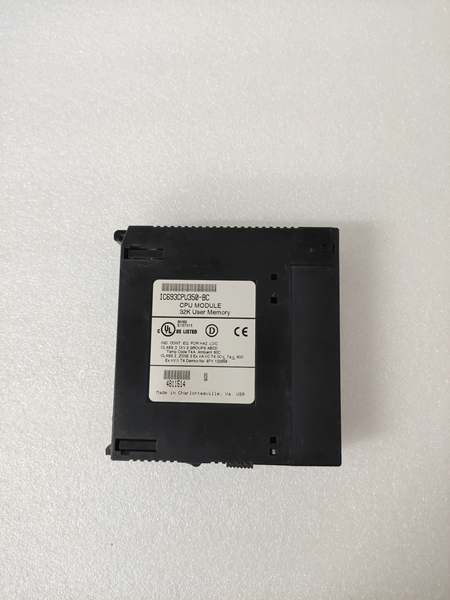
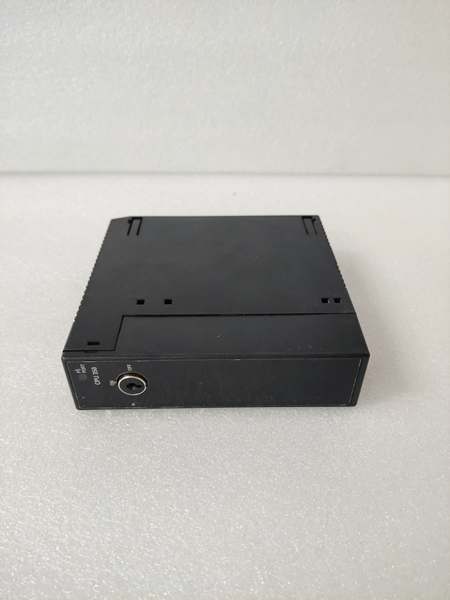
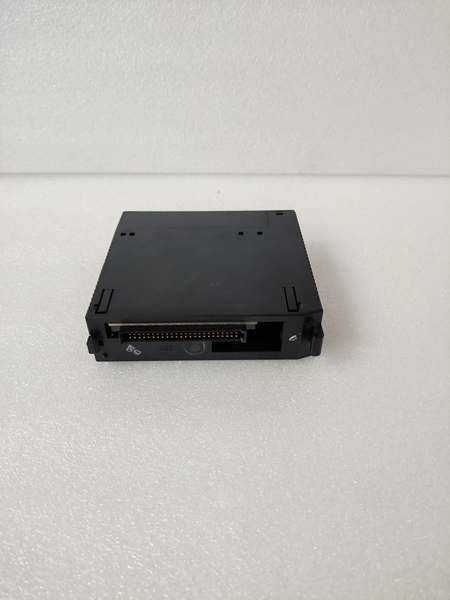
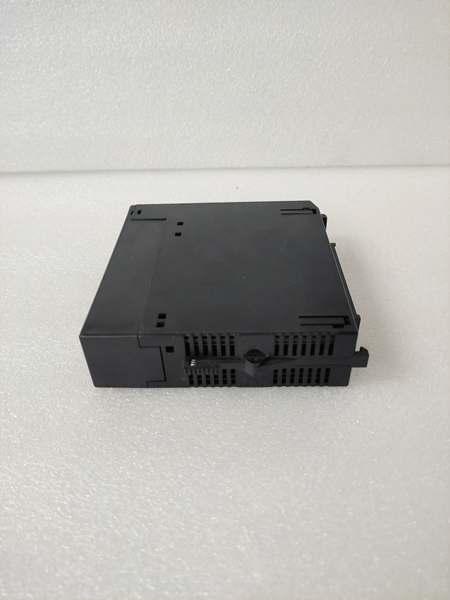
Description
Hard-Numbers: Technical Specifications
- Processor: Intel 80386EX, 16 MHz clock
- User Program Memory: 32 KB
- Register Memory: 80 KB (%R addressing)
- Floating Point: Supported (32-bit hardware)
- Discrete I/O: 2048 points max combined (%I + %Q)
- Analog Input (%AI): 128 words (up to 8K with option modules)
- Analog Output (%AQ): 64 words (up to 8K with option modules)
- Internal Coils (%M): 1024 bits
- Discrete Global Memory (%G): 1280 bits
- Timers/Counters: 340 combined
- Scan Rate: 0.3 ms per 1K Boolean logic (typical)
- Serial Ports: 2 (Port 1: SNP/X master/slave, Port 2: SNP/X master/slave)
- Baud Rate: Up to 115.2 Kbaud
- CompactFlash Slot: Type I/II compatible
- CF Card Capacity: Supports up to 1GB (tested); larger cards may work but not guaranteed
- Expansion: Yes (up to 7 baseplates including remote)
- Battery-Backed Clock: Yes (on-board CR2032)
- Power Draw: 1.1 A @ +5 VDC
- Operating Temp: 0°C to 60°C (32°F to 140°F)
- Storage Temp: -40°C to 85°C (-40°F to 185°F)
- Module Type: Modular (plugs into CPU slot)
- Interrupts: Supported (up to 32)
- Subroutines: Supported (up to 64)

GE IC693CPU350
The Real-World Problem It Solves
You’re running a regulated process where every program change must be archived, recipes need to load from removable media, and historical data must be stored securely for audit trails. This CPU keeps the standard 350 specs but adds a CompactFlash slot—you can load recipes instantly, backup programs before maintenance, and store production logs without connecting a laptop. Pull the CF card and walk away with your data.
Where you’ll typically find it:
- Pharmaceutical batch processing: Recipe-driven reactors where FDA 21 CFR Part 11 requires program version control, audit trails, and secure data archiving
- Food/beverage production: Recipe management systems for product changeovers, automated program backup/restore, and production datalogging
- Regulated manufacturing: Any application requiring electronic signatures, version control, and traceability—ISO 9001, GMP, or other regulated environments
Bottom line: It’s the standard 350 CPU with removable storage for regulated environments—same performance and expansion capability, plus CF card support for recipes, backups, and datalogging without connecting a programming device.
Hardware Architecture & Under-the-Hood Logic
The IC693CPU350-CF maintains the standard 350 architecture with the addition of a CompactFlash interface on the CPU board. The Intel 80386EX processor, memory subsystem, and backplane communication are identical to the base 350 model. The CF slot interfaces with the CPU’s address/data bus through an onboard IDE/ATA controller, allowing the CPU to read/write files directly from the flash card.
-
Power-up sequence initializes the 80386EX core, memory diagnostics, and NVRAM configuration. The CPU checks the CompactFlash interface on startup—if a valid card is inserted, the CF file system becomes accessible. Battery-backed clock initializes and battery voltage is checked. Serial ports and backplane drivers come online.
-
CompactFlash interface operates through an onboard controller compatible with ATA/IDE protocol. The CPU treats the CF card as a removable hard drive. File system supports standard DOS-like directory structure—folders and files can be created, read, written, and deleted through ladder logic commands or programming software. The CPU doesn’t implement the full FAT filesystem—all file operations are handled by the CF controller transparently.
-
Program storage and backup can utilize the CF card. Programs can be saved to CF card files manually via programming software or automatically through ladder logic commands. Restore operations load programs from CF card into NVRAM without connecting a laptop. This is critical for backup strategies in regulated environments where program versions must be preserved.
-
Recipe and parameter management becomes portable with CF storage. Recipe files (ingredient quantities, process parameters, setpoints) are stored as text or binary files on the CF card. Ladder logic reads recipe files, parses parameters, and loads them into %R registers or analog scaling blocks. Operators can swap CF cards to change products without connecting programming devices.
-
Data logging capability allows historical data to be written to CF files. Process variables (%R, %AI, %AQ) can be logged at configured intervals (seconds to minutes) to delimited text files (CSV format). Log files accumulate on the CF card for later analysis or audit trail purposes. Large CF cards (256MB-1GB) can store months of production data.
-
Backplane communication and expansion rack operation remain identical to standard 350. The CPU scans all connected racks (up to Rack 7) through expansion cables. I/O image tables update each scan. CF card operations occur asynchronously to the scan cycle—the CPU doesn’t halt for CF writes, but heavy CF I/O can slightly increase scan time.
-
Floating-point math, interrupts, and subroutines operate exactly as in the base 350. The 32-bit FPU handles analog PID loops and scaling. Up to 32 interrupts can trigger ISRs for time-critical response. Subroutines (up to 64) enable modular programming structure. CF card operations don’t interfere with these features—they run from the same 80386EX core.
-
Serial ports (Port 1 and Port 2) maintain SNP/X master/slave configuration. Both ports can operate independently. CF card data can be transferred to external devices via serial communication if needed—HMI or SCADA systems can request logged data from CF files through ladder logic read operations. However, direct CF-to-serial transfer is slow; most applications copy files to a PC for analysis.
-
Power consumption is identical to standard 350 at 1.1 A @ +5 VDC. The CF interface draws minimal additional power (typically <50 mA when accessing card). Total current draw with a CF card inserted is approximately 1.15 A. Power supply calculations should include this small overhead for safety margin.
-
Memory architecture: NVRAM holds the active running program and configuration. CF card stores backup programs, recipes, and datalogs. The CPU can copy programs between NVRAM and CF card. NVRAM remains the source of truth for execution—CF files are storage only. You cannot execute programs directly from CF; they must be loaded into NVRAM first.
GE IC693CPU350
Field Service Pitfalls: What Rookies Get Wrong
Using incompatible CF card types
You grab a consumer-grade 64GB SD card with an adapter and jam it in. The CPU doesn’t recognize it, runs slow, or corrupts data. Cheap cards with slow write speeds or incompatible controllers cause problems.
- Field Rule: Use industrial-grade CompactFlash Type I or II cards, not SD cards with adapters. GE tested cards up to 1GB; larger cards may work but aren’t guaranteed. Stick to reputable brands (SanDisk Industrial, Transcend, Kingston Industrial). Avoid consumer high-capacity cards—the controller chipsets differ and can cause corruption. Label your CF cards with capacity and use date. Retire cards after 2-3 years of heavy write cycles.
Forgetting to eject CF card before removal
You pull the CF card while the CPU is writing a log file. The file system corrupts and your datalog is worthless. You just created a gap in your audit trail.
- Field Rule: Always eject the CF card through programming software or ladder logic before physical removal. The CPU buffers writes—pulling the card mid-write corrupts the file system. If the card becomes corrupted, reformat it in a PC with FAT16/FAT32 filesystem, then verify the CPU recognizes it. Never hot-swap CF cards under any circumstances.
Storing critical programs exclusively on CF card
You save the active program only to CF card, assuming it’s permanent storage. The card fails or gets lost, and you’ve got no backup. NVRAM holds the running program—if NVRAM corrupts and CF is gone, you’re reloading from scratch.
- Field Rule: Maintain multiple backup copies. Keep the current program in NVRAM, backed up to CF card, AND archived to a PC or network drive. CF cards are removable storage, not permanent archives. For regulated applications, implement a backup rotation strategy: daily backup to CF, weekly to PC, monthly offsite. Never trust a single storage medium for critical programs.
Overloading CF card with excessive datalogging
You configure high-speed logging of 50 analog points every second. Scan time spikes, and the CPU can’t keep up with CF writes. Data becomes corrupted or the CPU faults from scan timeout.
- Field Rule: Calculate your datalog bandwidth. Each logged value writes to CF as text—50 points @ 1 second = substantial I/O. Limit logging frequency to what’s actually useful (usually 1-10 seconds for process data). Use filtering in ladder logic to log only changed values. Monitor scan time after enabling logging—if it increases significantly, reduce logging rate or logged variables.
Formatting CF card with wrong filesystem
You format a new CF card with NTFS or exFAT on a Windows PC. The CPU can’t read it. You waste hours troubleshooting the CPU when the filesystem is incompatible.
- Field Rule: Format CF cards as FAT16 (for cards up to 2GB) or FAT32 (for larger cards). Never use NTFS, exFAT, or HFS—the CF controller doesn’t support these. Format on a PC using Windows format tool, selecting FAT/FAT32. Verify the CPU can read/write to the card by creating a test file before relying on it for production data.
Ignoring CF card wear from constant writes
You log data continuously to the same CF card for 2 years. The card develops bad sectors and corrupts your datalog files. Flash memory has limited write cycles.
- Field Rule: Implement a CF card rotation schedule for heavy logging applications. Swap cards monthly or quarterly, depending on write volume. Wear-leveling algorithms in industrial cards help, but constant datalogging wears any flash. Archive old cards to cold storage after removal. Monitor card health—if write errors increase, retire the card immediately. Maintain a spare card ready for swap.
Mixing CF card versions in regulated environments
You use different CF cards with different program versions across multiple lines. Audit trails become confusing—nobody knows which version ran when. Regulators reject your documentation.
- Field Rule: Implement strict version control with CF cards. Label each card with program version, date, and equipment ID. Maintain a logbook tracking which card is installed in which CPU. For regulated applications, the CF card version must match the program running in NVRAM. Never swap cards without documenting the change. Use file naming conventions that include version numbers (RECIPE_V3_2.CSV).
Assuming CF card speeds up program execution
You think running programs from CF card somehow improves performance. It doesn’t—CF card is storage only. You’re confused why scan time didn’t decrease.
- Field Rule: Programs execute from NVRAM, not CF card. CF card is for storage, retrieval, and backup only. Loading a program from CF to NVRAM takes time (seconds to minutes depending on size), but once loaded, execution speed is identical to any 350 CPU. Don’t design applications expecting CF-based performance gains. Use CF for portability and backup, not speed.
Losing CF card during maintenance
You remove the CPU for troubleshooting, and the CF card falls out of the slot and gets lost. Your recipes and backup programs are gone with it.
- Field Rule: CF cards should be removed and stored separately before any CPU removal. The card sits loose in the slot—it can fall out during transport. Create a storage policy: remove CF card, place in labeled antistatic bag, store in lockbox. Never leave a CF card in a CPU that’s being handled. Document which card belongs to which CPU with serial numbers.
Corrupting CF card through power cycling during writes
You cycle power on the rack while the CPU is writing a datalog to CF. The card filesystem corrupts, and you lose all logged data.
- Field Rule: Never cycle power while CF write operations are active. Monitor CF status LEDs if available, or track write timing in your logic. Ensure write operations complete before planned power cycles. For emergency 终止s, accept potential CF corruption as unavoidable—but for scheduled maintenance, close files and eject the card before powering down. Unplanned power loss can corrupt files; this is why multiple backups are essential.
Commercial Availability & Pricing Note
Please note: The listed price is for reference only and is not binding. Final pricing and terms are subject to negotiation based on current market conditions and availability.



