
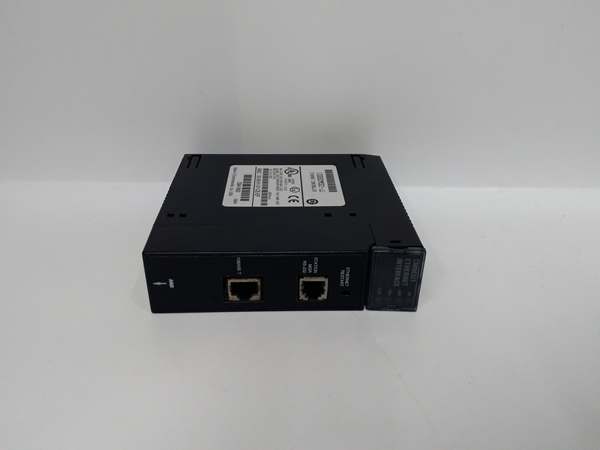
Description
Section 3. Product Introduction
The GE IC693CMM321 is an Ethernet Interface Module designed for Series 90-30 PLC systems. It provides TCP/IP connectivity to Ethernet networks, enabling communication with host computers, HMIs, SCADA systems, and other PLCs. The module operates in both client and server modes, supporting up to 16 simultaneous server connections.
This module features multiple communication ports including a 10Base-T RJ-45 port (later revisions EF+), an AAUI port requiring external transceiver, an RS-232 Station Manager port, and an RS-485 Software Loader port. Four LED indicators (OK, LAN, SER, STAT) provide real-time status monitoring. Requires CPU firmware v6.50+ for full functionality—verify with OEM datasheet.
Section 4. Key Technical Specifications
| Parameter | Value |
|---|---|
| Module Type | Ethernet Interface Module (TCP/IP) |
| Product Line | Series 90-30 |
| Network Protocols | TCP/IP, Modbus TCP, SRTP, EGD (later revisions) |
| Operating Modes | Client, Server (Simultaneous) |
| Maximum Server Connections | 16 |
| Network Ports | 10Base-T RJ-45 (EF+ revisions), AAUI (14-pin) |
| Serial Ports | RS-232 Station Manager (RJ-11), RS-485 Software Loader (15-pin D-type) |
| Transceiver Requirements | External AAUI transceiver (IC649AEA102/103) |
| LED Indicators | OK (Module Status), LAN (Network Traffic), SER (Serial Port), STAT (Exception) |
| Compatible CPU Versions | v6.50+ (full functionality), v5.03–6.04 (1 SRTP connection only) |
| Modules per Baseplate | Up to 2 (CPU or Expansion racks) |
| Hand-Held Programmer Support | Not compatible with Series 90-30/20/Micro programmers |
| Configuration Software | Logicmaster 90-30 v6.01+, VersaPro v1.0+, Proficy Machine Edition |
| Restart Button Functions | LED Test, Restart/Reload, Enter Maintenance Utility |
| Operating Temperature | 0–60°C (32–140°F) |
| Weight | 0.50 lbs (0.23 kg) |
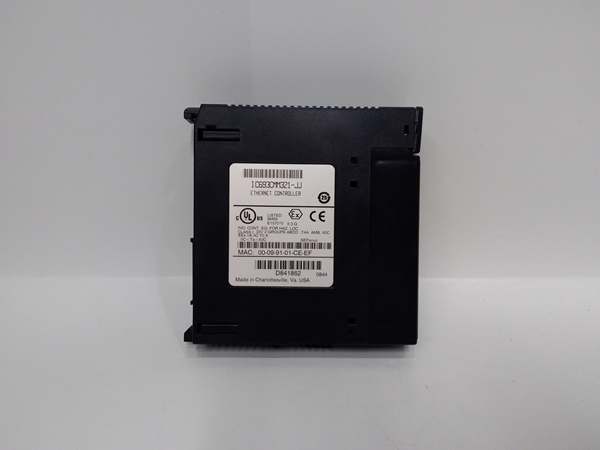
GE IC693CMM321
Section 5. Quality Control Process
1. Incoming VerificationTrace serial number against GE Fanuc records. Inspect all three ports: 10Base-T RJ-45, AAUI (14-pin), RS-232 (RJ-11), and RS-485 (15-pin D-type). Verify LED legend panel is intact. Reject units with bent pins, damaged AAUI connector housing, or illegible serial labels.
2. Live Functional TestInstall in CPU baseplate Slot 2–10. Power-on and confirm OK LED illuminates within 3 seconds. Connect 10Base-T network cable; verify LAN LED flashes with network traffic. Test Station Manager port via RS-232 connection; confirm SER LED activity. Ping module from network host; verify response time <10ms.
3. Network Parameter TestConfigure IP address via Station Manager port. Test TCP/IP connectivity with multiple hosts (up to 16 simultaneous). Verify both client and server mode functionality using COMMREQ function blocks. Check auto-negotiation on 10Base-T port (10/100 Mbps). Validate MAC address against internal label.
4. Hardware VerificationMeasure AAUI port pin resistance to ground (should be >1 MΩ). Test RS-232 signal levels on Station Manager port (±12V typical). Verify RS-485 differential voltage on Software Loader port (≥1.5V). Confirm Restart button functions (LED test, restart mode, maintenance mode).
5. Final QC & PackagingSeal in anti-static bag with desiccant pack. Record MAC address and firmware revision on QC label. Apply QC Passed sticker with test date, CPU version compatibility, and technician initials. Double-box with foam inserts protecting all external ports.
Section 6. Replacement Pitfall Guide
❗ CPU Firmware CompatibilityCPU firmware v6.50+ required for full 16-connection functionality. Versions 5.03–6.04 limited to 1 SRTP connection. Earlier CPUs (below v5.03) incompatible—upgrade firmware before deployment. Verify CPU version in ladder logic diagnostics.
❗ AAUI Transceiver DependencyAAUI port requires external SQE-enabled transceiver (IC649AEA102 for 10Base-T, IC649AEA103 for 10Base2). Missing or non-compliant transceiver causes network failure—transceiver not included with module purchase.
❗ 10Base-T Port RevisionCMM321 revisions EF and earlier DO NOT have built-in 10Base-T port. Only AAUI available. Later revisions (EF+) include RJ-45 port—verify revision letter before network cabling.
❗ Hand-Held Programmer IncompatibilityModule does NOT support Series 90-30/20/Micro hand-held programmers. Attempted connection fails—use programming software via Station Manager port or Ethernet network for configuration.
❗ Dual Module ConfigurationUp to two modules per baseplate allowed but require unique MAC addresses and IP configurations. Duplicate addressing causes network conflicts—assign separate subnets for redundancy applications.
❗ Restart Button AccessibilityRestart button functions only accessible when front panel door is open. Cannot perform diagnostics or maintenance with door closed—plan access for emergency restart procedures.
❗ COMMREQ Programming ComplexityClient mode communications require COMMREQ function blocks in ladder logic. Improper block configuration causes silent failures—follow GFK-1541B manual for proper implementation.
Keep these in mind and you’ll cut 90% of rework time.

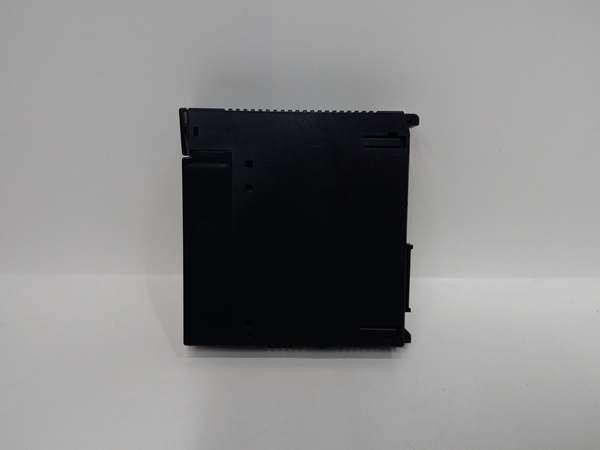
GE IC693CMM321
Section 7. Compatibility Matrix & Benchmarks
Compatibility Matrix
- IC693CMM321 → IC693CMM321 (same module) : Direct — Up to 2 per baseplate with unique IPs
- IC693CMM321 → IC697CMM742 (Series 90-70 Ethernet) : Compatible — Same protocols, different mounting
- IC693CMM321 → IC693CMM311 (Serial CMM) : Compatible — Can coexist, different protocols
- IC693CMM321 → IC693CPU350/351/360/364 : Requires v6.50+ for full functionality
- IC693CMM321 → CPU versions 5.03–6.04 : Limited — Only 1 SRTP connection supported
- IC693CMM321 → Series 90-30/20/Micro programmers : Incompatible — Not supported
Benchmarks
- Network throughput: 10/100 Mbps (10Base-T), 10 Mbps (AAUI with transceiver)
- Maximum server connections: 16 simultaneous TCP/IP sessions
- Client connections: Unlimited (COMMREQ initiated)
- Ping response time: <10 ms (typical on local network)
- IP configuration: Via Station Manager port or network BOOTP
- Data transfer latency: <5 ms (EGD protocol)
- Module initialization: <3 seconds (OK LED steady)
- Serial port baud rate: Up to 115.2 kbps (Station Manager port)
- Power-up diagnostics: Automatic at power-on, OK LED confirms pass



