
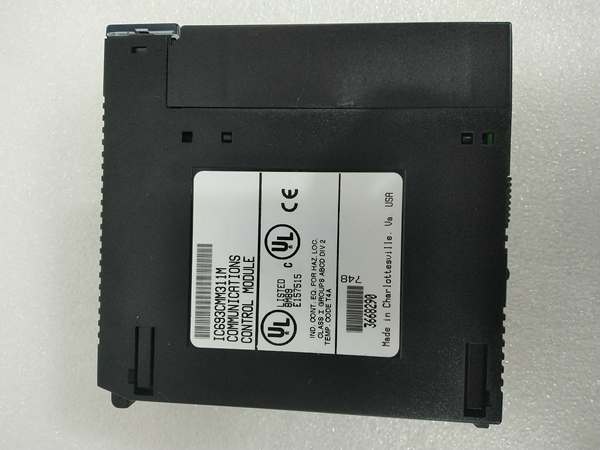
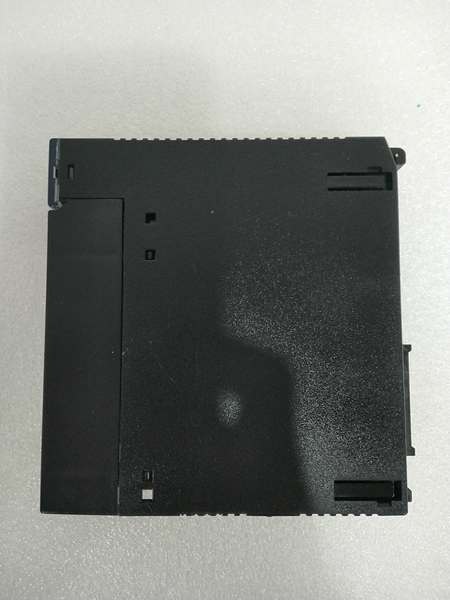
Description
Section 3. Product Introduction
The GE IC693CMM311 is a Communications Co-Processor Module designed for Series 90-30 PLC systems. It provides high-performance serial communication capabilities supporting GE Fanuc CCM, SNP, and Modbus RTU slave protocols. The module offloads communication processing from the main CPU, enhancing overall system performance.
This module features two configurable serial ports: Port 1 supports RS-232 exclusively, while Port 2 can operate in either RS-232 or RS-485 mode. Requires IC693CBL305 Wye cable to separate the dual ports from the single connector. Supports up to four modules per CPU baseplate with CPU331 or higher—verify with OEM datasheet.
Section 4. Key Technical Specifications
| Parameter | Value |
|---|---|
| Module Type | Communications Co-Processor Module |
| Product Line | Series 90-30 |
| Supported Protocols | GE Fanuc CCM, SNP, Modbus RTU (Slave) |
| Communication Ports | 2 Serial Ports |
| Port 1 Interface | RS-232 only |
| Port 2 Interface | RS-232 or RS-485 selectable |
| Connector Type | Single 25-pin D-shell (requires Wye cable) |
| Required Cable | IC693CBL305 Wye cable (supplied) |
| Transmission Speeds | 300, 600, 1200, 2400, 4800, 9600, 19200 baud |
| Backplane Current | 400 mA @ 5 VDC |
| LED Indicators | OK (Module Status), PORT1, PORT2 |
| Compatible CPUs | Modular Series 90-30 CPUs (311, 313, 323 and above) |
| Modules per System | Up to 4 in CPU baseplate (CPU331 or higher) |
| Configuration Software | Logicmaster 90-30, VersaPro, or Proficy Machine Edition |
| Embedded CPU Compatibility | Not supported (IC693CPU311, 313, 323 embedded) |
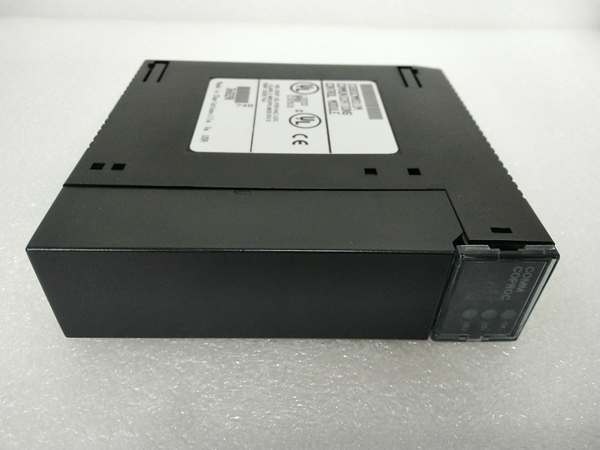
GE IC693CMM311
Section 5. Quality Control Process
1. Incoming VerificationTrace serial number against GE Fanuc records. Inspect the single 25-pin D-shell connector for pin damage or corrosion. Verify IC693CBL305 Wye cable is present with proper labeling. Reject units with bent pins, missing cable, or illegible revision codes.
2. Live Functional TestInstall in CPU baseplate Slot 3–10. Power-on and confirm OK LED illuminates within 3 seconds after diagnostics. Connect test devices to both Port 1 (RS-232) and Port 2 (RS-485) via Wye cable. Verify PORT1 and PORT2 LEDs flash during data transmission. Run 24-hour continuous communication test at 19.2k baud.
3. Electrical Parameter TestMeasure backplane current draw at 5 VDC; must not exceed 400 mA. Test RS-232 signal levels on Port 1 (±12V typical). Verify RS-485 differential voltage on Port 2 (≥1.5V signal magnitude). Check ground continuity between module chassis and PLC ground.
4. Firmware VerificationRead module version via programming software. Confirm firmware version 4.0 or later—pre-4.0 versions have SNP slave datagram cancellation bug. Document revision code on label. Verify configuration data integrity using Logicmaster software.
5. Final QC & PackagingSeal in anti-static bag with IC693CBL305 Wye cable coiled separately. Apply QC Passed sticker with test date, firmware version, and technician initials. Double-box with foam inserts protecting the D-shell connector.
Section 6. Replacement Pitfall Guide
❗ Embedded CPU IncompatibilityThe IC693CMM311 cannot be used with embedded Series 90-30 CPUs (IC693CPU311, 313, 323). Attempted installation causes “module not recognized” faults. Only modular CPUs (IC693CPU331 and higher) are supported—verify CPU type before procurement.
❗ Wye Cable DependencyBoth ports share a single 25-pin connector on the module. Without IC693CBL305 Wye cable, Port 2 RS-232 signals are on non-standard pins. Attempting direct connections damages ports or causes intermittent communication—always use the supplied cable.
❗ Firmware Version BugPre-4.0 firmware versions have critical SNP slave bug: Cancel Datagram request with ID -1 on either port cancels datagrams on both ports. Version 4.0 (July 1996) fixed this issue. Upgrade firmware before using in dual-port SNP applications.
❗ CPU Baseplate LimitationUp to four CMM311 modules are allowed only in the CPU baseplate with CPU331 or higher. Cannot install in expansion or remote baseplates. Attempting remote installation causes communication failures—plan rack configuration carefully.
❗ Programming Port ConfusionCMM311 ports do NOT support programming functions. They are for communications only. Attempting to use as programming port fails—use CPU serial port for programming, CMM for HMI/SCADA connections.
❗ RS-485 Port 2 OnlyRS-485 mode is only available on Port 2. Port 1 is RS-232 exclusive. Configuring Port 1 as RS-485 causes permanent port damage—always double-check port assignments in configuration software.
Keep these in mind and you’ll cut 90% of rework time.

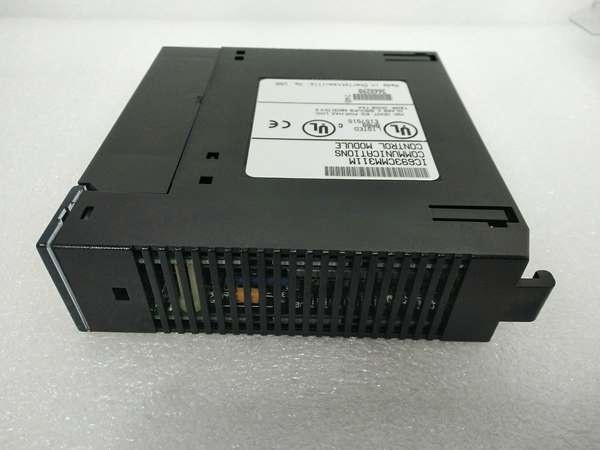
GE IC693CMM311
Section 7. Compatibility Matrix & Benchmarks
Compatibility Matrix
- IC693CMM311 → IC693CMM311 (same module) : Direct — Stack up to 4 with CPU331+
- IC693CMM311 → IC697CMM711 (Series 90-70) : Incompatible — Different product line
- IC693CMM311 → IC693CPU311/313/323 (embedded) : Incompatible — Not supported
- IC693CMM311 → IC693CPU331+ (modular) : Direct — Up to 4 modules in CPU baseplate
- IC693CMM311 → IC693CMM301/302 (Genius modules) : Compatible — Different protocols, can coexist
Benchmarks
- Maximum baud rate: 19.2 kbps (per port)
- Protocol switching time: <50 ms between protocol changes
- Power-up initialization: <3 seconds (OK LED steady)
- Maximum simultaneous connections: 32 SNP master connections per port
- RS-485 network capacity: Up to 31 devices (Port 2 only)
- Communication latency: <10 ms (typical for RTU protocol)
- CPU offloading: Reduces main CPU load by up to 30% in heavy communication applications



