
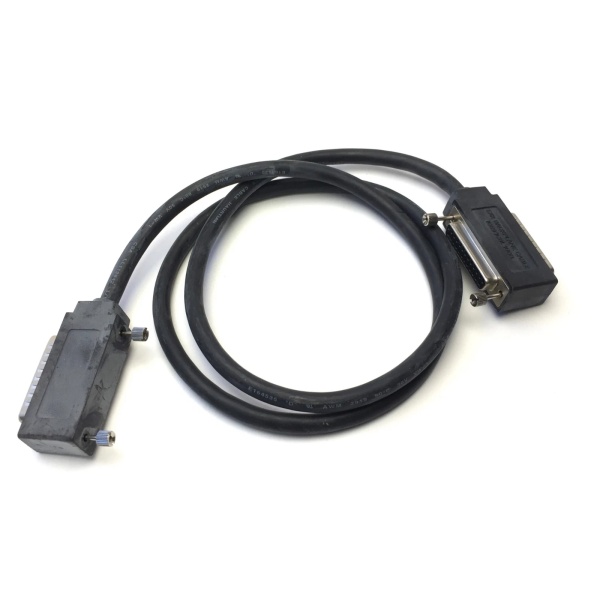
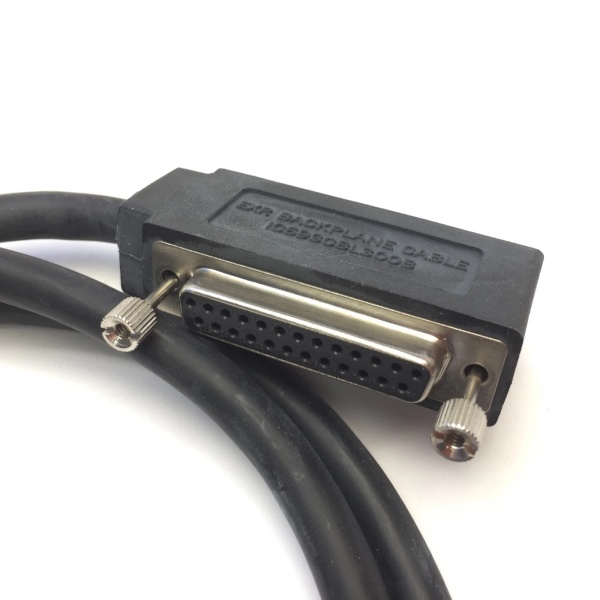
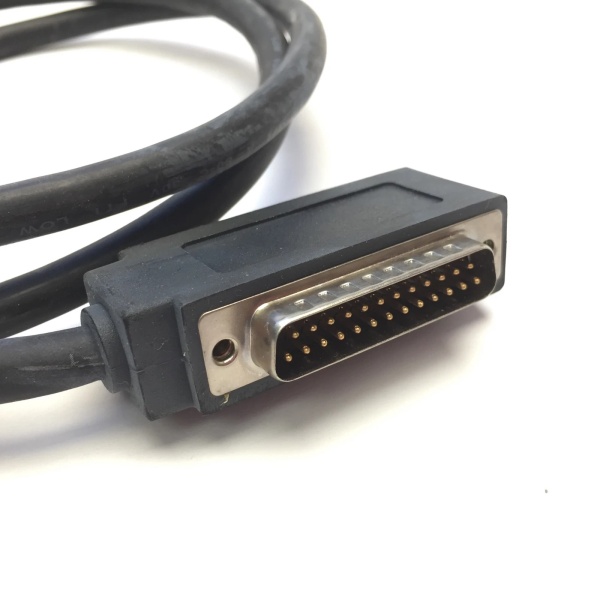
Description
Hard-Numbers: Technical Specifications
- Cable Type: High Density I/O Quick Connect Cable (Right Side)
- Cable Length: 3 meters (10 feet)
- Wire Size: #24 AWG (0.22 mm²)
- Current Rating: 1.2 Amperes per conductor
- PLC Side Connector: 24-pin right-angle female Fujitsu FCN-365S024-AU
- Field Side Connector: 24 flying leads (stripped and tinned)
- Connector Depth: 2.0 inches (51 mm) from module front panel
- Shield Type: Unshielded
- Wire Configuration: Twisted pairs with color coding
- Operating Temperature: Industrial range (typically -20°C to +70°C)
- Weight: 0.43 kg (0.94 lbs)
- Paired Cable Required: IC693CBL327 (left-side cable for groups C/D)
- Replaced Cable: IC693CBL315 (obsolete straight connector)
- Compatible Modules: IC693MDL654, IC693MDL655, IC693MDL752, IC693MDL753, IC694MDL752, IC694MDL753

GE IC693CBL300
The Real-World Problem It Solves
High-density 32-point I/O modules require two separate 24-pin connectors to break out all points, and the right-side connector handles groups A and B (points 1-16). Trying to land 16 discrete I/O points directly onto a cramped Fujitsu connector in a hot, crowded cabinet is a recipe for termination errors and future maintenance nightmares. The IC693CBL328 gives you a prewired, right-angle extension that routes those signals to a standard terminal block where you can actually work without fighting the cable itself.
Where you’ll typically find it:
- 32-point input banks: Reading dozens of limit switches, photoeyes, or proximity sensors in packaging or assembly lines
- Output arrays for solenoids: Controlling valve banks, pneumatic actuators, or small motor starters where space is tight
- Retrofit installations: Replacing obsolete straight-connector cables (IC693CBL315) in cabinets where door clearance is marginal
Bottom line: This is the right half of your 32-point module wiring puzzle—you need IC693CBL327 for the left side, and IC693CBL328 for the right side to get all 32 points working.
Hardware Architecture & Under-the-Hood Logic
The IC693CBL328 is a passive interconnect cable with no active circuitry. Its job is simple but critical: carry 24 discrete signal paths from the module’s right-side connector (groups A and B, points 1-16) to your field termination point without introducing resistance, noise, or failure points.
-
Signal Path FlowEach of the 24 pins on the Fujitsu connector maps directly to a corresponding flying lead. Pin 1 goes to wire 1, pin 2 to wire 2, all the way through to pin 24 and wire 24. No electronics, no signal conditioning, just copper wire carrying whatever voltage or signal the module puts out. The right-angle connector bends 90 degrees immediately, routing the cable downward instead of sticking straight out like the old IC693CBL315 design.
-
Right-Side Group AssignmentOn 32-point modules, the right-side connector handles groups A and B:
- Group A: Points 1-8
- Group B: Points 9-16Each group of 8 points shares a common return. The cable doesn’t care about this grouping—it passes through whatever’s on each pin. Your terminal block wiring determines how you land the commons and field devices.
-
Current Capacity Constraints#24 AWG copper handles 1.2 amps per conductor max. That’s it. If your module spec says 2 amps per point and you wire a 16-point output through this cable, you’re derating to 1.2 amps whether you like it or not. Exceeding this heats up the wire, degrades insulation, and eventually causes opens or shorts inside the cable jacket where you can’t fix them.
-
Unshielded ConstructionNo foil, no braid, just twisted pairs. This works fine for typical 24VDC I/O in reasonable environments. Run this cable past VFD outputs, sit it next to 480V power buses, or route through conduit with welding leads, and you’ll pick up noise that shows up as ghost inputs or erratic outputs. Shielding costs more and makes cables stiffer—GE left it out to keep this flexible and cheap.
-
Connector Design & ClearanceThe right-angle Fujitsu FCN-365S024-AU connector only protrudes 2.0 inches from the module face. That’s critical in tight cabinets where the door barely clears the rack. The shell is plastic, contacts are phosphor bronze, and the whole assembly is designed for repeated mating cycles if you treat it right. Force it, crush it, or pull by the connector body, and you’ll be buying replacements.
-
Flying Lead TerminationThe field end gives you 24 loose wires with stripped and tinned ends. Land them directly into screw terminals, ferrule lugs, or solder them to a custom PCB if that’s your thing. No pre-molded connector means maximum flexibility but also maximum responsibility—you need to label each wire, verify continuity after termination, and secure the bundle so vibration doesn’t work your terminals loose.
-
Pairing Logic with IC693CBL327The IC693CBL328 is useless on its own for a 32-point module. You need both cables:
- IC693CBL328 (Right): Groups A/B, points 1-16
- IC693CBL327 (Left): Groups C/D, points 17-32Together, they give you all 32 points. Missing either cable leaves you with 50% capacity and a red face during commissioning.
GE IC693CBL300
Field Service Pitfalls: What Rookies Get Wrong
Installing wrong cable on right side
You plug IC693CBL327 into the right-side connector instead of IC693CBL328. The module powers up fine, but points 1-16 are dead while 17-32 work. You waste hours troubleshooting the wrong half of the module before checking which cable is where.
- Field Rule: IC693CBL328 (Right Cable) always goes to the right-side connector for groups A/B (points 1-16). IC693CBL327 (Left Cable) always goes to the left side for groups C/D (points 17-32). Label cables clearly and verify against module silkscreen before plugging in.
Forgetting to install left cable
You order and install only IC693CBL328, thinking one cable handles the whole module. Points 1-16 work perfectly, points 17-32 are dead on arrival. You’re chasing a fault that doesn’t exist—there’s just no cable there.
- Field Rule: 32-point modules require both cables—IC693CBL328 (Right) plus IC693CBL327 (Left). Order them as a pair, stock them as a pair, and install them as a pair. Missing either cable gives you half a module.
Exceeding 1.2 amp current limit
You wire outputs through this cable and load each point to 2 amps because the module spec allows it. The #24 AWG conductors overheat, insulation fails, and you’re tracking down conductor faults months later.
- Field Rule: 1.2 amps per conductor is your absolute maximum regardless of module rating. Verify field device currents during design. For 16-point modules with higher current capabilities, use the lower cable rating or switch wiring methods.
Ignoring connector depth in tight cabinets
You mount modules close to the cabinet door without accounting for the 2-inch connector protrusion. Door won’t close, you force it, and you crush the right-angle shell or crack the housing.
- Field Rule: Measure 2 inches minimum clearance from module face to any obstruction. Account for cable bend radius—right-angle connectors need room to turn downward. If the cabinet’s too shallow, relocate modules or use a deeper enclosure.
Poor flying lead termination
You strip wires too short, nick conductors, or leave loose strands in terminals. Vibration works connections loose over time, and you’re chasing intermittent faults that correlate with machine operation.
- Field Rule: Strip 6-8 mm without nicking copper, use ferrules if your terminals accept them. Torque to spec, not hand-tight. Pull-test each termination. A 5-minute job done right beats 5 hours of fault-finding on a running line.
Hot-swapping cables under load
You plug or unplug IC693CBL328 while field power is applied. Outputs fire unexpectedly, inputs glitch, and worst case—you activate machinery that shouldn’t be running.
- Field Rule: Kill field power before touching I/O cables. Verify zero volts with a multimeter. Follow proper lockout/tagout. Never assume “it’s just a cable”—those flying leads carry live voltage.
Using unshielded cable in high-EMI environments
You run IC693CBL328 past VFD outputs, motor starters, or welding equipment without protection. Electrical noise induces false inputs or erratic outputs that you blame on the module or program.
- Field Rule: This cable is unshielded. Keep it separated from power cables by at least 12 inches. Route through steel conduit in high-EMI areas. If noise immunity is critical, consider shielded alternatives or re-route.
Damaging connectors during installation
You force the Fujitsu connector onto misaligned pins, or pull cables by the connector body instead of the wire bundle. Pins bend, shells crack, and you’re buying new cables.
- Field Rule: Connectors must slide on smoothly—never force. Align carefully, push straight on until it clicks. Pull by the wire bundle, never the connector. Inspect pins for damage before installation.
Incorrect wire mapping assumptions
You assume wire color coding matches your terminal block layout without verifying the pinout. Points activate in the wrong order, or you short commons to outputs based on assumptions.
- Field Rule: Never assume wire mapping. Verify pin 1 connects to wire 1, pin 2 to wire 2. Use a continuity tester if labels are missing. Cross-check against the module manual. One wrong wire can kill a board or start a fire.
Commercial Availability & Pricing Note
Please note: The listed price is for reference only and is not binding. Final pricing and terms are subject to negotiation based on current market conditions and availability.



