
Description
3. Key Technical Specifications
| Parameter | Value |
|---|---|
| Kit Type | High Density I/O Cable Kit |
| Included Cables | IC693CBL327 (Left), IC693CBL328 (Right) |
| Connector Type | Fujitsu FCN-365S024-AU (24-pin) |
| Connector Orientation | Right-Angle (90°) |
| Wire End | Stripped wire ends (for terminal block connection) |
| Cable Length | 3 meters (10 feet) per cable |
| Number of Cables | 2 (Left + Right pair) |
| Current Rating | 1.2 Amps per conductor |
| Compatible Modules | IC693MDL654, IC693MDL655, IC693MDL752, IC693MDL753 |
| Weight | 1.88 lbs (0.85 kg) per kit |
| Cable Function | High-density connection for 32-point I/O modules |
| Product Lifecycle Status | Discontinued/Obsolete |
4. Product Introduction
The GE IC693CBK001 is a specialized cable kit designed for the Series 90-30 PLC platform, specifically engineered to interface with high-density 32-point I/O modules. The kit contains two identical 24-pin right-angle cables (IC693CBL327 for left side and IC693CBL328 for right side) that connect the module’s front-panel connectors to field wiring terminal blocks.
The technical advantage lies in its right-angle connector design, which significantly reduces the clearance space required in front of the PLC cabinet—critical for compact installations. Each cable measures 3 meters (10 feet) in length and features stripped wire ends at the termination side for flexible connection to terminal strips. With a current rating of 1.2 amps per conductor, these high-density cables provide safe and reliable connections for high-tension circuits commonly found in industrial automation environments.

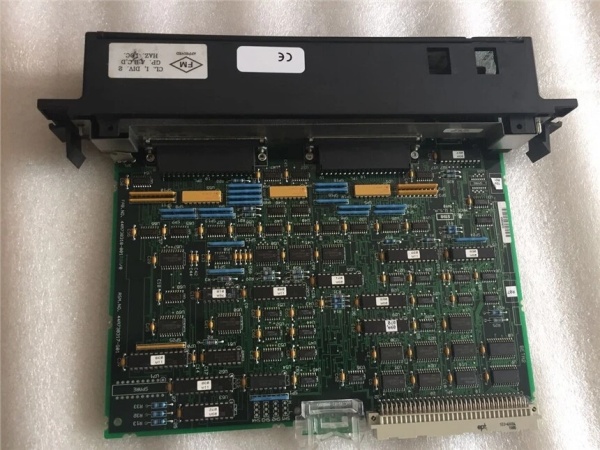
IC693CBK001
5. QA & Testing SOP (Transparency Building)
1. Incoming InspectionEvery IC693CBK001 kit undergoes visual inspection to verify the inclusion of both required cables (IC693CBL327 and IC693CBL328). We inspect the 24-pin Fujitsu FCN-365S024-AU connectors for bent pins, contact damage, or housing cracks. The wire insulation is checked for cuts, abrasions, or heat damage. We verify the wire gauge matches original specifications to ensure proper current handling capacity.
2. Electrical Continuity TestingUsing a multimeter, we perform continuity tests on all 24 conductors of each cable to ensure no open circuits. We verify the pin-to-wire mapping matches the original schematic to prevent wiring errors during installation. Insulation resistance testing is performed between adjacent conductors and between conductors and the connector shield to detect any shorts or degradation.
3. Connector Integrity TestingThe right-angle connector housings are inspected for proper mechanical engagement features. We simulate connector mating to verify the locking mechanism functions correctly and that the connector orientation aligns properly with the module’s front-panel interface. This prevents connection failures or connector damage during field installation.
4. Current Rating VerificationWe verify that the wire gauge and insulation rating meet or exceed the 1.2 amp per conductor specification. This is critical for preventing overheating when used with high-current output modules. Cables failing current rating tests are rejected from the remanufacturing process.
5. Final QC & PackagingEach cable set receives a QC tag confirming continuity test results and connector condition. Cables are coiled to avoid stress on the conductors and connectors. The kit is packaged in anti-static bags and labeled with part number IC693CBK001, cable identifiers (CBL327/CBL328), and test date.
6. Installation Pitfalls & Guide (Engineer to Engineer)
❗ Incorrect Cable OrientationThe IC693CBL327 is designed for the left side of the module and IC693CBL328 for the right side. While the connectors appear identical, swapping them can result in improper strain relief and cable routing issues. Always verify the cable label matches the installation side—left cable on the left connector, right cable on the right connector.
❗ Current Rating ViolationsEach conductor is rated for 1.2 amps maximum. When used with 16-point output modules, this rating needs modification, and the cable kit may not be suitable for all high-current applications. Always calculate the per-point current draw of your I/O devices and verify it stays within the 1.2A conductor rating. Exceeding this rating causes conductor overheating and potential insulation failure.
❗ Connector Pin DamageThe 24-pin Fujitsu connectors are delicate. I’ve seen technicians bend pins during installation by forcing misaligned connectors. Always align the connector carefully before applying force. Use visual inspection to ensure all pins are straight and undamaged before each installation attempt.
❗ Insulation AbrasionThe stripped wire ends are vulnerable to short circuits if insulation is cut too close to the conductor exposure. Leave adequate insulation before the stripped section (typically 1/8″ minimum). I’ve seen short circuits caused by insulation cuts that were too aggressive during wire stripping.
❗ Cable Routing StressRight-angle connectors reduce clearance space but can create bending stress if cables are routed too sharply. Maintain a minimum bend radius of 10x the cable diameter to prevent conductor fatigue. Sharp bends during installation will eventually cause conductor breaks and intermittent connections.
Installation Guide
- Identify Cables: Verify you have both IC693CBL327 (left) and IC693CBL328 (right). Confirm no pin damage on the 24-pin connectors.
- Power Down: Ensure the PLC rack is de-energized before connecting or disconnecting any cables.
- Connect to Module: Connect the right-angle connector to the appropriate side of the 32-point I/O module. Apply firm, even pressure—do not force. The connector should click into place.
- Route Cable: Route the cable to your terminal block or field wiring location. Maintain appropriate bend radius and avoid sharp edges that could damage insulation.
- Terminate at Block: Connect the stripped wire ends to your terminal block according to the module’s wiring diagram. Verify proper torque settings.
- Power Up Test: Energize the system and verify I/O operation. Check for proper signal continuity and absence of intermittent connections.
7. FAQ (Frequently Asked Questions)
Q: What I/O modules are compatible with IC693CBK001?A: The IC693CBK001 cable kit is primarily compatible with GE Series 90-30 32-point high-density I/O modules, specifically IC693MDL654, IC693MDL655, IC693MDL752, and IC693MDL753. Always verify compatibility with your specific module before ordering.
Q: Can I use these cables with 16-point modules?A: The IC693CBK001 kit is designed for 32-point modules with dual 24-pin connectors. While physically compatible with some 16-point modules, the current rating (1.2A per conductor) may need modification depending on your application. Always verify current requirements match cable specifications.
Q: What is the difference between IC693CBL327 and IC693CBL328?A: Both cables are electrically identical and feature the same 24-pin Fujitsu connector. The difference is physical orientation—IC693CBL327 is designated for the left side of the module, and IC693CBL328 is for the right side. This ensures proper cable routing and strain relief in the cabinet.
Q: Why does this kit use right-angle connectors?A: Right-angle connectors reduce the clearance space required in front of the PLC cabinet, allowing for more compact installations. They replace older straight-connector cables that extended further out from the module front panel.
Q: What is the current rating for these cables?A: Each conductor is rated for 1.2 amps maximum. This rating is critical when determining compatibility with your I/O devices. Exceeding this rating can cause overheating and potential fire hazard.
Q: Can I extend the cable length?A: The cables are 3 meters (10 feet) in length. While technically possible to splice or extend, this is not recommended for industrial applications. Extending cables introduces potential failure points and may affect signal integrity, especially in electrically noisy environments.
Q: Are these cables still available new?A: The IC693CBK001 has been discontinued by the manufacturer. However, new surplus and refurbished units are available through specialized obsolete parts suppliers. Always verify the condition and warranty terms when purchasing discontinued components.



