
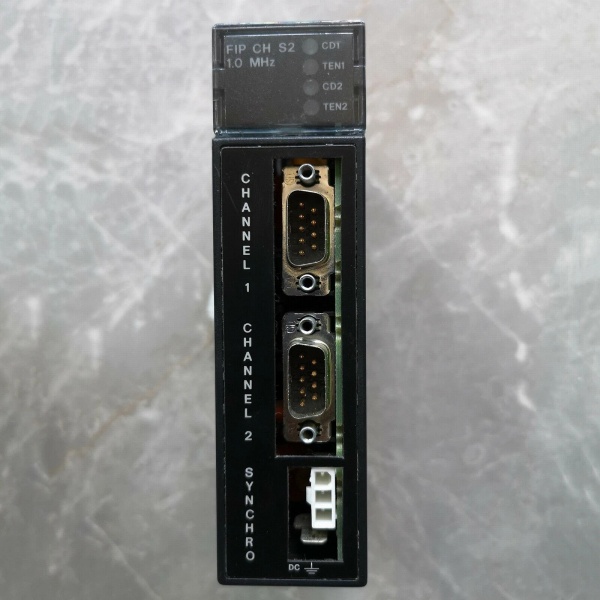
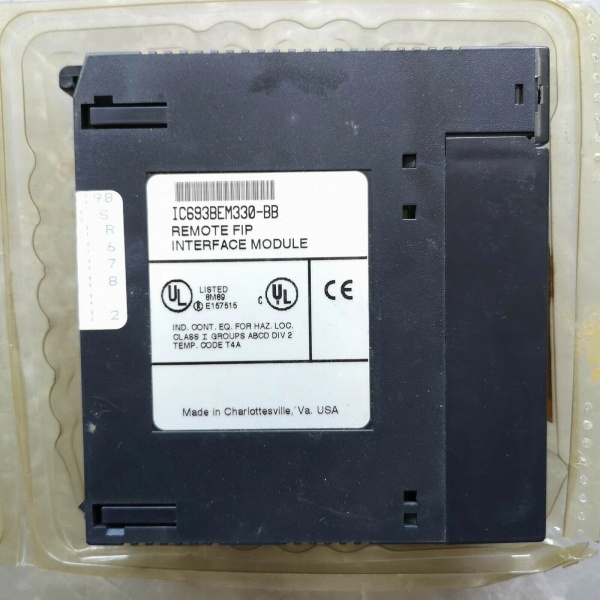
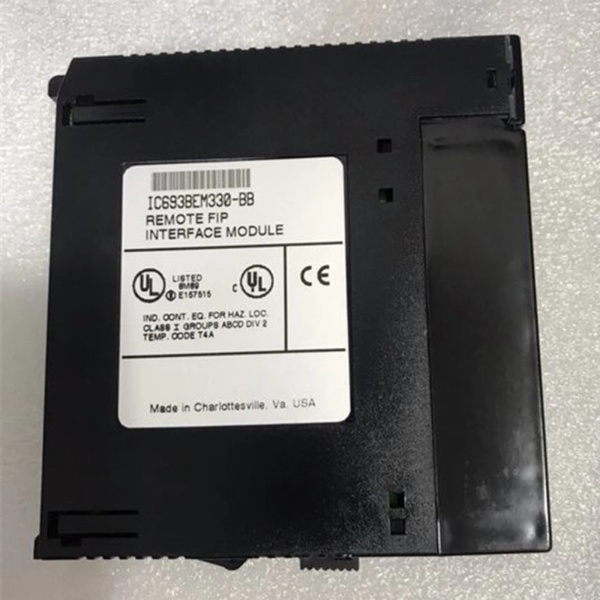
Description
Hard-Numbers: Technical Specifications
- Interface Type: Genius Bus Controller (GBC) with Dual-Handheld (DH) Support
- Network Type: Genius I/O Serial Bus
- Physical Layer: Single twisted pair cable, RS-485 compatible
- Bus Length: Up to 7500 feet (2286 meters) per segment
- Maximum Drops: Supports 4 drop positions per module, up to 30 Genius I/O blocks total on the network
- Global Data Capacity: 1536 bytes total (768 inputs + 768 outputs)
- External Ports: Enhanced HHM interface optimized for dual handheld monitor connection
- Configuration Software: Logicmaster 90-30, VersaMax, or Proficy Machine Edition
- LED Indicators: OK, BUS, CONFIG, ERROR, DH (Handheld status)
- Power Consumption: 800 mA @ 5 VDC from backplane
- Isolation: 1500 VAC between field side and backplane
- Operating Temperature: 0°C to +60°C (32°F to +140°F)
- Storage Temperature: -40°C to +85°C (-40°F to +185°F)
- Humidity: 5–95% non-condensing
- Lifecycle Status: Discontinued/Obsolete

GE IC693BEM330
The Real-World Problem It Solves
Standard Genius Bus Controllers provide limited handheld monitor access, making it difficult for field technicians to simultaneously diagnose network issues at multiple locations. The IC693BEM330-DH addresses this limitation with enhanced dual-HH support, allowing two technicians to connect at different network points for collaborative troubleshooting, reducing diagnostic time and enabling more efficient field service operations.
Where you’ll typically find it:
- Manufacturing automation: Distributed I/O systems requiring frequent field diagnostics with dual technician access
- Material handling: Conveyor and sorting systems with multiple troubleshooting access points
- Process industries: Water/wastewater treatment plants with remote I/O stations requiring on-site monitoring
- Automotive assembly: Production lines needing simultaneous diagnostics at different workstations
Bottom line: The IC693BEM330-DH builds on the standard GBC architecture with enhanced dual-HH support, enabling more efficient field diagnostics and reduced downtime through improved technician collaboration.
Hardware Architecture & Under-the-Hood Logic
The IC693BEM330-DH shares the core hardware architecture with the standard IC693BEM330 but incorporates enhanced circuitry optimized for dual Hand-Held Monitor (HHM) connection. The module maintains all standard GBC functions—global memory mapping, token-passing network protocol, and drop position management—while providing improved HHM interface capabilities for simultaneous or sequential connection of two handheld monitors at different network locations.
-
Network Interface Layer
- RS-485 transceiver provides physical layer connectivity over twisted pair
- Support for single-wire bus topology up to 7500 feet
- Automatic baud rate detection (supports up to 153.6 Kbps on extended bus)
- Electrical isolation (1500 VAC) between network and backplane
-
Processor & Memory Architecture
- Dedicated microprocessor manages Genius protocol and token passing
- 1536 bytes global data memory organized as 768 input + 768 output bytes
- Global memory mapping allows PLC CPU to read/write remote I/O data transparently
- Enhanced buffer management for dual HHM data exchange
-
Drop Position Management
- 4 configurable drop positions per module
- Each drop can connect multiple Genius I/O blocks via daisy-chain
- Supports up to 30 total Genius blocks across all drops on the network
- Automatic block addressing and configuration discovery
-
Global Data Exchange Mechanism
- PLC writes output data to global memory, GBC transmits to remote blocks
- Remote blocks write input data to global memory, GBC transmits to PLC
- Data exchange occurs transparently to PLC program
- Configurable update rates (default 10-20 ms scan time)
-
Dual-Handheld Monitor Interface
- Enhanced HHM interface supporting two handheld monitors
- Simultaneous connection possible at different network access points
- Real-time monitoring of I/O status and network health from both HHMs
- Password protection for configuration security
- Improved HHM connection management with reduced network disruption
-
Diagnostic & Error Handling
- LED indicators provide instant visual status (OK, BUS, CONFIG, ERROR, DH)
- DH LED indicates handheld monitor connection status
- Comprehensive fault detection for network errors, communication timeouts, and block failures
- Automatic reconfiguration on block addition or removal
- Configuration stored in non-volatile memory for power-up recovery
GE IC693BEM330
Field Service Pitfalls: What Rookies Get Wrong
Connecting two HHMs without proper sequencing
Rookies connect both handheld monitors simultaneously without coordination. Both HHMs attempt to configure the network simultaneously, causing conflicts and network communication failure.
- Field Rule: When using dual HHMs, designate one as primary for configuration and the other as read-only for monitoring. Configure the network with one HHM first, then connect the second HHM in monitor-only mode. If both need configuration access, alternate between them—never configure simultaneously.
Assuming DH indicates “Data High”
Rookies misinterpret the “-DH” suffix as a high-speed data mode and expect faster communication. The DH designation refers to Dual-Handheld support, not increased network bandwidth.
- Field Rule: The IC693BEM330-DH is functionally identical to the standard IC693BEM330 in terms of network speed and data capacity. The -DH variant provides enhanced dual-HH support for improved field diagnostics, not faster network communication.
Connecting HHMs to wrong ports
Rookies connect handheld monitors to Genius block ports instead of dedicated HHM access ports. The HHM doesn’t receive proper communication and network diagnostics fail.
- Field Rule: HHMs should connect to dedicated HHM access points on the network, not to individual Genius blocks. Verify HHM connection points in the network diagram. The IC693BEM330-DH provides optimized HHM interface—use the specified access points for best performance.
Ignoring DH LED status
Rookies connect an HHM but the DH LED remains off. The HHM connection is not properly established, and the technician assumes the HHM is functional when it’s not communicating.
- Field Rule: Always verify the DH LED illuminates when an HHM is connected. If the LED is off, check HHM connection, cable integrity, and HHM power. The DH LED provides instant confirmation of successful HHM connection.
Exceeding 7500-foot bus length
Rookies assume the -DH variant supports longer bus runs. Signal degradation occurs beyond 7500 feet, causing communication failures just like the standard GBC.
- Field Rule: The IC693BEM330-DH maintains the same 7500-foot bus length limit as the standard IC693BEM330. Do not extend beyond this limit without installing Genius Bus Extenders or repeaters. DH functionality does not increase bus length capability.
Not documenting dual-HHM configuration
Rookies install the -DH module but don’t document which HHM ports are primary and which are secondary. Future technicians connect incorrectly, causing conflicts and network disruption.
- Field Rule: Document dual-HHM configuration in as-built drawings. Label each HHM access point as “Primary” or “Secondary” and specify allowed operations (configuration vs. monitoring). Ensure all technicians are trained on proper dual-HHM procedures.
Mixing standard GBC and DH modules on the same network
Rookies replace a standard IC693BEM330 with an IC693BEM330-DH without updating PLC configuration. The DH variant may have different default settings, causing network timing issues.
- Field Rule: When replacing a standard GBC with a -DH variant, verify PLC configuration compatibility. Review global memory mapping, update rates, and HHM port settings. Test the network thoroughly after replacement before returning to production.
Forgetting to disable unused HHM access points
Rookies leave HHM access points unprotected. Unauthorized personnel connect HHMs and accidentally modify network configuration, causing production disruptions.
- Field Rule: Configure password protection on all HHM access points. If certain access points should never be used for configuration, lock them in monitor-only mode. Document password procedures and ensure only authorized personnel have access.
Commercial Availability & Pricing Note
Please note: The listed price is for reference only and is not binding. Final pricing and terms are subject to negotiation based on current market conditions and availability.



