
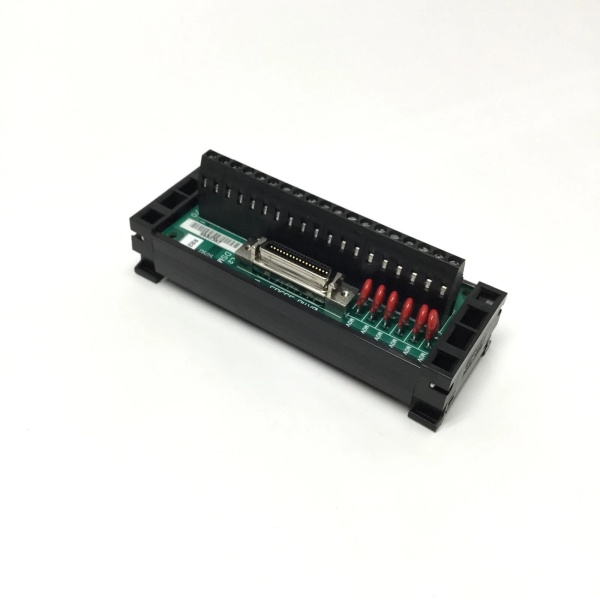
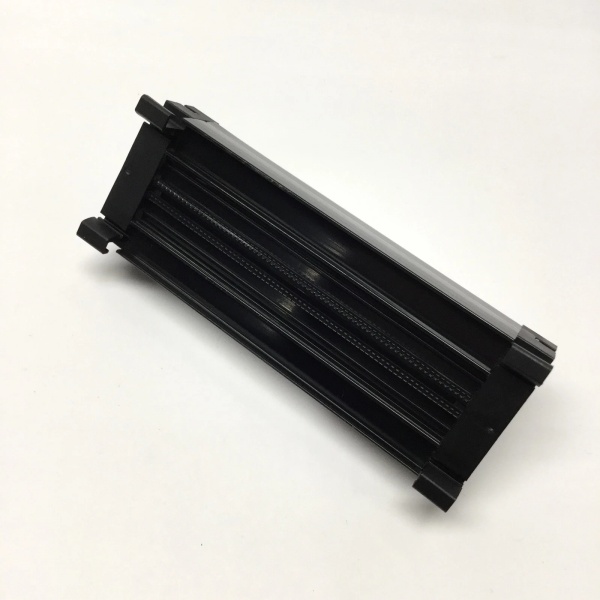
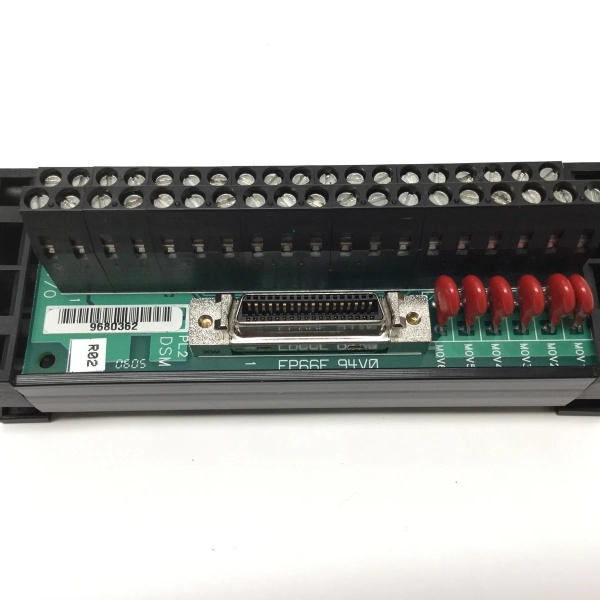
Description
Hard-Numbers: Technical Specifications
- Processor: 80386DX @ 33 MHz with 80387DX math co-processor
- Dedicated RAM: 1 MB battery-backed SRAM (non-volatile)
- Flash Memory: 512 KB for program storage
- Ethernet Ports: 2 x RJ-45 10/100 Mbps (independent)
- Ethernet Protocols: SRTP, Modbus TCP/IP, EGD
- Max Connections: 32 simultaneous TCP/IP connections (16 per port)
- Backplane Current Draw: 1.2 A @ +5 VDC
- Data Exchange: 4K word shared memory window with Series 90-30 CPU
- Math Performance: 50x faster floating-point operations than base CPU360
- Response Time: < 1 ms typical for math function calls
- Isolation: 1500 VAC optical isolation on Ethernet ports
- Operating Temperature: 0°C to 60°C (32°F to 140°F)
- Configuration Software: Cimplicity Machine Edition, VersaPro
- Module Type: Co-processor (plugs into standard I/O slot)

GE IC693ACC336
The Real-World Problem It Solves
Your Series 90-30 CPU is bogged down with complex floating-point math, PID loop calculations, or high-speed data logging, and scan time is blowing past your watchdog limits. Critical control loops are lagging, and the CPU can’t keep up with high-speed Ethernet communication demands. This co-processor offloads the heavy lifting—math functions, data logging, and Ethernet traffic—freeing the CPU to focus on control logic. The ACC336 runs in parallel with the CPU, sharing data through a backplane memory window, so both processors work simultaneously without bottlenecking.
Where you’ll typically find it:
- Turbine Generator Control: Steam and gas turbines requiring complex PID algorithms, vibration analysis, and high-speed data logging while maintaining millisecond scan times
- Motion Control Systems: CNC machines, robotics, and coordinated axis control requiring floating-point trajectory calculations and synchronized multi-axis communication
- High-Speed Data Acquisition: Test stands, research facilities, and process monitoring requiring sub-millisecond math operations and simultaneous multi-protocol Ethernet communication
Bottom line: It’s your Series 90-30 performance booster—parallel processing power that accelerates math operations by 50x, handles dual Ethernet traffic independently, and offloads data logging so your CPU can focus on control logic.
Hardware Architecture & Under-the-Hood Logic
The IC693ACC336 plugs into any Series 90-30 I/O slot and operates as an independent co-processor in parallel with the main CPU. The module contains its own 80386DX processor with 80387DX math co-processor, 1 MB of battery-backed SRAM, 512 KB flash memory, and dual independent Ethernet controllers. The ACC336 and Series 90-30 CPU exchange data through a 4K word shared memory window on the backplane. The CPU writes input data to the shared window, the ACC336 processes math operations or handles Ethernet communication, and results are written back to the shared window for the CPU to read. Both processors execute independently but coordinate through the shared memory interface.
-
Parallel Processor Architecture: The ACC336 runs a 80386DX processor completely independent of the Series 90-30 CPU. While the main CPU scans ladder logic, the ACC336 simultaneously executes floating-point math, data logging algorithms, or Ethernet protocol stacks. Both processors access their own dedicated memory and communicate only through the shared backplane memory window. This true parallel processing eliminates CPU scan time impact from heavy computational tasks.
-
Dedicated Math Co-Processor: The 80387DX math co-processor handles all floating-point arithmetic independently of the main CPU. Complex trigonometric functions, logarithms, exponentiation, and PID calculations execute 50x faster on the co-processor compared to the base CPU360’s software-emulated floating-point. The CPU calls a math function in the shared memory window, the ACC336 executes it, and results return typically within 1 ms.
-
Shared Memory Data Exchange: A 4K word (16 KB) memory region on the backplane is shared between the ACC336 and Series 90-30 CPU. This shared window functions as a mailbox—the CPU writes input parameters to specific addresses, the ACC336 reads parameters, processes the requested operation, and writes results back to different addresses. The CPU polls results addresses on subsequent scans. No direct register access is required—all communication occurs through the shared memory interface.
-
Dual Independent Ethernet Ports: The ACC336 contains two separate 10/100 Mbps Ethernet controllers, each with independent MAC addresses and physical interfaces. Both ports operate simultaneously and independently. Port A and Port B can connect to separate networks or provide redundant paths to the same network. The ACC336 handles all Ethernet protocol processing (SRTP, Modbus TCP/IP, EGD) without CPU involvement, freeing the CPU from network communication overhead.
-
Backplane Communication Interface: The ACC336 interfaces with the Series 90-30 backplane through standard I/O slot communication. The module draws power from the backplane and accesses the shared memory window via backplane bus mastering. The CPU detects ACC336 presence during power-up configuration and allocates the shared memory addresses accordingly. The ACC336 presents itself as a special co-processor module to the CPU, not a standard I/O module.
-
Data Logging Capability: The 1 MB battery-backed SRAM provides ample storage for high-speed data logging. The ACC336 can log process variables, calculated results, or diagnostic data at sub-millisecond rates without affecting CPU scan time. Logged data is stored in local SRAM and can be accessed by the CPU through the shared memory window or uploaded via Ethernet for external analysis. Data logging continues even if the CPU scan rate slows.
-
Flash Program Storage: The 512 KB flash memory stores the ACC336 application program, configuration data, and Ethernet protocol stacks. This program is independent of the Series 90-30 CPU ladder logic. The ACC336 boots and initializes independently, loading its program from flash and waiting for requests from the CPU via the shared memory window. Flash memory is non-volatile and requires no battery backup.
-
Ethernet Protocol Independence: Both Ethernet ports support simultaneous multi-protocol operation. Port A can handle Modbus TCP/IP master communication while Port B handles EGD server requests. The ACC336 manages all TCP/IP connections, socket management, and protocol stacks internally. The Series 90-30 CPU simply requests data transfer through the shared memory window and the ACC336 handles the actual Ethernet communication.
-
Battery Backup for SRAM: The 1 MB SRAM is backed by an onboard lithium battery (typically CR2032). Battery backup ensures data retention during power loss for up to 5 years typical. The battery is replaceable without removing the module from the rack. When the battery fails, SRAM contents are lost on power cycle—but flash memory and program storage remain intact. Monitor battery status via front panel LED or CPU diagnostics.
-
Configuration and Programming: The ACC336 is programmed using Cimplicity Machine Edition or VersaPro programming software. The co-processor application is separate from the main CPU ladder logic and uses structured text, ladder, or C programming languages depending on firmware capabilities. Configuration includes shared memory address mapping, Ethernet port settings, protocol parameters, and data logging triggers. The co-processor program is downloaded to flash memory and executes independently after power-up.
GE IC693ACC336
Field Service Pitfalls: What Rookies Get Wrong
Assuming the co-processor eliminates CPU scan time completely
You install the ACC336 and assume your CPU scan time will drop to zero. Scan time improves significantly because heavy math is offloaded, but the CPU still scans ladder logic. You still need to optimize CPU logic for tight scan times.
Field Rule: The ACC336 offloads specific tasks—floating-point math, data logging, Ethernet communication—but the CPU still scans all ladder logic. Calculate expected scan time reduction based on percentage of math operations vs. discrete logic. Optimize the CPU program regardless of co-processor presence. Don’t assume parallel processing eliminates all scan time concerns—both processors contribute to total execution time.
Misconfiguring shared memory addresses
You set up the shared memory window but don’t verify address mapping between CPU and ACC336. The CPU writes to input addresses, but the ACC336 is reading from different addresses. Math results never return, and you assume the module is defective.
Field Rule: Verify shared memory address mapping in both CPU and co-processor configuration. Document which addresses are for CPU-to-ACC336 writes, which are for ACC336-to-CPU writes, and which are status flags. Test data exchange with known values before deploying critical math functions. Misconfigured shared memory causes silent failures—addresses must match exactly.
Overloading the co-processor with excessive tasks
You offload everything to the ACC336—math, data logging, dual Ethernet communication, custom algorithms. The co-processor becomes the bottleneck, response times blow out, and tasks timeout.
Field Rule: The ACC336 has limits too. Balance workload between CPU and co-processor. Calculate execution time for co-processor tasks and verify they fit within required response times. Don’t assume unlimited parallel processing power—profile co-processor performance under full load before deployment. Monitor response times and adjust task allocation as needed.
Neglecting battery backup maintenance
You install the ACC336 and never check the SRAM battery. Five years later, power fails and all logged data is lost. The co-processor reboots with empty SRAM and missing configuration data.
Field Rule: Monitor SRAM battery status. Check battery voltage during routine maintenance or use CPU diagnostic monitoring. Replace the lithium battery on schedule (typically every 3-5 years) or when low battery warnings appear. Battery failure causes data loss on power cycle—preventive replacement is cheap insurance. Document battery replacement dates.
Mixing Ethernet protocols without bandwidth planning
You configure Port A for Modbus TCP/IP master and Port B for EGD server with 20+ simultaneous connections. Network performance degrades, connections timeout, and communication becomes unreliable.
Field Rule: Plan Ethernet bandwidth allocation across both ports. Calculate connection requirements for each protocol. Consider splitting protocols across ports—Modbus on Port A, EGD on Port B—to balance load. Monitor network performance and connection counts during commissioning. Don’t overload both ports simultaneously without testing—network congestion causes unreliable communication.
Assuming both Ethernet ports provide redundancy automatically
You install dual Ethernet cables to separate switches but configure both ports as active simultaneously. A switch failure occurs, and both ports go down because they’re not configured for failover.
Field Rule: Dual Ethernet ports provide redundancy only if configured properly. Configure one port as primary and one as backup, or implement failover logic in your application. Test failover by disconnecting the primary port and verifying the secondary takes over. Don’t assume dual cables mean automatic redundancy—configure failover behavior explicitly.
Forgetting to download co-processor program after replacement
You replace a failed ACC336 with a spare module. The CPU scans correctly, but math functions don’t execute because the spare doesn’t have the co-processor program loaded.
Field Rule: The ACC336 requires an independent program download separate from the CPU. Always download the co-processor application to flash memory after installing a replacement module. Verify program checksum or version in diagnostics. Maintain backup copies of co-processor programs on PC or network storage. A spare module is blank until programmed—never assume it contains your application.
Ignoring shared memory contention issues
You have multiple CPU programs or other co-processors accessing the same shared memory addresses. Data corruption occurs, or one CPU overwrites data before another reads it.
Field Rule: Design shared memory access carefully to avoid contention. Use status flags and handshake signals to coordinate data exchange between CPU and ACC336. Avoid simultaneous writes to the same addresses. Implement read-before-write protocols. Test shared memory behavior under all operating conditions. Uncoordinated shared memory access causes data races and corruption—design proper synchronization.
Overlooking power supply capacity
You install the ACC336 in a rack already near its power limit. The additional 1.2A draw pushes the supply over capacity, and the rack faults randomly under heavy processing loads.
Field Rule: Calculate total rack current before installing the ACC336. The module draws 1.2A @ +5VDC—significant load compared to typical I/O modules. Ensure your power supply has sufficient headroom (20-30% minimum above calculated load). Consider adding a second power supply if needed. Overloaded power supplies cause intermittent faults that are hard to diagnose—calculate before you install.
Commercial Availability & Pricing Note
Please note: The listed price is for reference only and is not binding. Final pricing and terms are subject to negotiation based on current market conditions and availability.



