
Description
Hard-Numbers: Technical Specifications
- Network Type: PROFINET (Version 2.2 Class A IO-Device)
- Network Protocol: PROFINET Slave, Version 2.2 Class A
- Number of Ports: 2 (RJ-45 shielded copper connectors)
- Transmission Speed: 10/100 Mbps auto-detecting
- Maximum Cable Distance: 100 meters per segment
- Supported Topologies: Linear (daisy-chain), Star, Ring (redundant)
- I/O Discrete Data Capacity: 2880 bytes total (1440 bytes input, 1440 bytes output)
- I/O Analog Data Capacity: 2880 bytes total (1440 bytes input, 1440 bytes output)
- I/O Data Update Rate: Configurable: 1ms, 2ms, 4ms, 8ms, 16ms, 32ms, 64ms, 128ms, 256ms, 512ms
- Diagnostic Data: 32 input status bits; 32 output control bits
- Maximum I/O Modules: 8 VersaMax I/O modules and carriers per instance
- Power Consumption: 0.60 A @ 5V DC (3 Watts backplane current)
- Weight: 0.75 lbs (0.34 kg)
- Module Dimensions: Height: 132mm (5.2 inches), Width: 134mm (5.28 inches)
- Operating Temperature Range: 0°C to 60°C (32°F to 140°F) without fan
- Mounting: DIN rail
- RoHS Compliance: Yes
- Proficy Machine Edition Version Required: Version 7.0 or later
- Compatible Controllers: Series 90-70; PACSystem RX7i; PACSystem RX3i
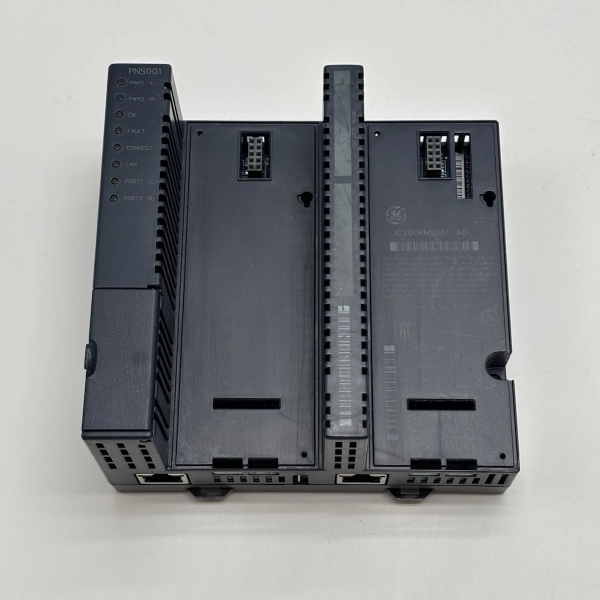
- LED Indicators: Two power LEDs (green when minimum power supplied), OK LED (solid green = ready, amber blinking = fault, green blinking = boot/update), Connect LED (amber blinking = scanner not ready)

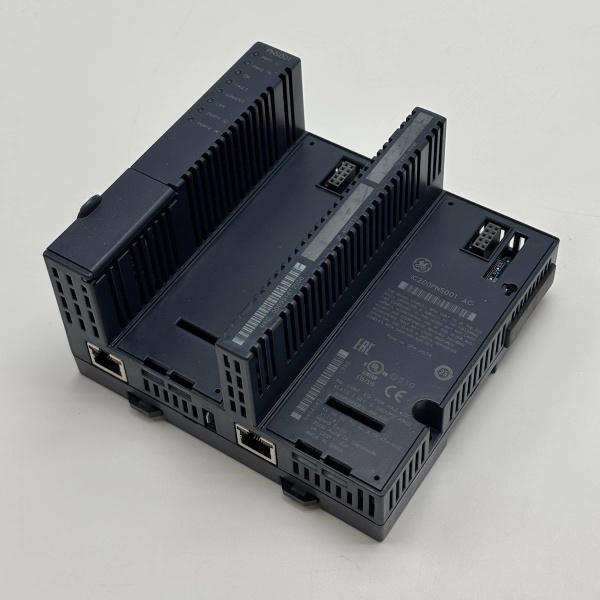
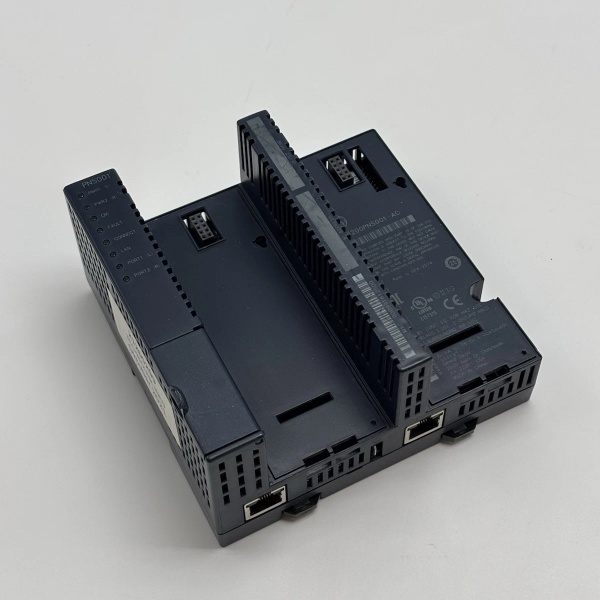
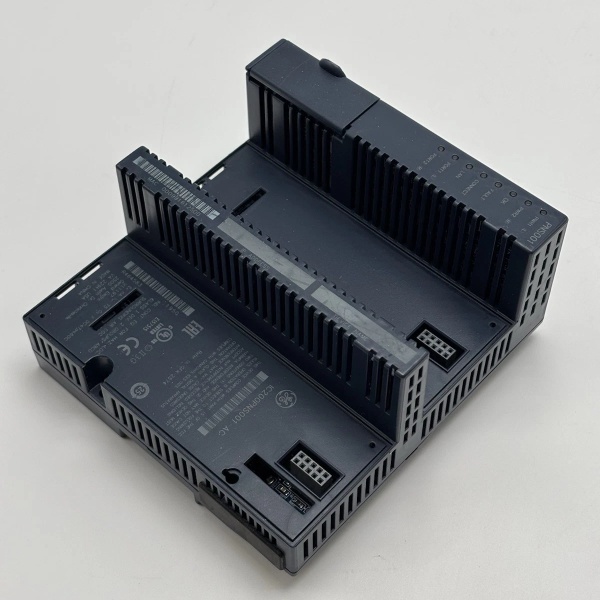
GE IC200PNS001
The Real-World Problem It Solves
This module bridges gap between remote I/O stations and PROFINET networks in modern industrial automation systems. Its built-in two-port embedded switch simplifies network topology and reduces cabling, while configurable update rates (as fast as 1ms) enable real-time control in high-speed applications. The ring topology support provides redundancy for mission-critical applications where network downtime is unacceptable.
Where you’ll typically find it:
- Automotive assembly lines requiring high-speed communication between robots and PLCs
- Packaging plants with distributed I/O stations spread across facility
- Food processing plants requiring hygienic design with remote I/O stations
- Pharmaceutical manufacturing with redundant network requirements
- Material handling systems with multiple conveyors and sorters
Bottom line: It’s your network bridge that enables distributed I/O architecture over PROFINET with high-speed data exchange and built-in redundancy for critical applications.
Hardware Architecture & Under-the-Hood Logic
The IC200PNS001 is a VersaMax PROFINET Scanner that acts as a network interface between remote I/O nodes and PROFINET I/O networks. It features two RJ-45 ports functioning as an embedded switch, utilizing a single IP address. The module supports multiple topologies and can be configured with update rates from 1ms to 512ms.
Signal flow breakdown:
- VersaMax I/O modules (discrete, analog, RTD, etc.) connected to VersaMax I/O carriers
- IC200PNS001 module mounted as network interface, retrieving input data and delivering output data
- Two RJ-45 ports configured for linear, star, or ring topology
- Embedded switch functionality allows daisy-chain configuration without external switch
- PROFINET protocol Version 2.2 Class A communication with central PLC controller
- Configurable I/O data update rates based on application requirements
- Power supplied from VersaMax backplane (5V DC, 0.60A)
- LED indicators provide real-time status updates for power, module health, and network connectivity
- Diagnostic data (32 input status bits, 32 output control bits) for troubleshooting
- Optional second power supply for redundancy (mounts directly onto module)
GE IC200PNS001
Field Service Pitfalls: What Rookies Get Wrong
Exceeding maximum cable distanceTechs install networks longer than 100 meters without using fiber optic extenders, resulting in signal degradation and communication failures.
- Field Rule: Keep copper cable segments under 100 meters. For longer distances, use industrial Ethernet switches or fiber optic media converters. Verify link integrity with cable tester before commissioning.
Improper topology selectionNew engineers configure ring topology without proper switch configuration, causing broadcast storms and network collisions.
- Field Rule: Use star topology for most applications. Configure ring topology only with managed switches supporting Rapid Spanning Tree Protocol (RSTP). Document topology in network diagrams for maintenance.
Incorrect update rate configurationTechs configure update rates too fast for network capacity, causing packet loss and PLC timeouts.
- Field Rule: Calculate network bandwidth based on total I/O points and traffic. Start with 16ms for moderate applications, 4ms for high-speed control. Monitor network utilization using PROFINET monitoring tools.
Using non-shielded cable in noisy environmentsRookies run PROFINET cables alongside power lines without proper shielding, resulting in intermittent communication errors.
- Field Rule: Always use CAT5e or CAT6 shielded twisted pair (STP) cable. Ground shields at switch end only. Maintain 12-inch minimum separation from power cables in conduit.
Ignoring IP address conflictsMultiple IC200PNS001 modules configured with same IP address on same network segment, causing address conflicts and device disconnections.
- Field Rule: Assign unique IP addresses to each module using Proficy Machine Edition software. Use DHCP for simple networks, but static IP is recommended for industrial control systems. Document IP assignments in network design documentation.
Forgetting to configure diagnostic alarmsEngineers ignore diagnostic data (32 status bits, 32 control bits), missing early warning signs of network issues.
- Field Rule: Enable diagnostic alarms in PLC logic for module health, communication errors, and I/O faults. Set up proactive monitoring to detect issues before they cause process shutdowns.
Please note: The listed price is for reference only and is not binding. Final pricing and terms are subject to negotiation based on current market conditions and availability.



